Before you start, it is important to read and familiarize yourself with the following articles at this link: [https://doc.puq.info/books/docker-modules](https://doc.puq.info/books/docker-modules)
The **WHMCS Docker NextCloud module** is part of the **WHMCS Docker module series** developed by **PUQcloud**. This module enables service providers to offer **NextCloud and NextCloud Office Docker containers** as a service to their clients, supporting seamless automation and integration. The system consists of three core components: ### **🖥️ WHMCS Module** The **core component**, installed in WHMCS, handles service provisioning and automation directly within WHMCS, providing an intuitive interface for managing NextCloud instances. ### **📡 Debian 12 Server** A dedicated server running **Debian 12**, equipped with: ✅ **Docker** – For efficient container management Detailed instructions for installing and configuring Docker are available here: [https://doc.puq.info/books/docker-modules/page/installing-docker-for-puqcloud-modules](https://doc.puq.info/books/docker-modules/page/installing-docker-for-puqcloud-modules) ### **🔗 n8n Server** This component bridges communication between the WHMCS module and the Docker server, ensuring seamless workflow automation and efficient service provisioning. To learn more about n8n’s powerful capabilities, visit the **[official n8n website](https://n8n.io/)** for extensive documentation, tutorials, and community support. - - - - - - ## **Key Features & Concepts** ### **⚙️ Workflow Automation** Using n8n’s **visual workflow builder**, automate numerous critical tasks, such as: ✔️ **Automated provisioning of NextCloud and NextCloud Office** ✔️ **Sending notifications to users and administrators** ✔️ **Configuring firewall and security settings** ✔️ **Managing DNS and domain configurations** ✔️ **Custom automations** tailored specifically to your business needs ### **🔄 Flexibility & Customization** The NextCloud module offers extensive **personalization** and **elastic automation**, empowering you to fully customize n8n workflows and seamlessly integrate NextCloud into your existing infrastructure. # WHMCS setup(install/update) ### Docker NextCloud module **[WHMCS](https://puqcloud.com/link.php?id=77)** ##### [Order now](https://puqcloud.com/whmcs-module-docker-nextcloud.php) | [Download](https://download.puqcloud.com/WHMCS/servers/PUQ_WHMCS-Docker-NextCloud/) | [FAQ](https://faq.puqcloud.com/) ### System requirements The module is encoded with **ionCube**. **Requirements:** - PHP **8.2 or higher** - WHMCS **9.x or higher** - ionCube Loader **v13 or newer** (v14, v15)**Older module versions for WHMCS 8** Older versions of the module are stored by PHP version in separate directories: PHP 7.4 [https://download.puqcloud.com/WHMCS/servers/PUQ_WHMCS-Docker-NextCloud/php74/](https://download.puqcloud.com/WHMCS/servers/PUQ_WHMCS-Docker-NextCloud/php74/) PHP 8.1 [https://download.puqcloud.com/WHMCS/servers/PUQ_WHMCS-Docker-NextCloud/php81/](https://download.puqcloud.com/WHMCS/servers/PUQ_WHMCS-Docker-NextCloud/php81/) To install and update a module, you must perform one and the same action.
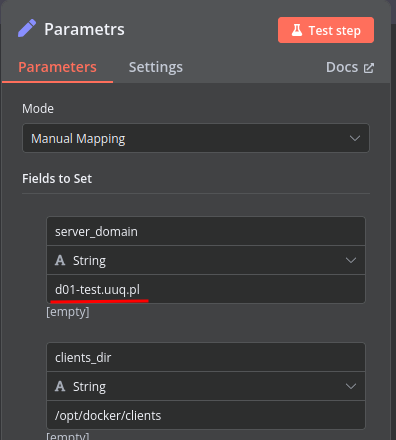
##### ##### 1. Download the latest version of the module. PHP 8.2 ```Powershell wget http://download.puqcloud.com/WHMCS/servers/PUQ_WHMCS-Docker-NextCloud/php82/PUQ_WHMCS-Docker-NextCloud-latest.zip ``` All versions are available: [https://download.puqcloud.com/WHMCS/servers/PUQ_WHMCS-Docker-NextCloud/](https://download.puqcloud.com/WHMCS/servers/PUQ_WHMCS-Docker-NextCloud/) ##### 2. Unzip the archive with the module. ```Powershell unzip PUQ_WHMCS-Docker-NextCloud-latest.zip ``` ##### 3. Copy and Replace "puqDockerNextCloud" from "PUQ\_WHMCS-Docker-NextCloud" to "WHMCS\_WEB\_DIR/modules/servers/" # Preparing Docker Server ### Docker NextCloud module **[WHMCS](https://puqcloud.com/link.php?id=77)** ##### [Order now](https://puqcloud.com/whmcs-module-docker-nextcloud.php) | [Download](https://download.puqcloud.com/WHMCS/servers/PUQ_WHMCS-Docker-NextCloud/) | [FAQ](https://faq.puqcloud.com/) | [n8n](https://puqcloud.com/link.php?id=117) ### To install the Docker server for this module, please follow the instructions at the following link: ##### [https://doc.puq.info/books/docker-modules/page/installing-docker-for-puqcloud-modules](https://doc.puq.info/books/docker-modules/page/installing-docker-for-puqcloud-modules) # Setting up n8n workflow ### Docker NextCloud module **[WHMCS](https://puqcloud.com/link.php?id=77)** ##### [Order now](https://puqcloud.com/whmcs-module-docker-nextcloud.php) | [Download](https://download.puqcloud.com/WHMCS/servers/PUQ_WHMCS-Docker-NextCloud/) | [FAQ](https://faq.puqcloud.com/) | [n8n](https://puqcloud.com/link.php?id=117) ## Overview The **Docker NextCloud WHMCS module** leverages a sophisticated workflow for **n8n**, designed to automate the comprehensive deployment, configuration, and management processes for NextCloud and NextCloud Office services. Through its intuitive API interface, the workflow securely receives commands and orchestrates predefined tasks via SSH on your Docker-hosted server, ensuring streamlined operations and efficient management. ## Prerequisites - You must deploy your own dedicated **n8n** server to manage workflows effectively. - Alternatively, you may opt for the official **n8n** cloud-based solutions accessible via: [n8n Official Site](https://n8n.partnerlinks.io/o692v7cg297k) - Your Docker server must be accessible via SSH with necessary permissions. ## Installation Steps ### Install the Required Workflow on n8n You can select from two convenient installation options: #### **Option 1: Use the Latest Version from the n8n Marketplace** - The latest workflow templates are continuously updated and available on the n8n marketplace. - Explore all templates provided by PUQcloud directly here: [PUQcloud on n8n](https://n8n.io/creators/puqcloud/) #### **Option 2: Manual Installation** - Each module version includes a bundled workflow template file. [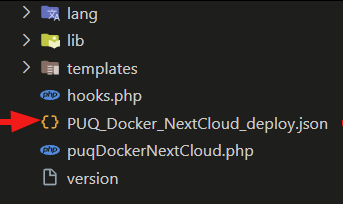](../img/09-setting-up-n8n-workflow-temlate-file.png) - Import this workflow file directly into your n8n server manually. [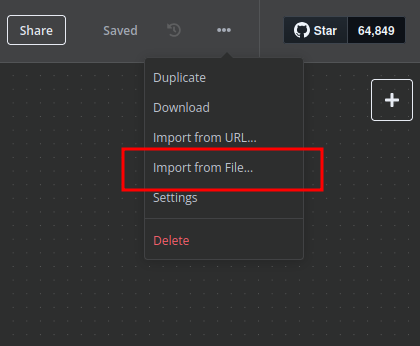](../img/10-setting-up-n8n-workflow-import-template.png) ## n8n Workflow API Backend Setup for WHMCS ### Configure API Webhook and SSH Access - Create a secure **Basic Auth Credential** for Webhook API interactions within n8n. [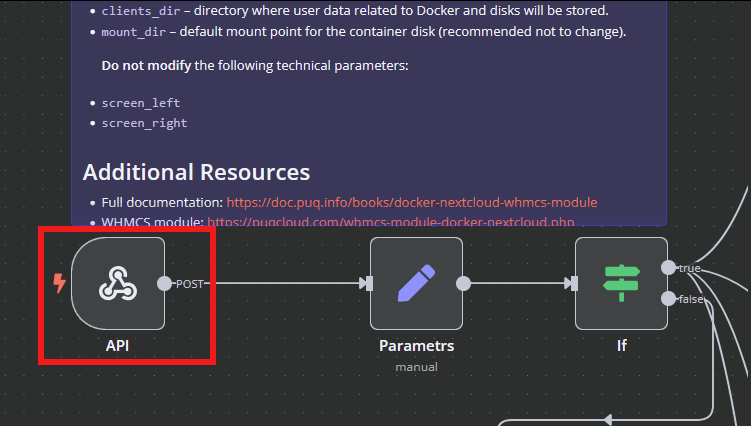 - Create an **SSH Credential** within n8n to securely communicate with the Docker host. 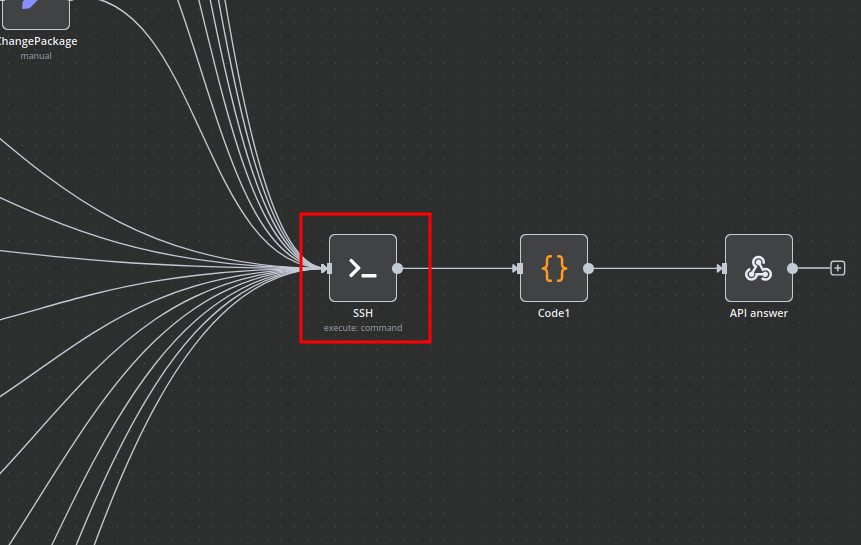 ### Modify Template Parameters Adjust and update the following critical parameters to match your deployment specifics: [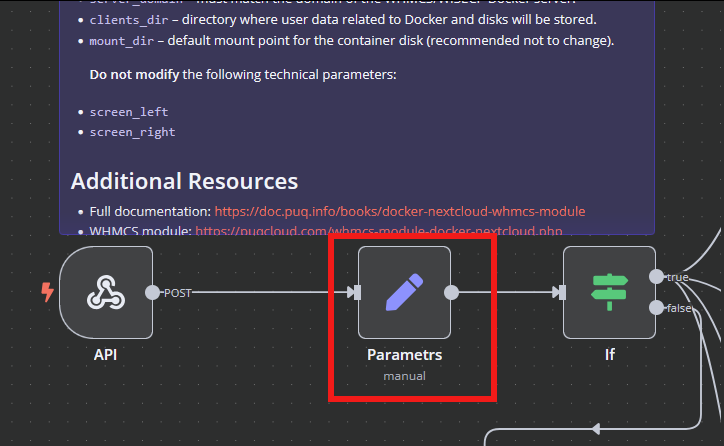](../img/12-setting-up-n8n-workflow-parametrs-setting.png) - `server_domain` – Set this to the domain of your WHMCS Docker server. - `clients_dir` – Specify the directory where user data and related resources will be stored. - `mount_dir` – The standard mount point for container storage (recommended to remain unchanged). **Do not alter** the following technical parameters to avoid workflow disruption: `screen_left`, `screen_right`. ### **Deploy-docker-compose Configuration** Fine-tune Docker Compose configurations tailored specifically for these critical operational scenarios: - Initial service provisioning and setup - Service suspension and subsequent unlocking - Service configuration updates - Routine service maintenance tasks 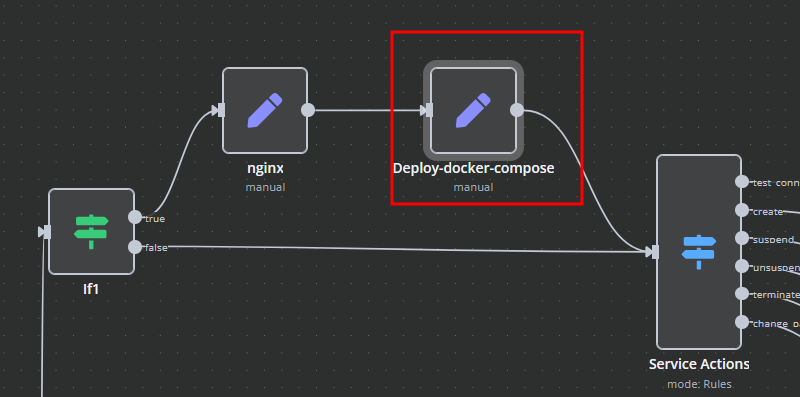 ### **nginx Configuration Management** Enhance and customize proxy server configurations using the dedicated nginx workflow element: - **main**: Define specialized parameters within the server configuration block. - **main\_location**: Set custom headers, caching policies, and routing rules for the root location. 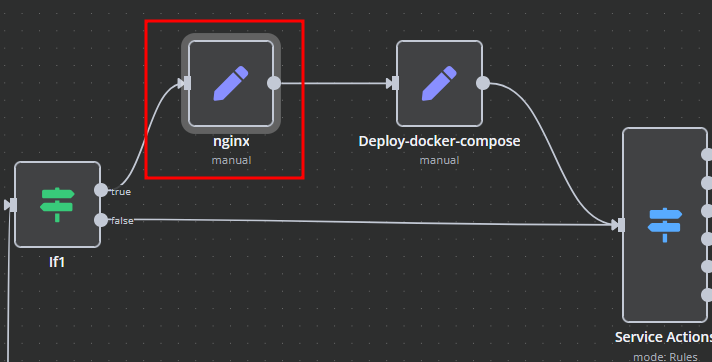 ### **Bash Script Automation** Automate Docker container management and related server tasks through dynamically generated Bash scripts within n8n. Scripts execute securely via SSH and provide responses in JSON or plain text formats for easy parsing and logging. - Scripts are conveniently linked directly to the SSH action elements. - You retain complete flexibility to adapt or extend these scripts as necessary to meet your precise operational requirements. 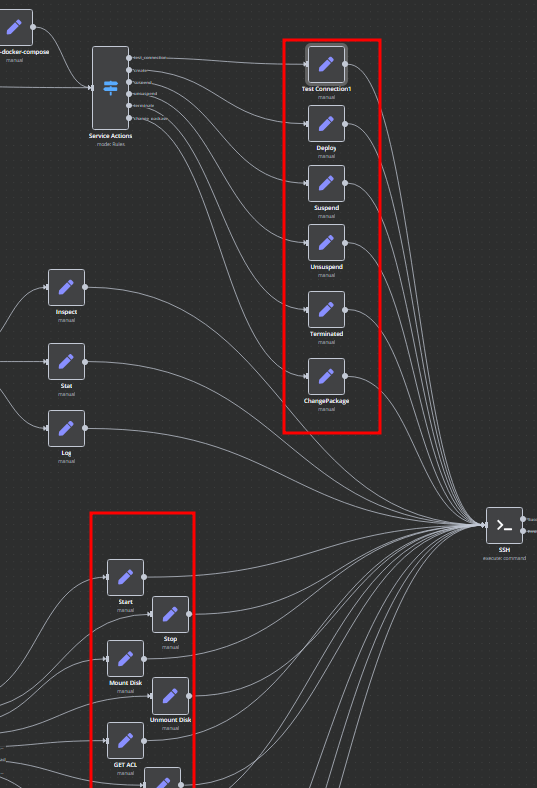 # Add server ### Docker NextCloud module **[WHMCS](https://puqcloud.com/link.php?id=77)** ##### [Order now](https://puqcloud.com/whmcs-module-docker-nextcloud.php) | [Download](https://download.puqcloud.com/WHMCS/servers/PUQ_WHMCS-Docker-NextCloud/) | [FAQ](https://faq.puqcloud.com/) | [n8n](https://puqcloud.com/link.php?id=117) ##### Add a new server to the WHMCS system. ``` System Settings->Servers->Add New Server ``` - Enter the correct **Name** and **Hostname** for your server. [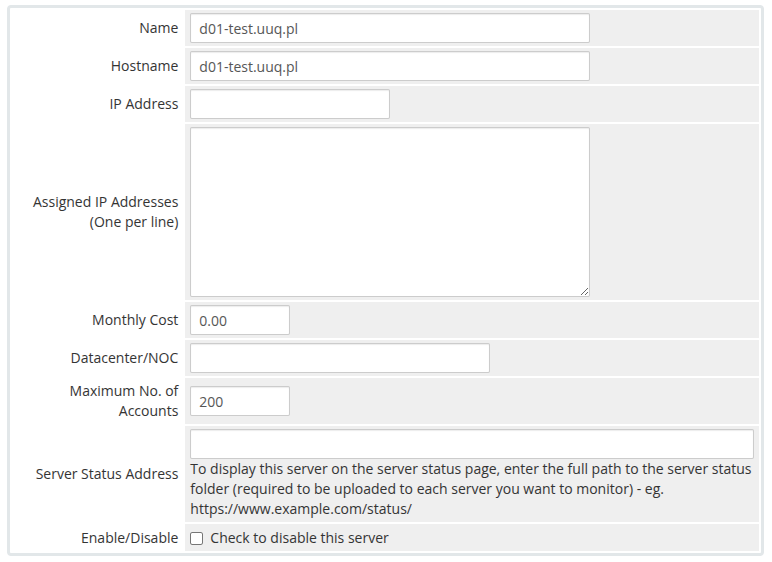](../img/17-add-server-1.png)**Attention: Important Information** The **hostname** field must precisely match the domain configured as **server\_domain** in the **n8n workflow**. Misalignment between these parameters will disrupt the communication between WHMCS and Docker. Furthermore, ensure this domain is configured so that all subdomains point correctly to the Docker server's IP address.
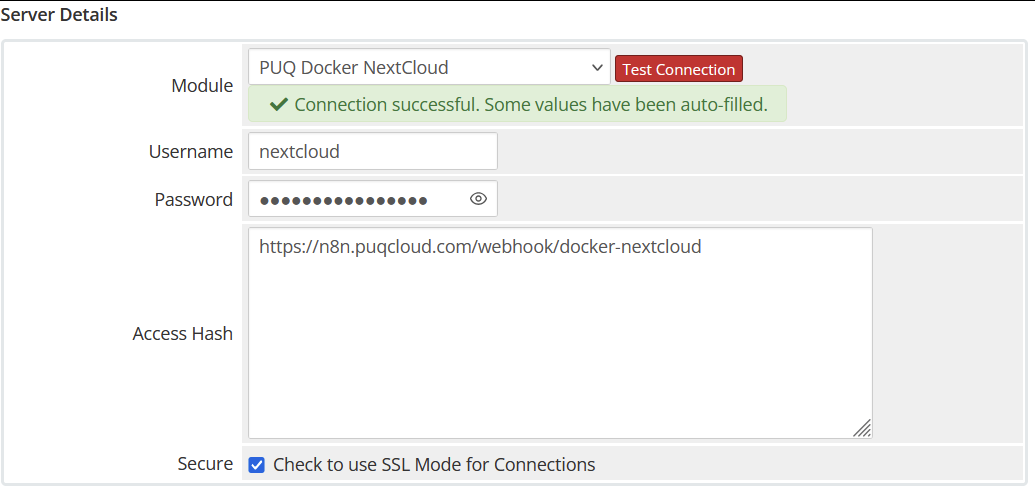
[](../img/18-add-server-n8n-workflow.png) In the **Server Details** section, choose the module **"PUQ Docker NextCloud"**. Enter the accurate **username** and **password** as configured for the **API endpoint** in the n8n workflow.Additionally, input the **URL of the API entry point** from the n8n workflow into the **Access Hash** field.
[](../img/19-add-server-2.png) [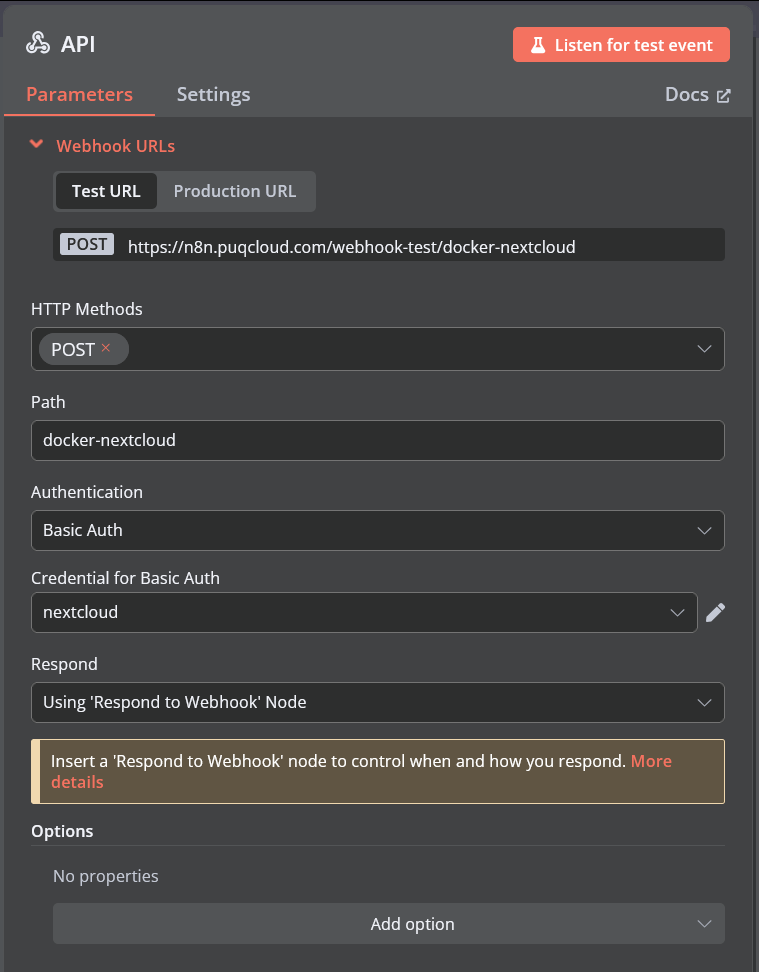](../img/20-add-server-n8n-workflow-api-setting.png) # Product Configuration ### Docker NextCloud module **[WHMCS](https://puqcloud.com/link.php?id=77)** ##### [Order now](https://puqcloud.com/whmcs-module-docker-nextcloud.php) | [Download](https://download.puqcloud.com/WHMCS/servers/PUQ_WHMCS-Docker-NextCloud/) | [FAQ](https://faq.puqcloud.com/) | [n8n](https://puqcloud.com/link.php?id=117) ##### Add new product to WHMCS ``` System Settings->Products/Services->Create a New Product ``` In the **Module settings** section, select the **"PUQ Docker NextCloud"** module. - **License key –** A pre-purchased, active license key for the **"PUQ Docker NextCloud"** module is required for proper operation. - **Disk space –** Specifies the disk space allocated to the NextCloud Docker container. - **CPU –** Sets the CPU usage limit for the Docker container. - **RAM –** Determines the amount of RAM allocated to the Docker container. - **Link to instruction –** URL to documentation or instructions that will appear in the client's service management panel, if provided. - **Main domain –** The primary domain for accessing NextCloud’s web interface. If left empty, the domain specified in the server’s **hostname** setting will be used. - **Subdomain –** Assigns an individual subdomain for each service. If left blank or if the subdomain already exists, it will automatically generate using the format **{user\_id}-{service\_id}**. - ### Supported Macros for **App Subdomain**: - **{user\_id}** – Client ID - **{service\_id}** – Service ID - **{random\_digit\_x}** – Generates random digits (x specifies length) - **{random\_letter\_x}** – Generates random letters (x specifies length) - **{unixtime}** – Current Unix timestamp - **{year}, {month}, {day}, {hour}, {minute}, {second}** – Date and time values - **Notification, used disk space X % –** Defines the percentage threshold of disk usage at which the client receives a notification alert. - **Notification disk limit email template –** Select an email template that will be sent automatically when the disk usage threshold is reached. [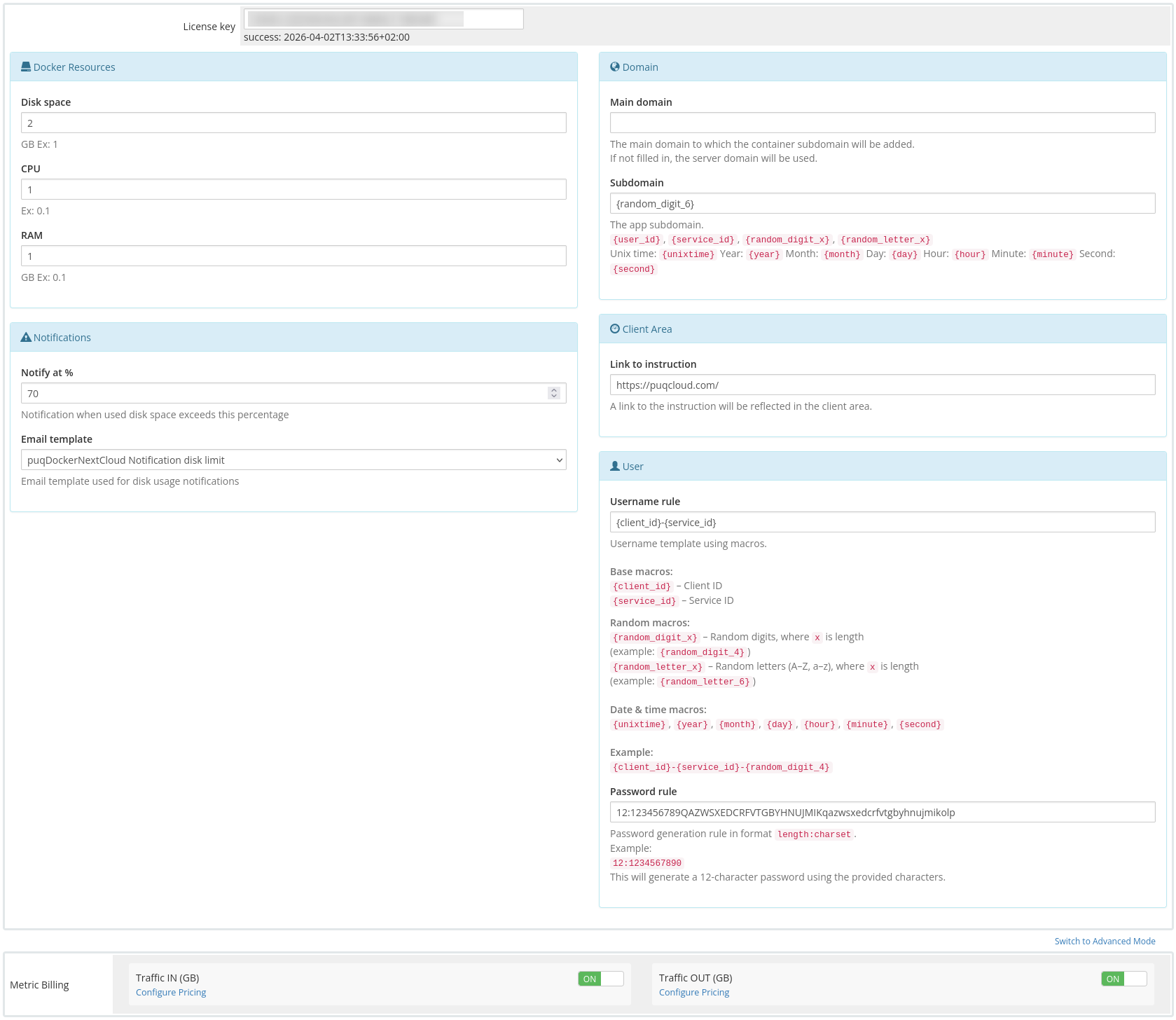](../img/21-product-configuration-product-setting.png) # Metric Billing ### Docker NextCloud module **[WHMCS](https://puqcloud.com/link.php?id=77)** ##### [Order now](https://puqcloud.com/whmcs-module-docker-nextcloud.php) | [Download](https://download.puqcloud.com/WHMCS/servers/PUQ_WHMCS-Docker-NextCloud/) | [FAQ](https://faq.puqcloud.com/) | [n8n](https://puqcloud.com/link.php?id=117) To bill specific metrics individually, you can utilize the standard WHMCS Metric Billing mechanism integrated with the Docker NextCloud module. To configure Metric Billing, you must activate the relevant metrics and define the desired pricing. Metrics billing utilizes the default WHMCS functionality. For detailed documentation on how WHMCS Metric Billing operates, visit: [https://docs.whmcs.com/products/configuration-options/usage-billing/](https://docs.whmcs.com/products/configuration-options/usage-billing/) 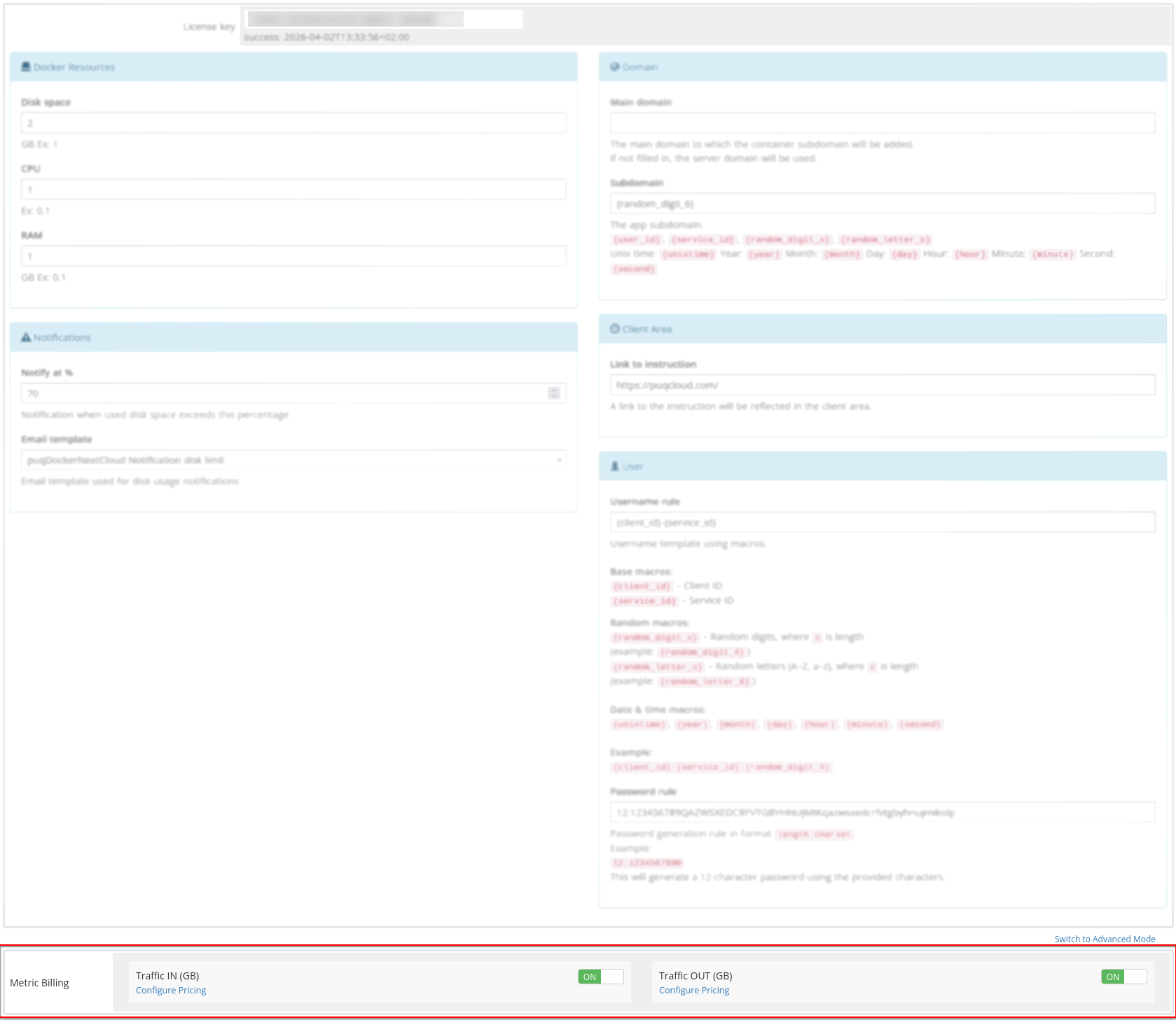 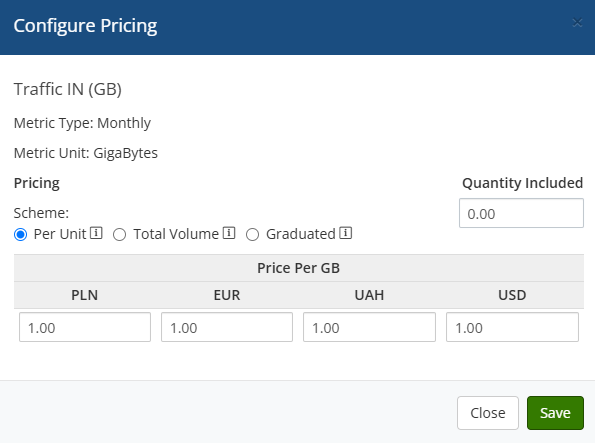 # Email Template (puqDockerNextCloud Welcome Email) ### Docker NextCloud module **[WHMCS](https://puqcloud.com/link.php?id=77)** ##### [Order now](https://puqcloud.com/whmcs-module-docker-nextcloud.php) | [Download](https://download.puqcloud.com/WHMCS/servers/PUQ_WHMCS-Docker-NextCloud/) | [FAQ](https://faq.puqcloud.com/) | [n8n](https://puqcloud.com/link.php?id=117) ##### Create an email template for customer notifications. ``` System Settings->Email Templates->Create New Email Template ``` - **Email Type:** Product/service - **Unique Name:** puqDockerNextCloud Welcome Email [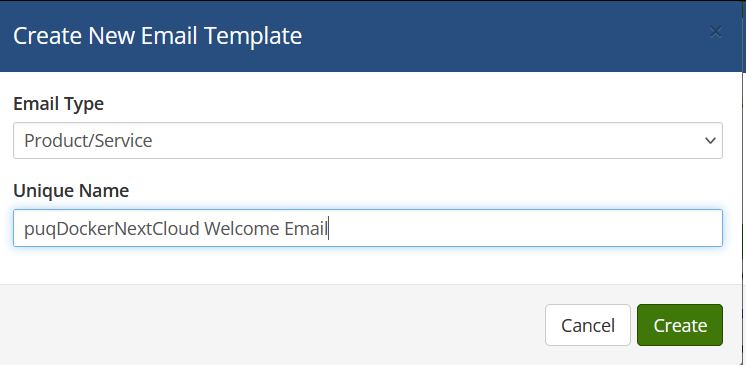](../img/24-email-template-welcome-name-example.png) **Subject:** ``` NextCloud Service Activation ``` **Body:** ``` Dear {$client_name}, We are pleased to inform you that your NextCloud service order has been successfully accepted. Product/Service: {$service_product_name} Payment Method: {$service_payment_method} Amount: {$service_recurring_amount} Billing Cycle: {$service_billing_cycle} Next Due Date: {$service_next_due_date} Your NextCloud instance is currently being installed and configured. It will be ready for use within approximately 5 minutes. You can access your NextCloud instance using the following link: https://{$service_domain}/ On your first login, please use the provided credentials or set up your account if prompted. Thank you for choosing our services. We look forward to providing you with a secure and powerful NextCloud experience. Warm regards, {$signature} ``` [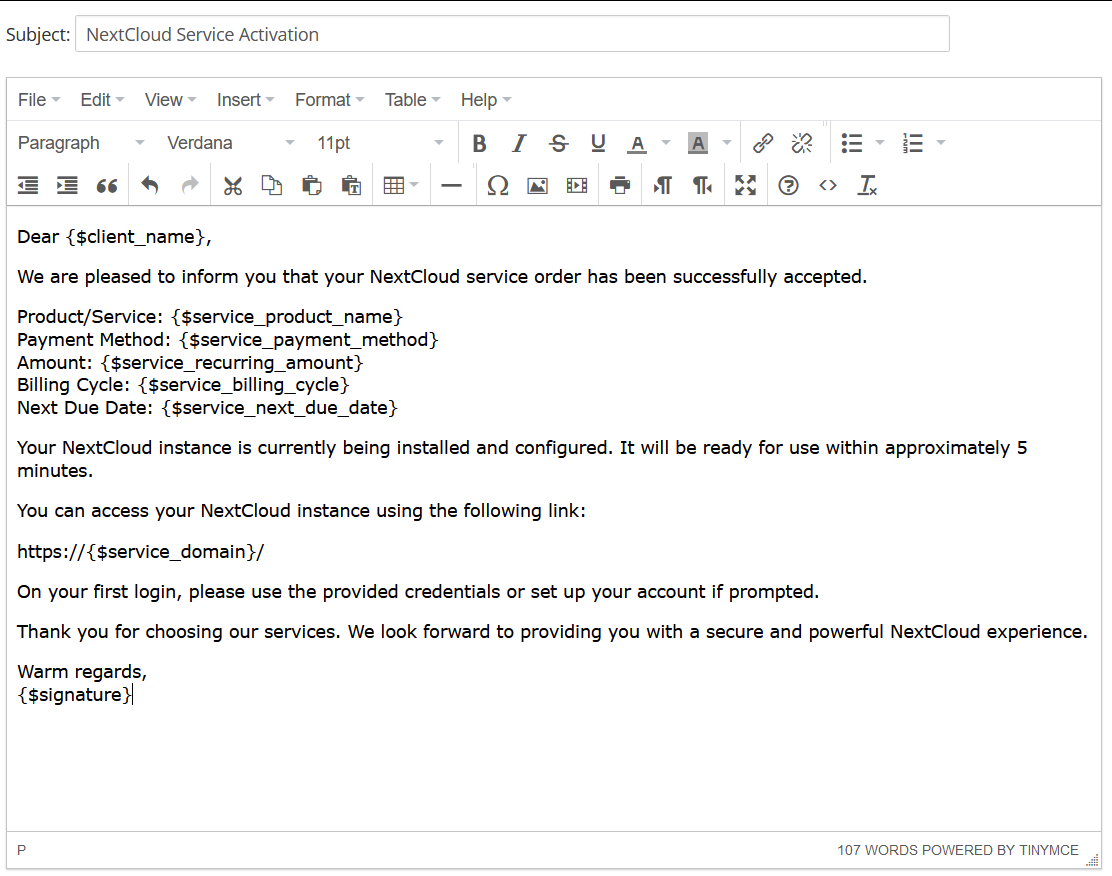](../img/25-email-template-welcome-body-example.png) # Email Template (puqDockerNextCloud Update Email) ### Docker NextCloud module **[WHMCS](https://puqcloud.com/link.php?id=77)** ##### [Order now](https://puqcloud.com/whmcs-module-docker-nextcloud.php) | [Download](https://download.puqcloud.com/WHMCS/servers/PUQ_WHMCS-Docker-NextCloud/) | [FAQ](https://faq.puqcloud.com/) | [n8n](https://puqcloud.com/link.php?id=117) ##### Create an email template for customer notifications. ``` System Settings->Email Templates->Create New Email Template ``` - **Email Type:** Product/service - **Unique Name:** puqDockerNextCloud Update Email [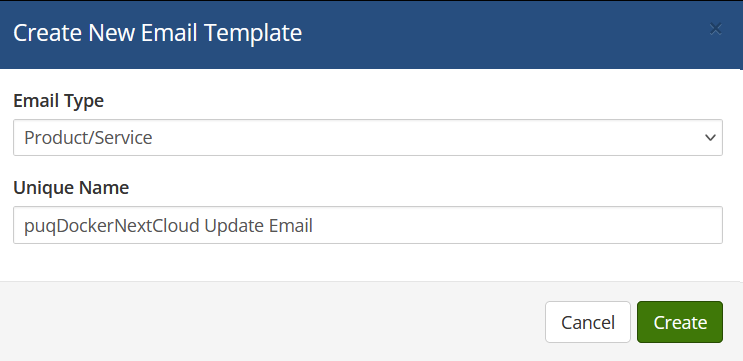](../img/26-email-template-update-name-example.png) **Subject:** ``` NextCloud Service Update Notification ``` **Body:** ``` Dear {$client_name}, Your NextCloud instance is currently undergoing a routine update to enhance performance and security. You will be able to access your NextCloud service again within approximately 3 minutes. Access your NextCloud server here: https://{$service_domain}/ Thank you for your patience and for choosing our NextCloud services. Best regards, {$signature} ``` [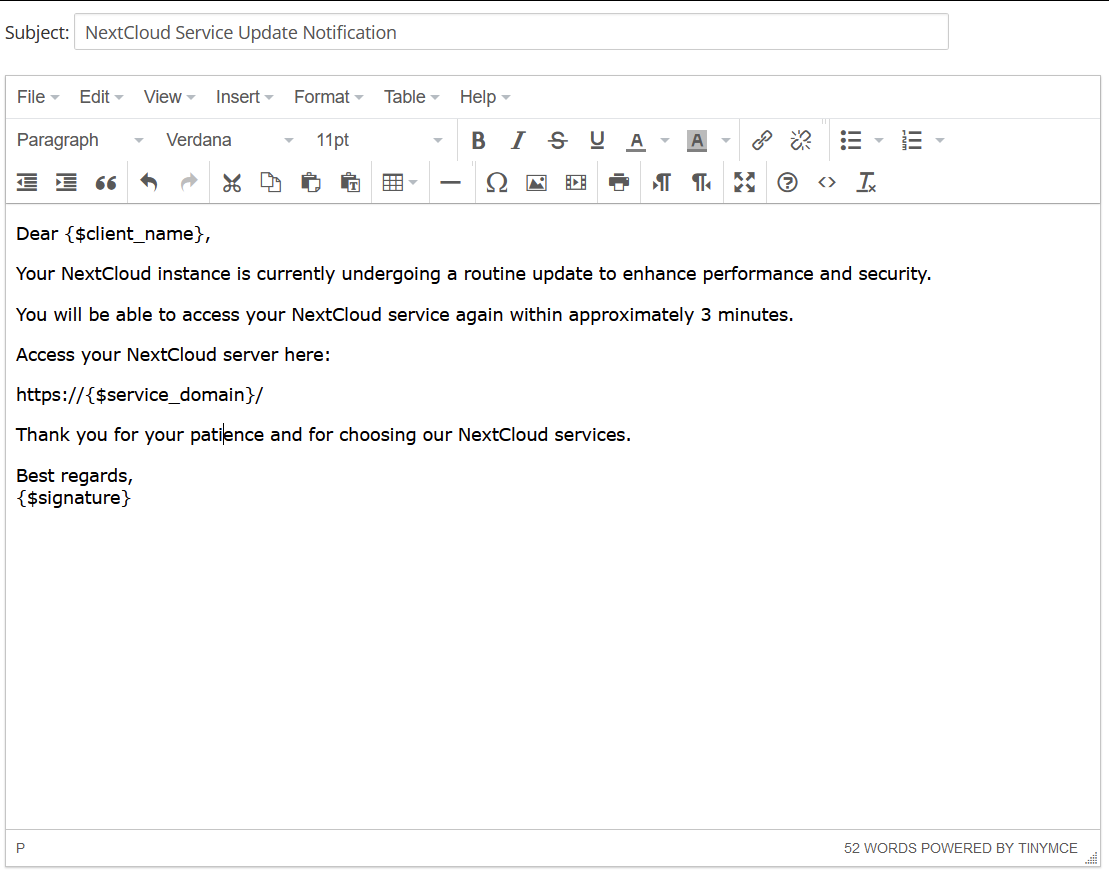](../img/27-email-template-update-body-example.png) # Email Template (puqDockerNextCloud Notification disk limit) ### Docker NextCloud module **[WHMCS](https://puqcloud.com/link.php?id=77)** ##### [Order now](https://puqcloud.com/whmcs-module-docker-nextcloud.php) | [Download](https://download.puqcloud.com/WHMCS/servers/PUQ_WHMCS-Docker-NextCloud/) | [FAQ](https://faq.puqcloud.com/) | [n8n](https://puqcloud.com/link.php?id=117) ##### Create an email template for customer notifications. ``` System Settings->Email Templates->Create New Email Template ``` - **Email Type:** Product/service - **Unique Name:** puqDockerNextCloud Notification disk limit [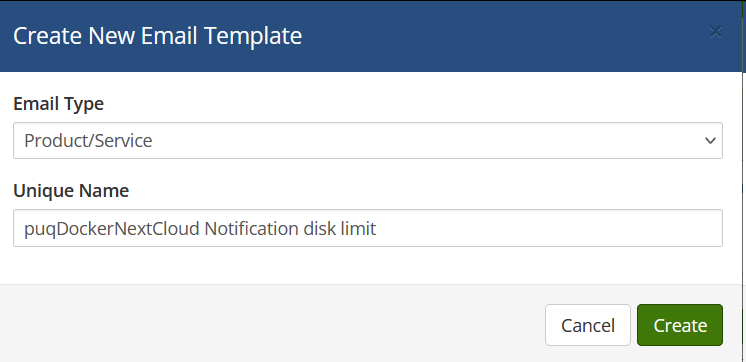](../img/28-email-template-notification-name-example.png) **Subject:** ``` NextCloud Disk Usage Alert: {$disk_used_percentage}% Used ``` **Body:** ``` Dear {$client_name}, We would like to inform you that your NextCloud service is approaching its disk space limit. Please take immediate action to avoid any potential interruptions to your service. Service Details: Product/Service: {$service_product_name} Domain: {$service_domain} Total Disk Space: {$disk_total} Used Disk Space: {$disk_used} ({$disk_used_percentage}%) Consider removing unnecessary files, or contact us to upgrade your disk space plan. Thank you for your attention. Best regards, {$signature} ``` [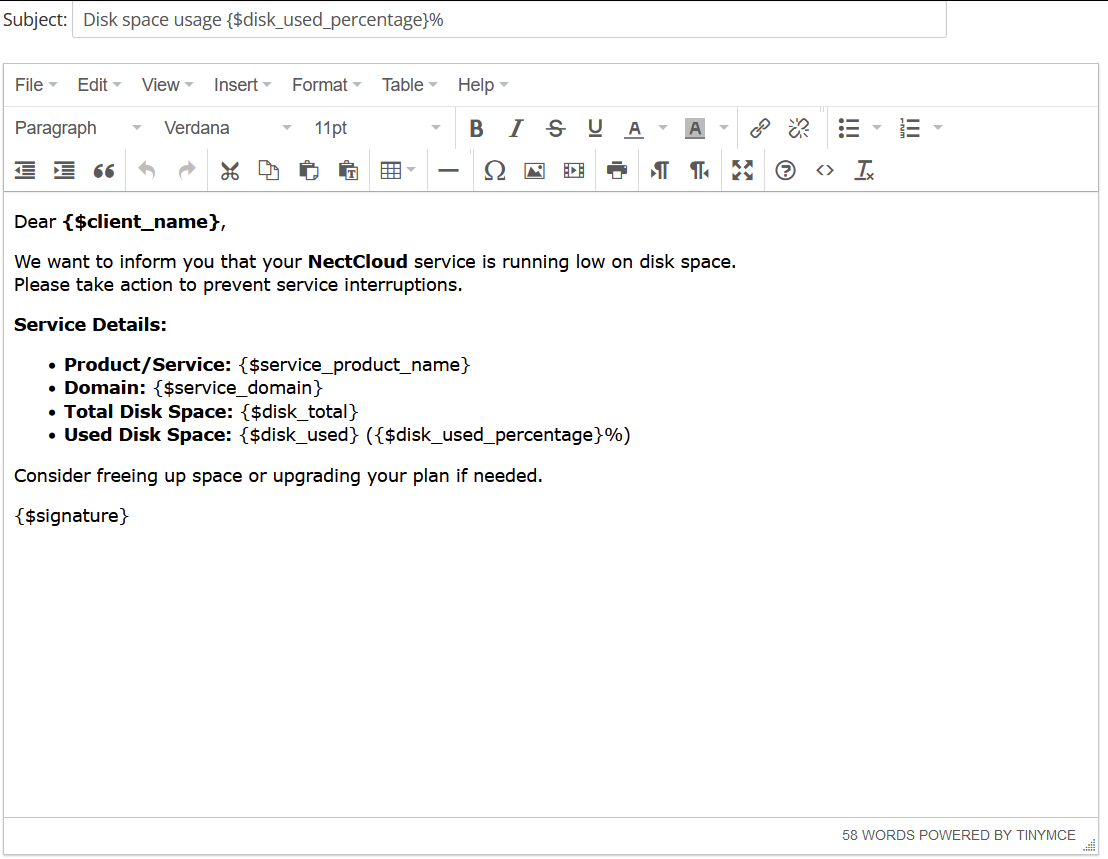](../img/29-email-template-notification-body-example.png) # Configurable Option (CPU/RAM/DISK) ### Docker NextCloud module **[WHMCS](https://puqcloud.com/link.php?id=77)** ##### [Order now](https://puqcloud.com/whmcs-module-docker-nextcloud.php) | [Download](https://download.puqcloud.com/WHMCS/servers/PUQ_WHMCS-Docker-NextCloud/) | [FAQ](https://faq.puqcloud.com/) | [n8n](https://puqcloud.com/link.php?id=117) In order for the client to have a choice of operating system in the configuration of the virtual machine for NextCloud, you need to configure the Configurable Options and link them to the package. #### Create Group Add new Configurable Option to WHMCS ``` System Settings -> Configurable Option -> Create a New Group ``` [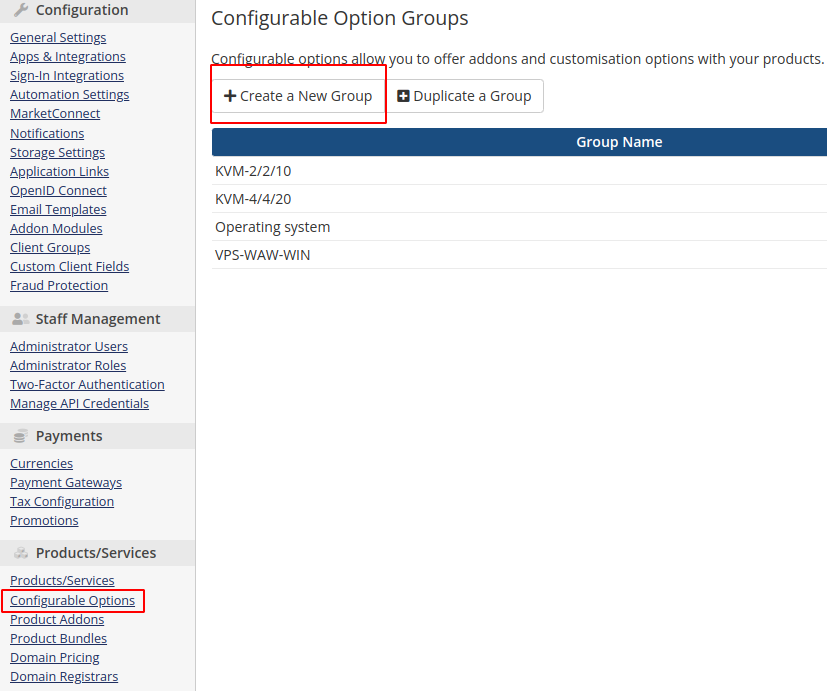](../img/30-configurable-option-1.png) **Enter the group name, description, and select the products you need.** **Group Name:** NextCloud [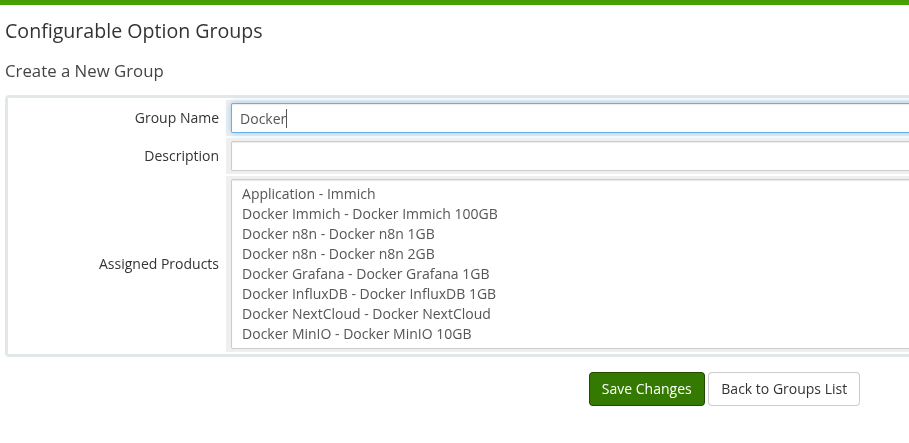](../img/31-configurable-option-2.png) #### Add Configurable Option [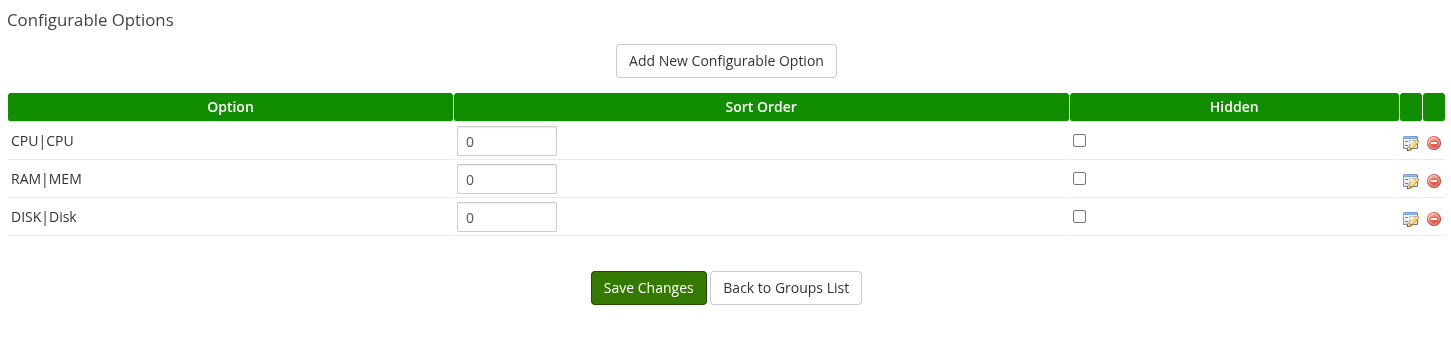](../img/32-configurable-option-3.png) ##### CPU|CPU – The first element before `|` must remain unchanged, the second is the label shown to clients [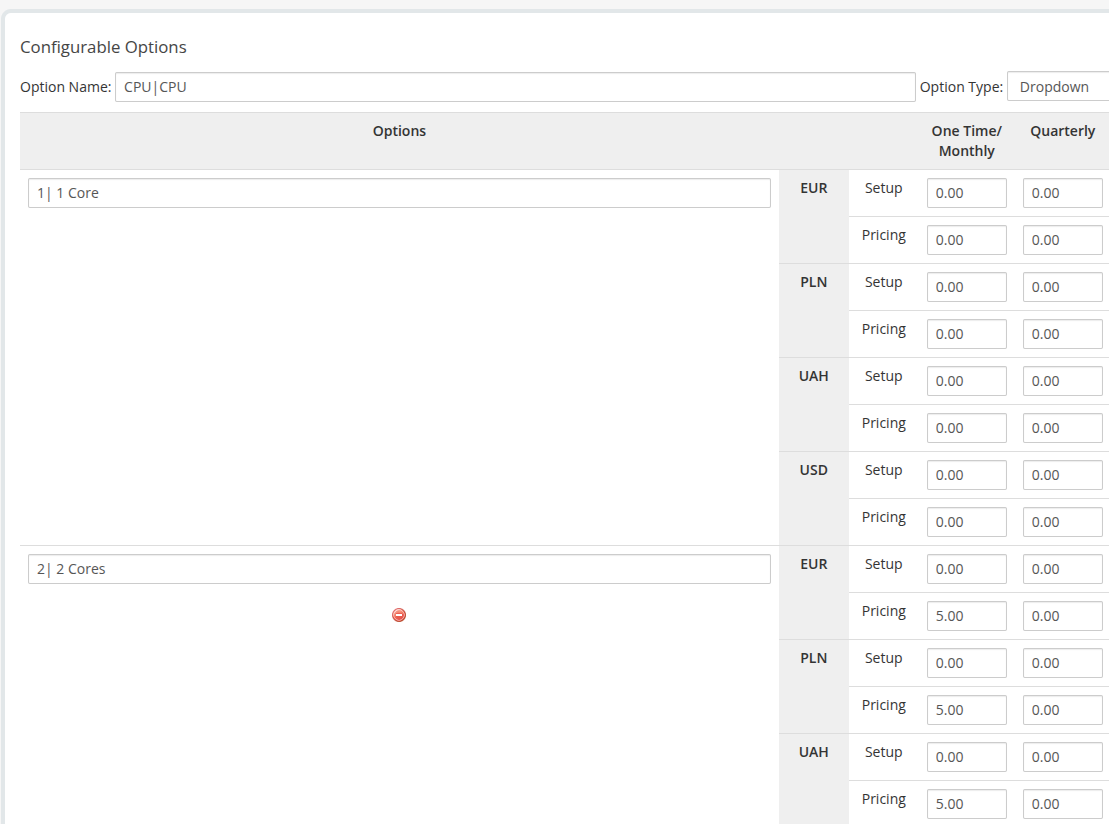](../img/33-configurable-option-4.png) The first part in the option is responsible for the quantity, and the second is just a description. ##### RAM|MEM – The first element before `|` must remain unchanged, the second is the label shown to clients [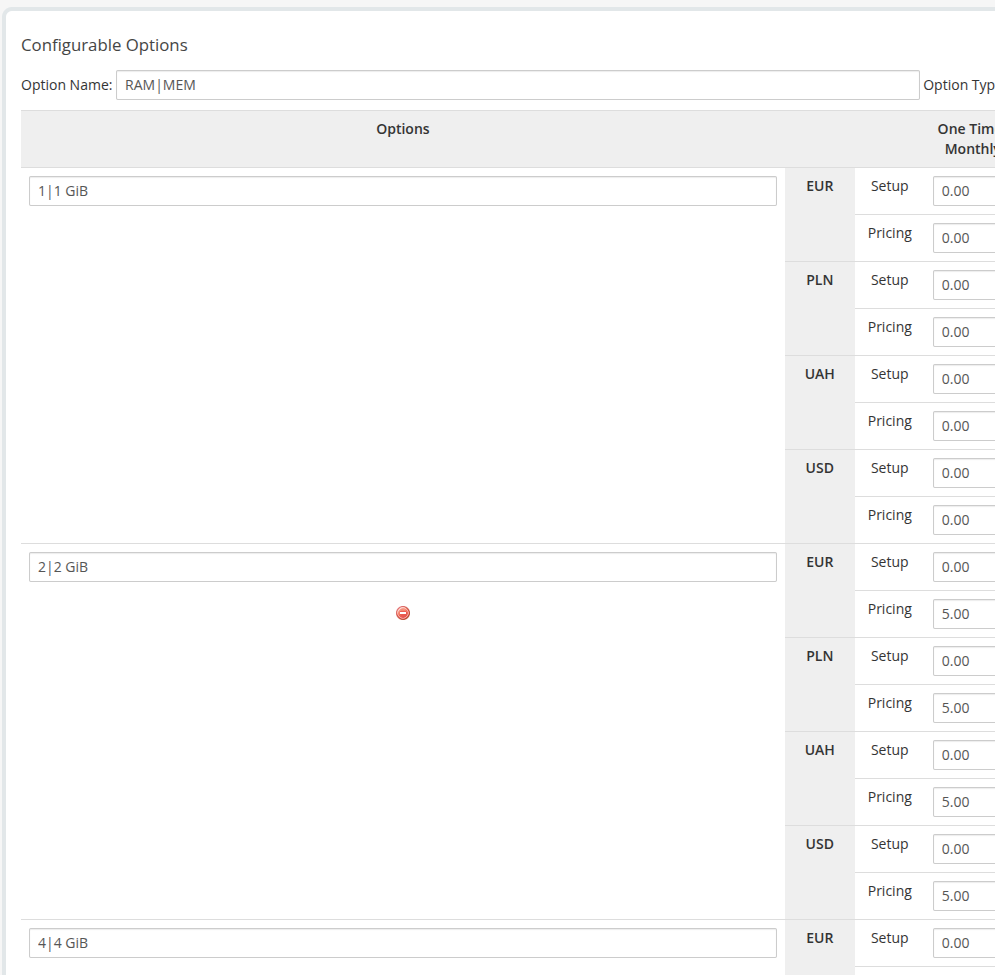](../img/34-configurable-option-5.png) The first part in the option is responsible for the quantity, and the second is just a description. ##### DISK|Disk – The first element before `|` must remain unchanged, the second is the label shown to clients [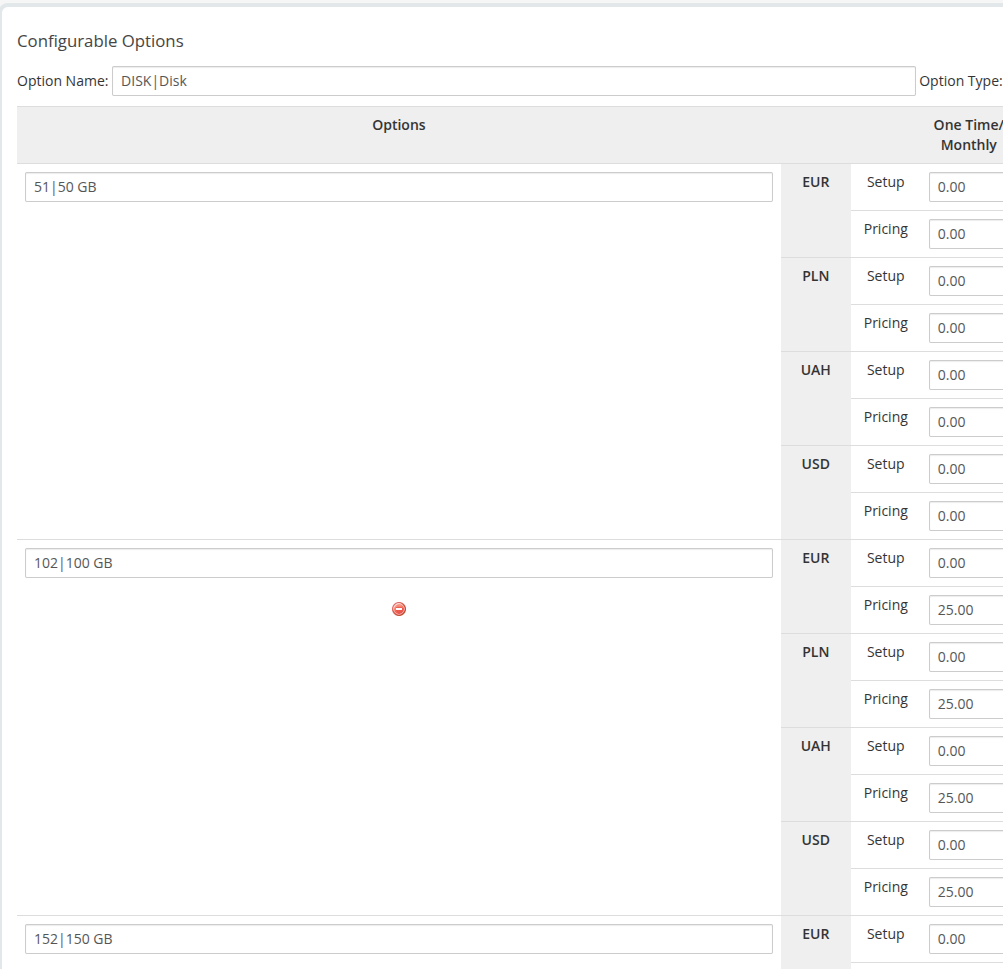](../img/35-configurable-option-6.png) The first part in the option is responsible for the quantity, and the second is just a description.