All versions are available via link: [http://download.puqcloud.com/WHMCS/servers/PUQ\_WHMCS-Emby-Family/](http://download.puqcloud.com/WHMCS/servers/PUQ_WHMCS-Emby-Family/)
##### 2. Unzip the archive with the module. ```Powershell unzip PUQ_WHMCS-Emby-Family-latest.zip ``` ##### 3. Copy "puqEmbyFamily" to "WHMCS\_WEB\_DIR/modules/servers/" ##### 4. Create new server Emby in WHMCS (System Settings->Products/Services->Servers) ``` System Settings->Servers->Add New Server ``` - Enter the correct **Name** and **Hostname** [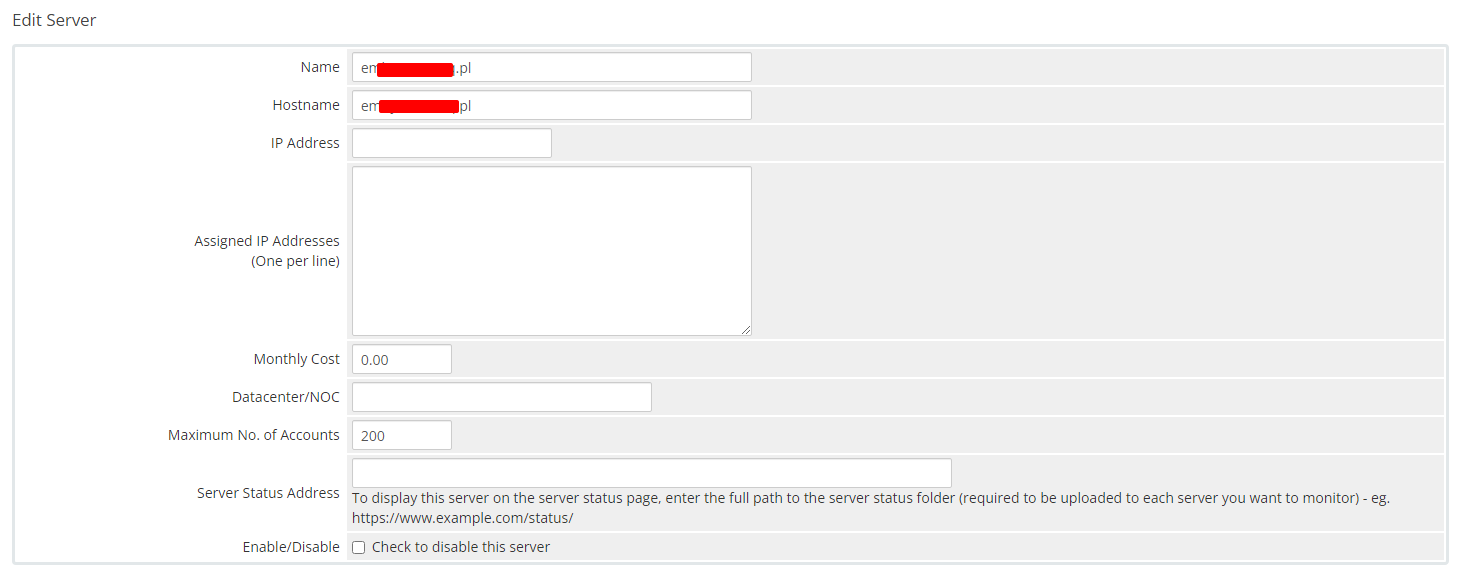](https://doc.puq.info/uploads/images/gallery/2023-11/21.png) - In the **Server Details** section, select the "**PUQ Emby Family**" module and enter the correct **username**, **password** and **access hash (API key)** for the **Emby web interface**. - To check, click the **"Test connection"** button [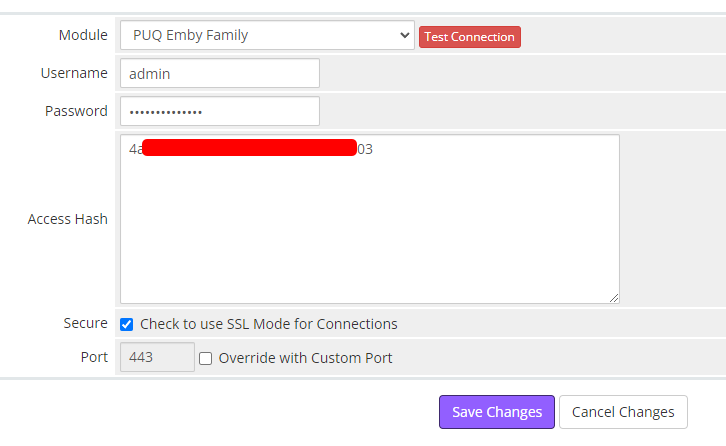](https://doc.puq.info/uploads/images/gallery/2024-05/image-1714746182156.png) ##### 5. Create a new Products/Services ``` System Settings->Products/Services->Create a New Product ``` In the **Module settings** section, select the **"PUQ Emby Family"** module [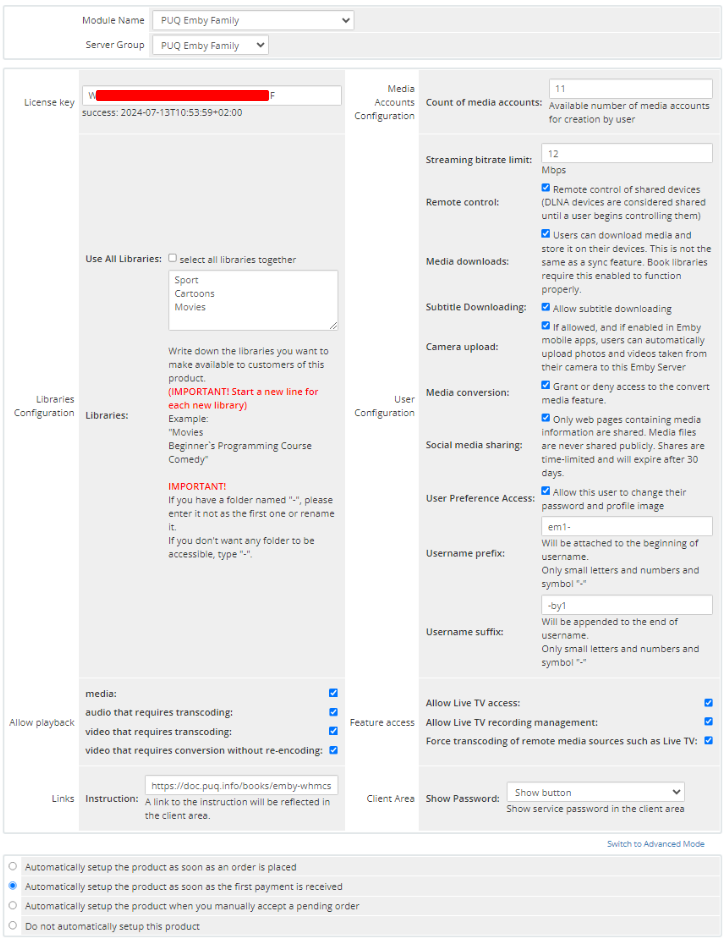](https://doc.puq.info/uploads/images/gallery/2024-07/image-1720788279378.png) - **License key:** A pre-purchased license key for the **"PUQ Emby Family"** module. For the module to work correctly, the key must be active ##### Media Accounts Configuration - **Count of media accounts**: Available number of media accounts for creation by user. ##### Libraries: - **Use All Libraries**: Choosing all of libraries from your Jellyfin server - **Libraries**: The libraries you want to make available to customers of this product. **(IMPORTANT! Start a new line for each new library)** Example: "Movies Beginner`s Programming Course Comedy" **IMPORTANT!** If you have a folder named "-", please enter it not as the first one or rename it. If you don't want any folder to be accessible, type "-". ##### User Configuration: - **Streaming bitrate limit:** An optional per-stream bitrate limit for all out of network devices. This is useful to prevent devices from requesting a higher bitrate than your internet connection can handle. This may result in increased CPU load on your server in order to transcode videos on the fly to a lower bitrate. - **Remote control:** Remote control of shared devices (DLNA devices are considered shared until a user begins controlling them) - **Media downloads:** Users can download media and store it on their devices. This is not the same as a sync feature. Book libraries require this enabled to function properly. - **Subtitle Downloading:** Allow subtitle downloading - **Camera upload:** If allowed, and if enabled in Emby mobile apps, users can automatically upload photos and videos taken from their camera to this Emby Server - **Media conversion:** Grant or deny access to the convert media feature. - **Social media sharing:** Only web pages containing media information are shared. Media files are never shared publicly. Shares are time-limited and will expire after 30 days. - **User Preference Access:** Allow this user to change their password and profile image - **Username prefix/Username suffix:** Necessary in order to generate a username for the service, in the format: **prefix<client\_id>-<service\_id>suffix** ##### Allow playback (Restricting access to transcoding may cause playback failures in clients due to unsupported media formats) - **media** - **audio that requires transcoding** - **video that requires transcoding** - **video that requires conversion without re-encoding** ##### Feature access: - **Allow Live TV access** - **Allow Live TV recording management** - **Force transcoding of remote media sources such as Live TV** ##### Links - **Link to instruction:** Link to the instruction, if filled out, it will be reflected in the client area ##### Client Area - **Client Area:** Client zone settings, show or not show the password in the client zone, type how to show the password.