# Client Area
# Home screen
### Emby module **[WHMCS](https://puqcloud.com/link.php?id=77)**
##### [Order now](https://puqcloud.com/whmcs-module-emby.php) | [Download](https://download.puqcloud.com/WHMCS/servers/PUQ_WHMCS-Emby/) | [FAQ](https://faq.puqcloud.com/)
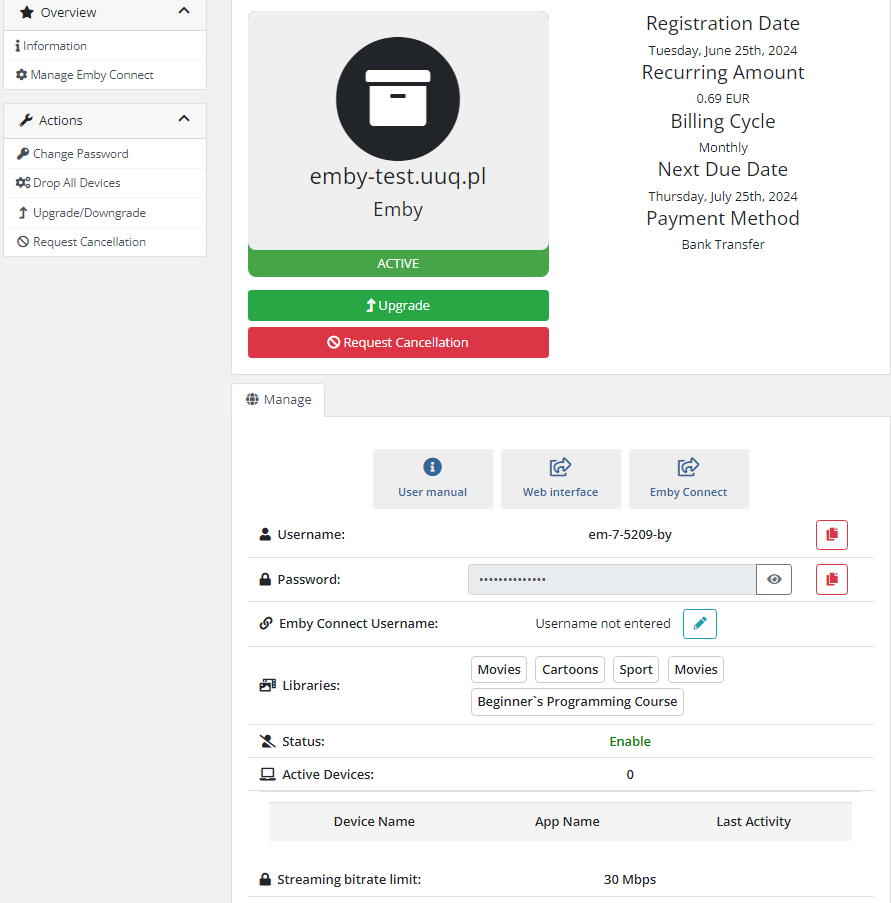
The end customer, after logging in to his own customer panel, has access to the following information and options
- Link to the user manual (which was defined by the administrator when setting up the service.).
- Emby server address
- Authorization data
- User informations
- List of active devices
- List of enabled user libraries
- Drop all devices
- Change the Emby user password
- Add/Manage Emby Connect account
[](https://doc.puq.info/uploads/images/gallery/2024-07/image-1720697559223.png)
# Manage Emby Connect
### Emby module **[WHMCS](https://puqcloud.com/link.php?id=77)**
##### [Order now](https://puqcloud.com/whmcs-module-emby.php) | [Download](https://download.puqcloud.com/WHMCS/servers/PUQ_WHMCS-Emby/) | [FAQ](https://faq.puqcloud.com/)
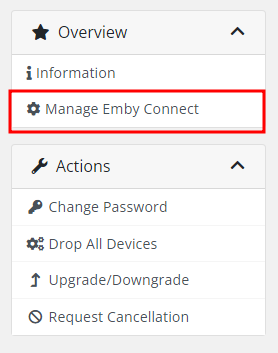
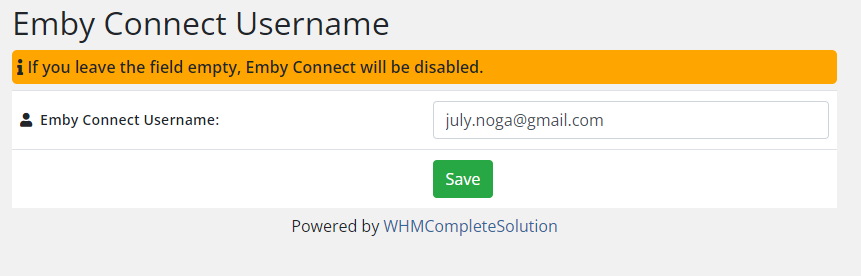
Here you can add an Emby Connect Username for main user
If you leave the field empty, Emby Connect will be disabled.
Register the email in **[Emby Connect](https://emby.media/connect.html).**
One Emby Connect username can only be linked to one Emby account.
[](https://doc.puq.info/uploads/images/gallery/2024-05/image-1715068747830.png)
[](https://doc.puq.info/uploads/images/gallery/2024-05/image-1714752317890.png)