# Client Area
# Product Home Screen
### Jellyfin Family module **[WISECP](https://puqcloud.com/link.php?id=78)**
##### [Order now](https://puqcloud.com/index.php?rp=/store/wisecp-module-jellyfin-family) | [Download](https://download.puqcloud.com/WISECP/Product/PUQ_WISECP-Jellyfin-Family/) | [FAQ](https://faq.puqcloud.com/)
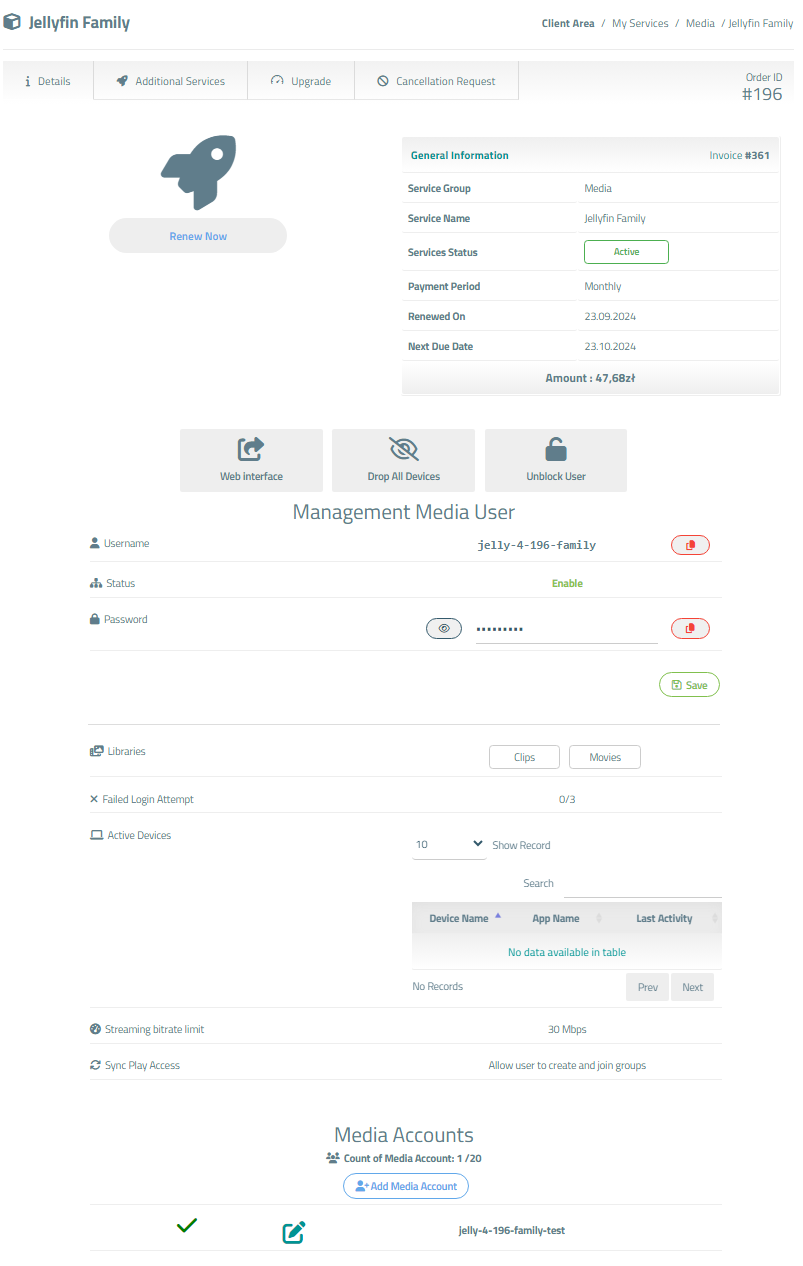
The end customer, after logging in to his own customer panel, has access to the following information and options
- Link to the user manual (which was defined by the administrator when setting up the service.).
- Jellyfin server address
- Authorization data
- User informations
- List of active devices
- List of enabled user libraries
- Drop all devices
- Unblock user
- Change the Jellyfin user password
- Add/Management/Delete Media Account
- Drop Account Devices
- List of Media Accounts
Screenshot of the client area
[](https://doc.puq.info/uploads/images/gallery/2024-10/image-1728562734736.png)
# Add Media Account
### Jellyfin Family module **[WISECP](https://puqcloud.com/link.php?id=78)**
##### [Order now](https://puqcloud.com/index.php?rp=/store/wisecp-module-jellyfin-family) | [Download](https://download.puqcloud.com/WISECP/Product/PUQ_WISECP-Jellyfin-Family/) | [FAQ](https://faq.puqcloud.com/)
### [](https://doc.puq.info/uploads/images/gallery/2024-07/image-1720093659485.png)
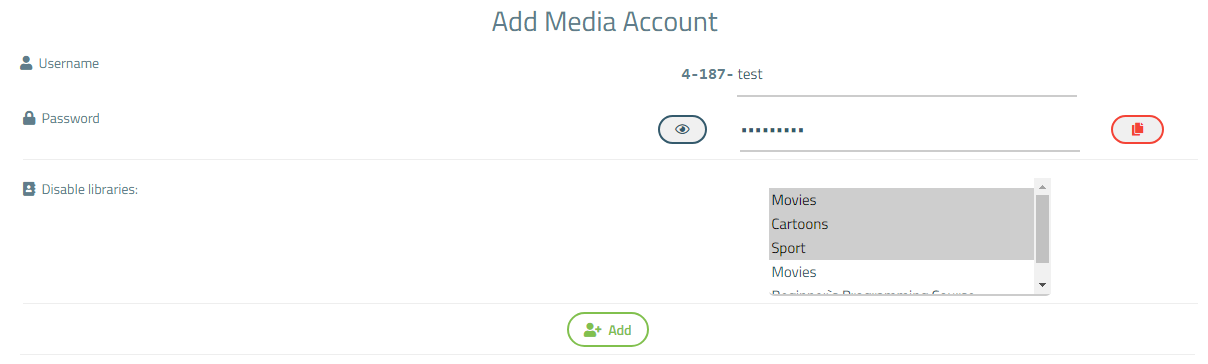
**Username** - Set a media account username. It consists of the username of the main account and a unique name for this media account.
**Password** - Write a password for registering the media account, or generate one by clicking Generate.
**Disable libraries** - Here are all the libraries available to the main account. If you want to restrict access for this media account to any of the libraries, simply select that library.
Press **Ctrl** to select multiple libraries.
Press **Shift** to select all libraries.
# Management Media account
### Jellyfin Family module **[WISECP](https://puqcloud.com/link.php?id=78)**
##### [Order now](https://puqcloud.com/index.php?rp=/store/wisecp-module-jellyfin-family) | [Download](https://download.puqcloud.com/WISECP/Product/PUQ_WISECP-Jellyfin-Family/) | [FAQ](https://faq.puqcloud.com/)
[](https://doc.puq.info/uploads/images/gallery/2024-10/image-1728563835054.png)
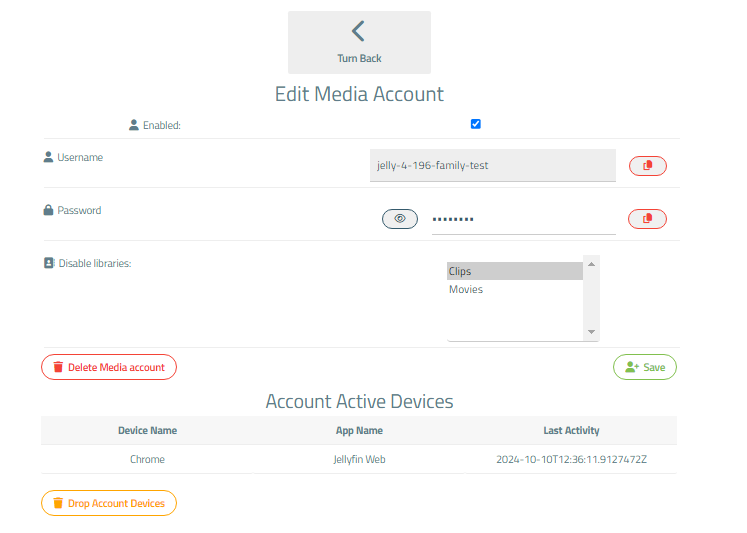
**Enabled** - Update account status.
**Username** - Set a media account username. It consists of the username of the main account and a unique name for this media account.
**Password** - Write a password for registering the media account.
**Disable libraries** - Here are all the libraries available to the main account. If you want to restrict access for this media account to any of the libraries, simply select that library.
Press **Ctrl** to select multiple libraries.
Press **Shift+Ctrl** from top to bottom of list to select all libraries.
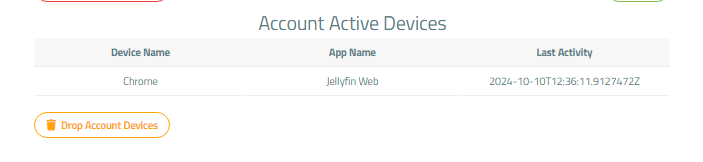
#### Media account active devices
Here is a list of active devices for this account.
Press "Drop Account Devices" to sign out from the devices.
[](https://doc.puq.info/uploads/images/gallery/2024-10/image-1728563851520.png)