
Service configuration
Jellyfin module WISECP
Order now | Download | FAQ
If you do not have a Service Group where you want to place the new service, you need to create a new Service Group
1. Log in to the administrative area of your WISECP.
2. Create New Service Group
Go to
Services -> Service Management -> Add Group
Enter all the necessary data and click the 'Create Group' button.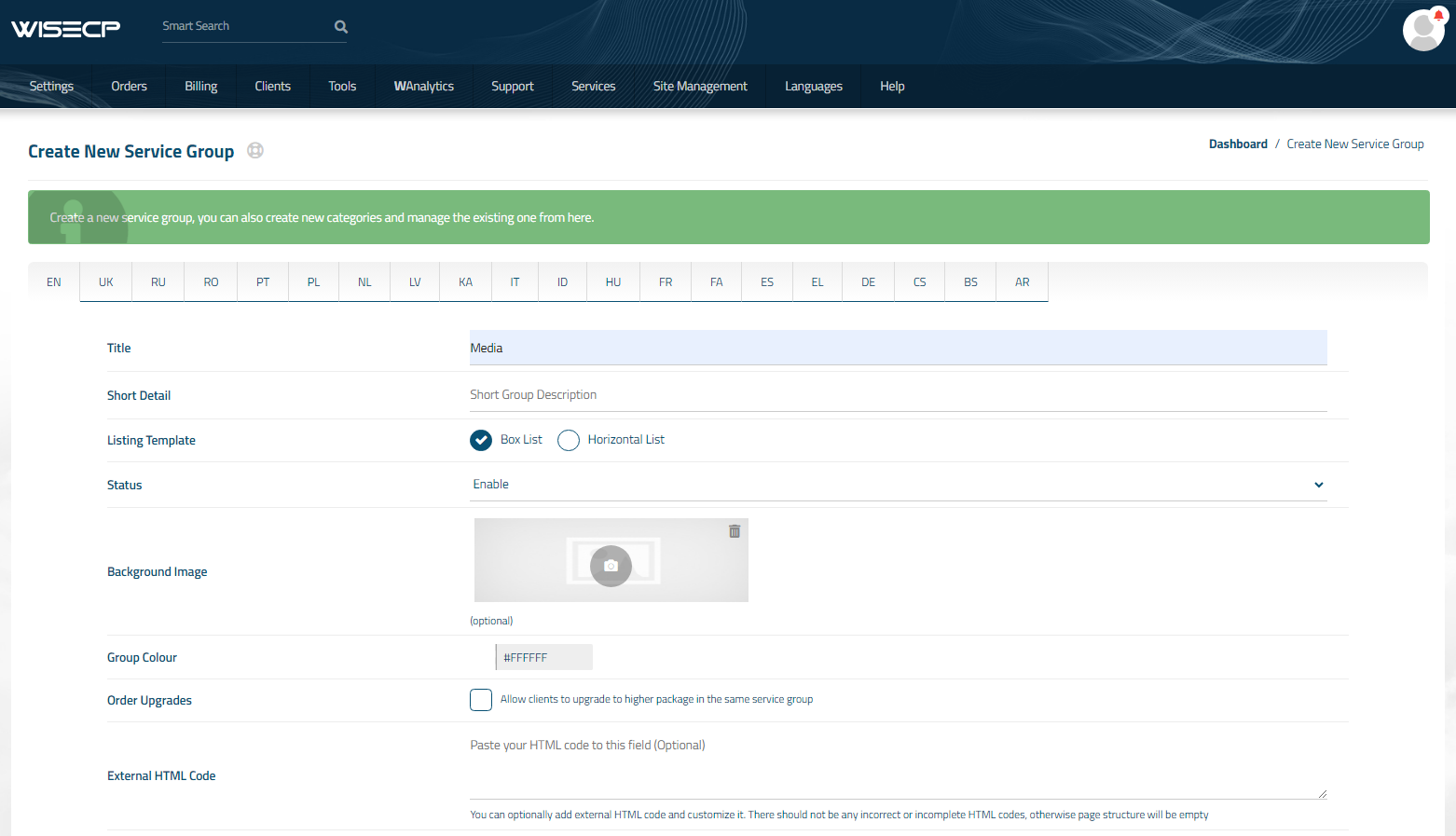
3. Adding a New Service
Go to
Services -> our service group where you need to add the new service.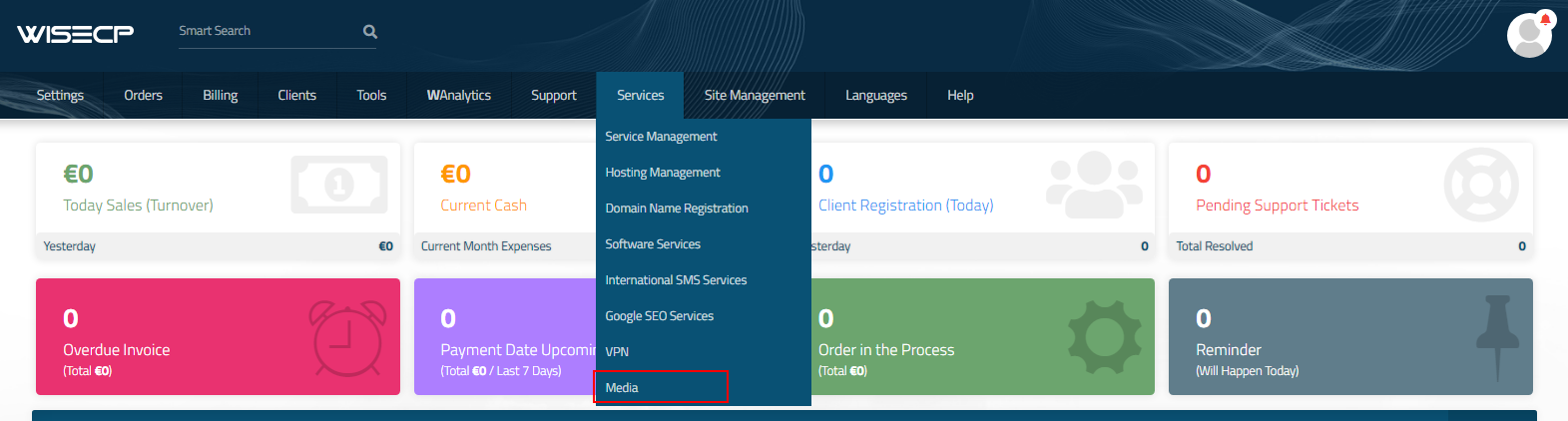
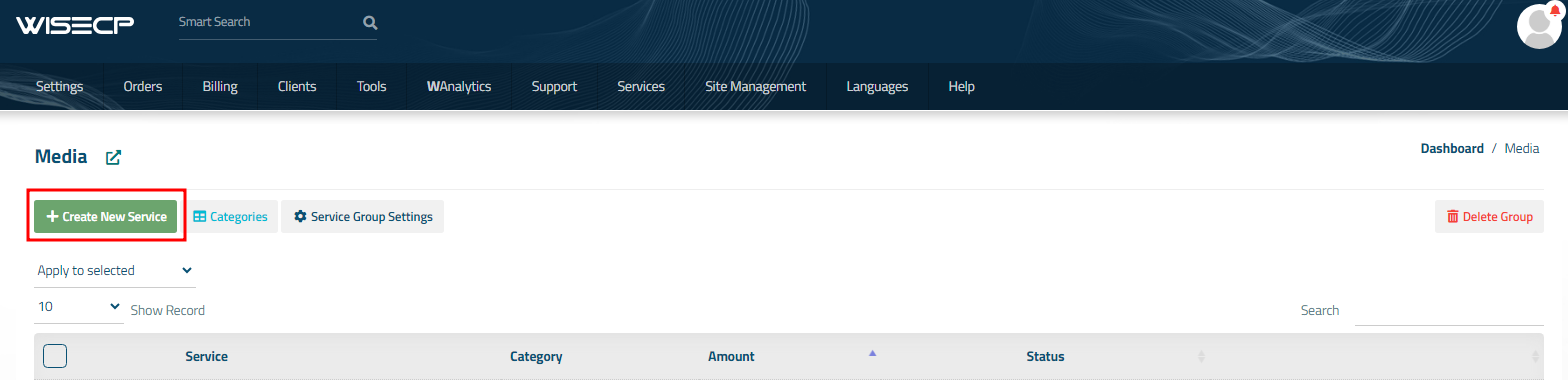
In the opened window, click the 'Create New Service' button.
On the opened page, enter all the necessary details for your new service and navigate to the 'Core' tab.
Select the 'PUQ Jellyfin' module from the drop-down list of modules.
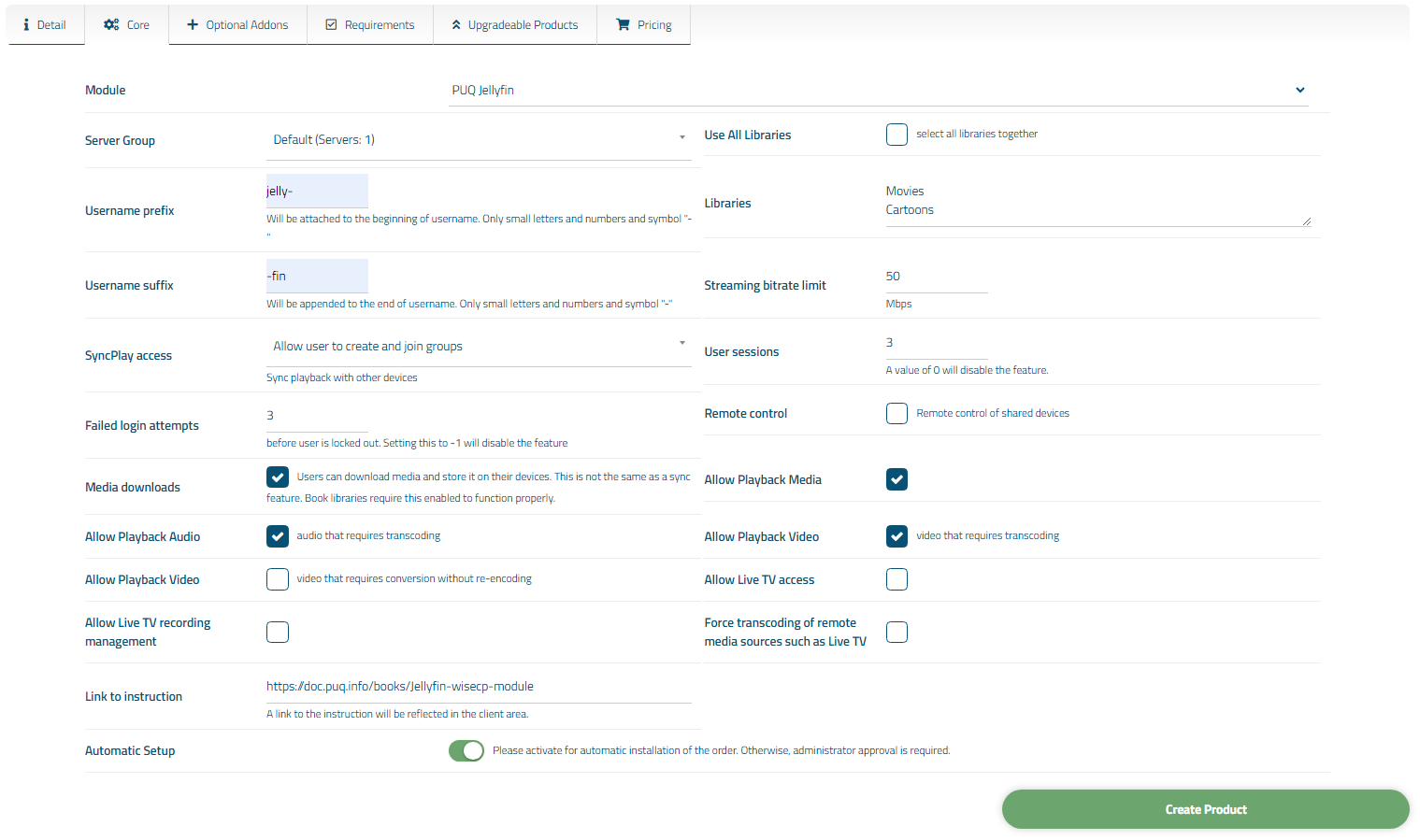
4. Fill in the configuration options according to your preferences.
Libraries:
- Use All Libraries: Choosing all of libraries from your Jellyfin server
- Libraries: The libraries you want to make available to customers of this product.
(IMPORTANT! Start a new line for each new library)
Example:
"Movies
Beginner`s Programming Course
Comedy"
IMPORTANT!
If you have a folder named "-", please enter it not as the first one or rename it.
If you don't want any folder to be accessible, type "-".
User Configuration:
- Streaming bitrate limit: An optional per-stream bitrate limit for all out of network devices. This is useful to prevent devices from requesting a higher bitrate than your internet connection can handle. This may result in increased CPU load on your server in order to transcode videos on the fly to a lower bitrate.
- SyncPlay access: The SyncPlay feature enables to sync playback with other devices. Select the level of access this user has to the SyncPlay
- Remote control: Remote control of shared devices (DLNA devices are considered shared until a user begins controlling them)
- Media downloads: Users can download media and store it on their devices. This is not the same as a sync feature. Book libraries require this enabled to function properly.
- User sessions: Set the maximum number of simultaneous user sessions.
A value of 0 will disable the feature.
- Failed login attempts: Determine how many incorrect login tries can be made before lockout occurs.
A value of zero means inheriting the default of three tries for normal users and five for administrators. Setting this to -1 will disable the feature.
- Username prefix/Username suffix: Necessary in order to generate a username for the service, in the format: prefix<client_id>-<service_id>suffix
Allow playback (Restricting access to transcoding may cause playback failures in clients due to unsupported media formats)
- media
- audio that requires transcoding
- video that requires transcoding
- video that requires conversion without re-encoding
Feature access:
- Allow Live TV access
- Allow Live TV recording management
- Force transcoding of remote media sources such as Live TV
Links
- Link to instruction: Link to the instruction, if filled out, it will be reflected in the client area