# Description

### Mikrotik WireGuard Business-VPN module **[WISECP](https://puqcloud.com/link.php?id=78)** 

##### [Order now](https://puqcloud.com/index.php?rp=/store/wisecp-module-mikrotik-wireguard-business-vpn) | [Download](https://download.puqcloud.com/WISECP/Product/PUQ_WISECP-Mikrotik-WireGuard-Business-VPN/) | [FAQ](https://faq.puqcloud.com/)

**The MikroTik WireGuard Business-VPN module is designed to offer a customizable Virtual Private Network service for business clients who possess the capability to independently manage their VPN accounts.**

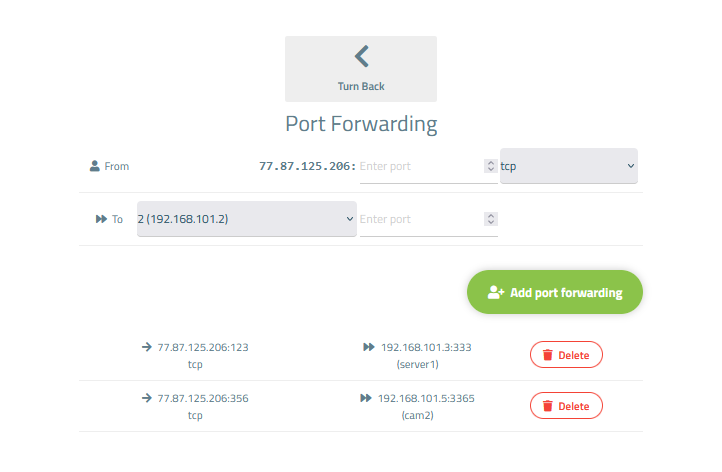
**At its core, the module provides the end customer with a group of VPN account entries that the client can control. This includes the ability to add, remove, block, and perform port forwarding on these accounts. All accounts are situated within a unified network and share a common external IP address. Moreover, there is a feature that allows internal traffic to be routed among these accounts.**

**This innovative system empowers the end client to establish corporate private networks for their own customers. With the flexibility to manage VPN accounts and the added functionality of internal traffic forwarding, businesses can tailor their VPN service to meet the specific needs of their clientele.**

<p class="callout info">**Requirements**  
WISECP: v3.1.5+, php: v8.x, Ioncube: V12+  
MikroTik: v7+</p>

##### Supports protocols:

- WireGuard

##### Module Functions:

- Auto create and deploy VPN account/accounts
- Suspend/Unsuspend/Delete/Change Package
- Port forwarding
- Requires a [MikroTik](https://mikrotik.com/) device or [MikroTik](https://mikrotik.com/) CHR.
- Possibility to set Bandwidth speed limits per client VPN account
- Module supports multilingualism (**Arabic, Azerbaijani, Catalan, Chinese, Croatian, Czech, Danish, Dutch, English, Estonian, Farsi, French, German, Hebrew, Hungarian, Italian, Macedonian, Norwegian, Polish, Romanian, Russian, Spanish, Swedish, Turkish, Ukrainian**)
- Link to instructions for setting up the service in the client area.
- Mechanism for working with servers and server groups

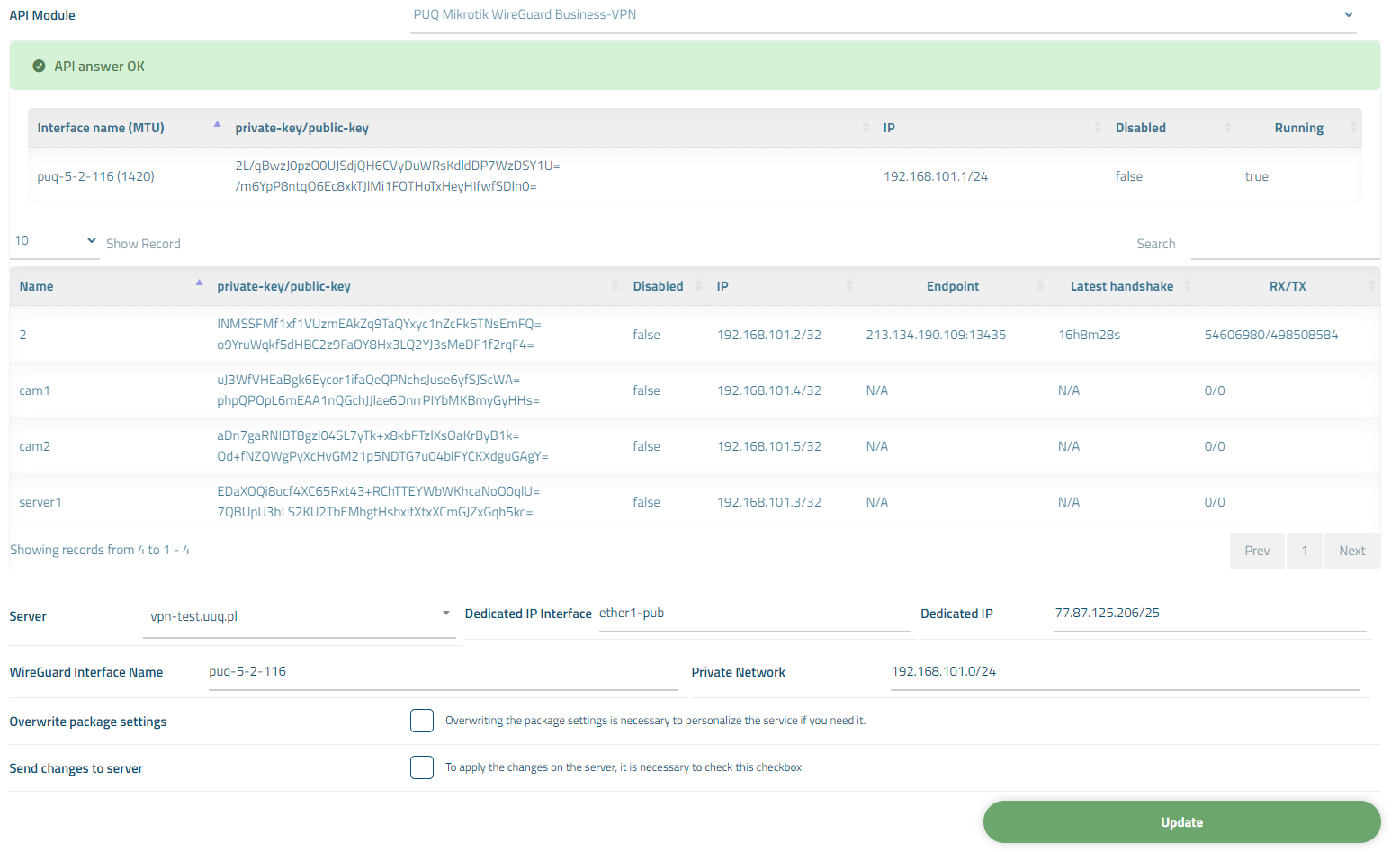
##### Available options in the admin panel:

- Create users
- Suspend users
- Unsuspend users
- Delete users
- Change Package
- VPN connection status

##### Available options in the client panel:

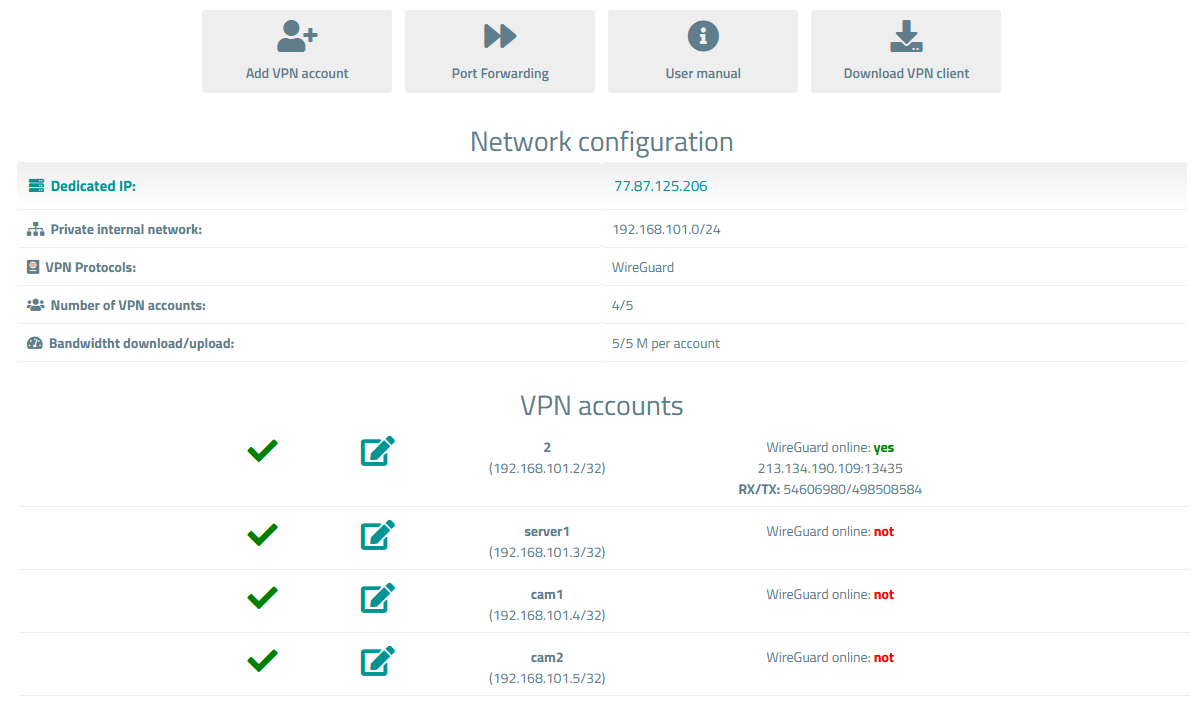
- Links in the form of buttons to the instruction and VPN clients
- General information about the service
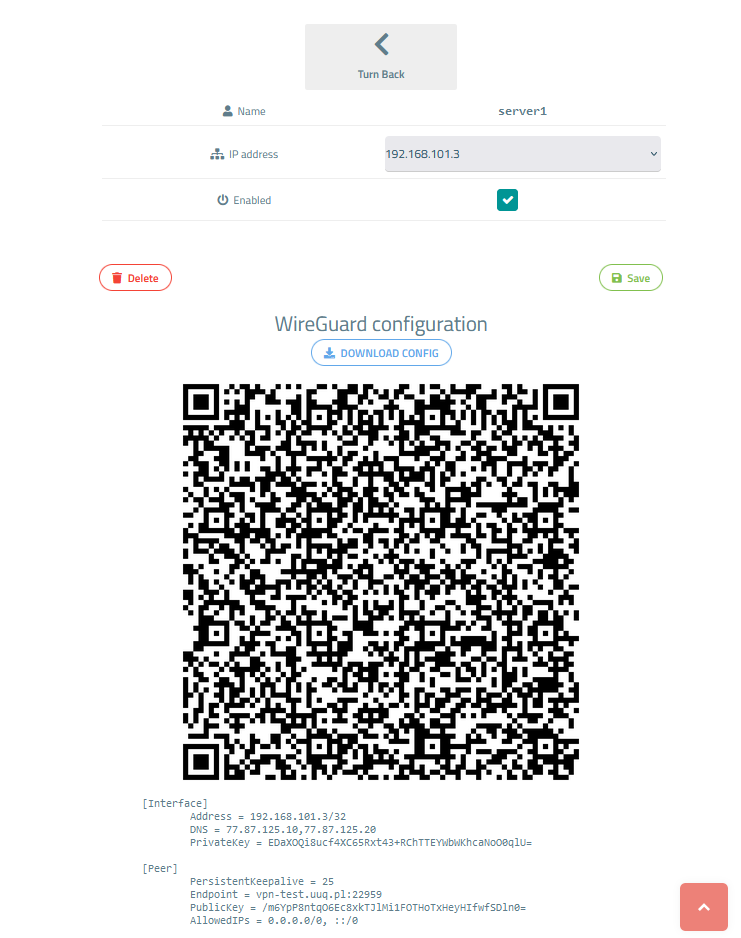
- Option to download WireGuard configuration as a file
- QR code for WireGuard configuration
- VPN connection status

##### Screenshot of the client area

[![image-1700922685060.png](https://doc.puq.info/uploads/images/gallery/2023-11/scaled-1680-/image-1700922685060.png)](https://doc.puq.info/uploads/images/gallery/2023-11/image-1700922685060.png)
[![image-1700922690995.png](https://doc.puq.info/uploads/images/gallery/2023-11/scaled-1680-/image-1700922690995.png)](https://doc.puq.info/uploads/images/gallery/2023-11/image-1700922690995.png)
[![image-1700922706424.png](https://doc.puq.info/uploads/images/gallery/2023-11/scaled-1680-/image-1700922706424.png)](https://doc.puq.info/uploads/images/gallery/2023-11/image-1700922706424.png)
##### Screenshot of the Admin area

[![image-1700922768869.png](https://doc.puq.info/uploads/images/gallery/2023-11/scaled-1680-/image-1700922768869.png)](https://doc.puq.info/uploads/images/gallery/2023-11/image-1700922768869.png)
<div id="bkmrk--4"><div></div></div>