# Product Home Screen
### Mikrotik WireGuard Business-VPN module **[WISECP](https://puqcloud.com/link.php?id=78)**
##### [Order now](https://puqcloud.com/index.php?rp=/store/wisecp-module-mikrotik-wireguard-business-vpn) | [Download](https://download.puqcloud.com/WISECP/Product/PUQ_WISECP-Mikrotik-WireGuard-Business-VPN/) | [FAQ](https://faq.puqcloud.com/)
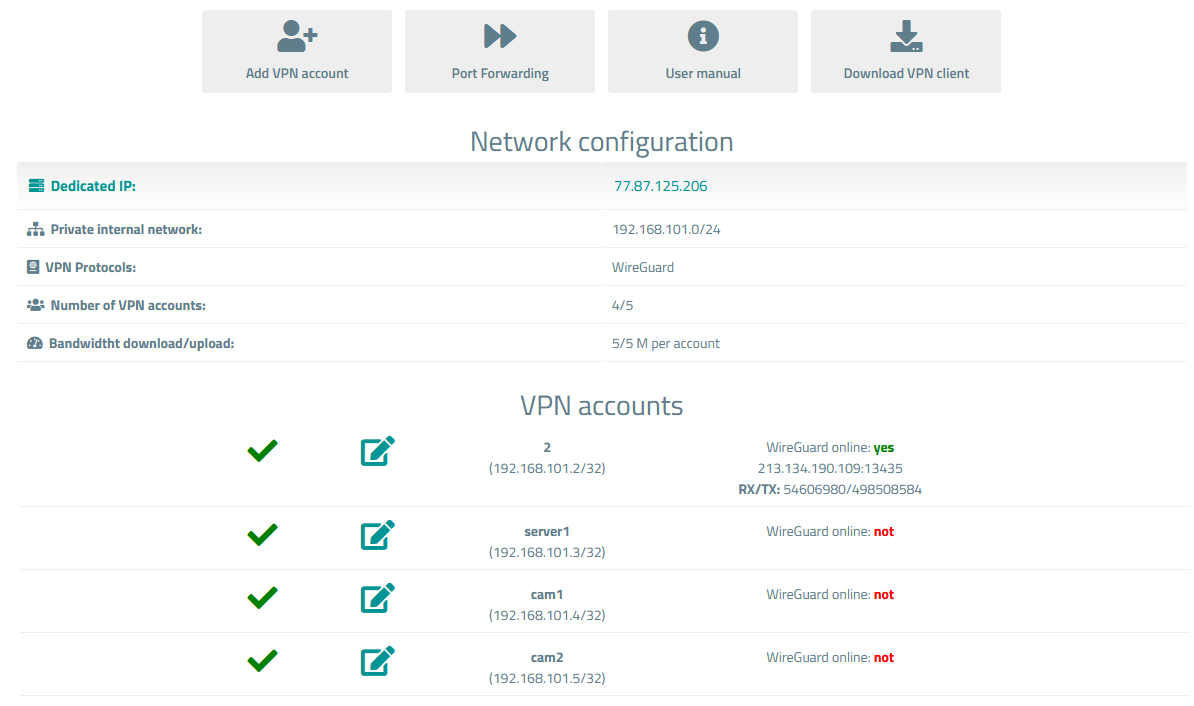
##### Available options in the client panel:
- VPN Account Creation Button
- Port Forwarding Management Button
- Links in the form of buttons to the instruction and VPN clients
- General information about the service
- List of VPN Users Encrypted by the Client with Status and Edit Button
##### Screenshot of the client area
[](https://doc.puq.info/uploads/images/gallery/2023-11/image-1700926025317.png)