# License Activation
### MinIO S3 module **[WISECP](https://puqcloud.com/link.php?id=78)**
##### [Order now](https://puqcloud.com/index.php?rp=/store/wisecp-module-minio-s3) | [Download](https://download.puqcloud.com/WISECP/Product/PUQ_WISECP-MinIO-S3/) | [FAQ](https://faq.puqcloud.com/)
##### 1. Log in to the administrative area of your **[WISECP](https://puqcloud.com/link.php?id=78)**.
#####
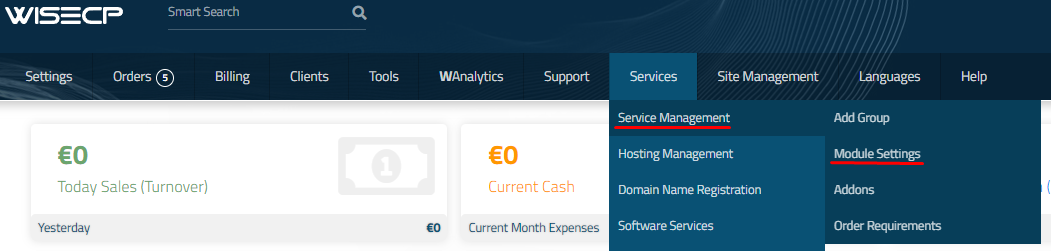
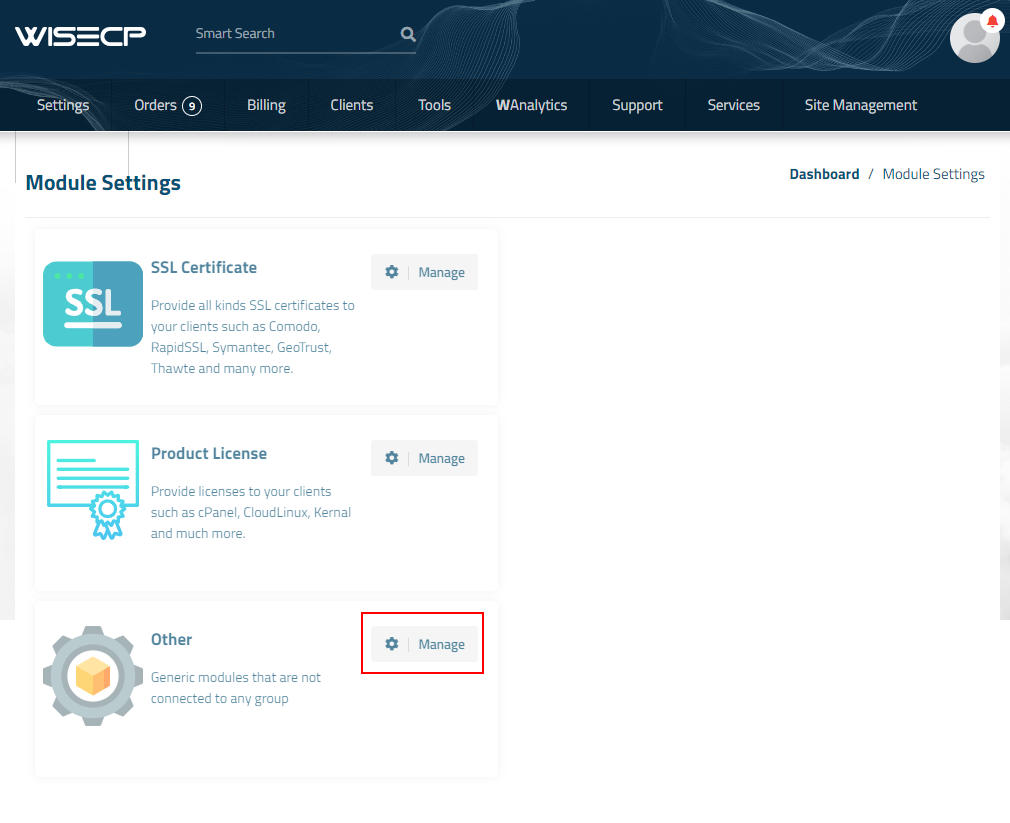
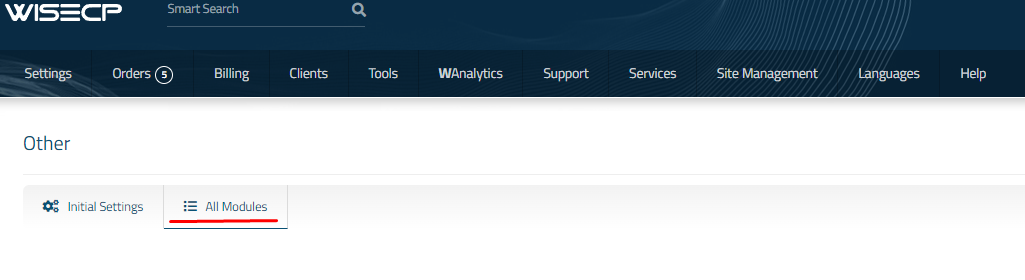
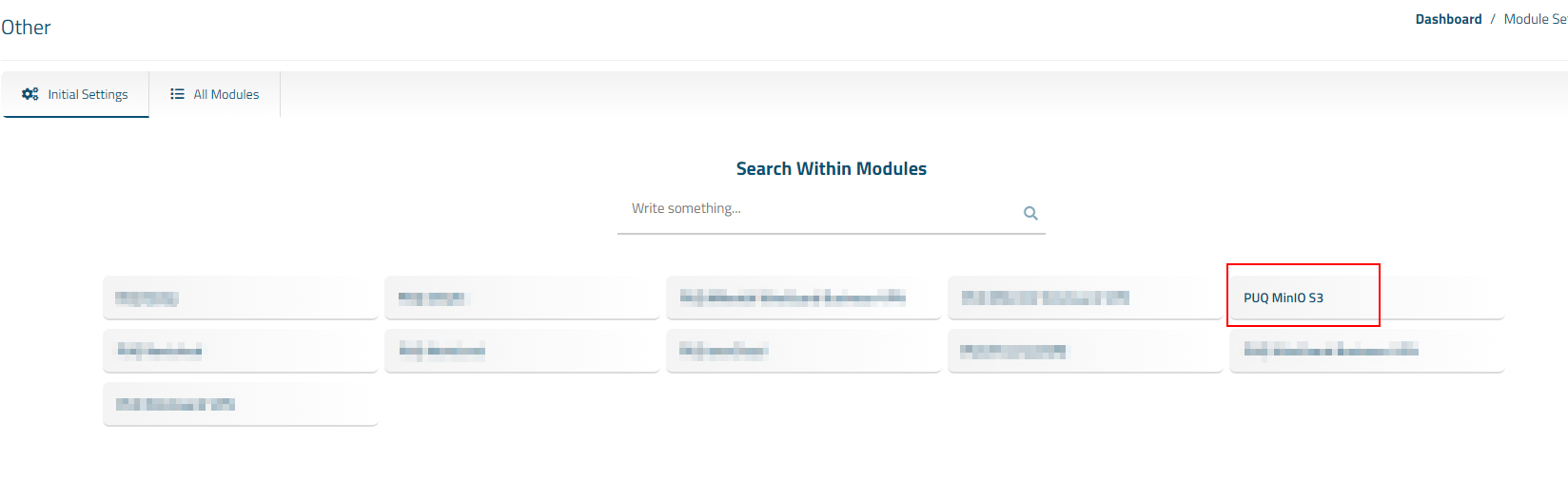
2. Go to module configuration.
```
Services -> Service Management -> Module Settings -> Other -> All Modules -> PUQ MinIO S3
```
[](https://doc.puq.info/uploads/images/gallery/2023-11/image-1700485721333.png)
[](https://doc.puq.info/uploads/images/gallery/2024-05/image-1715872650815.png)
[](https://doc.puq.info/uploads/images/gallery/2023-11/image-1700485737918.png)
[](https://doc.puq.info/uploads/images/gallery/2024-05/image-1715872862627.png)
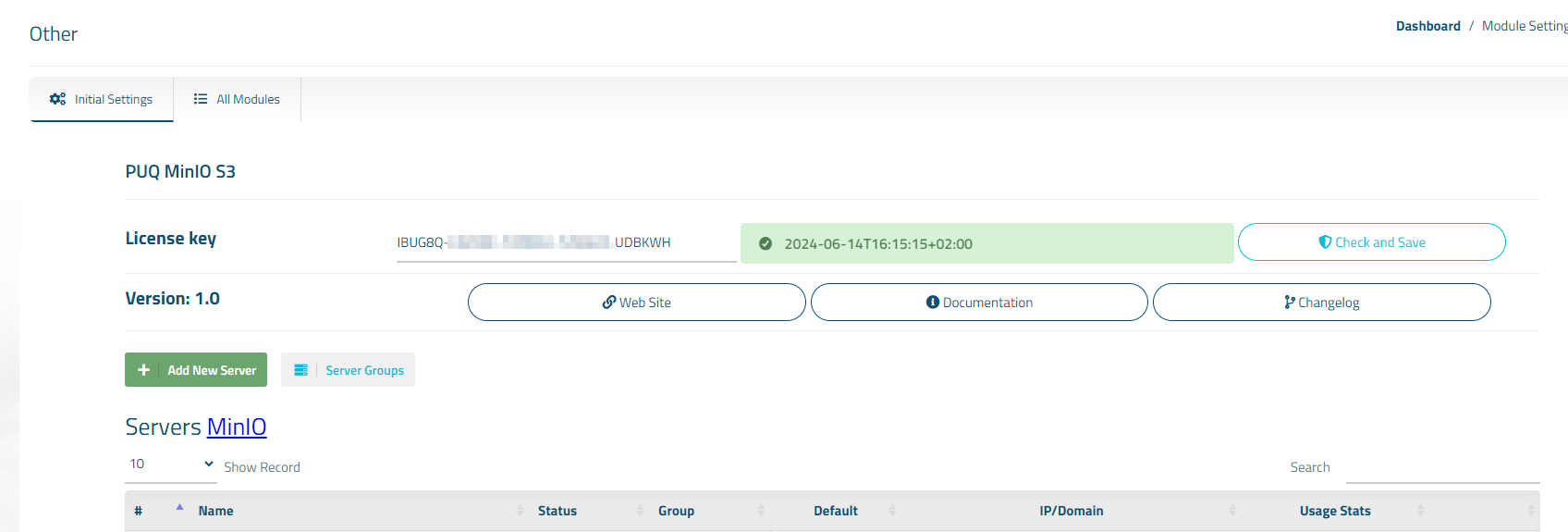
##### 3. On the open page, enter the purchased license key for this product and click the '**Check and Save**' button to validate the key and save it.
[](https://doc.puq.info/uploads/images/gallery/2024-05/image-1715872906504.png)