# Order Detail
### ownCloud module **[WISECP](https://puqcloud.com/link.php?id=78)**
##### [Order now](https://puqcloud.com/index.php?rp=/store/wisecp-module-owncloud) | [Download](https://download.puqcloud.com/WISECP/Product/PUQ_WISECP-ownCloud/) | [FAQ](https://faq.puqcloud.com/)
##### Navigate to the service you want to manage, then go to the '**Core**' tab.
[](https://doc.puq.info/uploads/images/gallery/2023-12/image-1703615607459.png)
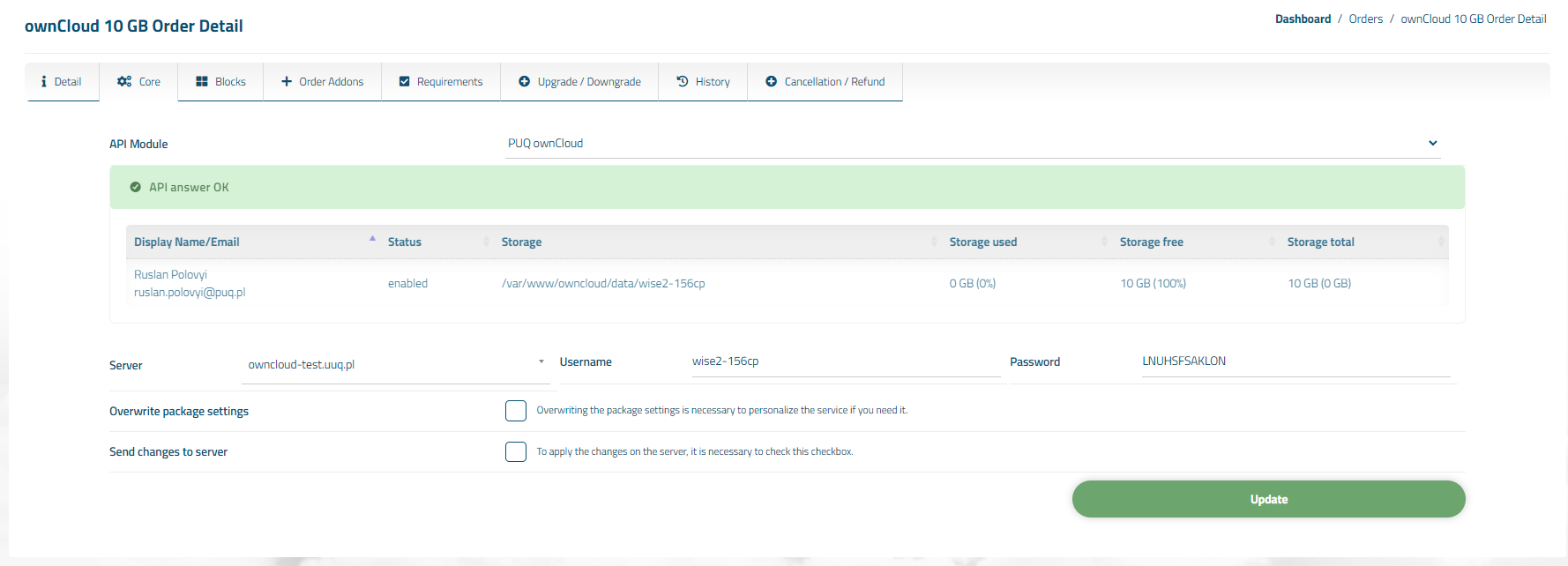
n the opened tab, you have a view of the online status of the service. The available online information includes:
- Connection status to the API
- Information about user account on the ownCloud server
- Diagnostic information about the account
Also, below are fields with the client's personal data, such as Username, Password, Server
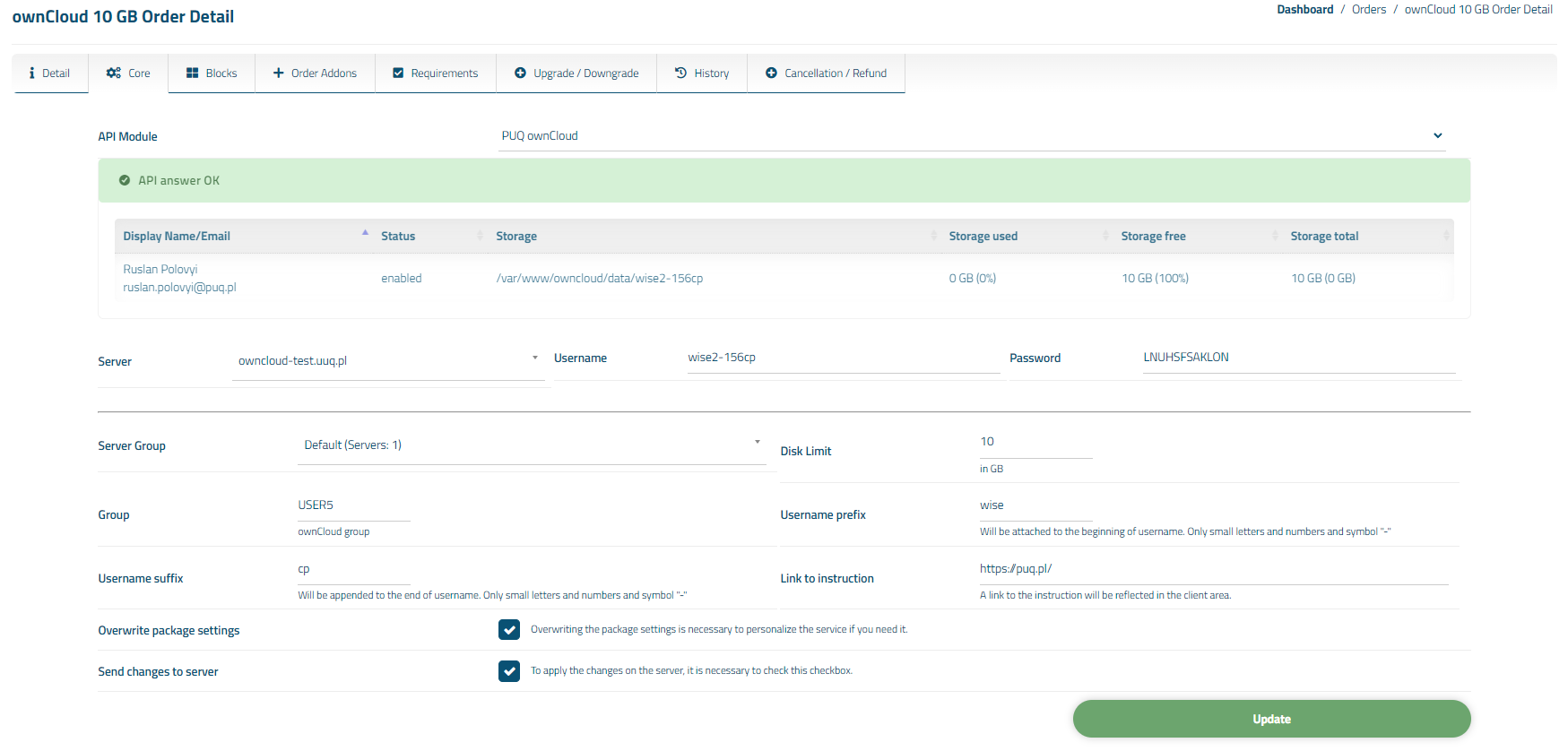
You can also individually override package options for the client by checking the 'Overwrite package settings' box.
[](https://doc.puq.info/uploads/images/gallery/2023-12/image-1703615624854.png)
Note: When changing the Server Group, Server fields, make sure you have a user with the username as specified in the 'Username' field pre-created on the new server. Otherwise, you will need to recreate the service for your client.