
Product Grouping
PUQ Customization module WHMCS
Order now | Download | FAQ
Rules list

-
ID — rule identifier
-
Group Name — rule name
-
Applies To — trigger items
-
Requires — mandatory items
-
Auto Suspend — whether autosuspend is enabled
-
Notes — admin notes
-
🗑 — delete rule
Click Group Name to edit a rule.
Create / Edit a rule
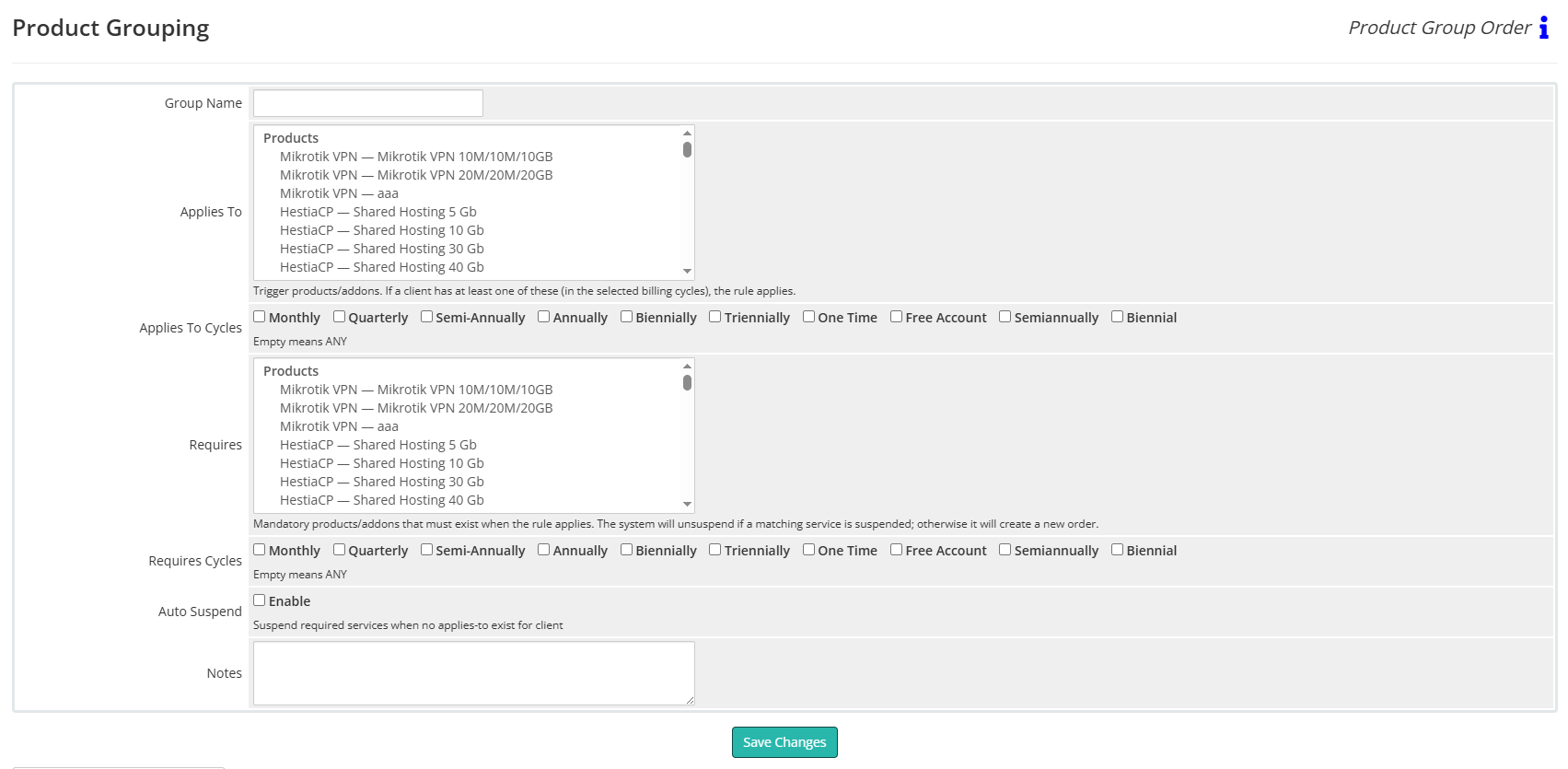
Group Name
A friendly name for the rule.
Applies To (Products/Addons)
Select trigger products/addons.
Meaning: if a client has at least one of these items in the selected billing cycles, the rule applies.
Below the list, use Applies To Cycles checkboxes.
Leaving all cycles unchecked means ANY cycle.
Requires (Products/Addons)
Select the mandatory products/addons that must exist when the rule applies.
Below the list, use Requires Cycles (existing/new service cycle; empty = ANY).
Runtime behavior when the rule applies:
-
If a matching required service already exists but is Suspended, the system will unsuspend it.
-
If a required service does not exist, the system will create a new order via WHMCS Local API using one of the allowed cycles and your Default Payment Method.
Auto Suspend → Enable
If enabled and the client no longer has any of the Applies To triggers, the module will suspend the services listed in Requires.
If disabled, no suspension is performed.
Notes
Internal notes for administrators.
Save Changes
Saves the rule.
Example (from screenshots)
Group Name: rDNS
Applies To: Proxmox KVM — VPS Start; Proxmox KVM — VPS Pro
Requires: Reverse DNS — Reverse DNS Management
Auto Suspend: Enabled
Result:
-
When the client has any listed VPS plan, the module ensures Reverse DNS Management exists (creates an order if missing, or unsuspends if suspended).
-
If the client no longer has any of those VPS plans, the module suspends Reverse DNS Management (because Auto Suspend is enabled).
Tips
- Make sure Default Payment Method is set on the Configuration page so auto-created orders use the correct gateway.
-
Test new rules on a small client set before broad use.