A **Product Attribute** is a single capability/flag (e.g., `IPv6`). An **Attribute Group** is a labeled collection of such attributes.
- - - - - - #### Attribute Groups List The list shows **Icon**, **Key**, **Visible**, and **Attributes** (count) with actions **Edit** and **Delete**. Use **Search** to filter. *(Screenshot reference: Attribute Groups list)* [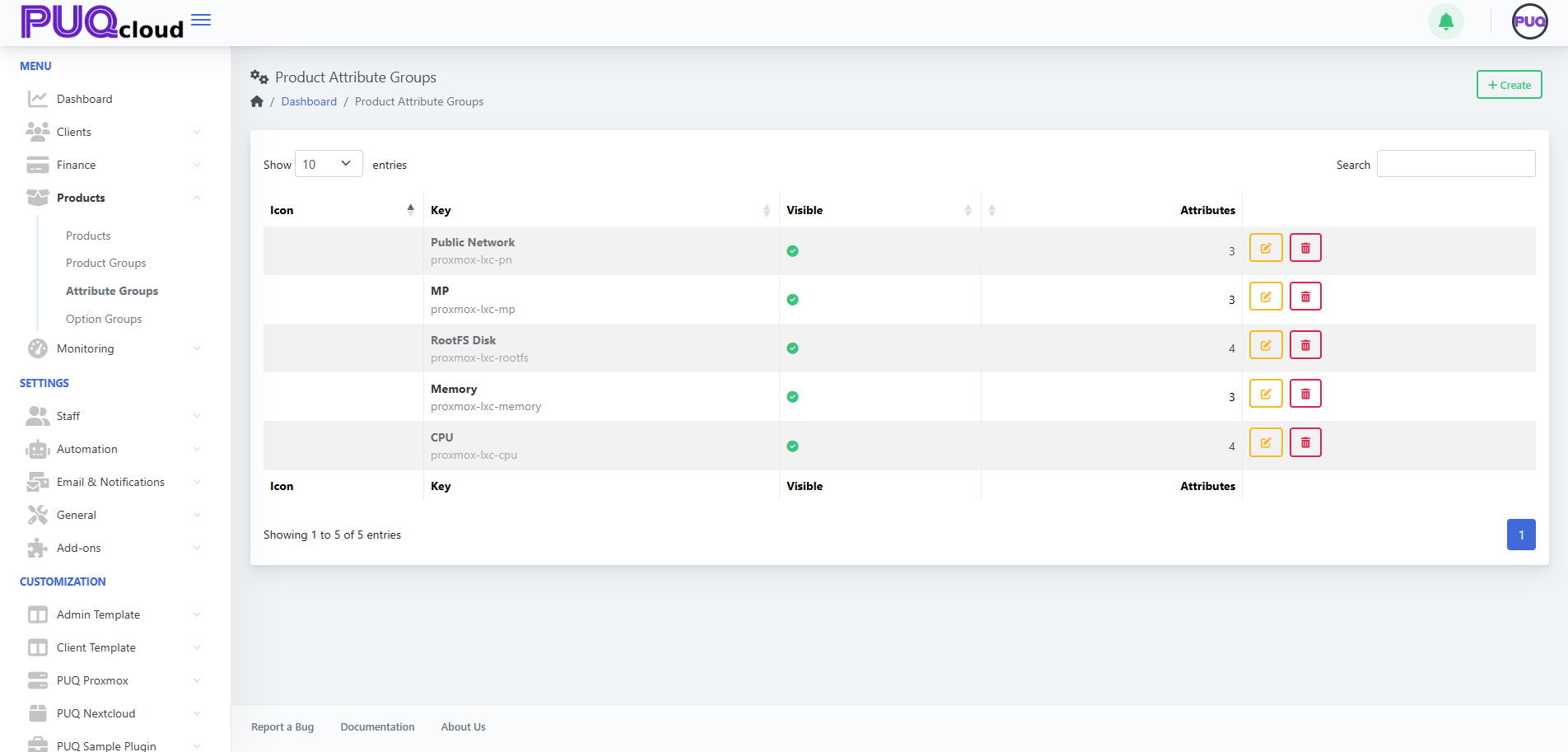](https://doc.puq.info/uploads/images/gallery/2025-09/image-1757599579030.png) **Actions** - **+ Create** — add a new attribute group. *(Screenshot: Create Group modal)* [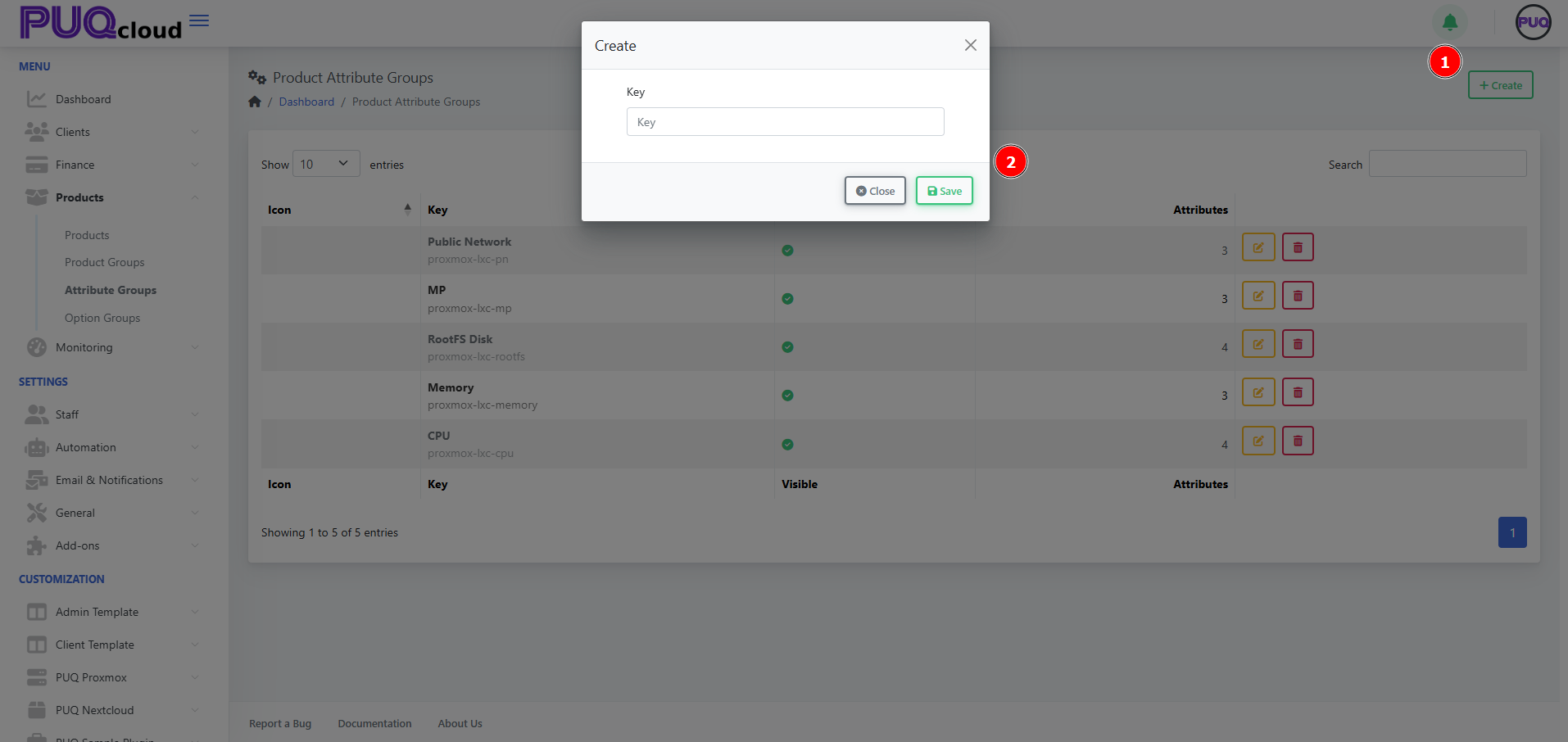](https://doc.puq.info/uploads/images/gallery/2025-09/image-1757599585569.png) - **Edit** — open tabs **General / Images / Attributes**. - **Delete** — remove the group (does **not** remove attributes already linked to products). - - - - - - #### Create an Attribute Group 1. Click **+ Create**. 2. Enter a unique **Key** (e.g., `proxmox-lxc-pn`) and **Save**. - - - - - - #### Configure the Group Use the tabs across the top. ##### General tab - **Key** — internal identifier (read‑only after creation). - **Hidden** — hide/show the entire group from selection lists. - **Localized content** — **Name**, **Short Description**, and **Description** per language. - **Notes** — internal notes for admins. Click **Save**. *(Screenshot: Attribute Group → General tab)* [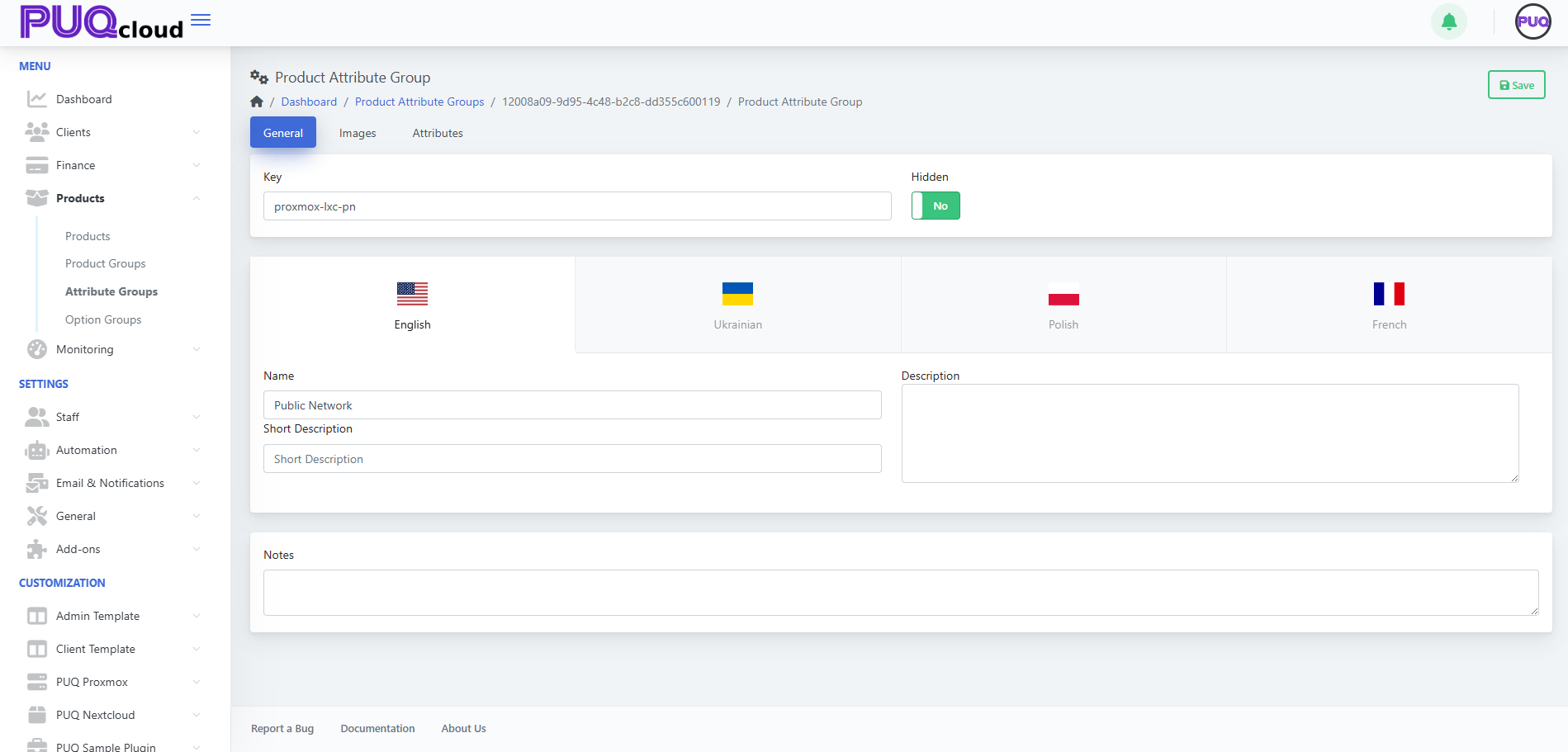](https://doc.puq.info/uploads/images/gallery/2025-09/image-1757599606940.png) ##### Images tab Upload visuals representing the group: - **Icon Image** — small logo used in lists/cards. - **Background Image** — larger banner image. Drag & drop files or **Browse**, then **Save**. *(Screenshot: Attribute Group → Images tab)* [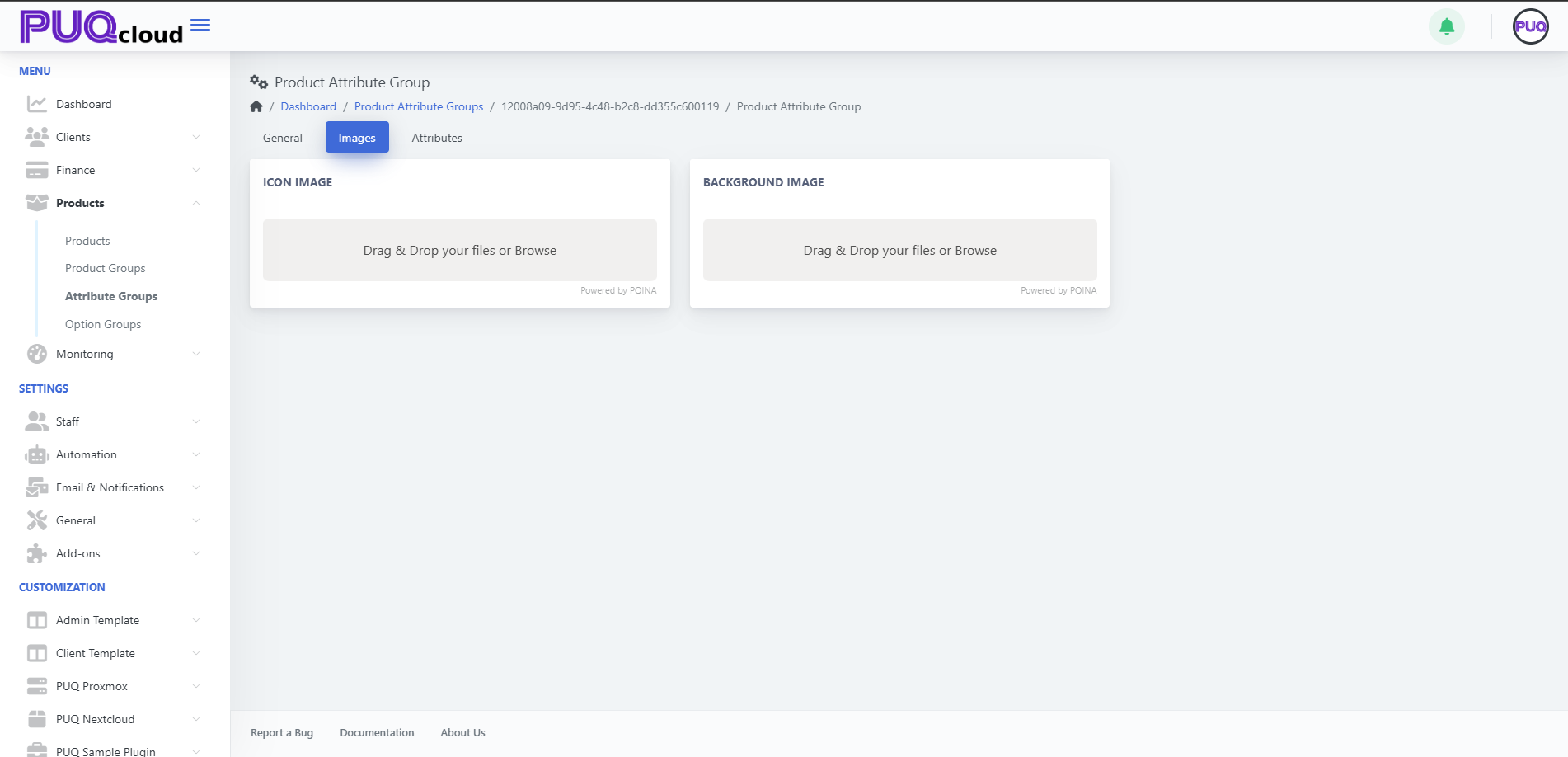](https://doc.puq.info/uploads/images/gallery/2025-09/image-1757599613048.png) ##### Attributes tab (inside the group) Add and manage the individual attributes that belong to this group. You’ll see columns **Key** and **Visible** with actions **Edit** and **Delete** for each attribute. **Add an attribute** 1. Click **+ Create** (top‑right while on the group). 2. Fill out the attribute details (e.g., **Key** `proxmox-lxc-pn-ipv6`, Name `IPv6`). 3. Set **Visible** as needed and **Save**. **Edit / Delete** - Use the **Edit** (pencil) or **Delete** (trash) on a row. *(Screenshot: Attribute Group → Attributes tab showing IPv4, IPv6, 10 Gbps)* [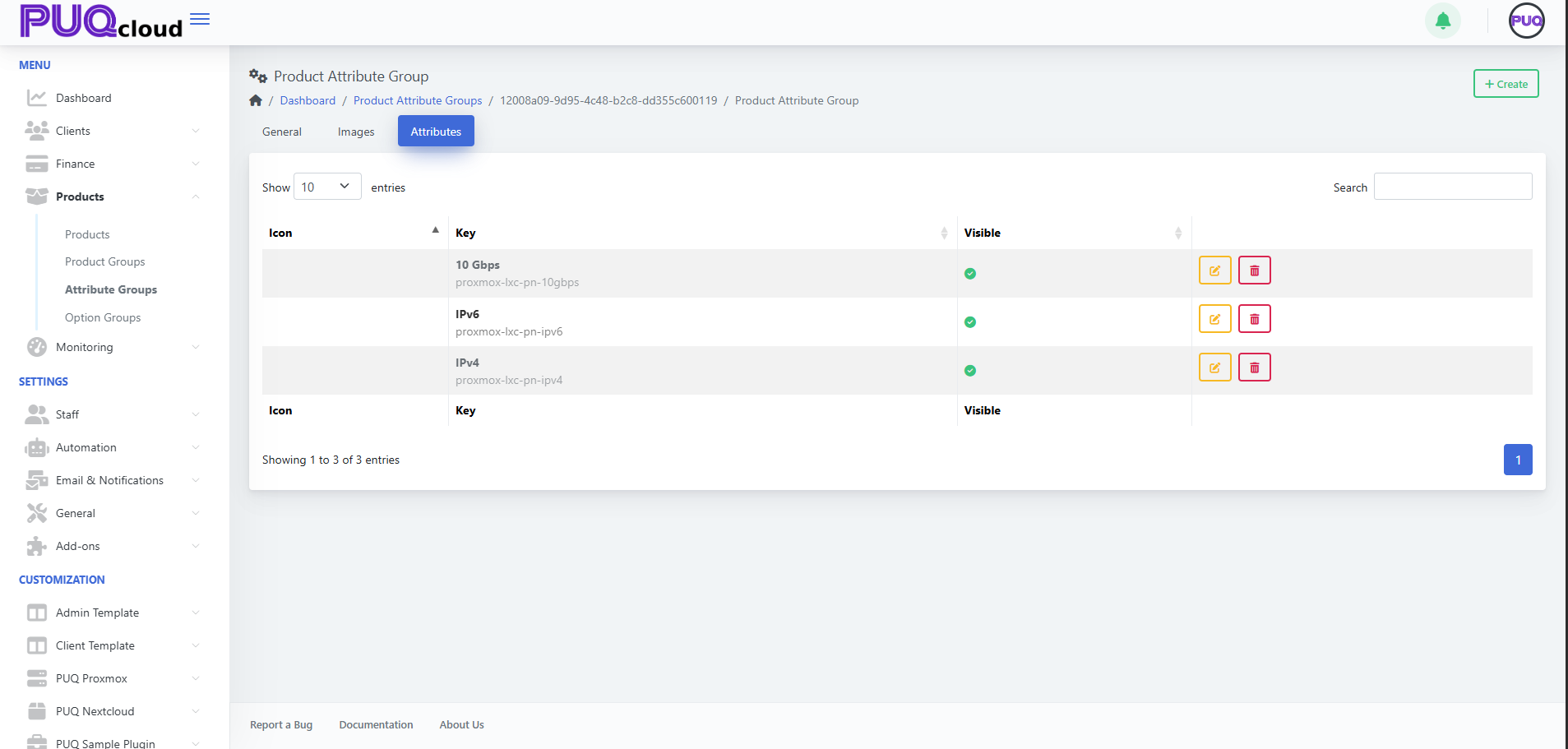](https://doc.puq.info/uploads/images/gallery/2025-09/image-1757599621969.png) - - - - - - #### Using Attributes in Products Once your attributes exist, attach them to products. 1. Open **Products → Products**, select a product. 2. Go to the product’s **Attributes** tab. 3. Click **+ Add Attribute** and pick from available attributes (they are organized by their groups). 4. **Save** the product.Tip: Consistent keys (e.g., `proxmox-lxc-pn-ipv4`) make it easier for modules/automation to reference attributes programmatically.
- - - - - - #### Best Practices - **Plan the taxonomy**: create groups by domain (e.g., Networking, Storage, CPU features). - **Keep keys stable**: avoid renaming keys after products reference them. - **Localize** names/descriptions so storefronts are consistent across languages. - **Use visibility** to stage new attributes before making them selectable. - - - - - - #### Troubleshooting - **Attribute not selectable on a product** → Ensure the attribute **exists**, is **Visible**, and you’re on the product’s **Attributes** tab. - **Old attribute still appears** → It may be linked on products; unlink from those products before deletion. - **Module fails expecting a flag** → Verify the attribute **Key** matches what the module/integration expects (case‑sensitive). - - - - - - #### Screenshot References - Attribute Groups list page. - **Create** Attribute Group modal. - Attribute Group → **General** tab. - Attribute Group → **Images** tab. - Attribute Group → **Attributes** tab with items (IPv4, IPv6, 10 Gbps).