
Manage General on Admin Area
PUQcloud Panel
Order Now | Download | FAQ
The General page centralizes platform-wide defaults and housekeeping rules. It’s organized into four tabs:
-
Time Based – how long to keep logs and histories
-
Finance – billing and balance limits
-
Client – customer-facing timeouts
-
Social – your company’s social/profile links
Time Based (log retention)
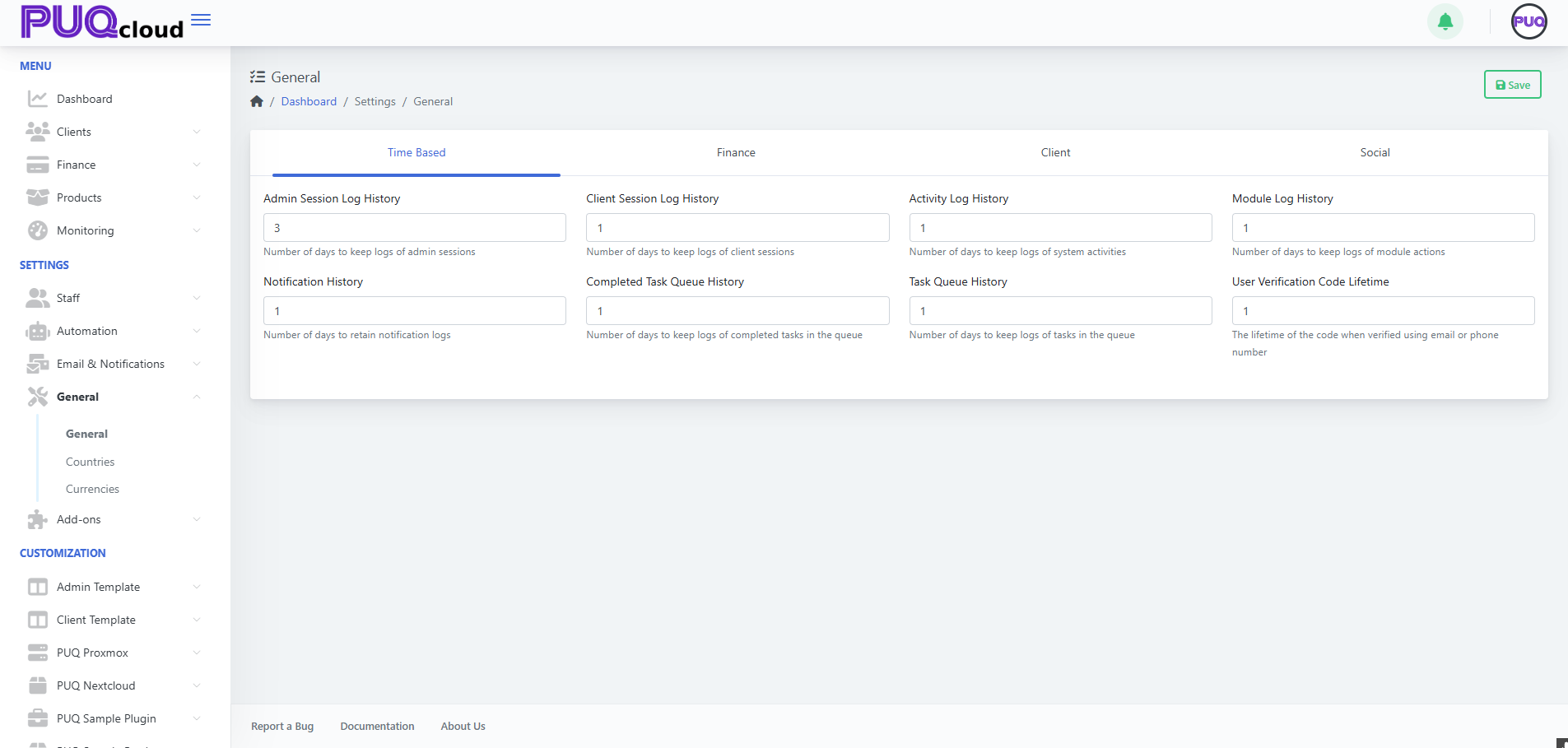
Use this tab to control how long different histories are kept before cleanup jobs remove them.
-
Admin Session Log History – days to keep admin login/session logs.
-
Client Session Log History – days to keep client session logs.
-
Activity Log History – days to keep system activity logs (actions, events).
-
Module Log History – days to keep module-specific logs.
-
Notification History – days to keep notification entries.
-
Completed Task Queue History – days to keep completed queue items.
-
Task Queue History – days to keep all queue task records.
-
User Verification Code Lifetime – minutes a verification code remains valid.
Tips
-
Shorter values reduce storage usage and improve log queries.
-
Keep compliance needs in mind (audit requirements) before trimming aggressively.
General › Time Based tab with retention fields.
Finance (billing defaults & limits)
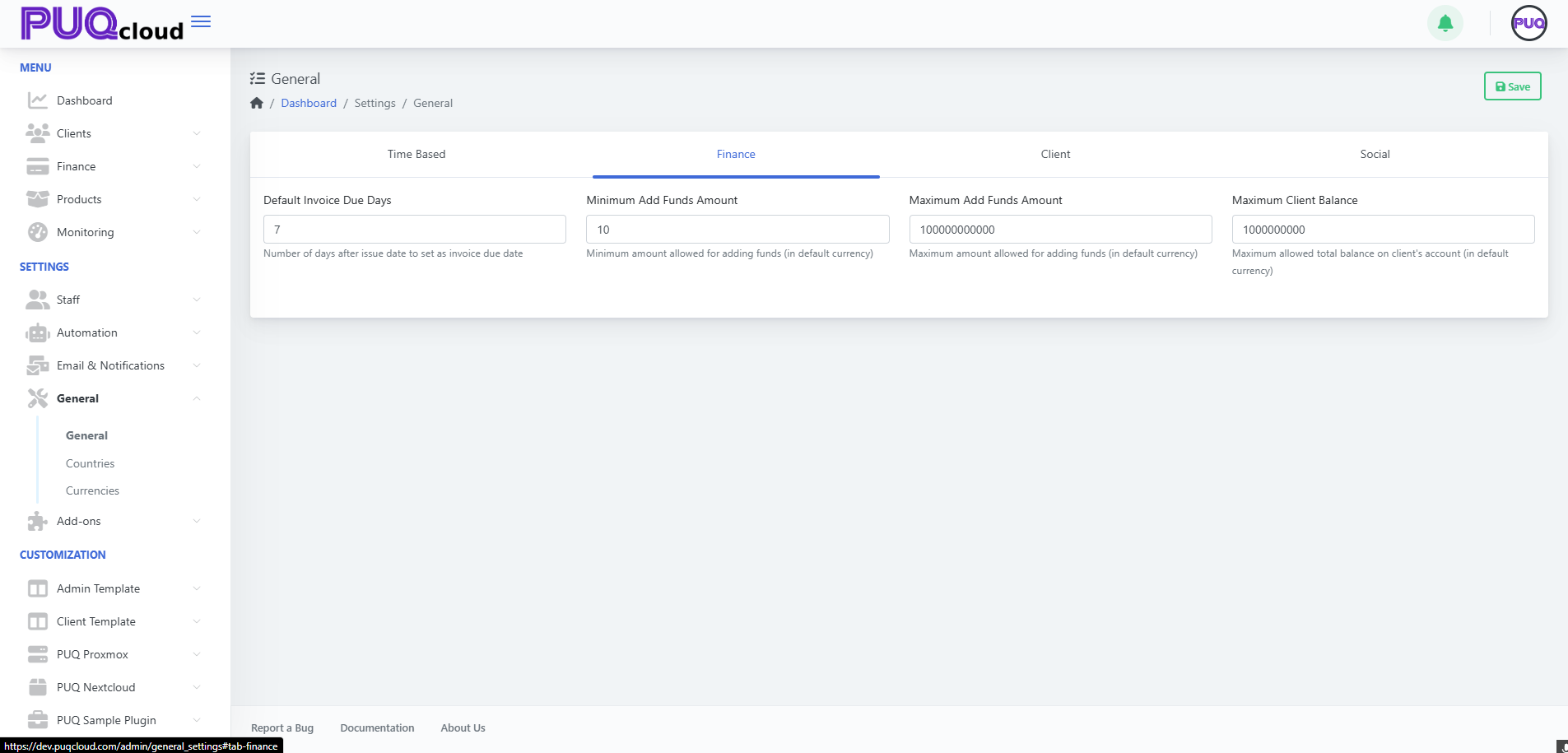
Define monetary guardrails and invoice behavior.
-
Default Invoice Due Days – number of days after issue date when invoices are due.
-
Minimum Add Funds Amount – smallest wallet/top-up amount allowed.
-
Maximum Add Funds Amount – largest single top-up amount allowed.
-
Maximum Client Balance – hard ceiling for a client’s total wallet balance.
Best practices
-
Align Default Invoice Due Days with your dunning/collections process.
-
Set realistic Min/Max Add Funds to reduce micro-payments and risk.
-
Use Max Client Balance to avoid accounting or AML headaches.
General › Finance tab with invoice and balance limits.
Client (customer timeouts)
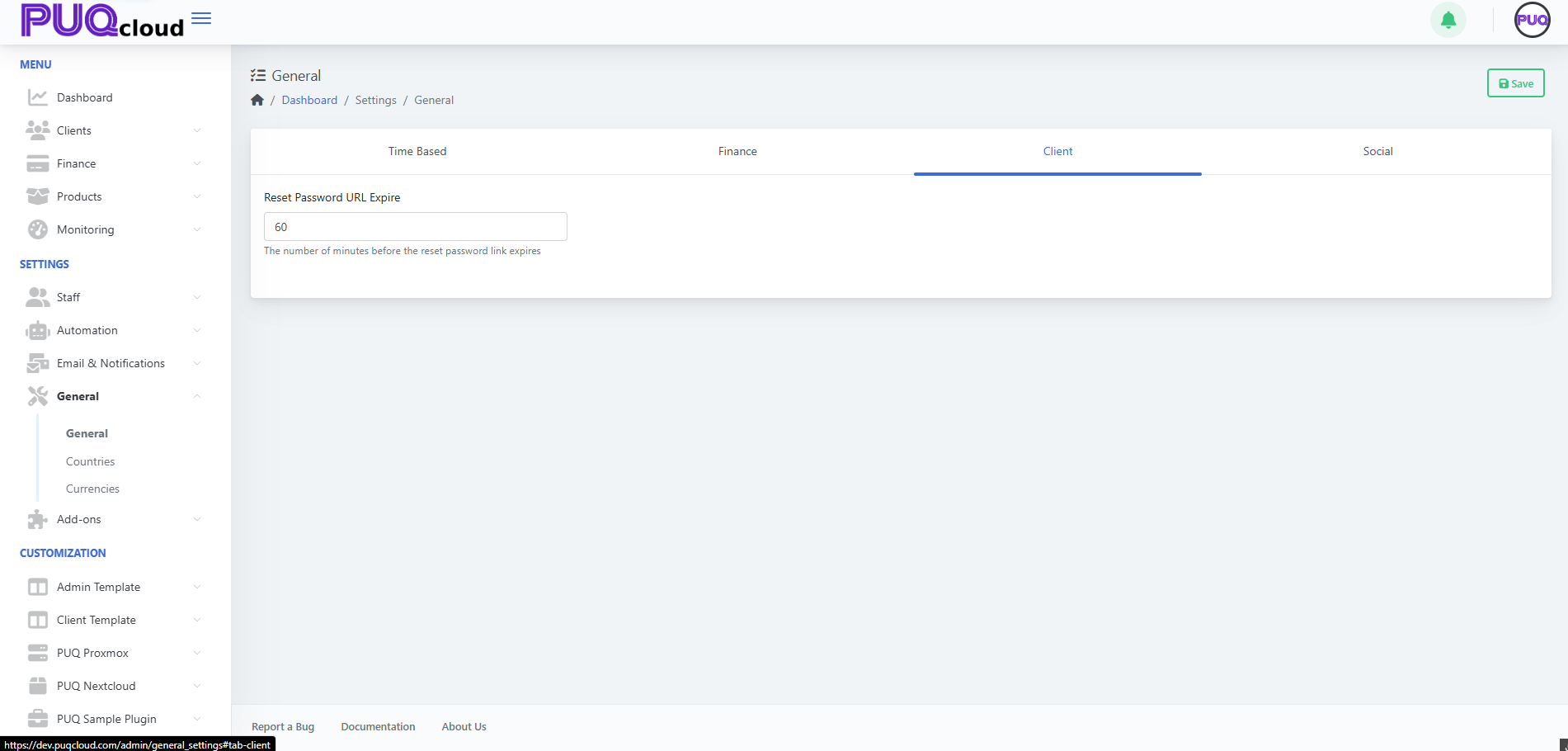
A small but important setting for customer security & UX.
-
Reset Password URL Expire (minutes) – how long a password-reset link remains valid after it’s issued.
Guidance
-
30–120 minutes is common; lower values are more secure, higher values are more forgiving.
General › Client tab with reset link expiry.
Social (brand & contact presence)
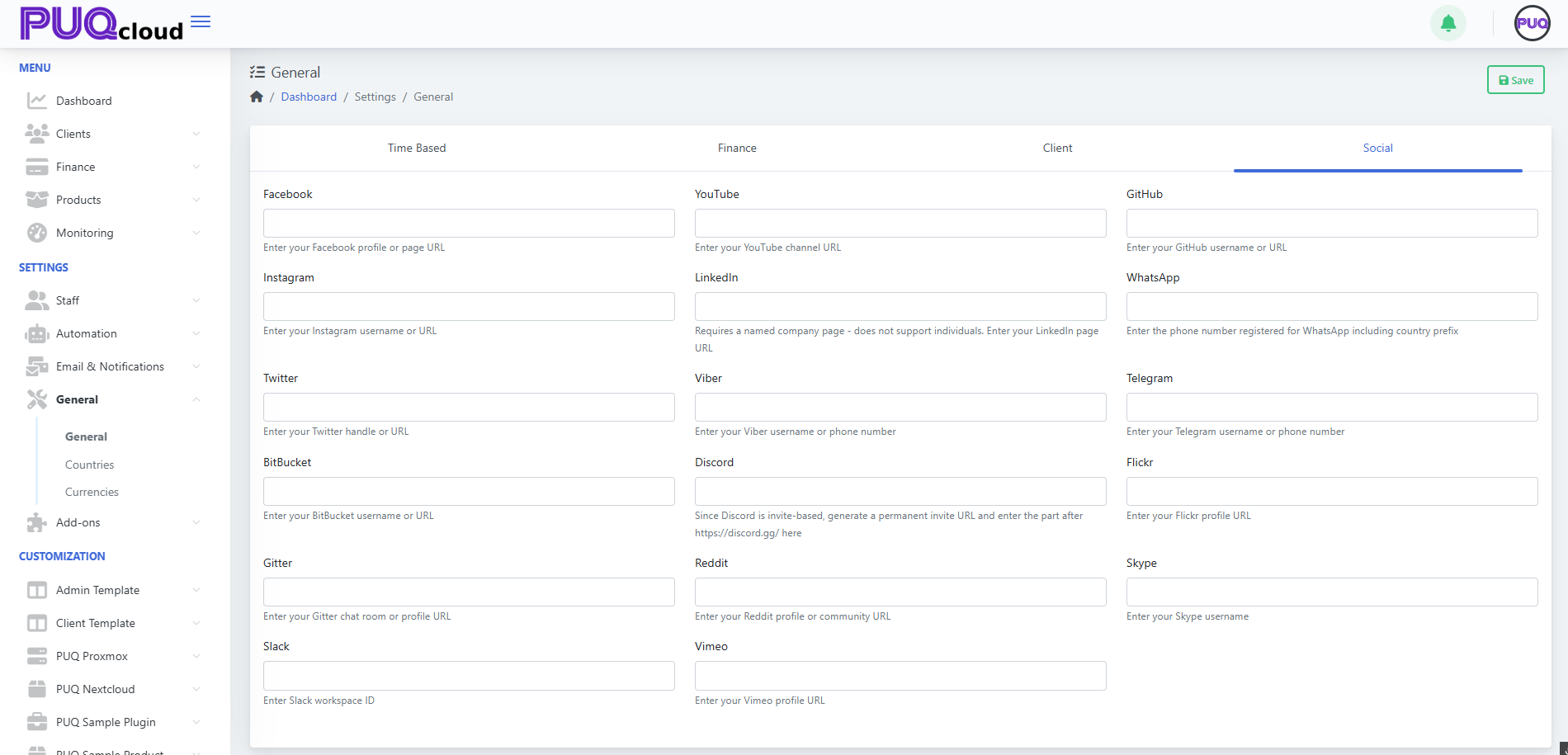
Store the official social/profile identifiers used across notifications and the client portal. Fields include:
-
Facebook, YouTube, LinkedIn, WhatsApp, Telegram, Twitter (X), Viber, Discord, Reddit, Vimeo, GitHub, Flickr, Skype, Bitbucket, Gitter, Slack.
Usage
-
Enter full URLs where applicable; for chat apps, follow the placeholder notes (e.g., WhatsApp in full international format, Discord invite URL path).
-
These can be pulled into notification templates or shown in the client area footer/headers, depending on your theme.
Workflow summary
-
Go to Dashboard → Settings → General.
-
Work through each tab (Time Based → Finance → Client → Social).
-
Click Save (top-right).
-
If you reduced retention periods, confirm your Scheduler/Cleanup tasks are enabled (so old data is actually purged).
-
Review notification templates/layouts if you plan to surface your social links there.
Quick defaults (safe starting points)
-
Admin/Activity/Module logs: 7–30 days
-
Client/Task queues: 7–14 days
-
Verification code lifetime: 10–30 minutes
-
Invoice due days: 7–14 days
-
Min/Max add funds: set to your business model (e.g., 10 / 10,000)
-
Max client balance: large enough for typical prepayments, but not unlimited