
Backup settings
The concept of backups
Order now | Download | FAQ
The concept of backups
Backups are designed to create a backup copy of the server settings and then restore it on a new server or on the same server.
What settings are not included in the backup:
- System users
- Panel Web Interface SSL Certificates
- License
- Backup settings
- Optionally, you can exclude traffic statistics for VPN users
Backup options
- It is possible to manually create backups (with statistics of VPN users and without statistics)
- The ability to install an automatic backup scheduler
- Ability to send a backup to a remote FTP server
- Limiting the number of backups
- Ability to upload a backup to the system and recover
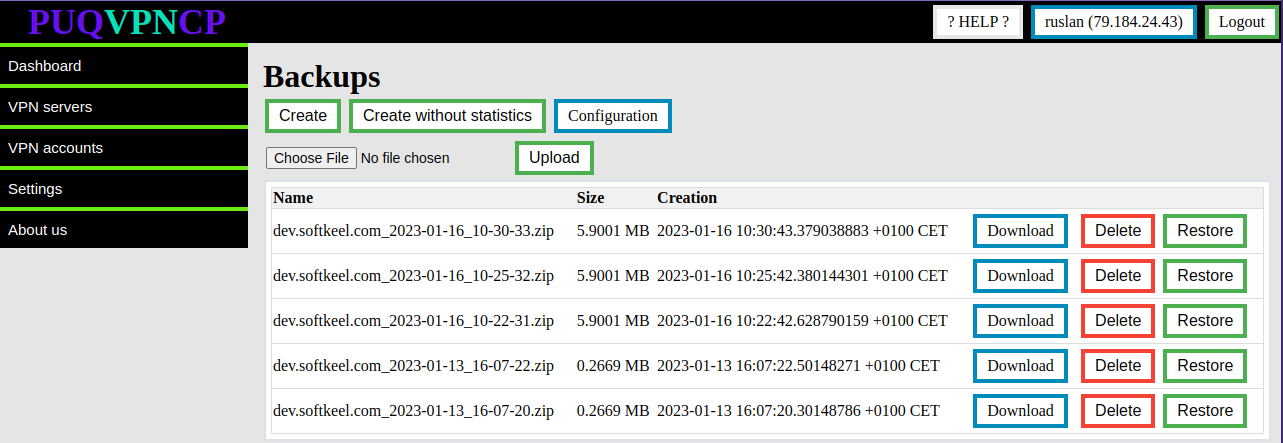
Backup list
Order now | Download | FAQ
Backup settings are available in the Settings->Backups menu item
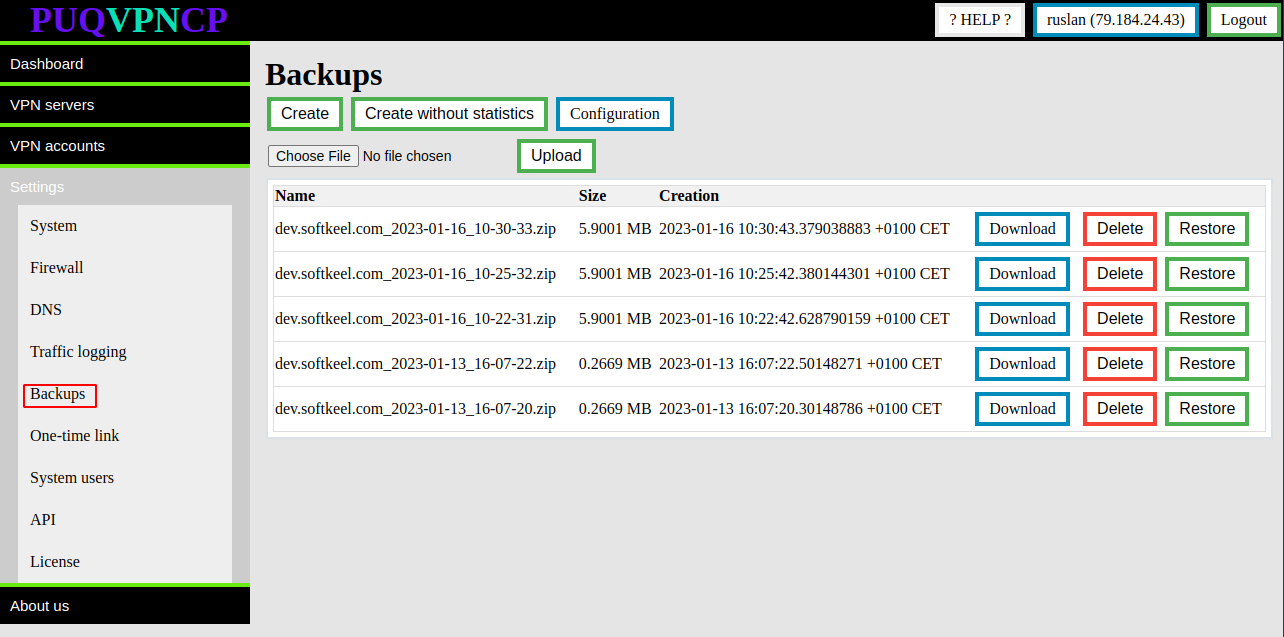
On this page you get a list of available backups.
There are function buttons:
- Download - To download a backup to a local computer
- Delete - In order to delete the backup on the server (does not delete the backup on the FTP server)
- Restore - In order to restore the entire configuration of the PUQVPNCP panel from a backup.
On this page there are buttons for creating backups:
- Create - Creates a full backup
- Create without statistics - Create a full backup and exclude traffic usage statistics for VPN users
There is also an Upload button with which you can upload a backup to the server
Automatic backup scheduler
Order now | Download | FAQ
In order to go to the automation settings of the backup scheduler
Go to Settings->Backups->Configuration

The automatic backup settings page opens.

Scheduler Every Hour - In this section you can enable hourly automatic backup. It is necessary to enter the minute of the hour in which the automatic backup will be made
Scheduler Every Day - In this section, you can enable daily automatic backup. You must enter the hour and minute of the hour in which the automatic backup will be performed
Backup to FTP - In this section, you configure the FTP server parameters so that each copy of the backup is automatically sent to the FTP server