**IKEv2** is a protocol that allows you to create direct IPSec tunnels between a server and a client. **IPSec** provides encryption of network traffic in IKEv2 virtual private networks. **IKEv2** is natively supported on a number of platforms (OS X 10.11+, iOS 9.1+, Windows 10) without additional applications and easily resolves client connectivity issues.
For the protocol to work correctly, it is necessary to configure certificates for encryption; using the panel, this process is easy and comes down to pressing literally two buttons.It is worth remembering that the main VPN protocol in the panel is WireGuard, and the **IKEv2** protocol is an additional protocol. This means that before using **IKEv2**, you must configure the WireGuard protocol, and then enable **IKEv2** support on each **WireGuard** interface on which you want to use **IKEv2**.
## **IKEv2** protocol available to clients - **Android** (Official application from strongSwan) - **iOS** (integrated client) - **macOS** (integrated client) - **Linux** (network-manager-strongswan) - **Windows** (integrated client)Due to the specifics of Microsoft's implementation of the client in Windows, there is a technical nuance that requires you to enter the password twice each time you connect.
## Usage features IKEv2 EAP - To use the **IKEv2 EAP** protocol, the client must have the domain name of the VPN server, username and password for authorization, and there is a need to import the root certificate to authenticate the server certificate. - The **IKEv2 EAP** protocol uses **IPSec** encryption to encrypt traffic between the client and the server, this imposes a certain load on the server and we recommend taking this into account when choosing server parameters. - The data transfer rate in the case of rate limiting is lower than declared, due to the fact that all data packets are consistent with the headers that are required for IPsec encryption to work. *This is especially noticeable at low limits of 1-10 megabits.* - Due to the technical aspects of VPN client rate limiting, the data rate limit will be taken from the outgoing traffic parameter, this parameter in **IKEv2** connections will be for incoming and outgoing traffic # Technical requirements and installation ##### [Order now](https://puqcloud.com/puqvpncp.php) | [Download](https://download.puqcloud.com/cp/puqvpncp/) | [FAQ](https://faq.puqcloud.com) ## Technical requirements - Operating systems: Debian 9+ (amd64), Ubuntu 18+ (amd64) - Real ip address on server interface - Domain name for the server - **PUQVPNCP v1.2** - Installed packages **strongswan strongswan-pki libstrongswan-extra-plugins** ## **Installation**We issue all comments after logging into the SSH terminal window as the root user.
```shell apt-get update apt-get upgrade reboot ``` ```shell apt-get install strongswan strongswan-pki libstrongswan-extra-plugins -y ``` ## Checking installed packages ##### Checking the strongSwan ```shell dpkg -s strongswan-starter ``` Output should looks similar to this: ```shell Package: strongswan-starter Status: install ok installed Priority: optional Section: net Installed-Size: 610 Maintainer: strongSwan MaintainersIf you already have a root certificate ready, use certificate import. More in the certificate[ import instructions](https://doc.puq.info/books/puqvpncp/page/import-the-root-certificate "Import the root certificate") section.
Go to menu item **VPN servers -> IKEv2** [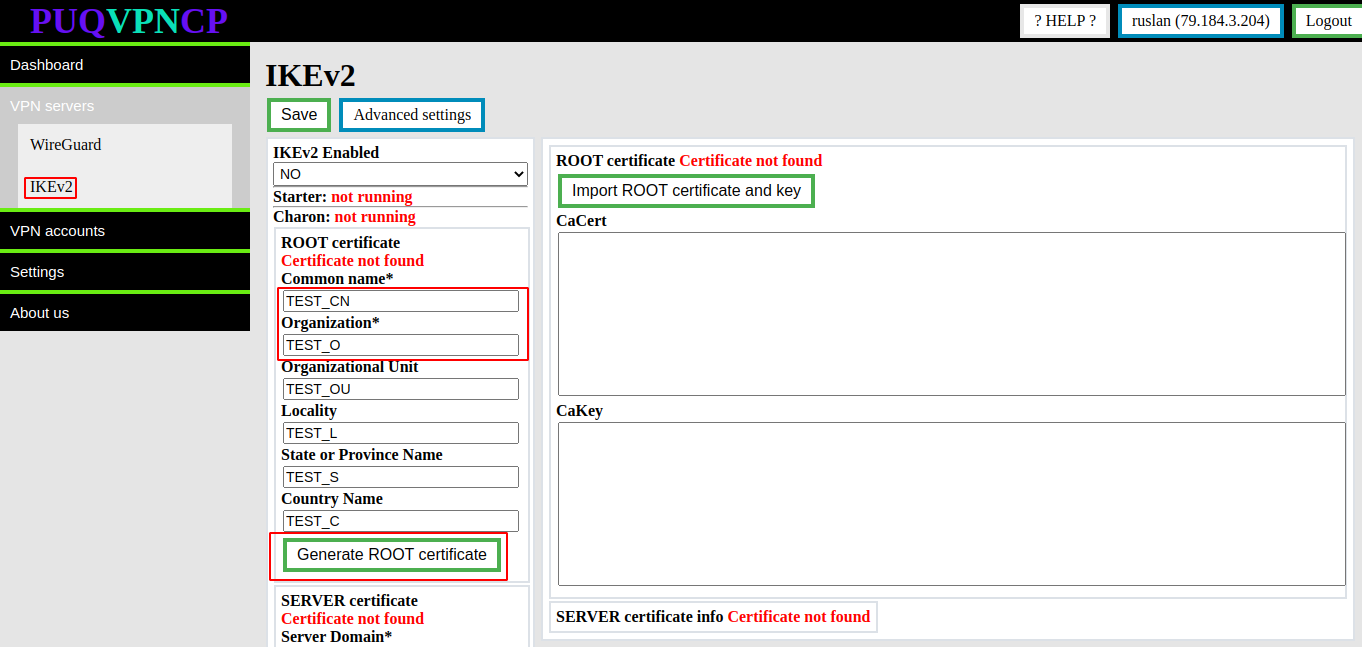](https://doc.puq.info/uploads/images/gallery/2022-12/image-1670922619439.png) You need to fill in the required fields such as: - Common name - Organization Then click the button **Generate ROOT certificate** After these steps, the **root certificate and private key** will be generated. Information about the certificate will be available in the same place. [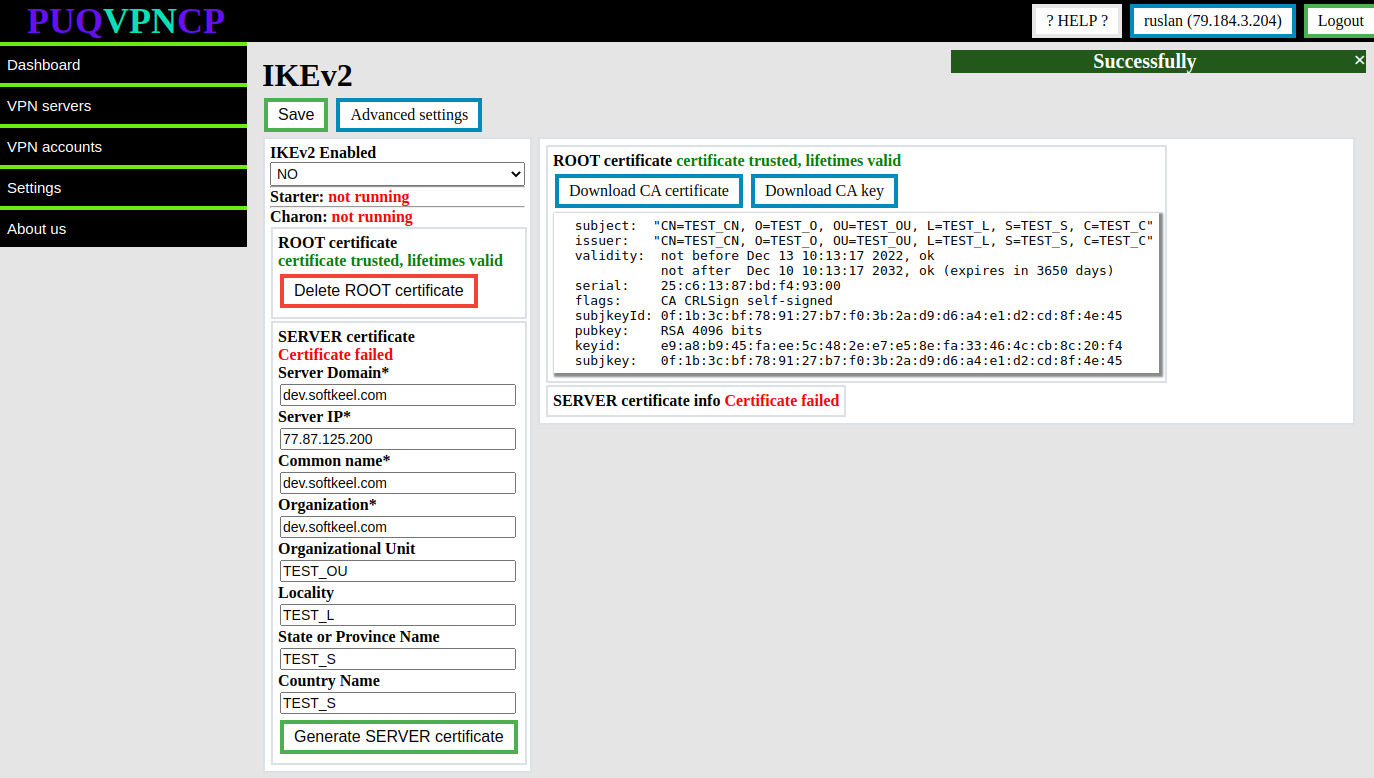](https://doc.puq.info/uploads/images/gallery/2022-12/image-1670922926394.png) To download the root certificate and private key, you can use the buttons **Download CA certificate** and **Download CA key** To remove the root certificate, use the **Delete ROOT certificate** button # Import the root certificate ##### [Order now](https://puqcloud.com/puqvpncp.php) | [Download](https://download.puqcloud.com/cp/puqvpncp/) | [FAQ](https://faq.puqcloud.com)If you don't have a root certificate ready, use the certificate generation option. More in the certificate generation instruction section.
Go to menu item **VPN servers -> IKEv2** [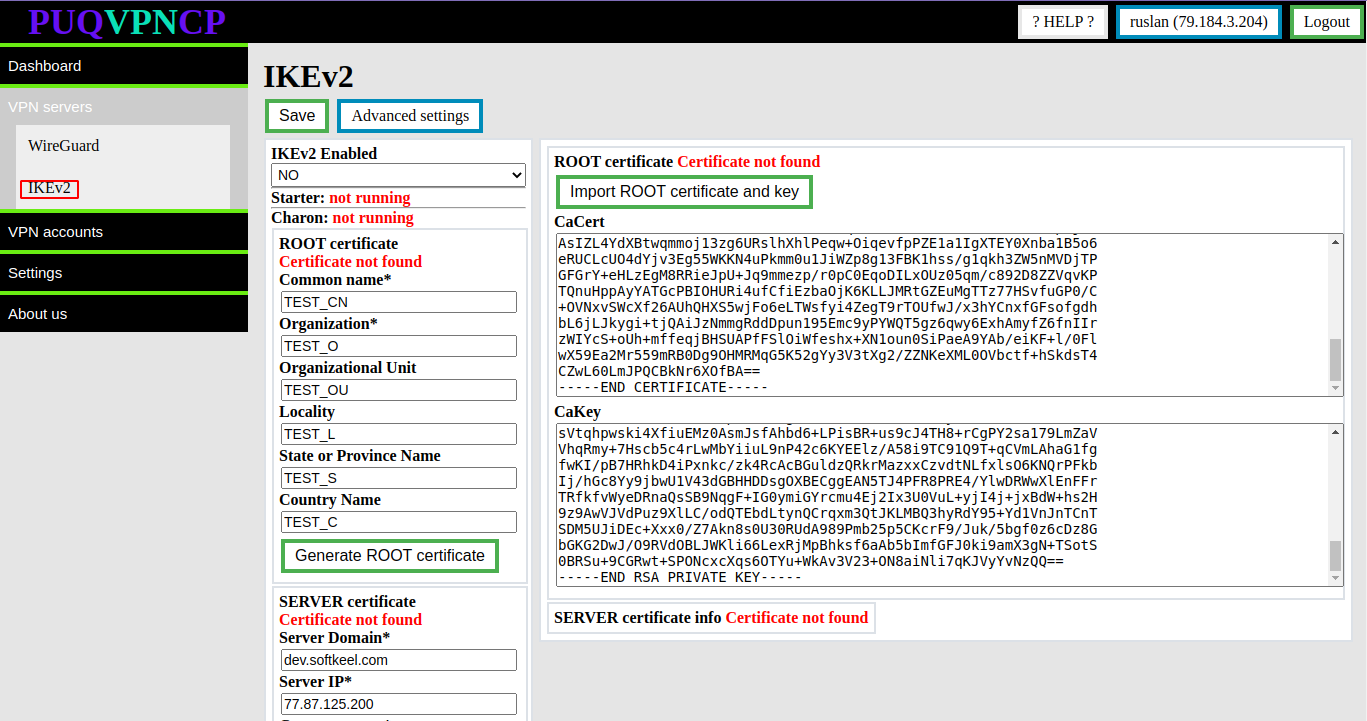](https://doc.puq.info/uploads/images/gallery/2022-12/image-1670923354418.png) You need to fill in the fields intended for the root certificate and for the private key - **CaCert** - **CaKey** To import the root certificate and private key, click the **Import ROOT certificate and key** button After these steps, the **root certificate and private key** will be imported. Information about the certificate will be available there. [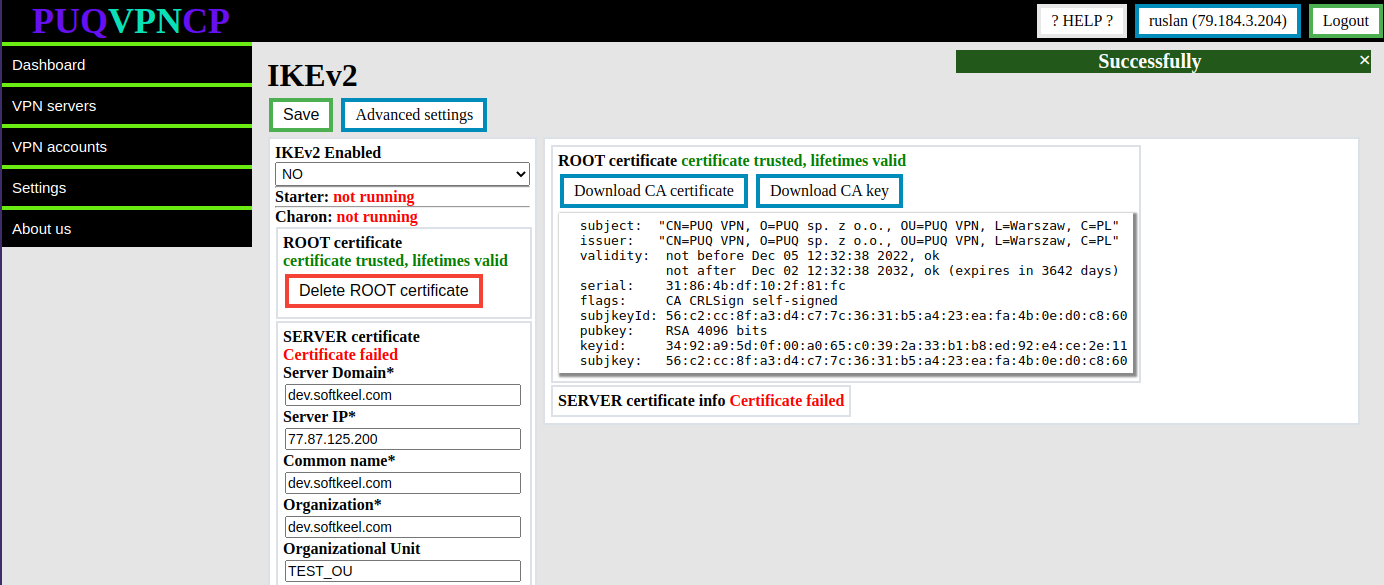](https://doc.puq.info/uploads/images/gallery/2022-12/image-1670923545662.png) To download the root certificate and private key, you can use the buttons **Download CA certificate** and **Download CA key** To remove the root certificate, use the **Delete ROOT certificate** button # Create a server certificate ##### [Order now](https://puqcloud.com/puqvpncp.php) | [Download](https://download.puqcloud.com/cp/puqvpncp/) | [FAQ](https://faq.puqcloud.com)Before creating a server certificate, you must create or import a root certificate.
Go to menu item **VPN servers -> IKEv2** [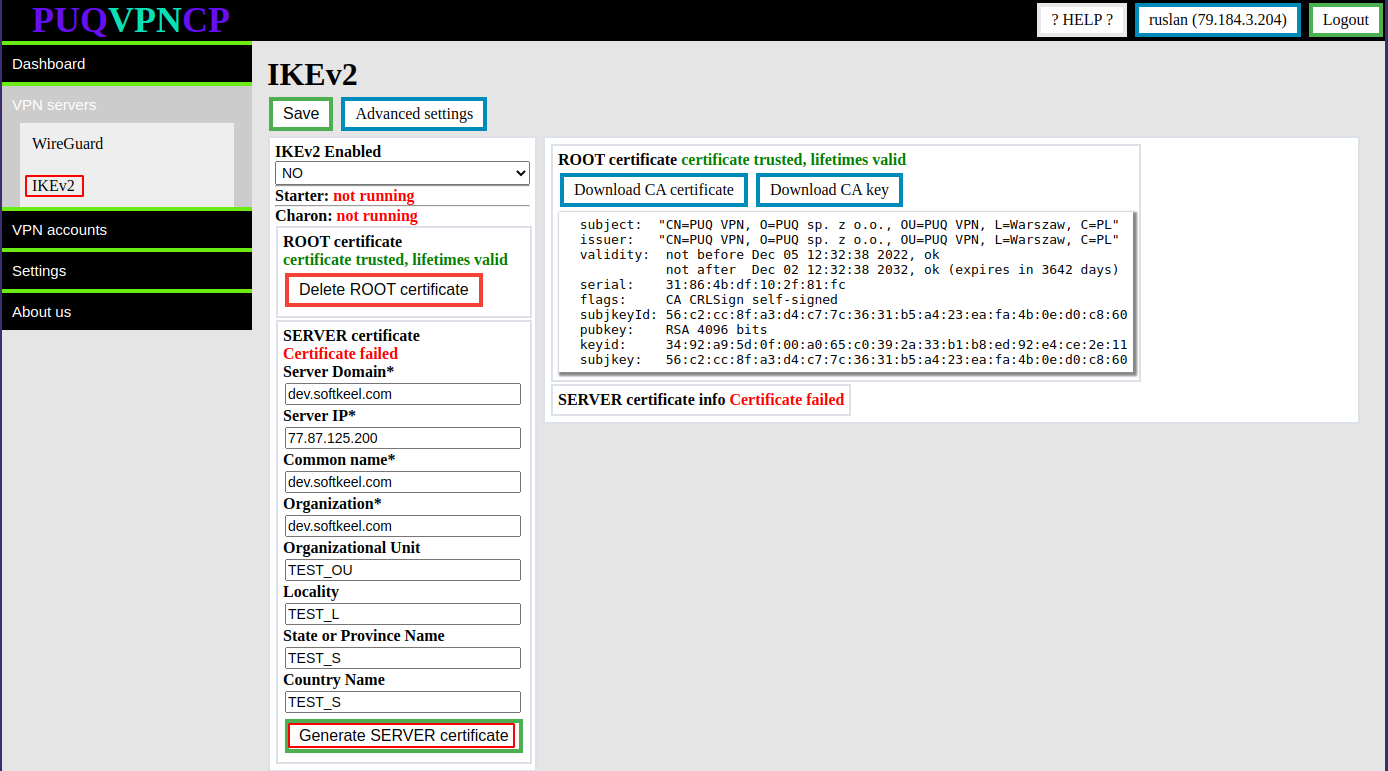](https://doc.puq.info/uploads/images/gallery/2022-12/image-1670924167899.png) You need to fill in the required fields such as: - **Server Domain** - **Server IP** - **Common name** - **Organization** Then click the button **Generate SERVER certificate** After these steps, the **Server certificate and private key** will be generated. Information about the certificate will be available in the same place. [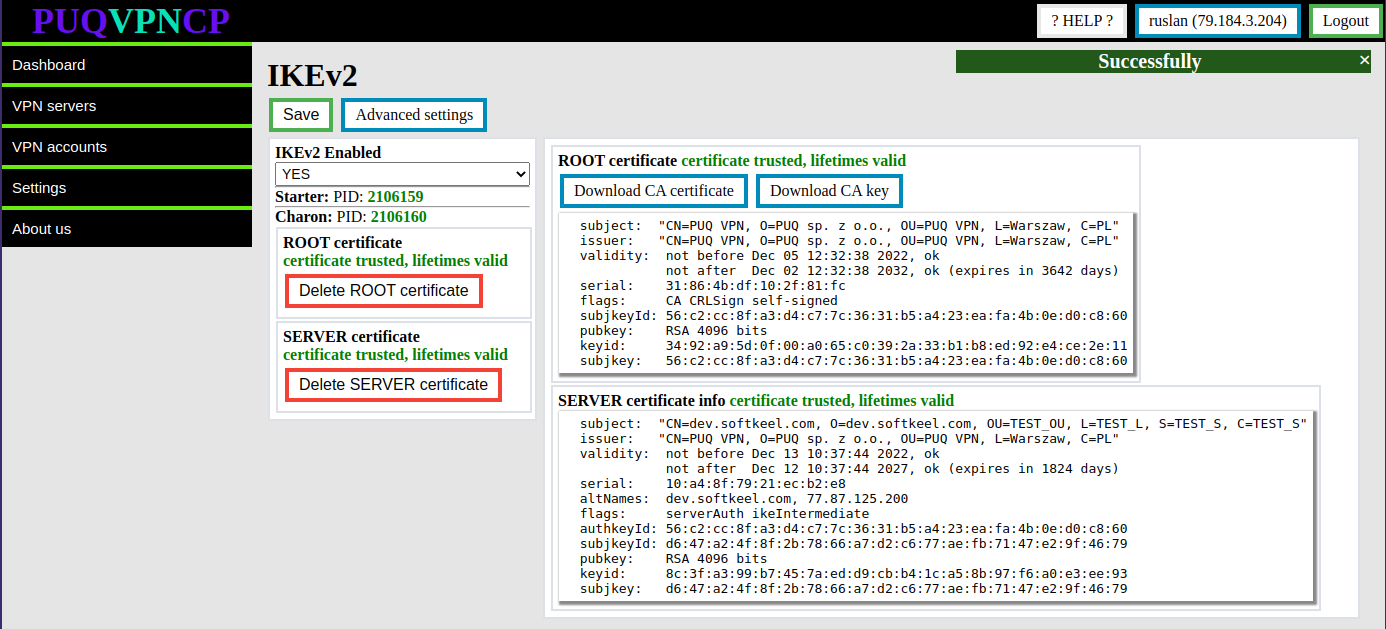](https://doc.puq.info/uploads/images/gallery/2022-12/image-1670924293587.png) To remove the server certificate, use the **Delete SERVER certificate** button After a successful server certificate generation process, the IKEv2 server transitions to the enabled state. [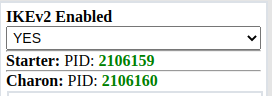](https://doc.puq.info/uploads/images/gallery/2022-12/image-1670924457963.png) # Advanced settings ##### [Order now](https://puqcloud.com/puqvpncp.php) | [Download](https://download.puqcloud.com/cp/puqvpncp/) | [FAQ](https://faq.puqcloud.com) For more precise server settings, you can use Advanced settings On this page you can customize the server to suit your needs. Use the official strongSwan documentation for parameter information [https://wiki.strongswan.org/projects/strongswan/wiki/IpsecConf](https://wiki.strongswan.org/projects/strongswan/wiki/IpsecConf) Go to menu item **VPN servers -> IKEv2** Click on the **Advanced settings** button [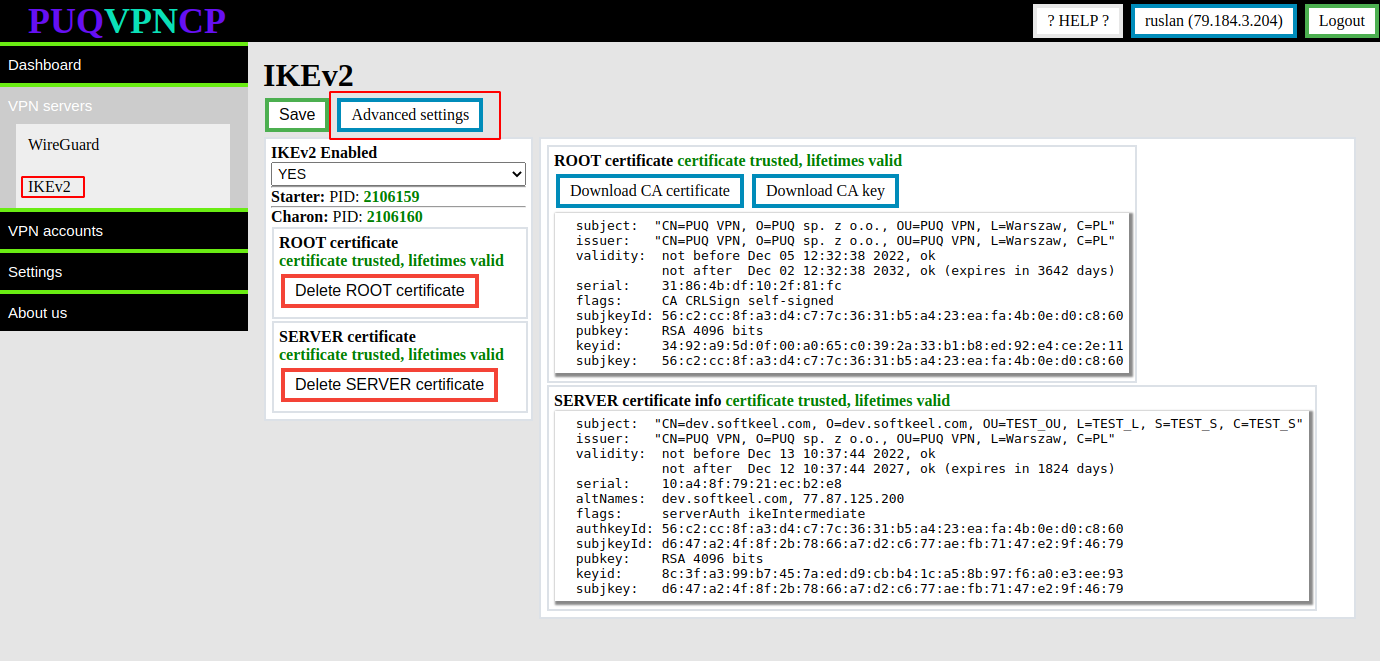](https://doc.puq.info/uploads/images/gallery/2022-12/image-1670924658462.png) Go to the IKEv2 Advanced settings page [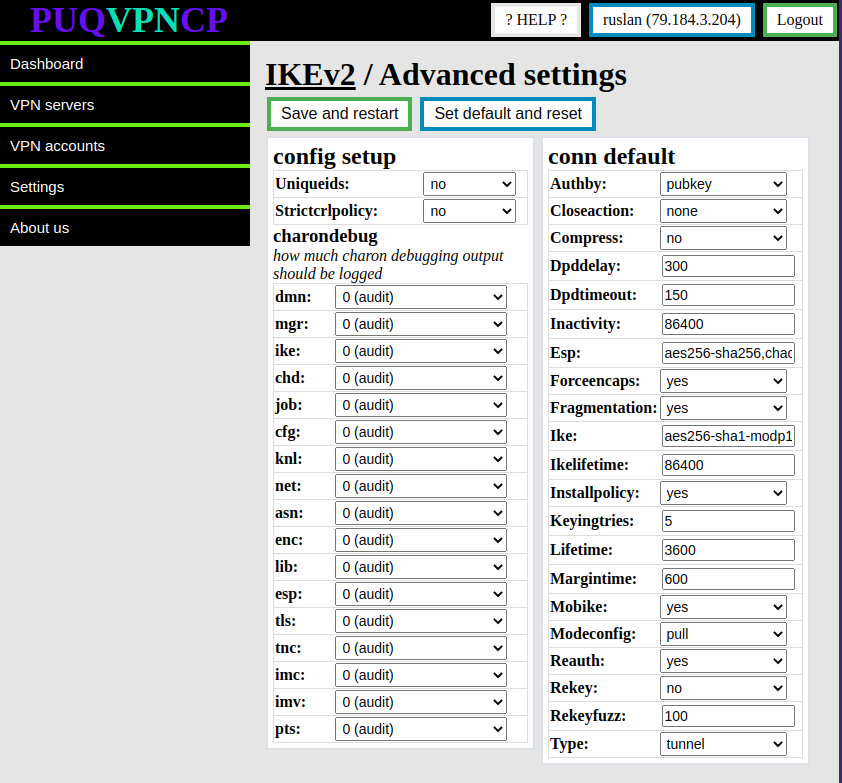](https://doc.puq.info/uploads/images/gallery/2022-12/image-1670924724136.png)In order to restore the default settings, click the **Set default and reset** button
# Enable IKEv2 ##### [Order now](https://puqcloud.com/puqvpncp.php) | [Download](https://download.puqcloud.com/cp/puqvpncp/) | [FAQ](https://faq.puqcloud.com)It is worth remembering that the main VPN protocol in the panel is **WireGuard**, and the **IKEv2** protocol is an additional protocol. This means that before using **IKEv2**, you must configure the **WireGuard** protocol, and then enable **IKEv2** support on each **WireGuard** interface on which you want to use **IKEv2**.
##### For the inclusion of the **IKEv2** protocol, switch to the configuration of the **WireGuard** user interface To enable the **IKEv2** protocol, switch to the desired **WireGuard** interface. [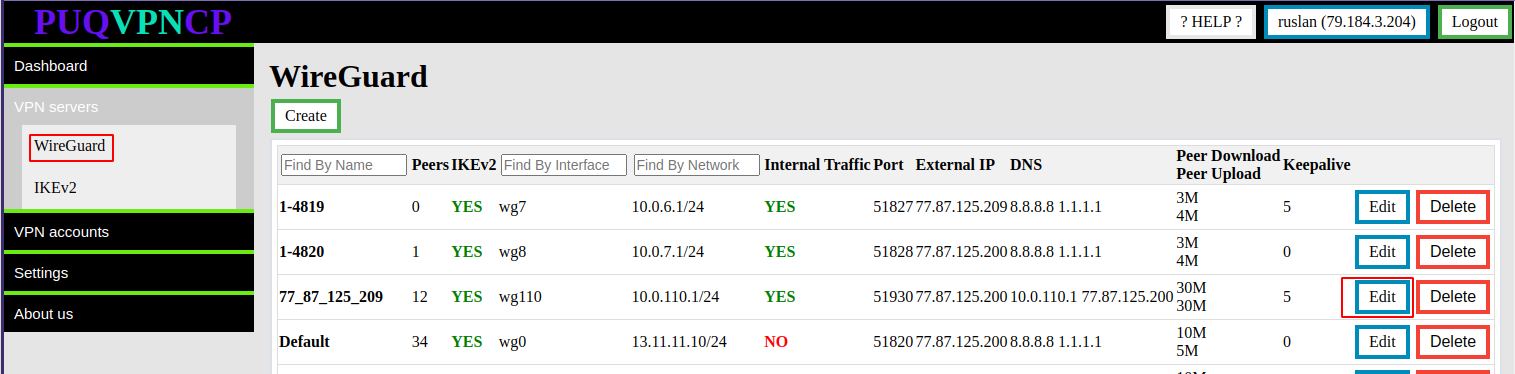](https://doc.puq.info/uploads/images/gallery/2022-12/image-1670936314051.png) [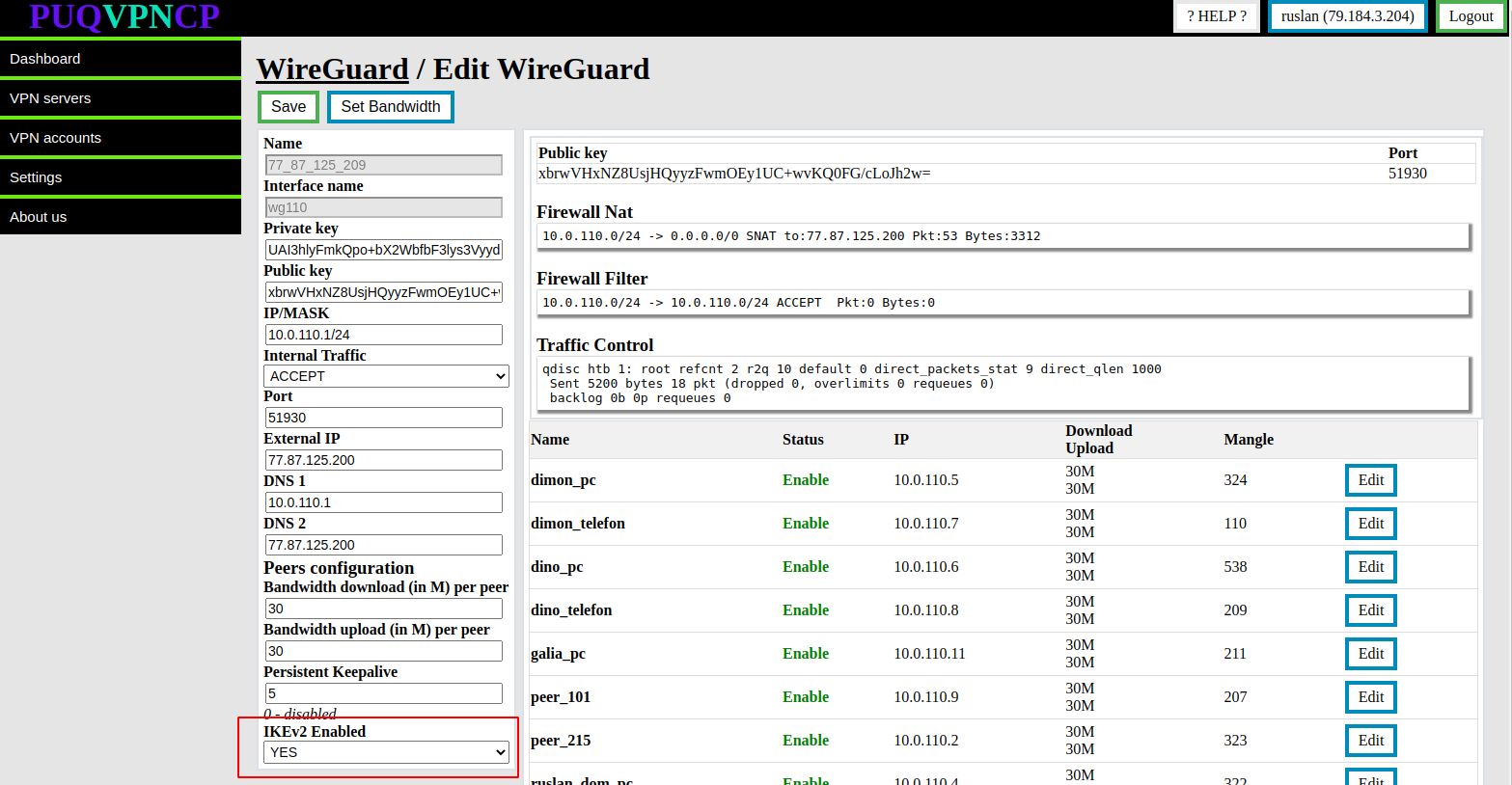](https://doc.puq.info/uploads/images/gallery/2022-12/image-1670925351457.png) Set the **IKEv2 Enabled** option to **YES** to keep the value of the **Save** button