This step is required for the solution to work properly.
#### Firewall configuration is available in the menu item **Settings->Firewall** [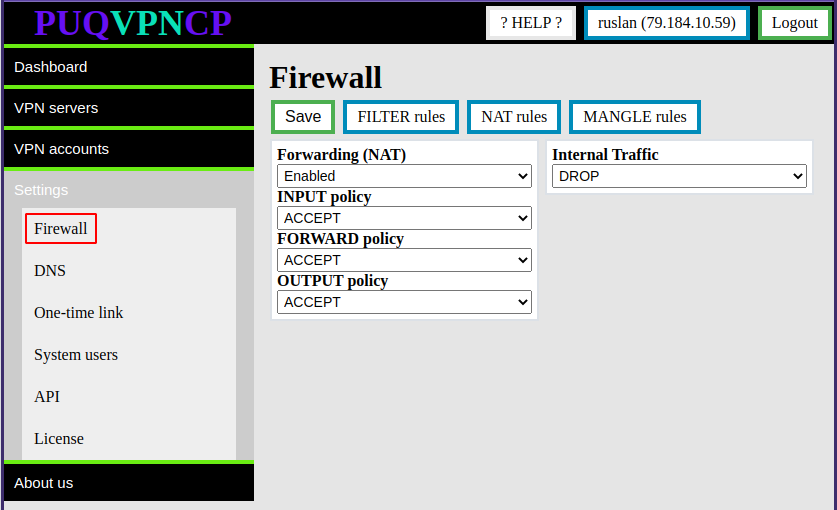](https://doc.puq.info/uploads/images/gallery/2022-11/image-1668693211000.png) The following Firewall configurations are required for the correct operation of the WireGuard server ##### **Forwarding (NAT)** - Must be **Enabled** for VPN clients to access the internet. ##### **INPUT/FORWARD/OUTPUT policy** - Must be **ACCEPT** for VPN clients to access the internet. ##### **Internal Traffic** - **ACCEPT -** If you want to allow traffic exchange between VPN clients - **DROP -** If you want to prohibit the exchange of traffic between VPN clients (it is possible to allow only on specific WireGuard interfaces) ## FILTER Rules In this configuration section it is possible to add/delete firewall rules in the filtr tableAttention. Rules whose name starts with system\_ are system rules and cannot be deleted.
[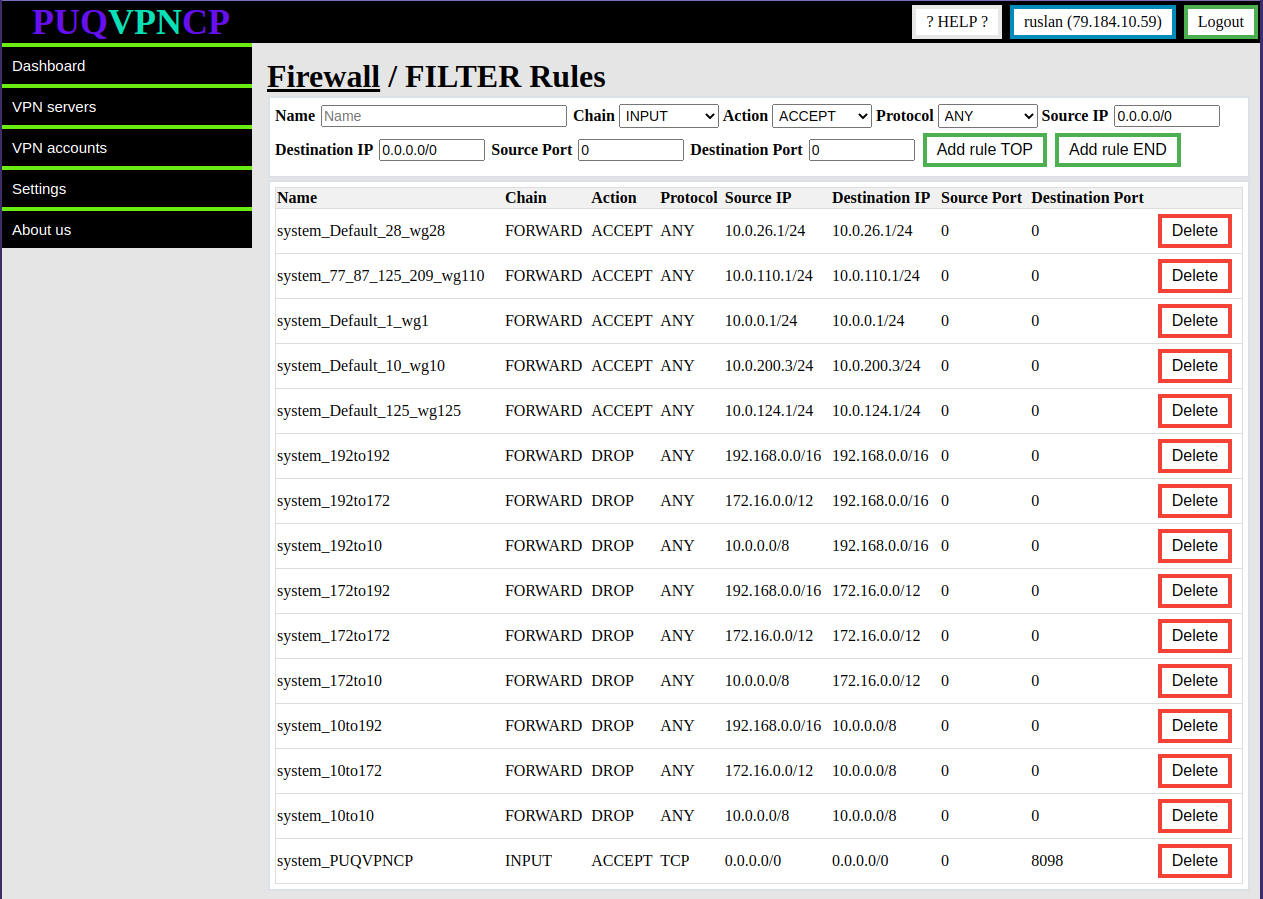](https://doc.puq.info/uploads/images/gallery/2022-11/image-1668756192496.png) ## NAT Rules In the NAT Rules section, it is possible to view all the rules for which the system has automatically created. [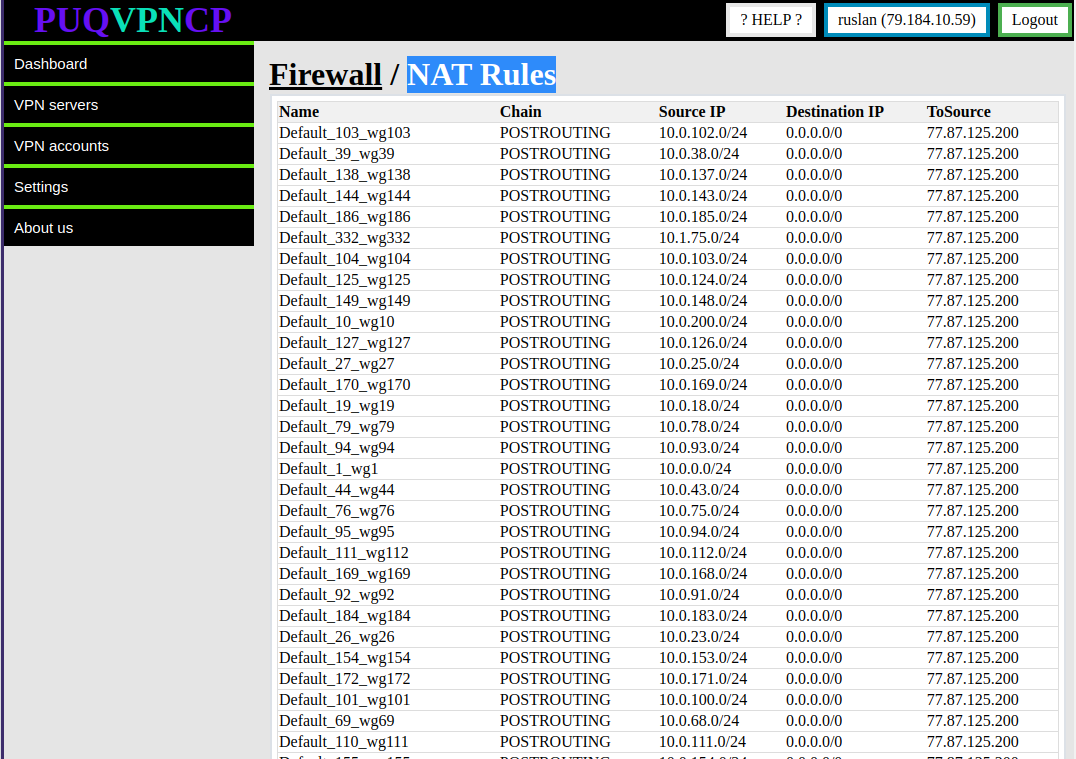](https://doc.puq.info/uploads/images/gallery/2022-11/image-1668756378760.png) ## MANGLE Rules In the MANGLE Rules section, it is possible to view all the rules for which the system has automatically created. [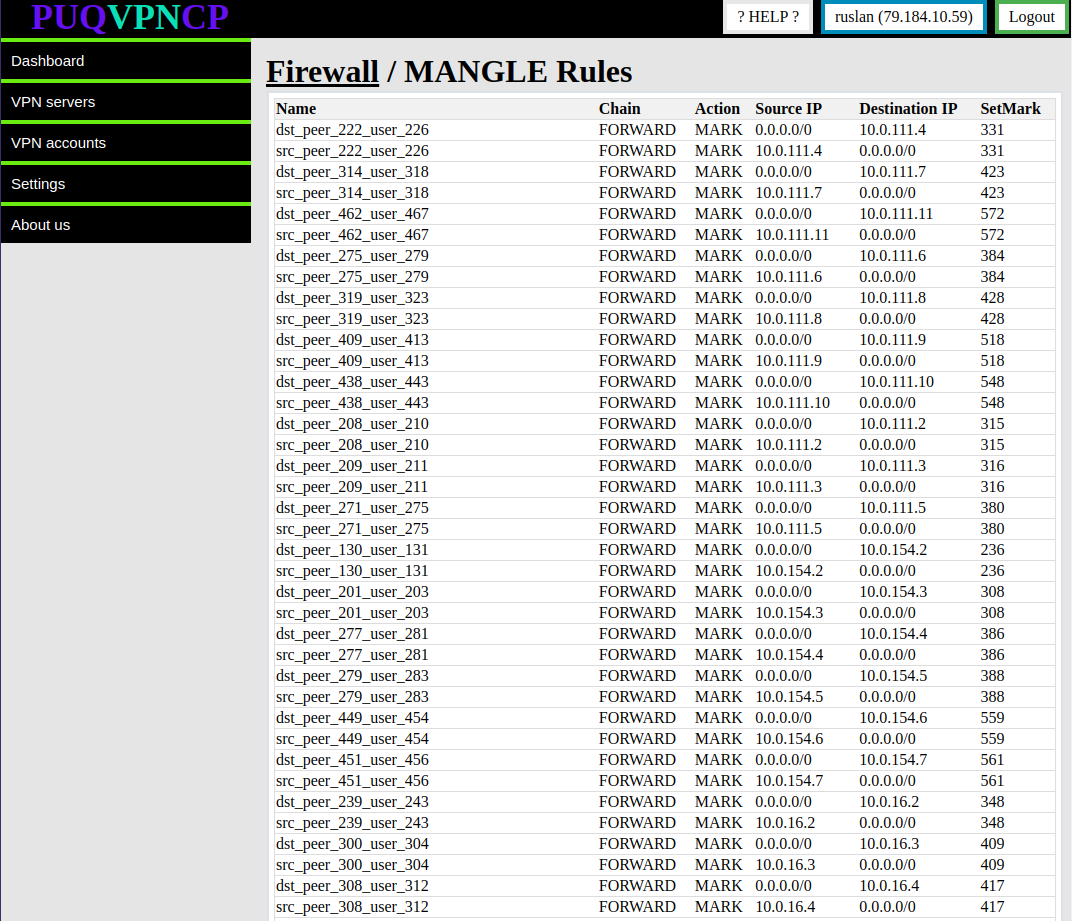](https://doc.puq.info/uploads/images/gallery/2022-11/image-1668756441052.png) # DNS settings ##### [Order now](https://puqcloud.com/puqvpncp.php) | [Download](https://download.puqcloud.com/cp/puqvpncp/) | [FAQ](https://faq.puqcloud.com)This step is required for the solution to work properly.
#### Once DNS is properly installed, you need to enable it. #### DNS configuration is available in the menu item **Settings->DNS**[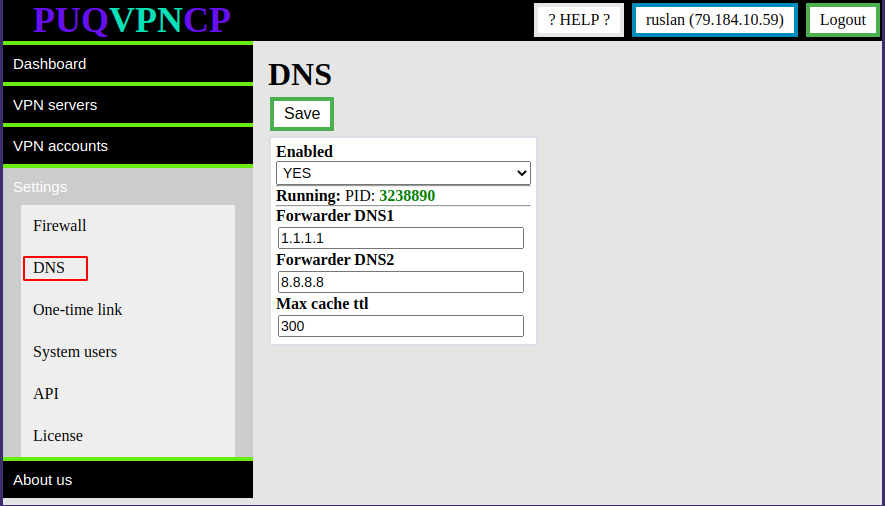](https://doc.puq.info/uploads/images/gallery/2022-11/image-1668756613635.png) The DNS server is configured as a caching DNS server for VPN clients.Attention. The use of the DNS server is possible only by the clients of the system. The system automatically configures the DNS server so that only those subnets that are configured in the system have access.
# License ##### [Order now](https://puqcloud.com/puqvpncp.php) | [Download](https://download.puqcloud.com/cp/puqvpncp/) | [FAQ](https://faq.puqcloud.com) ##### License configuration is available in the menu item **Settings->License** [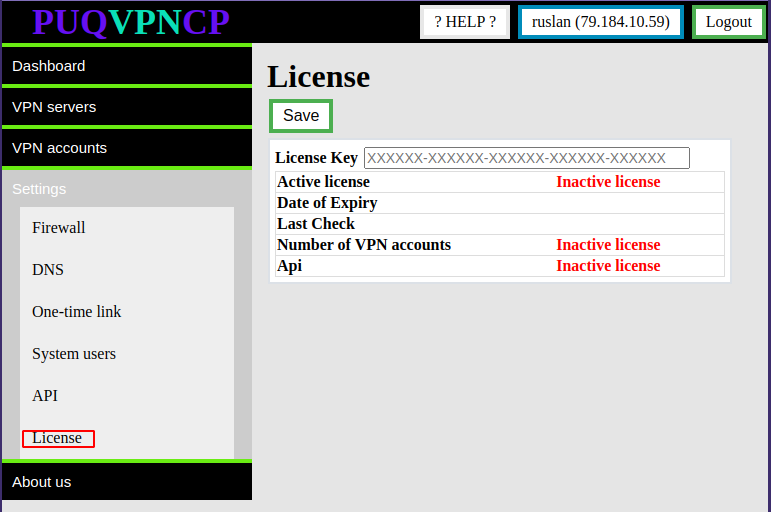](https://doc.puq.info/uploads/images/gallery/2022-11/image-1668763551186.png) By default, the system limit is 50 users and the API is disabled. ##### In order to activate the license key, the key must be entered in the "License Key" field and click on the "Save" button [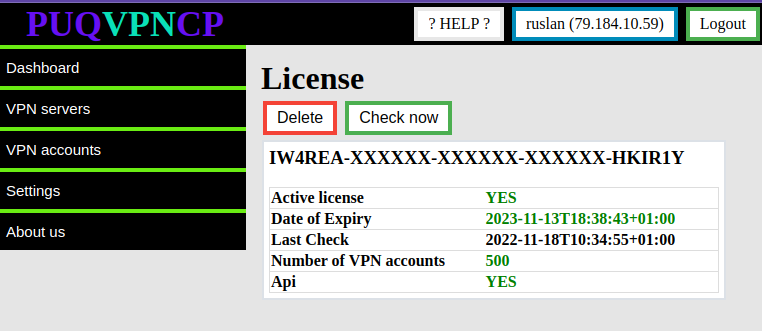](https://doc.puq.info/uploads/images/gallery/2022-11/image-1668764171867.png) ##### In order to delete a license, you must click the "Delete" button