In order for the WireGuard solution to work properly, it is necessary to create, among others: interface for Wireguard and configure other settings
##### **WireGuard's** configuration is available in the menu item **VPN servers->WireGuard** [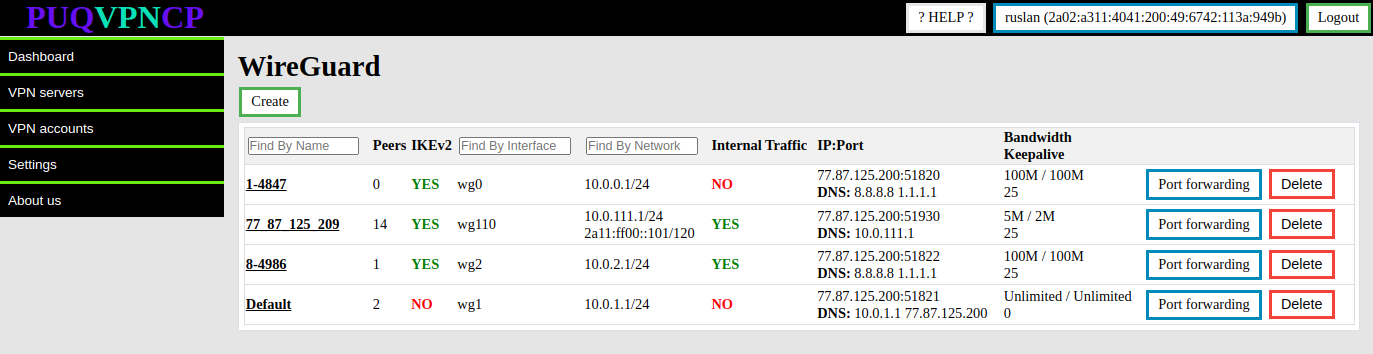](https://doc.puq.info/uploads/images/gallery/2023-07/image-1690791351780.png) To create a new **WireGuard** server, click the Create button. [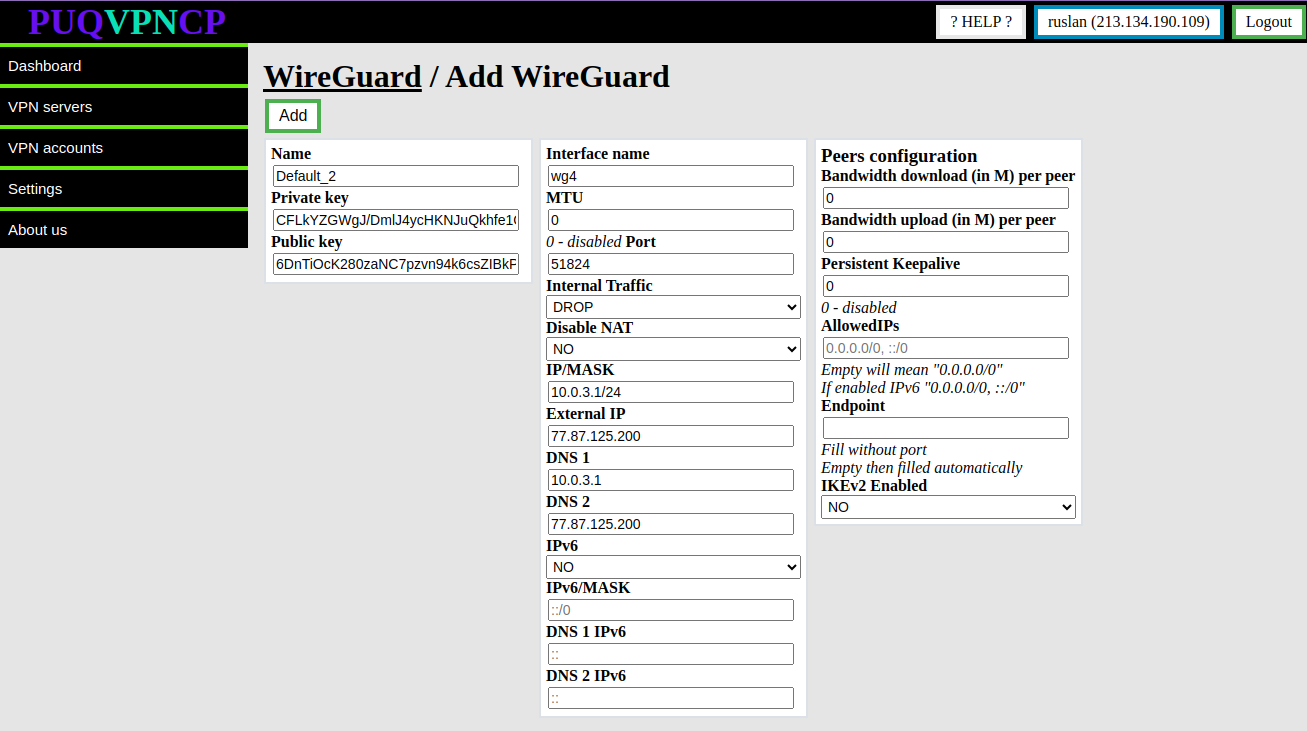](https://doc.puq.info/uploads/images/gallery/2023-10/image-1697374139408.png) The system will automatically fill in the form for creating a new server with unique data. You can change the data if necessary. - **Name** - This is a unique configuration name, this name appears in the system as the main configuration model of the **WireGuard** interface, this parameter cannot be changed later - **Private key/Public key -** Keys for encrypting the traffic of the WireGuard interface, the system generated new keys, but you can set them yourself when creating the **WireGuard** interface - **Interface name -** Name of the **WireGuard** network interface in the system, this parameter cannot be changed - **IP/MASK -**The parameters of the internal network of clients of this **WireGuard** interface, the address that is specified will be assigned to the interface and for all clients of this interface it will be the default gateway. - **Internal Traffic -** Allow or deny traffic exchange between the client of this interface - **Disable NAT-** If set to YES, then NAT rules will not be added to the firewall, which is necessary for public IP for the client or restricting access to the Internet. - **Port -** Port on which the interface will listen for incoming connections - **External IP -** The public IP address that will be used in the interface configuration, NAT will be organized through this address for all clients of this interface. **The address must be public and configured on the server**. - **DNS 1/DNS 2 -** DNS servers that will be issued to the client of this interface - **Bandwidth download/Bandwidth upload -** conditional value for the throughput of each peer connected to this **WireGuard** interface. This data will be automatically applied when creating a VPN client for this WireGuard interface. - **Persistent Keepalive -** A sensible interval that works with a wide variety of firewalls is 25 seconds. Setting it to 0 turns the feature off, which is the default, since most users will not need this, and it makes **WireGuard** slightly more chatty - **MTU** - Ability to set **MTU** on the **WireGuard** interface. This parameter is involved in generating the client settings configuration. - **AllowedIPs -** This parameter is involved in generating the client settings configuration. - **IKEv2 Enabled -** Enables **IKEv2** protocol support for this interface. If set to **YES** then users of this interface will connect to the server using the **IKEv2** protocol - **IPv6 -** Enable or disable IPV6 - **IPv6/MASK -** IPv6 subnet to be distributed among peers - **DNS 1 IPv6/DNS 2 IPv6 -** IPv6 DNS servers