# Client Area and Invoices
### Service Label Designer addon **[WHMCS](https://puqcloud.com/link.php?id=77)**
##### [Order now](https://puqcloud.com/store/whmcs-addon-modules) | [Download](https://download.puqcloud.com/WHMCS/addons/PUQ_WHMCS-Service-Label-Designer/) | [FAQ](https://community.puqcloud.com/)
This page shows how the module affects the client-facing pages — the services list in the client area and invoice descriptions.
---
## Client Area — Services List
When a group has **Enable in List** checked, all services in that group display the rendered template instead of the default product name + domain format.
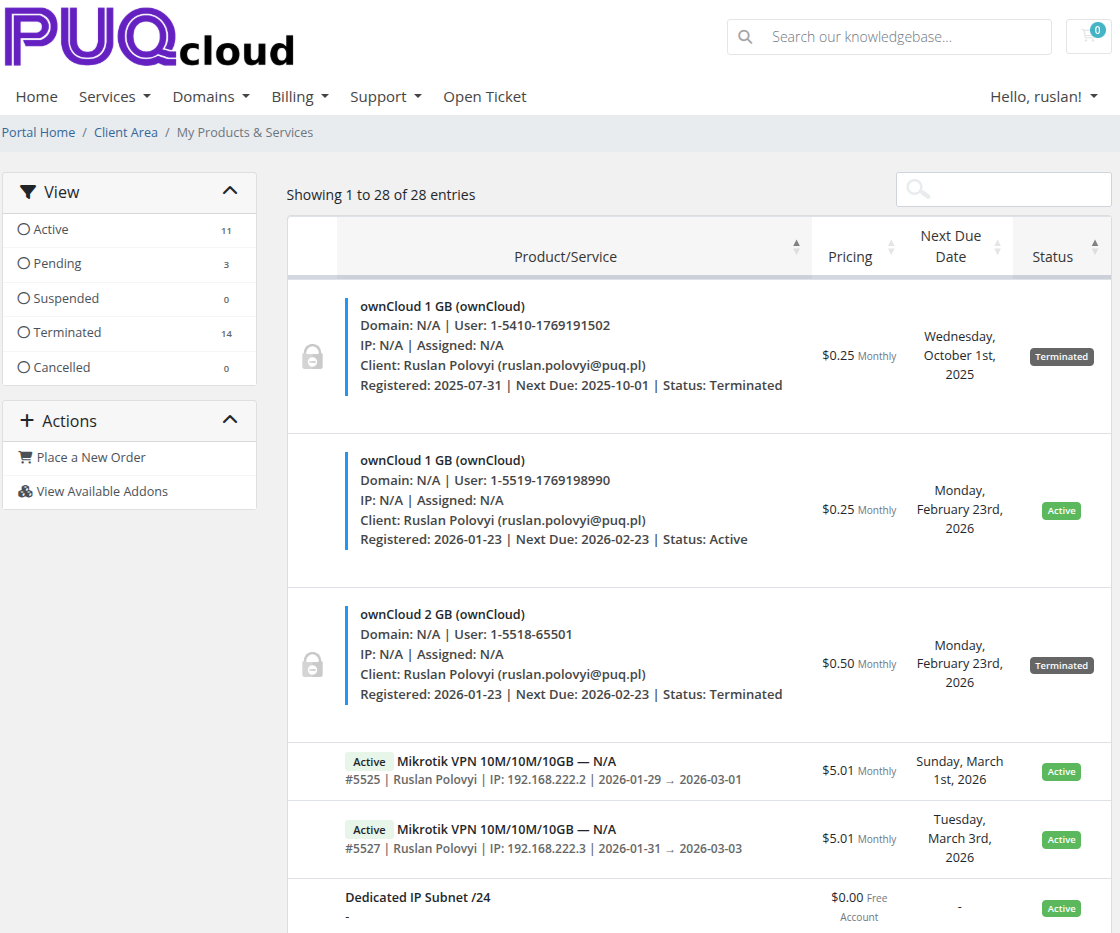
*06-client-area.png*
The module hooks into the **ClientAreaPage** event (priority 1000) and replaces the service display data for the "My Products & Services" page.
### What Gets Replaced
- **Product name** — replaced with the rendered template
- **Domain** — set to a space (hidden) since the template typically includes domain info
### Example
With the template:
```html
{product-name} / {group-name}
Domain: {service-domain} | User: {service-username}
IP: {service-dedicatedip} | Assigned: {service-assignedips}
Client: {client-name} ({client-email})
Registered: {service-regdate} | Next Due: {service-nextduedate} | Status: {service-status}
```
Each service in the client area shows a rich, multi-line label with all relevant information instead of just the product name.
---
## Invoices
When a group has **Enable in Invoice** checked, the module modifies invoice line item descriptions when a new invoice is created.
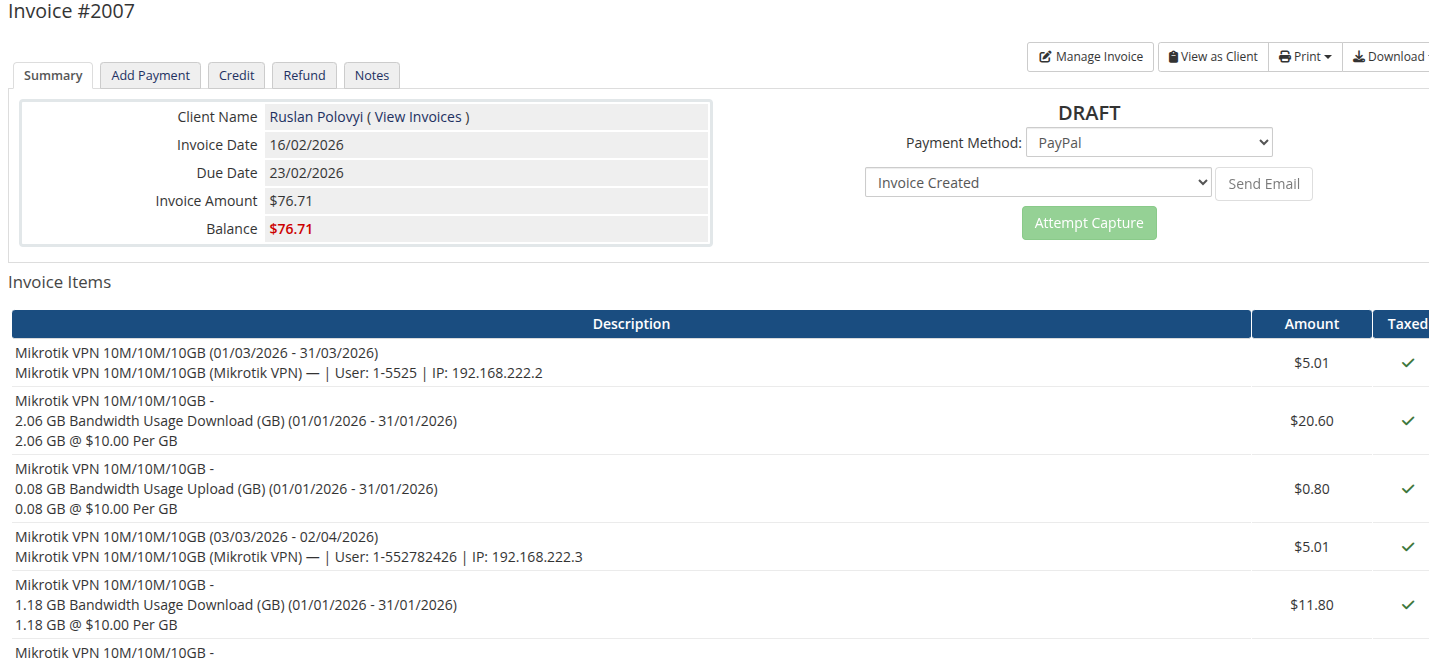
*07-invoice.png*
The module hooks into the **InvoiceCreation** event (priority 1) and processes each invoice line item that has a related service (relid).
### Invoice Modes
The behavior depends on the mode selected for each group:
| Mode | Result |
|------|--------|
| **Append** | Original description + newline + rendered template |
| **Replace** | Only the rendered template (original description removed) |
| **Prepend** | Rendered template + newline + original description |
### Example (Append mode)
Original invoice line:
```
Mikrotik VPN 10M/10M/10GB (01/03/2026 - 31/03/2026)
```
With template: `{product-name} ({group-name}) — | User: {service-username} | IP: {service-dedicatedip}`
Result:
```
Mikrotik VPN 10M/10M/10GB (01/03/2026 - 31/03/2026)
Mikrotik VPN 10M/10M/10GB (Mikrotik VPN) — | User: 1-5525 | IP: 192.168.222.2
```
### Important Notes
- Invoice text modification happens **only when the invoice is created**. Existing invoices are not affected.
- Only line items with a related service (`relid != 0`) are processed.
- If an error occurs during processing, it is logged via `logModuleCall` and the original description is preserved.