Add server (PUQVPNCP) in WHMCS
WireGuard VPN module WHMCS
Order now | Download | FAQ
Add a new server to the system WHMCS.
Login to Your WHMCS panel and create new server in WHMCS (System Settings->Products/Services->Servers)
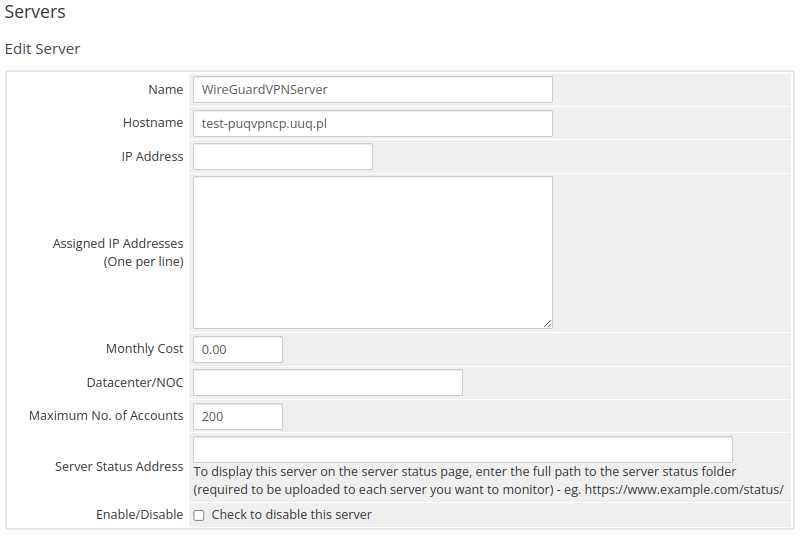
System Settings->Servers->Add New Server- Enter the correct Name and Hostname
Name is just for Your convenience and You can put there anything You like ie: Mygreat PUQVPNCP routr
You can choose whatever hostname You want. Valid entries look similar to: vpn.mydomain.com, ourgreatvpn.mydomain.net. You can also dedicate whole domain ie: myVPNservices.com if You like. The important thing is to resolve the choosen IP address of the PUQVPNCP in DNS server for Your domain.
Enter the correct data in the Access Hash field
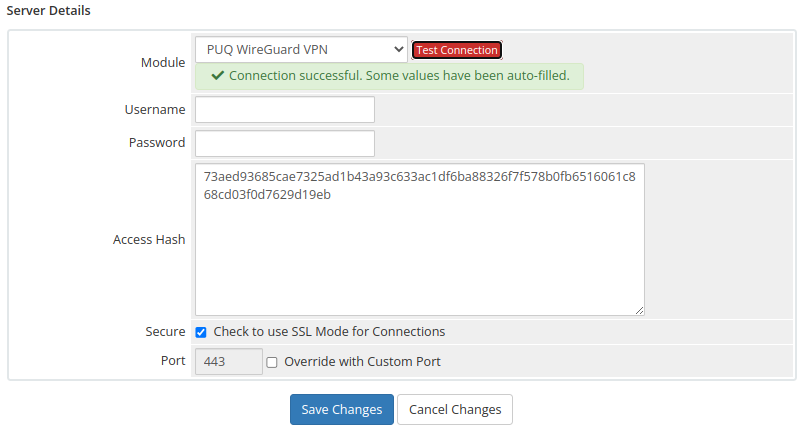
- In the Server Details section, select the "PUQ WireGuard VPN" module and enter the correct API Access Hash.
- To check, click the "Test connection" button
If you save the correct login and password for PUQVPNCP in the server settings, then the Login to PUQ VPN Control Panel button will open for you without entering a login and password.