# Add server (PUQVPNCP) in WISECP
### WireGuard VPN module **[WISECP](https://puqcloud.com/link.php?id=78)**
##### [Order now](https://puqcloud.com/index.php?rp=/store/wisecp-module-wireguard-vpn) | [Download](https://download.puqcloud.com/WISECP/Product/PUQ_WISECP-WireGuard-VPN/) | [FAQ](https://faq.puqcloud.com/)
##### 1. Log in to the administrative area of your **[WISECP](https://puqcloud.com/link.php?id=78)**.
#####
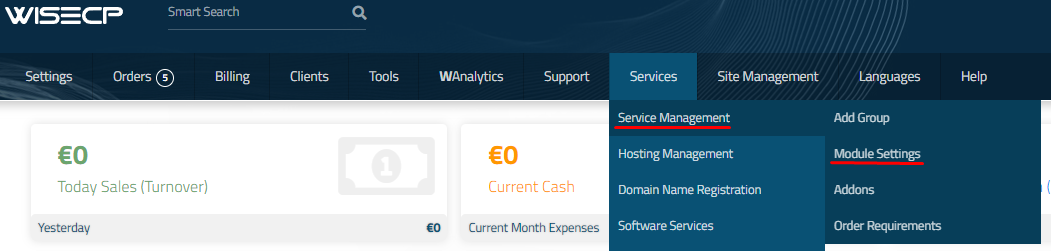
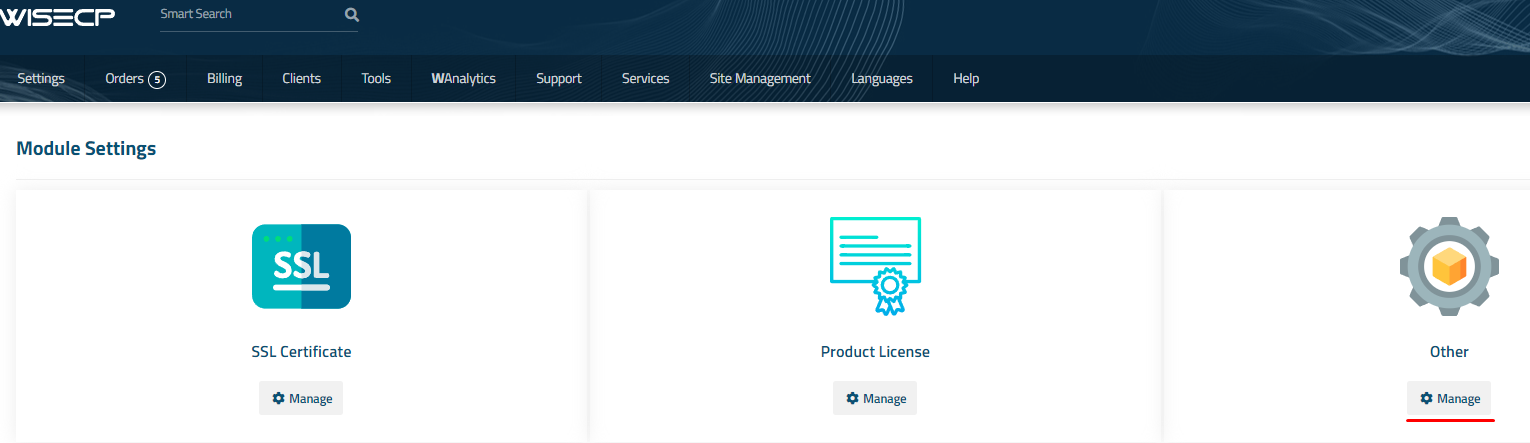
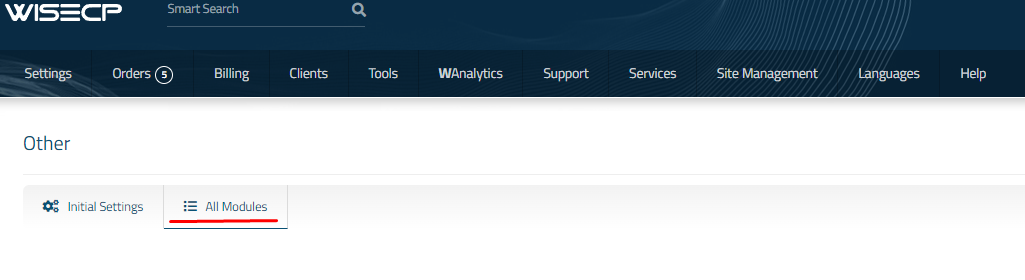
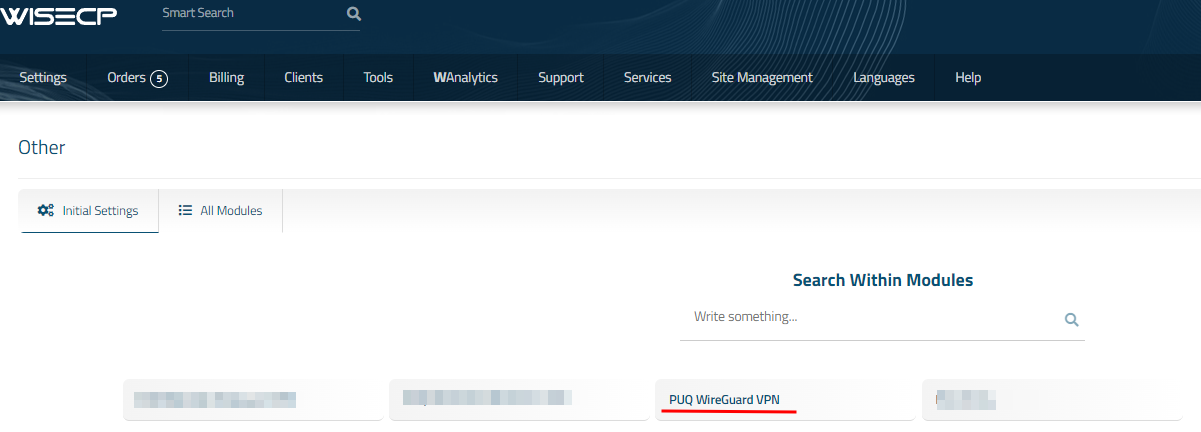
2. Go to module configuration.
```
Services -> Service Management -> Module Settings -> Other -> All Modules -> PUQ WireGuard VPN
```
[](https://doc.puq.info/uploads/images/gallery/2023-11/image-1700485721333.png)
[](https://doc.puq.info/uploads/images/gallery/2023-11/image-1700485726951.png)
[](https://doc.puq.info/uploads/images/gallery/2023-11/image-1700485737918.png)
[](https://doc.puq.info/uploads/images/gallery/2023-11/image-1700485743386.png)
##### 3. In the opened page, click the '**Add Server**' button.
[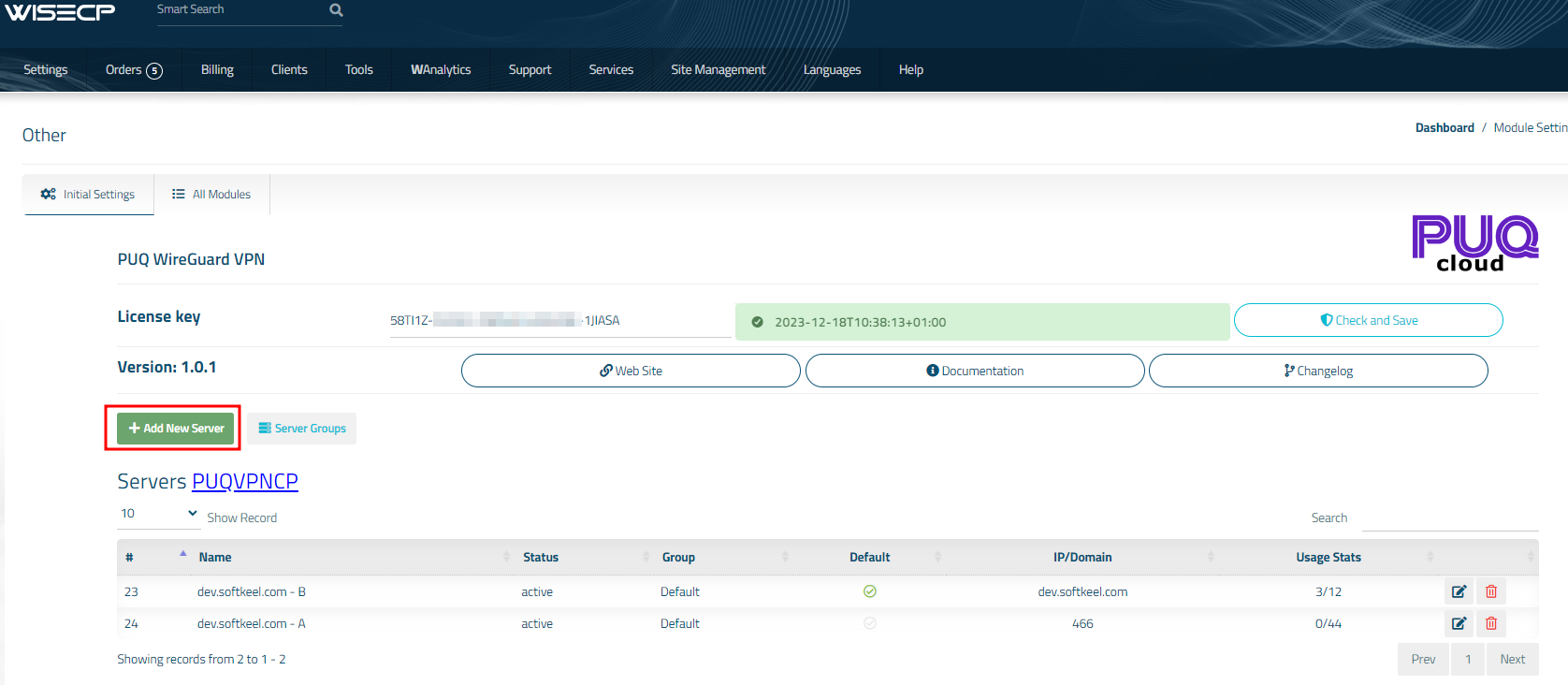](https://doc.puq.info/uploads/images/gallery/2023-11/image-1700485907763.png)
#####
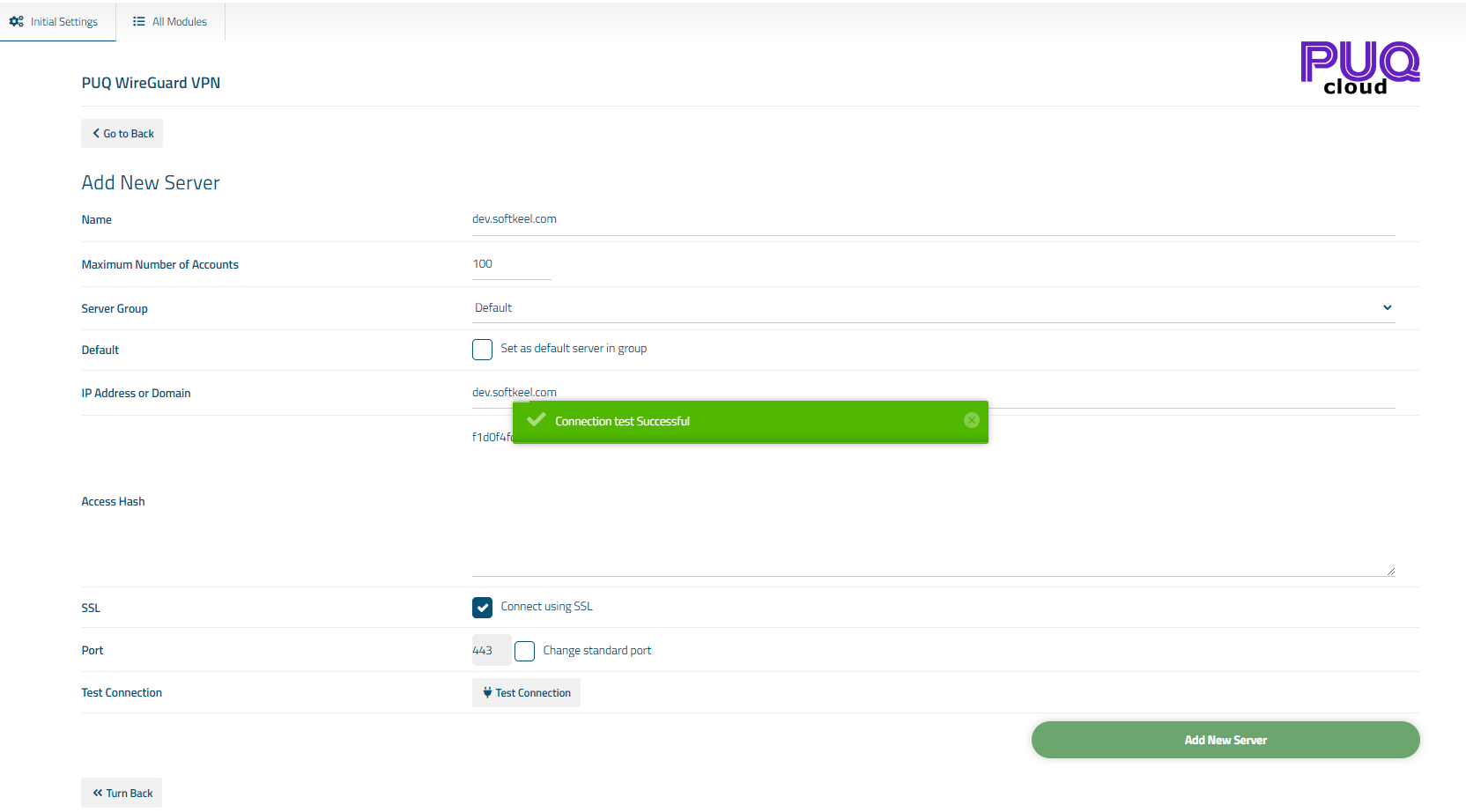
##### 4. On the opened page, enter all the necessary information:
- **Name**: Displayed name of the server.
- **Maximum Number of Accounts**: The number of services that can be on this server.
- **Server Group**: Optionally, choose the server group.
- **IP Address or Domain**: The address of the PUQVPNCP server you are connecting to.
- **Access Hash**: API key that you created in the previous step on the PUQVPNCP server.
- Check the **SSL** box if you want to use SSL-encrypted connection. If necessary, specify the port and perform a connection test.
[](https://doc.puq.info/uploads/images/gallery/2023-11/image-1700486280198.png)