**Requirements** WISECP: v3.1.5+, php: v8.x, Ioncube: V12+ PUQVPNCP: v1.8+
##### Supports protocols: - WireGuard - IKEv2 ##### Module Functions: - Auto create and deploy VPN account/accounts - Suspend/Unsuspend/Delete/Change Package - Module require active **[PUQVPNCP](https://doc.puq.info/books/puqvpncp/page/description)** API (need separte license) - Possibility to set Bandwidth speed limits - Module supports multilingualism (**Arabic, Bosnian, Czech, German, Greek, English, Spanish, Persian, French, Hungarian, Indonesian, Italian, Georgian, Latvian, Dutch, Polish, Portuguese, Romanian, Ukrainian**) - Link to instructions for setting up the service in the client area. - Mechanism for working with servers and server groups ##### Available options in the admin panel: - Create users - Suspend users - Unsuspend users - Deleteusers - Change Package - VPN connection status ##### Available options in the client panel: - Links in the form of buttons to the instruction and VPN clients - General information about the service - Password change option (for IKEv2) - One-time link generation button for transmitting authorization data - Option to download WireGuard configuration as a file - QR code for WireGuard configuration - Server certificate download button (for IKEv2) - Download button for the profile for the strongSwan mobile application (for IKEv2) - VPN connection status ##### Screenshot of the client area [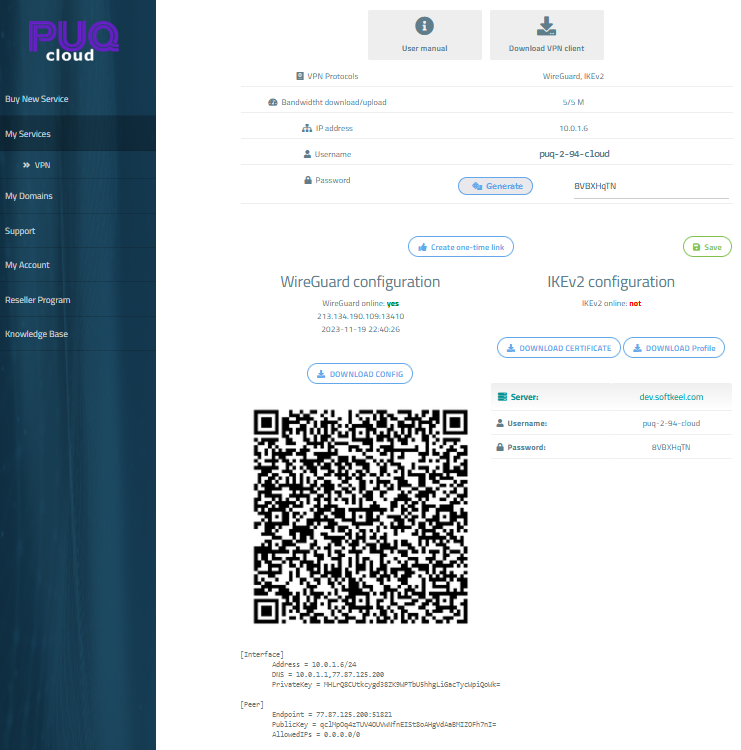](https://doc.puq.info/uploads/images/gallery/2023-11/image-1700430344429.png) [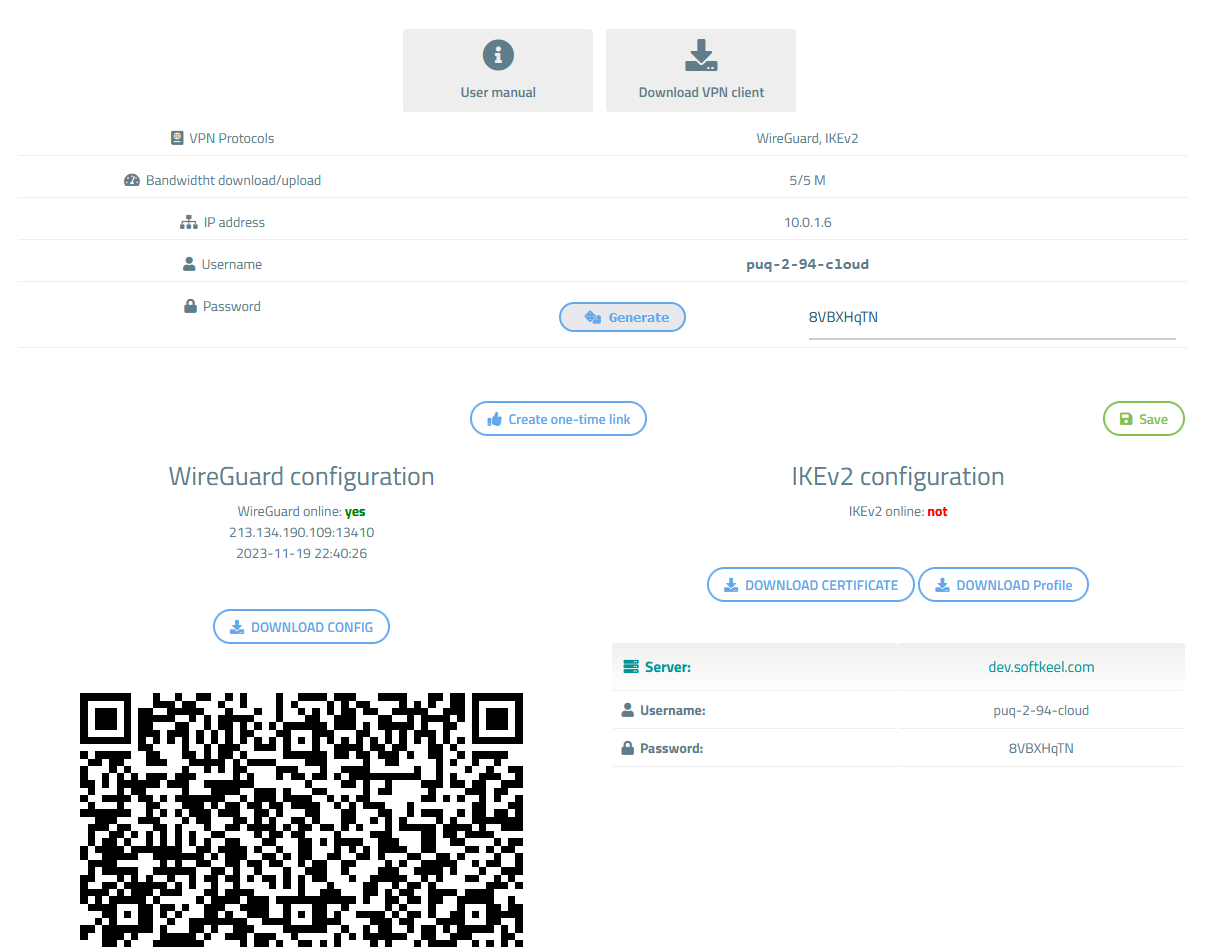](https://doc.puq.info/uploads/images/gallery/2023-11/image-1700430111703.png) ##### Screenshot of the Admin area [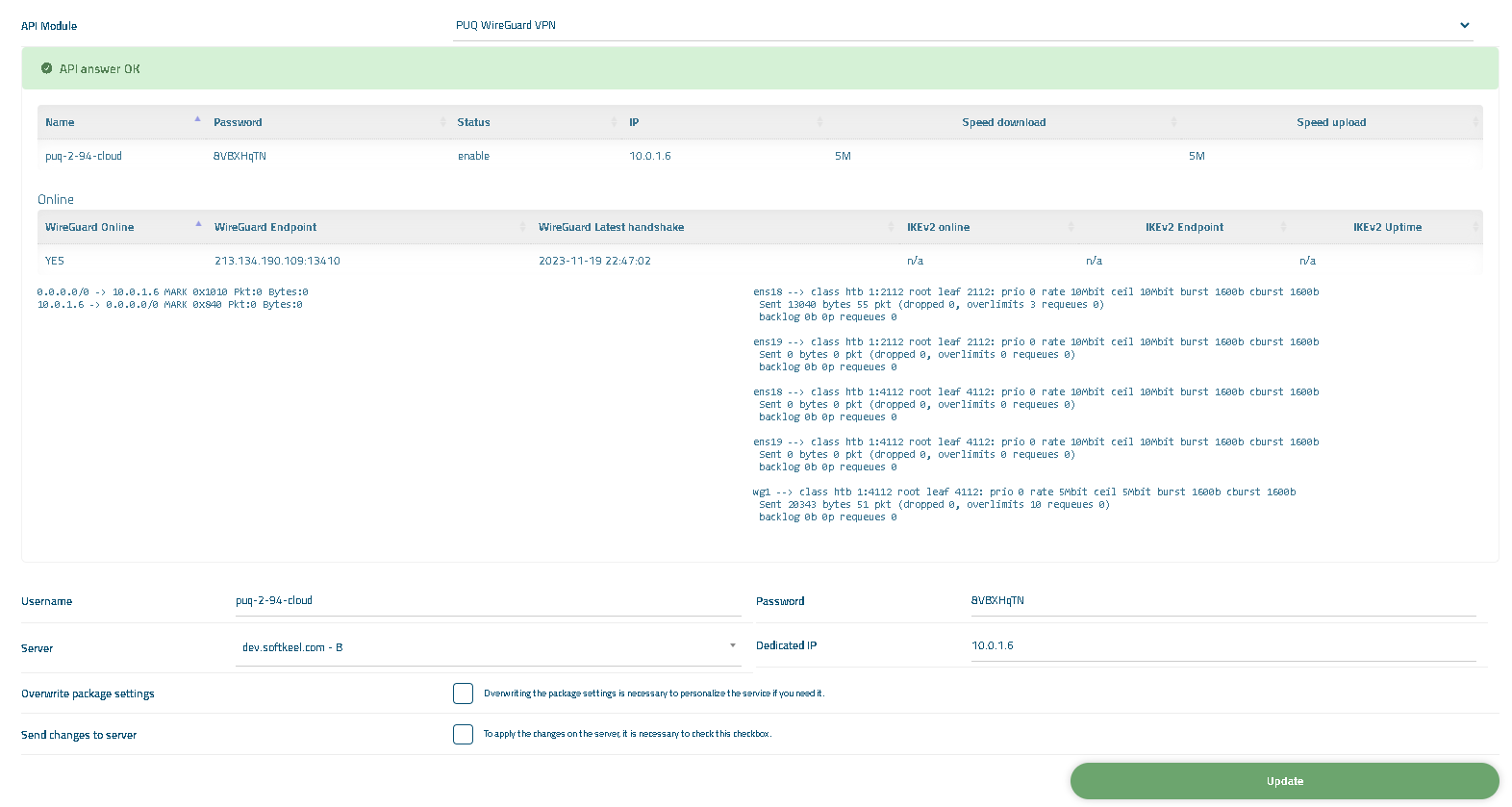](https://doc.puq.info/uploads/images/gallery/2023-11/image-1700430655794.png) [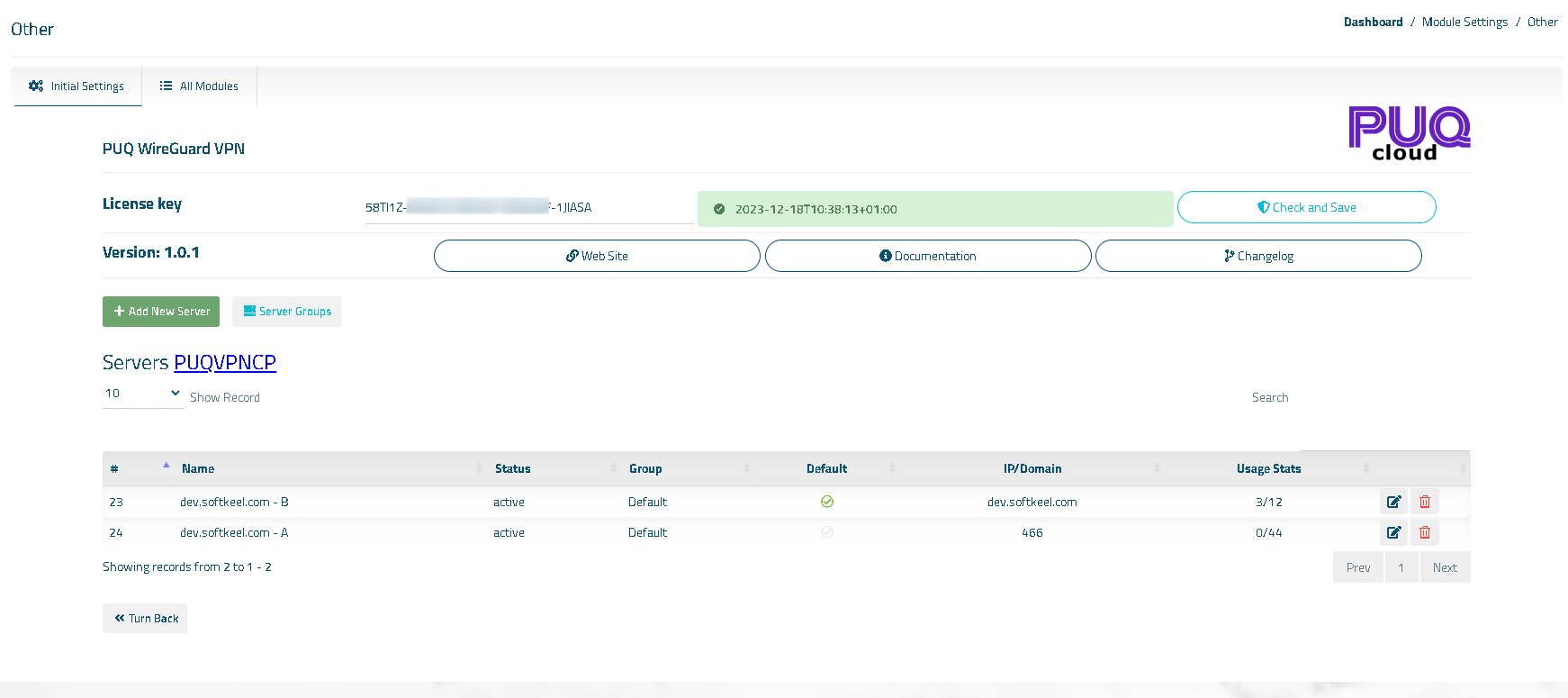](https://doc.puq.info/uploads/images/gallery/2023-11/image-1700430835898.png)