Skip to main content
Add server
Docker MinIO module WHMCS
Order now | Download | FAQ | n8n
Add a new server to the system WHMCS
- Enter the correct Name and Hostname
Attention: Important Information The hostname field represents the actual domain of the server running Docker and must match the server_domain parameter in the n8n workflow. If they do not match, communication will not function correctly. Additionally, this domain must be configured so that all its subdomains resolve to the IP address of the server running Docker.
Module settings
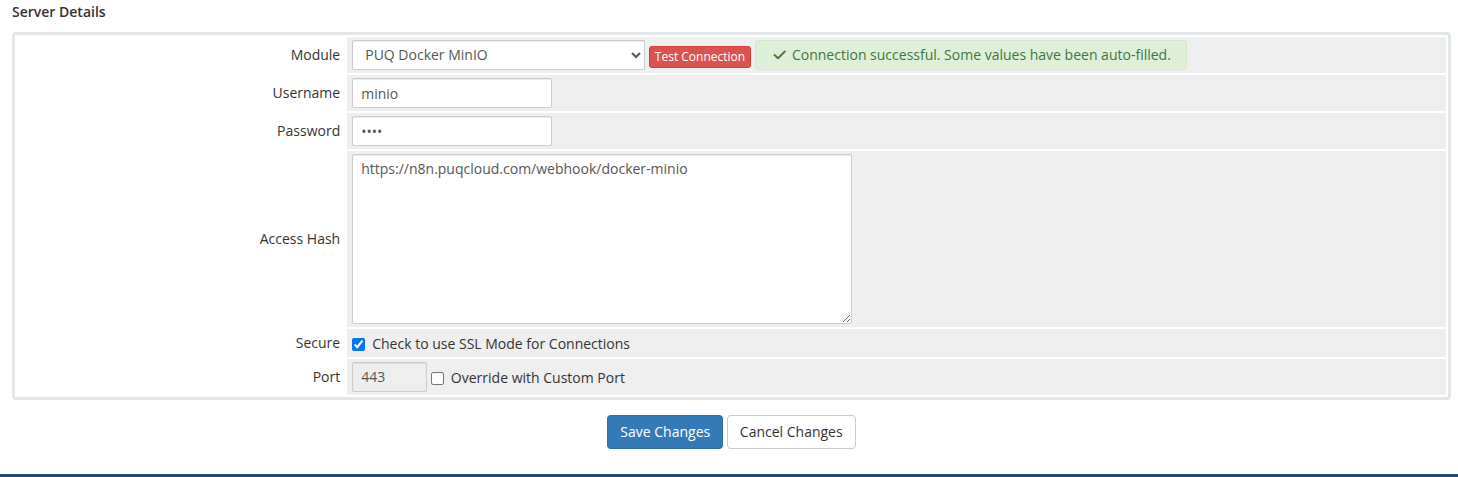
In the Server Details section, select the "PUQ Docker MinIO" module and enter the correct username and password for the API endpoint in the n8n workflow.
Additionally, in the Access Hash field, insert the URL of the API entry point for the n8n workflow.