Skip to main content
Product Information
Docker MinIO module WHMCS
Order now | Download | FAQ | n8n
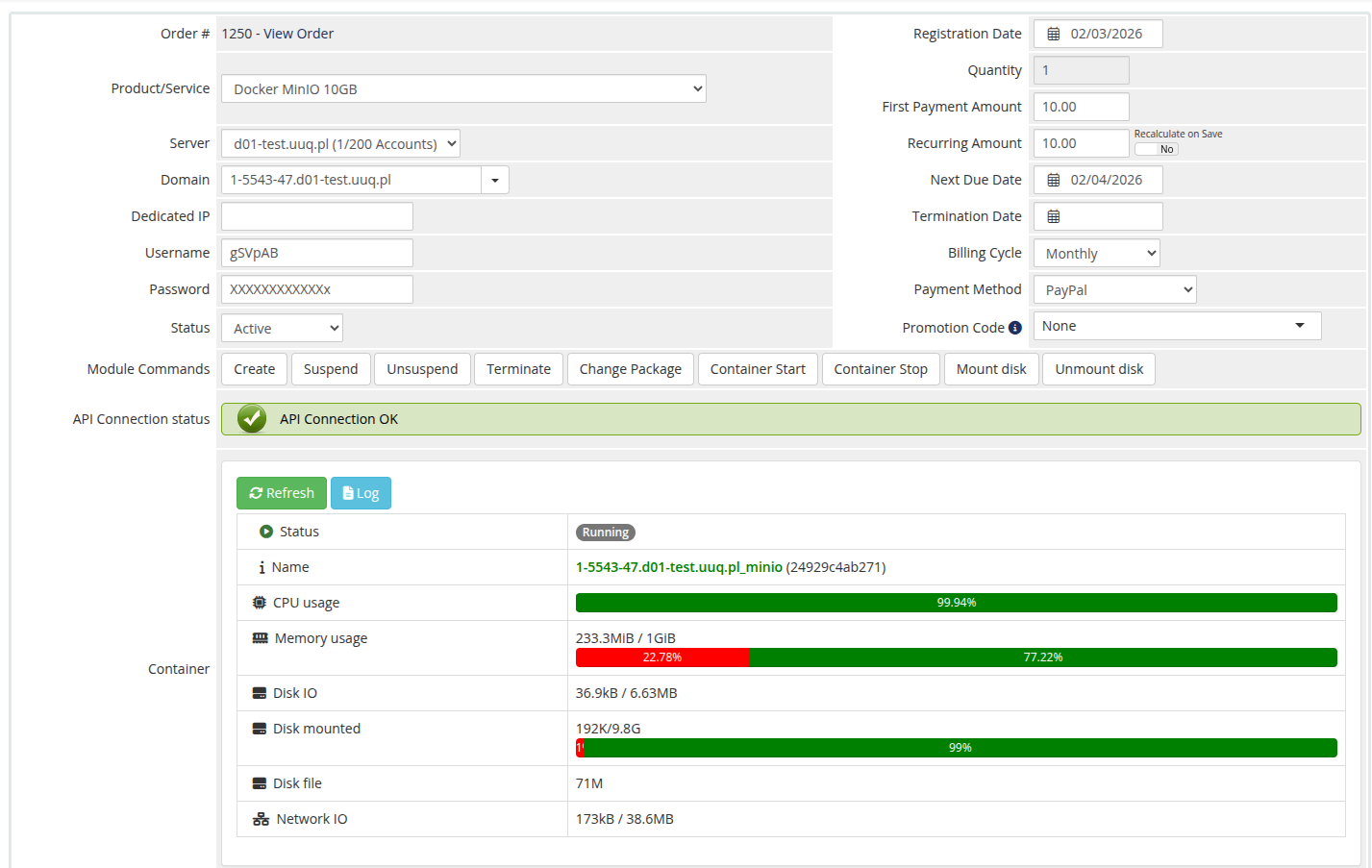
Admin Panel — Container Management Overview
The admin panel is structured into two main sections with additional control buttons for container management.
Module Commands
- Create — Provision a new MinIO container
- Suspend — Suspend the service
- Unsuspend — Reactivate the service
- Terminate — Remove the service
- Change Package — Update the service package
- Container Start — Start the Docker container
- Container Stop — Stop the Docker container
- Mount Disk — Attach the container's disk to the host system (modifies fstab)
- Unmount Disk — Detach the container's disk from the host system
API Connection Status
Displays the current connection status to the n8n workflow API endpoint.
Container Status & Resource Monitoring
| Field | Description |
|---|---|
| Status | Current state of the container (Running / Stopped) |
| Name | Unique identifier and domain of the container |
| CPU Usage | Current CPU load with progress bar |
| Memory Usage | RAM consumption in real-time with progress bar |
| Disk IO | Disk input/output operations |
| Disk Mounted | Mounted disk usage with progress bar |
| Disk File | Actual disk image size |
| Network IO | Network traffic statistics |
Additional controls:
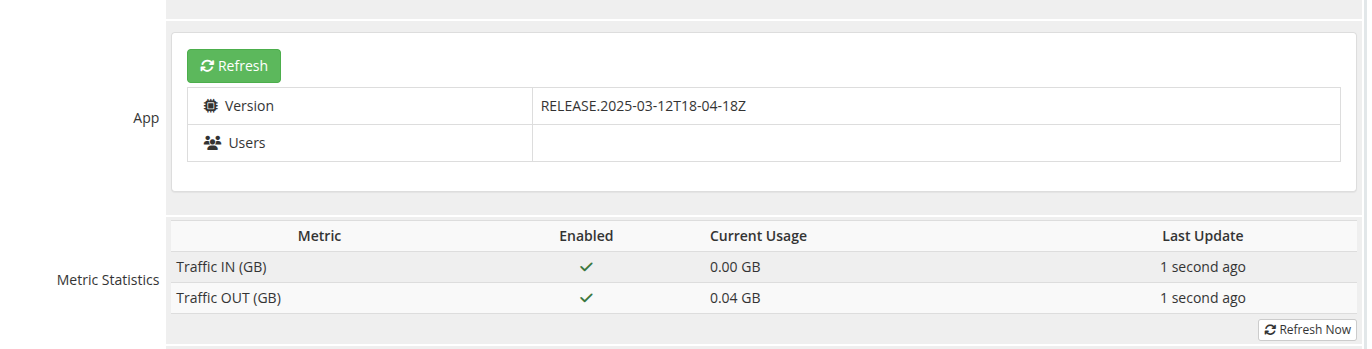
Application Information
| Field | Description |
|---|---|
| Version | Installed MinIO version |
| Users | List of assigned users with access to the application |
Metric Statistics
| Metric | Description |
|---|---|
| Traffic IN (GB) | Incoming network traffic |
| Traffic OUT (GB) | Outgoing network traffic |