Skip to main content
Home Screen
Docker n8n module WHMCS
Order now | Download | FAQ | n8n
Overview
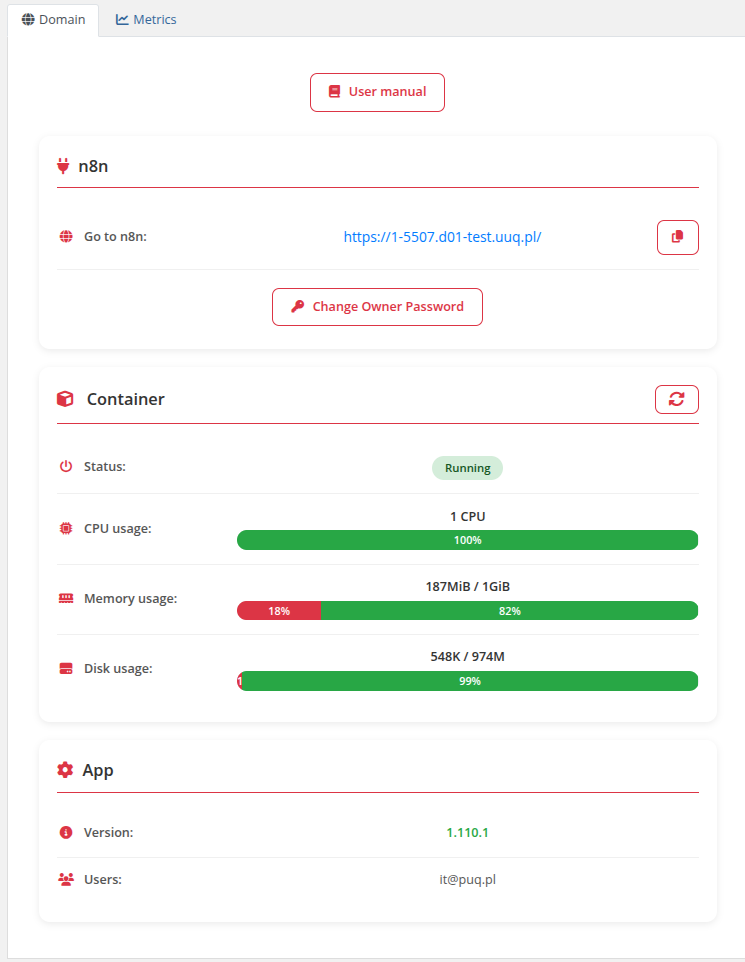
The client area home screen provides quick access to the n8n instance, real-time monitoring of resource usage, and essential management functions in one place.
Main Sections
Navigation Block
- User Manual — Link to the documentation (if configured in product settings)
Connection Details
- n8n Web Interface — Direct link to the n8n instance with a copy button
- Change Owner Password — Button to change the n8n owner password via modal dialog
Resource Usage (Container Status)
Real-time monitoring of container resources:
- Status — Current container state (Running, Stopped, Paused, etc.)
- CPU Usage — CPU allocation and current load with progress bar
- Memory Usage — RAM consumption with progress bar
- Disk Usage — Storage usage with progress bar
- Refresh — Button to reload container statistics
Application Information
- Version — Installed n8n version
- Users — List of active users in the n8n instance
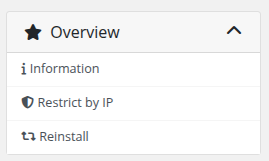
Sidebar Navigation
- Information — Main dashboard (home screen)
- Restrict by IP — IP access control configuration
- Reinstall — Full service reinstallation