 Skip to main content

Service Management (Admin)
PowerDNS module WHMCS
Order now | Download | Community
Administrators can manage DNS services directly from WHMCS Admin → Clients → [Select Client] → Products/Services (or via Clients → Services).
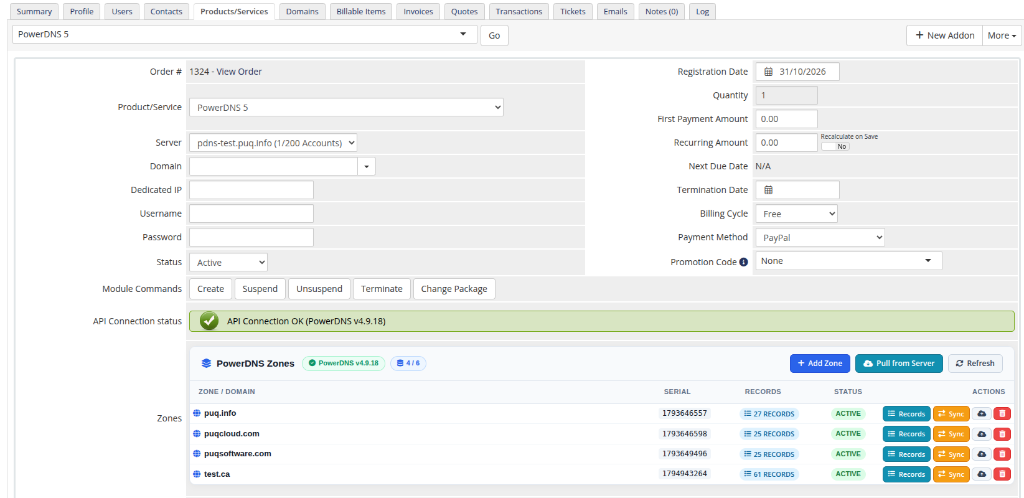
The module embeds an interactive Zones management section within the service details page:
 admin-service-zones.png
1. Zones Management Table
The administrative panel displays all zones assigned to this service instance:
| Column | Description |
|---|---|
| Zone / Domain | The fully qualified zone name. |
| Serial | The SOA serial number of the zone as reported by PowerDNS. |
| Records | Quick counter badge showing the total number of records in the zone (clickable to open the Records inspector modal). |
| Status | active (live on server), suspended (kept in WHMCS, purged from server), or not allowed (conflict detected). |
| Actions | Direct administrative controls for individual zones. |
Top Toolbar & Zone Actions:
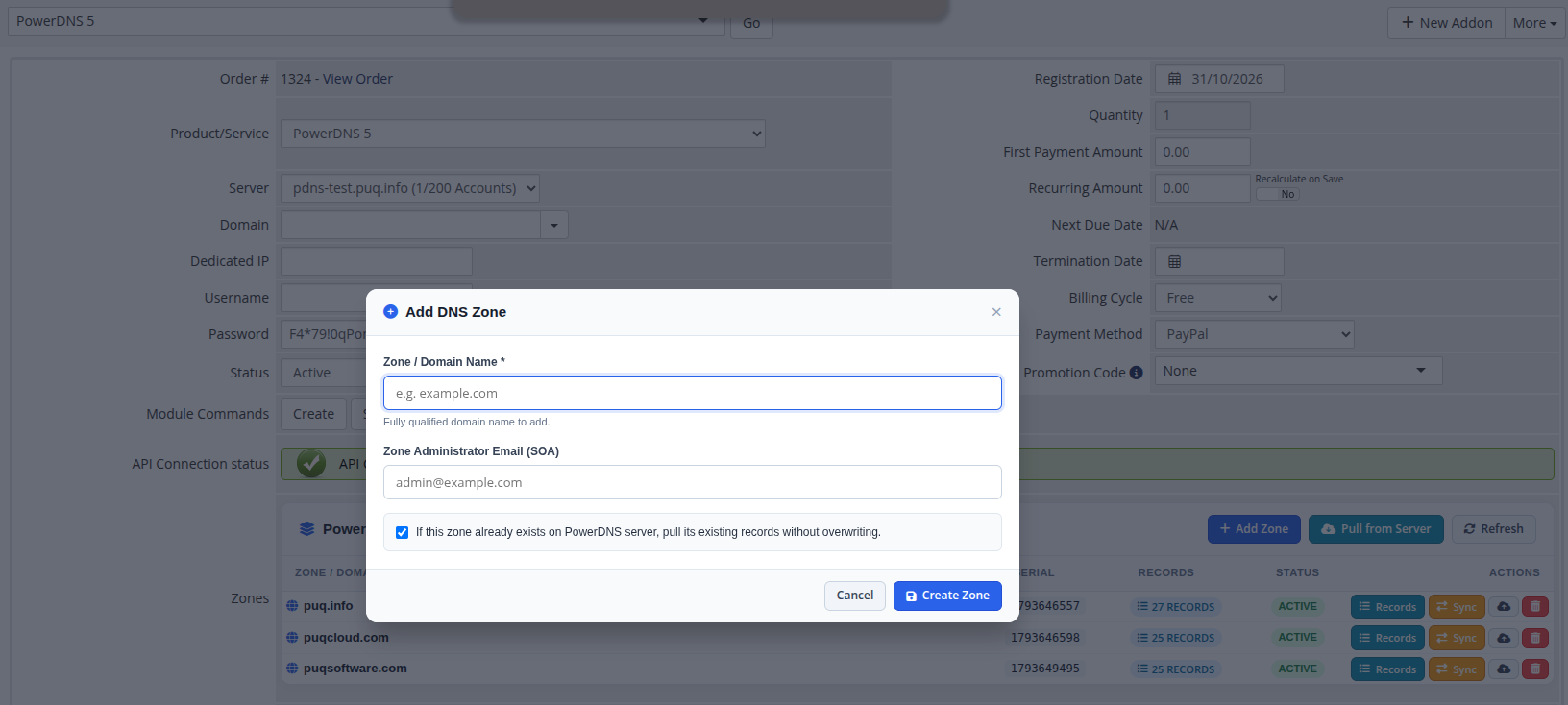
- Add Zone: Create a new zone directly on the service (with an option to pull existing server records if the zone already exists on PowerDNS).
- Pull from Server: Discover all zones hosted on the PowerDNS server and import an existing zone into this customer's service with all records preserved.
- Refresh: Reloads the administrative zones table via AJAX.
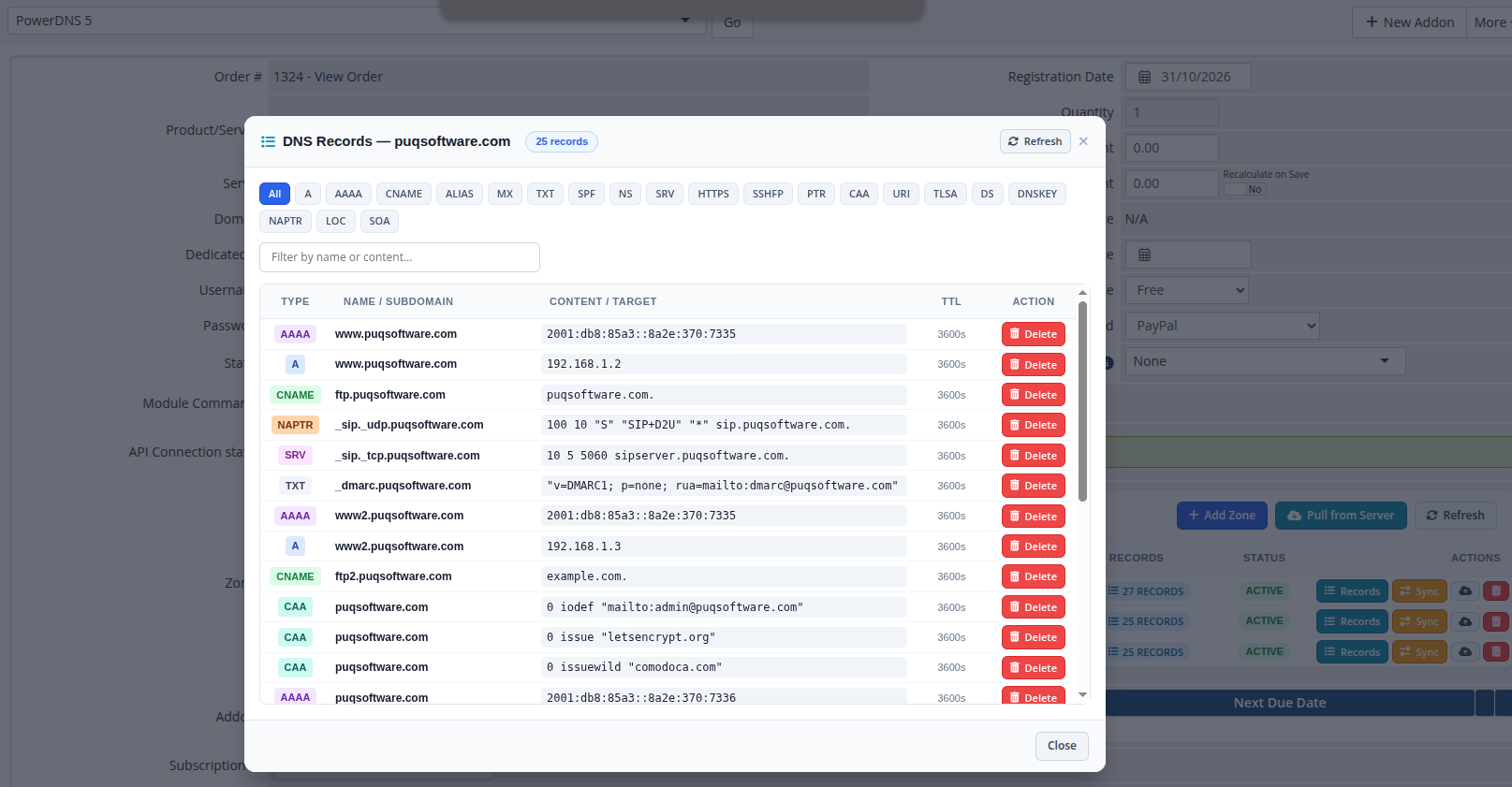
- Records: Opens the administrative DNS Records modal to inspect, filter by record type, search, or delete resource records directly without logging into the client area.
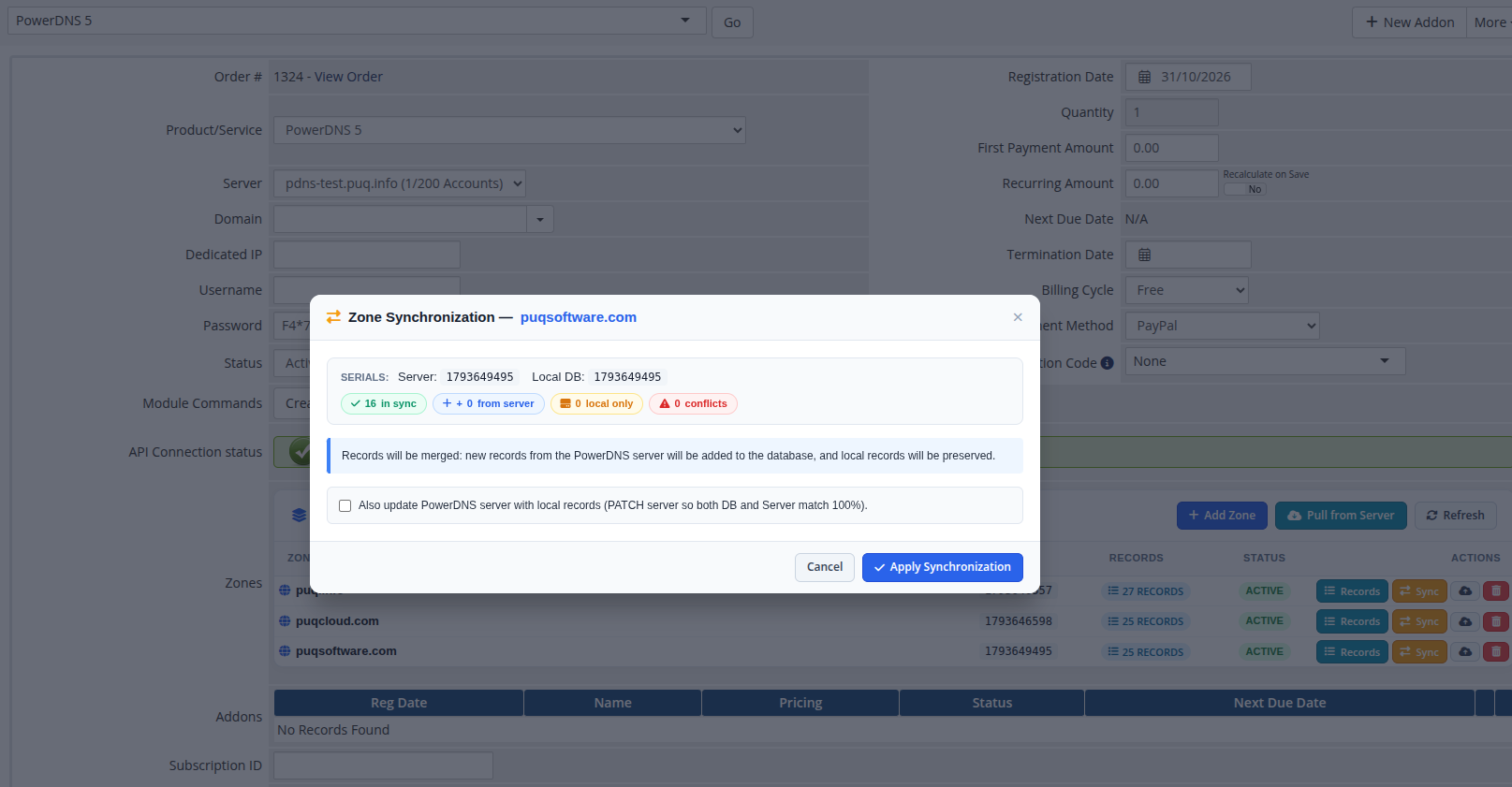
- Sync: Opens the Zone Synchronization modal, comparing the PowerDNS server zone with the WHMCS local database (identifying in-sync records, server-only records, local-only records, and conflicts) and allowing granular conflict resolution.
- Push to Server (☁↑): Pushes the local WHMCS database records for the zone directly to the PowerDNS server.
- Delete (🗑): Removes the zone from WHMCS, with a checkbox to also delete the zone from the PowerDNS server.
2. Administrative Modal Controls
Add DNS Zone (Admin):
Administrators can provision a new zone on behalf of the customer, bypassing quota or blacklist limits when necessary:
 admin-service-add-zone.png
Manage DNS Records (Admin):
Inspect all active resource records, TTLs, and content strings in real time:
 admin-service-records-modal.png
Zone Synchronization:
The Zone Synchronization modal allows administrators to scan the connected PowerDNS authoritative server and import pre-existing or orphaned zones directly into the client's service:
 admin-service-sync-modal.png
3. WHMCS Module Lifecycle Commands
The module integrates seamlessly with the standard WHMCS service lifecycle buttons:
- Create: Executed upon order activation. If a domain name was supplied during checkout, it is automatically provisioned as the client's first DNS zone.
-
Suspend: Triggered upon overdue invoice or manual administrative suspension. Purges all active zones of this service from the PowerDNS authoritative server while preserving all records in the WHMCS database (marked as
suspended). - Unsuspend: Re-provisions all suspended zones and their corresponding records back onto the PowerDNS server.
- Terminate: Executed upon service cancellation or termination. Permanently deletes all associated zones and records from both the PowerDNS server and WHMCS.