 Skip to main content
Configuration
Service Label Designer addon WHMCS
Order now | Download | FAQ
The Configuration page is available at: Addons > PUQ Service Label Designer > Config
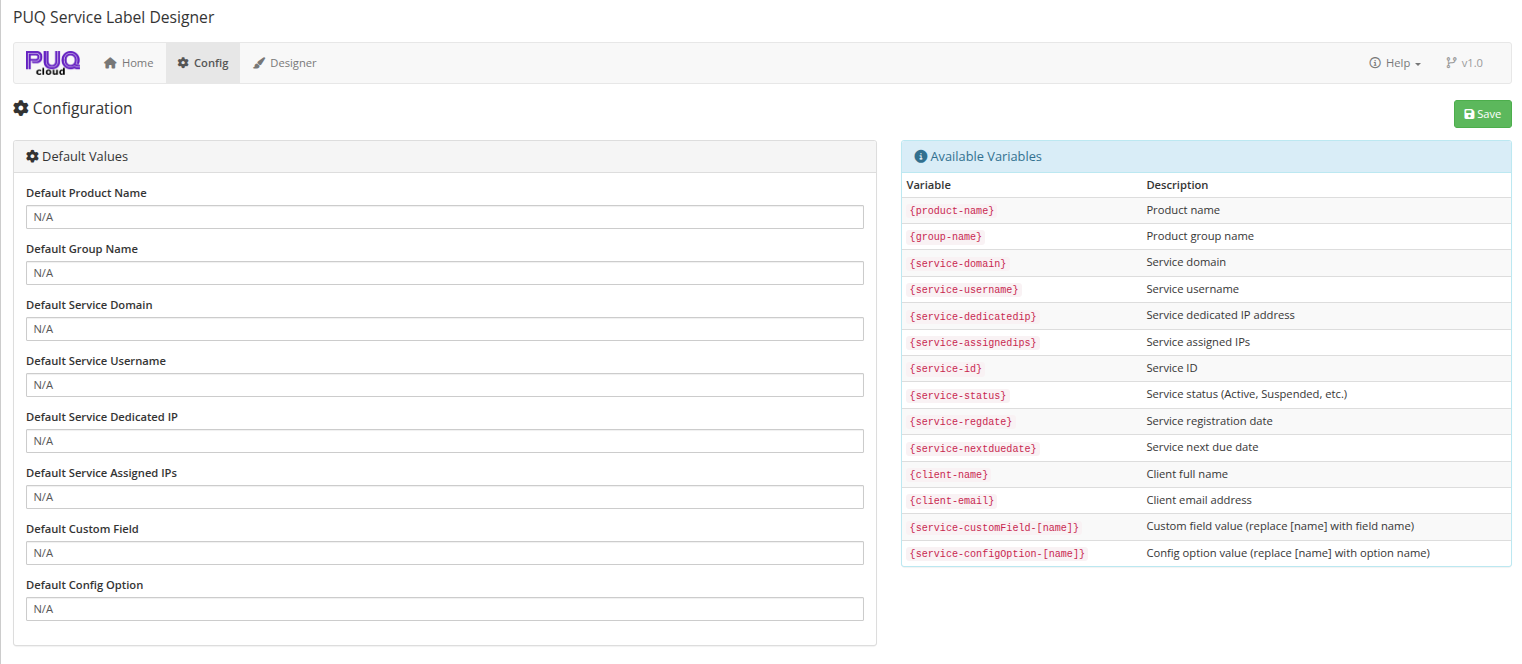
Here you set default fallback values for template variables. When a service field is empty, the corresponding default value is used instead.
 03-configuration.png
Default Values
The left panel contains input fields for each default value:
| Setting | Description |
|---|---|
| Default Product Name | Fallback when a product has no name (rare) |
| Default Group Name | Fallback when a group has no name |
| Default Service Domain | Shown when a service has no domain assigned |
| Default Service Username | Shown when a service has no username |
| Default Service Dedicated IP | Shown when a service has no dedicated IP |
| Default Service Assigned IPs | Shown when a service has no assigned IPs |
| Default Custom Field | Shown when a custom field value is empty |
| Default Config Option | Shown when a config option value is empty |
Tip: Set all defaults to
-orN/Ato avoid blank spaces in your rendered labels when service data is missing.
Available Variables
The right panel displays a reference table of all template variables you can use in the Designer:
| Variable | Description |
|---|---|
{product-name} |
Product name |
{group-name} |
Product group name |
{service-domain} |
Service domain |
{service-username} |
Service username |
{service-dedicatedip} |
Service dedicated IP address |
{service-assignedips} |
Service assigned IPs |
{service-id} |
Service ID |
{service-status} |
Service status (Active, Suspended, etc.) |
{service-regdate} |
Service registration date |
{service-nextduedate} |
Service next due date |
{client-name} |
Client full name |
{client-email} |
Client email address |
{service-customField-[name]} |
Custom field value (replace [name] with the field name) |
{service-configOption-[name]} |
Config option value (replace [name] with the option name) |
How Defaults Work
When a template is rendered, each variable is replaced with the actual service data. If the data is empty, the default value from this page is used instead.
Example:
Template: {product-name} / {service-domain}
- Service has domain
example.com→ VPS Basic / example.com - Service has no domain, default is
N/A→ VPS Basic / N/A - Service has no domain, default is empty → VPS Basic /