 Skip to main content
Dashboard
Service Label Designer addon WHMCS
Order now | Download | FAQ
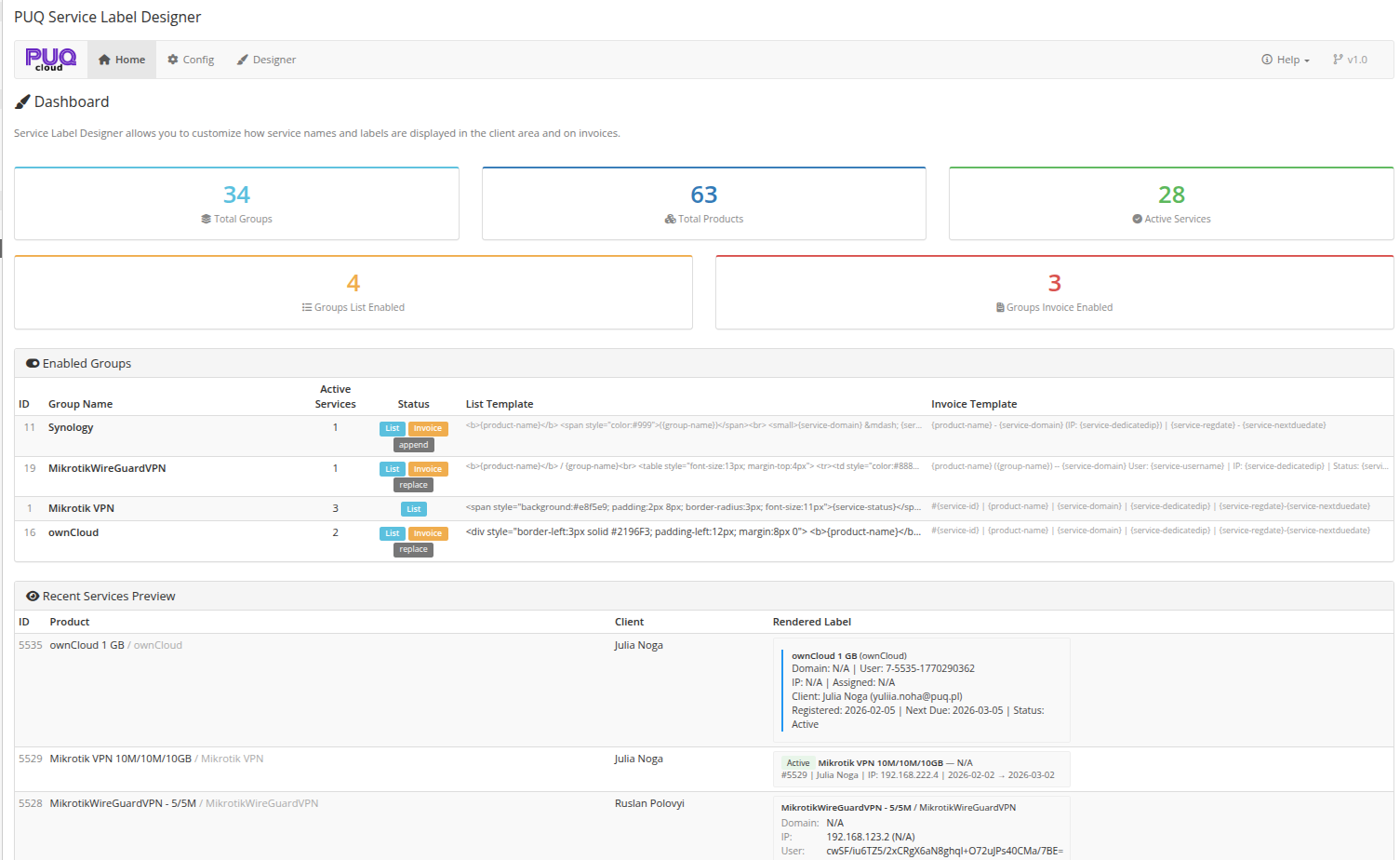
The Dashboard is the home page of the module, available at: Addons > PUQ Service Label Designer > Home
It provides a complete overview of your label configuration — key metrics, enabled groups, and a live preview of how labels look on recent services.
 02-dashboard.png
Key Metrics
The top section displays summary cards:
| Metric | Description |
|---|---|
| Total Groups | Number of product groups configured in WHMCS |
| Total Products | Number of products across all groups |
| Active Services | Services with Active status |
| Groups List Enabled | Number of groups with the client area list overwrite enabled |
| Groups Invoice Enabled | Number of groups with invoice text enabled |
Enabled Groups
A table showing all product groups that have either List or Invoice overwrite enabled:
| Column | Description |
|---|---|
| ID | Product group ID in WHMCS |
| Group Name | Name of the product group |
| Active Services | Number of active services in this group |
| Status | Badges indicating which features are enabled: List (blue), Invoice (orange), and the invoice mode (append/replace/prepend) |
| List Template | Preview of the overwrite list template (truncated) |
| Invoice Template | Preview of the invoice text template (truncated) |
Recent Services Preview
A table showing the 5 most recent active services that belong to groups with List overwrite enabled:
| Column | Description |
|---|---|
| ID | Service ID in WHMCS |
| Product | Product name and group name |
| Client | Client full name |
| Rendered Label | The actual rendered result of applying the template with real service data |
This section lets you instantly see how your templates look in practice without navigating to the client area.