 Skip to main content
History
Code Snippets addon WHMCS
Order now | Download | FAQ
The History page is available at: Addons > PUQ Code Snippets > History > All Changes
It provides a complete audit log of all snippet changes with diff view and one-click rollback.
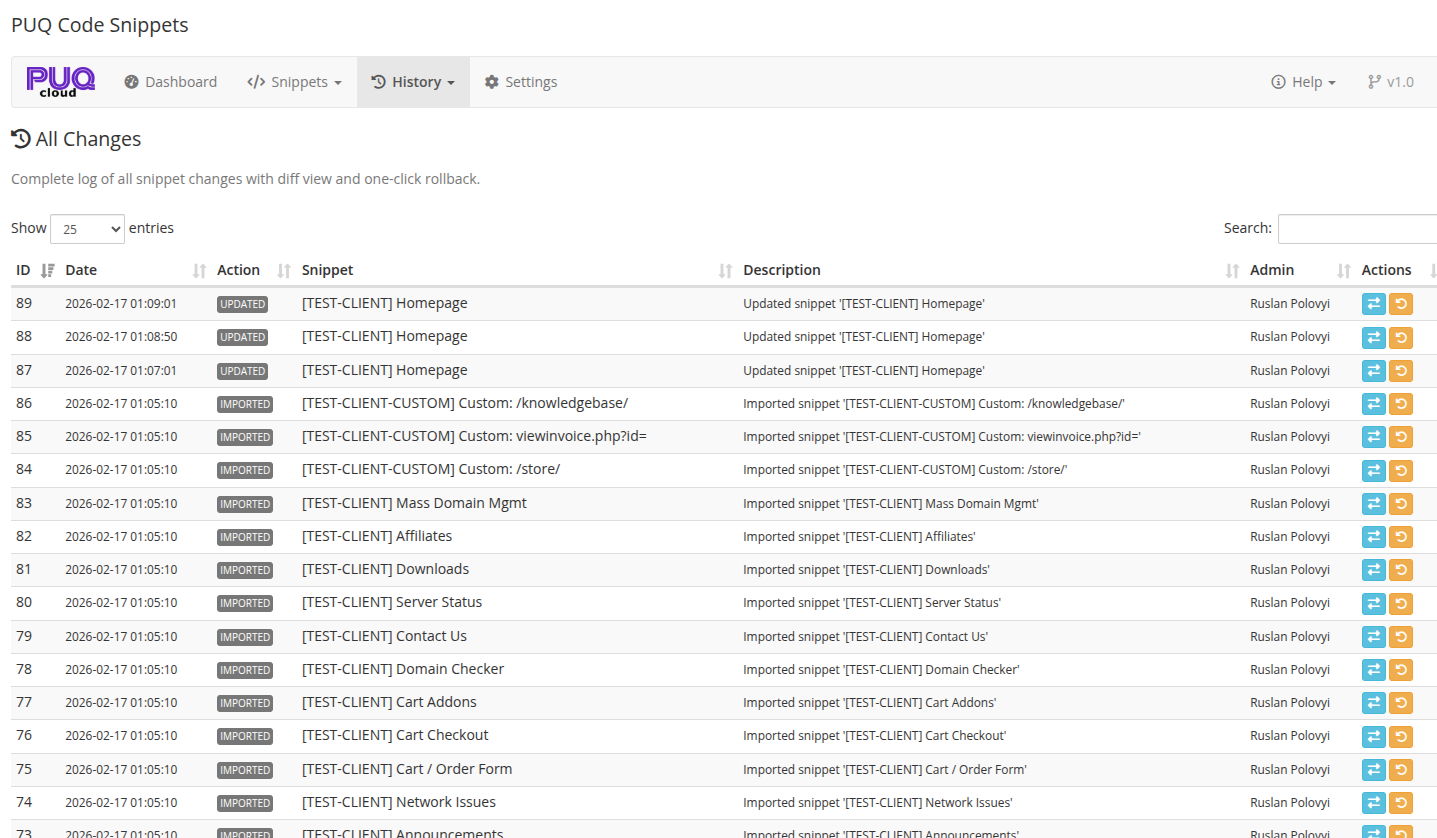 07-history.png
History Log
The main table displays all recorded changes:
| Column | Description |
|---|---|
| # | Record number |
| Date | Timestamp of the change |
| Action | Type of change (see below) |
| Snippet | Name of the affected snippet |
| Description | Snippet description at the time of the change |
| Admin | Administrator who made the change |
| Actions | View Diff and Rollback buttons |
Action Types
| Action | Description |
|---|---|
| Created | A new snippet was created |
| Updated | An existing snippet was modified |
| Deleted | A snippet was deleted |
| Toggled | A snippet was enabled or disabled |
| Restored | A snippet was rolled back to a previous version |
| Imported | A snippet was imported from a JSON file |
View Diff
Click the View Diff button to see a side-by-side comparison of the code before and after the change.
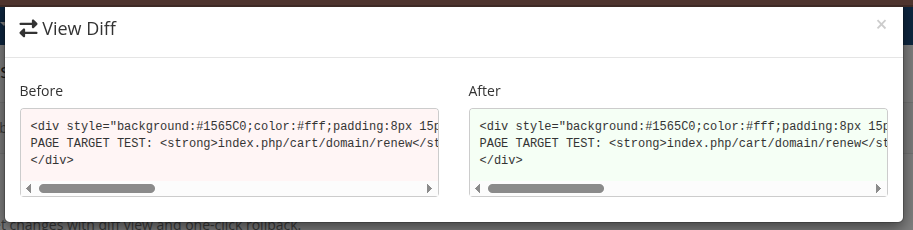 08-history-diff.png
The diff modal shows:
| Panel | Description |
|---|---|
| Before | The snippet code before the change |
| After | The snippet code after the change |
This helps you understand exactly what was changed and review modifications made by other administrators.
Rollback
Click the Rollback button to restore a snippet to a previous version. A confirmation dialog appears before the rollback is executed.
The rollback:
- Restores the snippet's code to the version stored in that history record
- Creates a new history entry of type "Restored"
- Does not affect other snippet settings (name, targeting, schedule, etc.)
Tip: Use rollback when a snippet update breaks something — quickly revert to the last known working version.
Max History Entries
The number of history records is configurable in Settings. When the limit is reached, the oldest records are automatically removed. Default: 100 entries.