 Skip to main content
Snippets
Code Snippets addon WHMCS
Order now | Download | FAQ
The Snippets section is available at: Addons > PUQ Code Snippets > Snippets
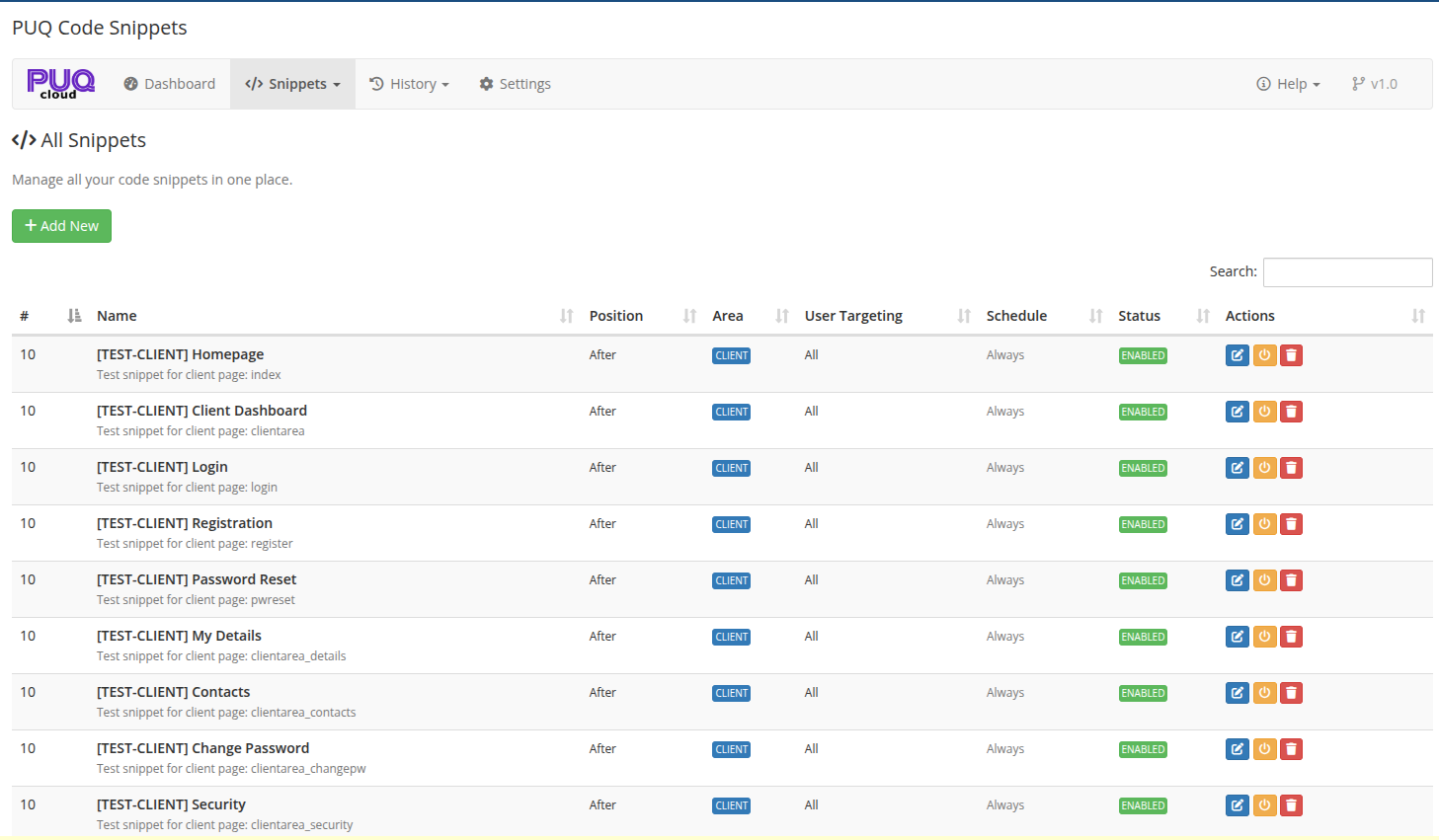
This is where you manage all your code snippets — view, filter, create, edit, toggle, duplicate, and delete.
 03-snippets-list.png
Navigation Menu
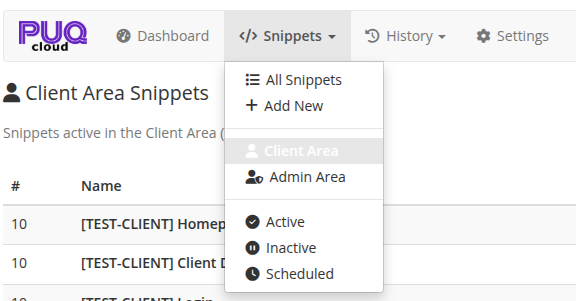
The Snippets dropdown menu provides quick access to filtered views:
 06-snippets-menu.png
| Menu Item | Description |
|---|---|
| All Snippets | Show all snippets regardless of area or status |
| Add New | Create a new snippet |
| Client Area | Show only snippets targeting the Client Area |
| Admin Area | Show only snippets targeting the Admin Area |
| Active | Show only enabled snippets |
| Inactive | Show only disabled snippets |
| Scheduled | Show only snippets with scheduling configured |
Snippets List
The main table displays all snippets with sortable columns:
| Column | Description |
|---|---|
| # | Priority number (lower = rendered first) |
| Status icon | Color indicator — enabled or disabled |
| Name | Snippet name and description |
| Position | Injection position: Head, After, Before |
| Area | Target area badge: CLIENT (blue), ADMIN (green), BOTH (purple) |
| User Targeting | Who sees the snippet: All, Logged-in, Guests, Client Group |
| Schedule | Date range or "Always" if no schedule is set |
| Status | ENABLED (green) or DISABLED (grey) badge |
| Actions | Action buttons (see below) |
Actions
Each snippet has three action buttons:
| Button | Description |
|---|---|
| Edit (pencil icon) | Open the snippet editor |
| Toggle (power icon) | Enable/disable the snippet with one click |
| Delete (trash icon) | Delete the snippet (with confirmation dialog) |
Search
Use the search field in the top-right corner to filter snippets by name or description. The search works client-side and filters the table in real time.
Add New Snippet
Click the + Add New button to open the snippet editor and create a new snippet. See Snippet Editor for details on all available settings.