 Skip to main content
Email Template (puqMinIOS3 Notification disk limit)
Create an email template for customer notifications when disk usage approaches the limit.
Template configuration
| Parameter | Value |
|---|---|
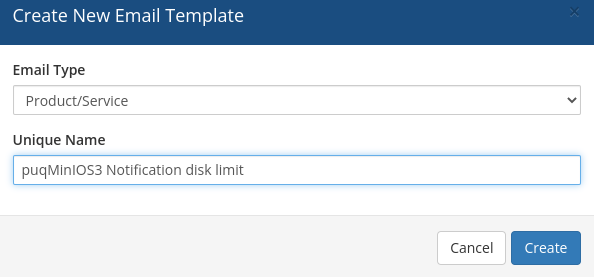
| Email Type | Product/service |
| Unique Name | puqMinIOS3 Notification disk limit |
Email Subject
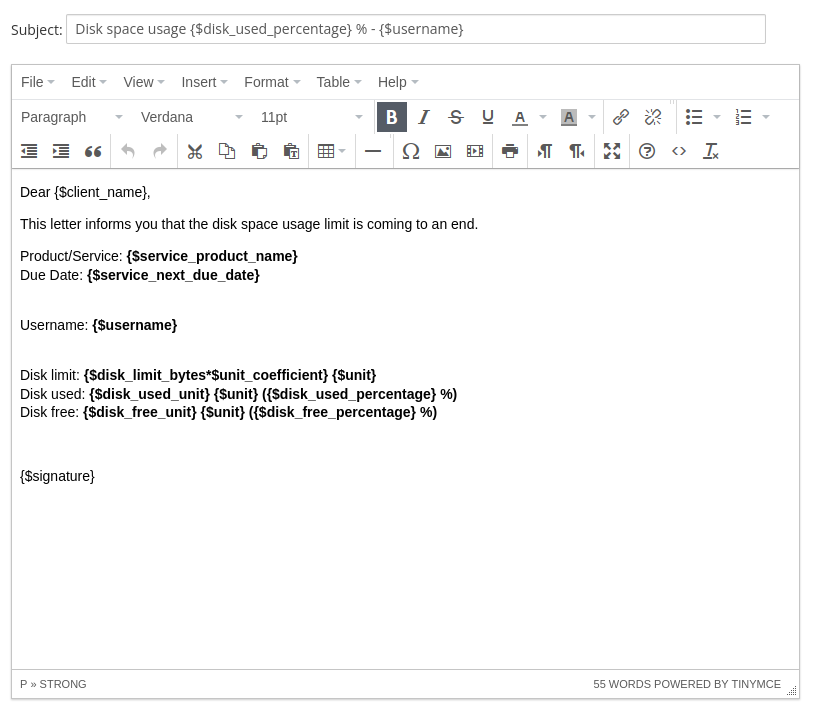
Disk space usage {$disk_used_percentage} % - {$username}
Email Body
Dear {$client_name},

This letter informs you that the disk space usage limit is coming to an end.

Product/Service: {$service_product_name}
Due Date: {$service_next_due_date}

Username: {$username}

Disk limit: {$disk_limit_bytes*$unit_coefficient} {$unit}
Disk used: {$disk_used_unit} {$unit} ({$disk_used_percentage} %)
Disk free: {$disk_free_unit} {$unit} ({$disk_free_percentage} %)

{$signature}
Available template variables
| Variable | Description |
|---|---|
{$username} |
MinIO S3 account username |
{$disk_limit_bytes*$unit_coefficient} |
Total disk space limit |
{$disk_used_unit} |
Used disk space |
{$disk_free_unit} |
Free disk space |
{$disk_used_percentage} |
Used disk space percentage |
{$disk_free_percentage} |
Free disk space percentage |
{$unit} |
Disk space unit (MB, GB, TB, PB) |
Note: Standard WHMCS merge fields are also available in this template.
No Comments