 Skip to main content
WHMCS Module Installation and Update
Jellyfin module WHMCS
Order now | Download | Community
Supported PHP & WHMCS versions
The module supports PHP 7.4, 8.1 and 8.2+ and WHMCS 8.x / 9.x, and is shipped as a separate ionCube build per PHP version. Download the build that matches the PHP version your WHMCS runs on.
| WHMCS version | PHP version | Module build |
|---|---|---|
| WHMCS 8.x | 7.4 | php74 |
| WHMCS 8.x | 8.1 | php81 |
| WHMCS 8.x | 8.2 | php82 |
| WHMCS 9.x | 8.2 | php82 |
Match the build to your server's PHP version, not to the WHMCS version. PHP 8.2 and any newer PHP → always use
php82. Requires ionCube Loader v13+ (v14/v15 supported).
Download
The module is distributed as a single ZIP archive. A separate build is published for each supported PHP major version — pick the one that matches the PHP runtime used by your WHMCS installation.
All versions and historical builds are available in the index:
Direct "latest" downloads
PHP 8.2
wget https://download.puqcloud.com/WHMCS/servers/PUQ_WHMCS-Jellyfin/php82/PUQ_WHMCS-Jellyfin-latest.zip
PHP 8.1
wget https://download.puqcloud.com/WHMCS/servers/PUQ_WHMCS-Jellyfin/php81/PUQ_WHMCS-Jellyfin-latest.zip
PHP 7.4
wget https://download.puqcloud.com/WHMCS/servers/PUQ_WHMCS-Jellyfin/php74/PUQ_WHMCS-Jellyfin-latest.zip
Not sure which PHP version your WHMCS runs on? Check Utilities > System > PHP Info in the WHMCS admin area.
Installation
Step 1: Unzip the Archive
On your WHMCS server (or locally, before uploading):
unzip PUQ_WHMCS-Jellyfin-latest.zip
The archive extracts into a PUQ_WHMCS-Jellyfin/ directory containing the server module folder puqJellyfin.
Step 2: Copy the Server Module
Copy and replace puqJellyfin from the extracted PUQ_WHMCS-Jellyfin/ directory to your WHMCS installation:
PUQ_WHMCS-Jellyfin/puqJellyfin → WHMCS_WEB_DIR/modules/servers/puqJellyfin/
Example:
cp -r PUQ_WHMCS-Jellyfin/puqJellyfin /var/www/html/whmcs/modules/servers/
Step 3: ionCube Loader
Ensure ionCube Loader v13+ is installed and enabled for the PHP version your WHMCS runs on. The module source is encoded with ionCube.
Step 4: License key
Each product that uses this module requires a valid license key in the License key field of the product's Module Settings tab. Invalid or missing licenses are listed on the WHMCS admin homepage.
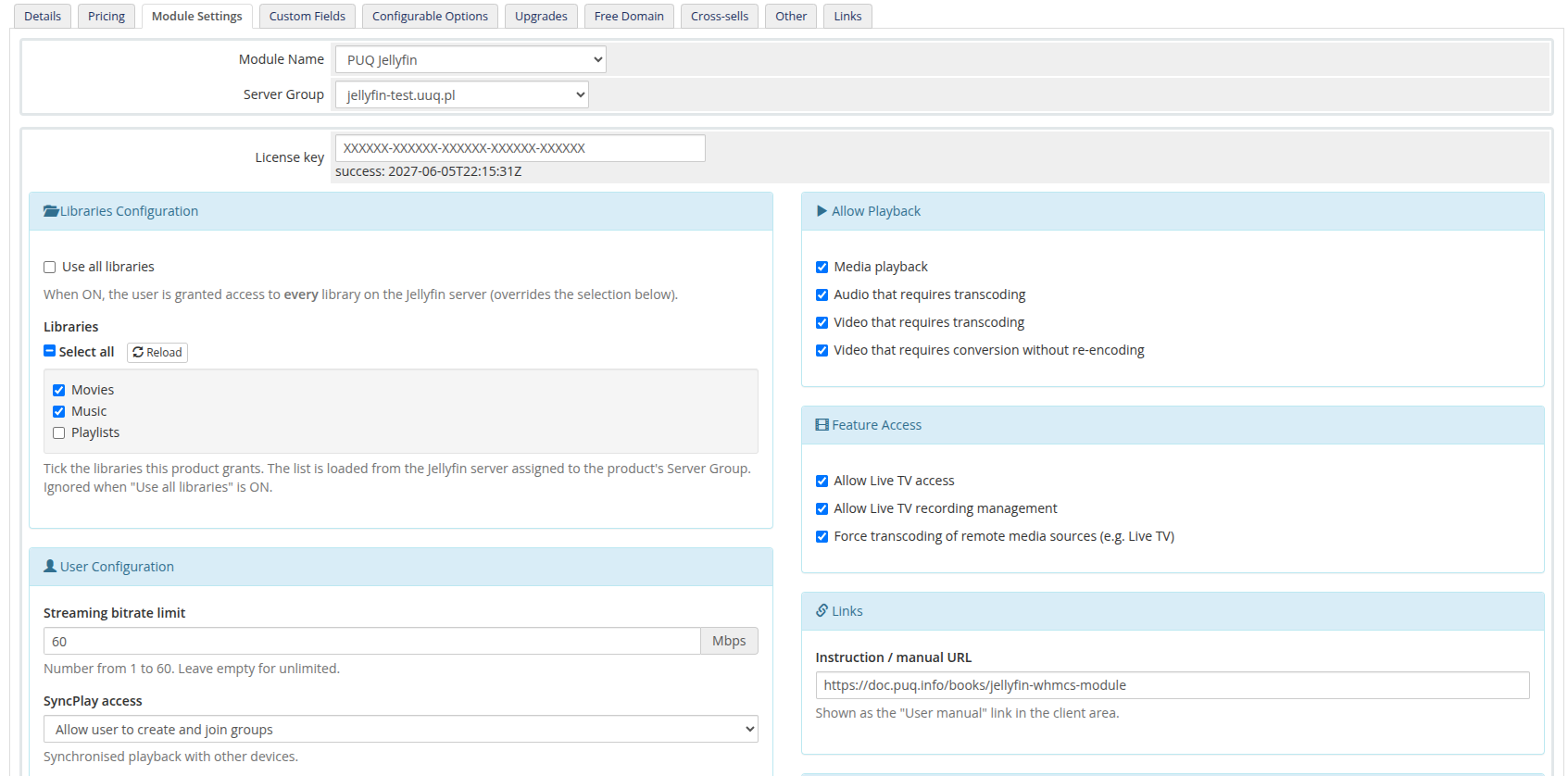
The module self-creates its database tables (
puq_license,puq_module_versions) on first load — there is no SQL to run manually.
File Structure
After installation, the module files should be located at:
whmcs/
├── modules/
│   └── servers/
│       └── puqJellyfin/            # Server module
│           ├── puqJellyfin.php
│           ├── hooks.php
│           ├── whmcs.json
│           ├── lib/
│           ├── lang/
│           └── templates/
Update Procedure
To update the module to a newer version:
- Back up your WHMCS installation (and the existing
modules/servers/puqJellyfin/directory). - Download the latest build that matches your server's PHP version (see Download above).
- Upload and overwrite the files in
modules/servers/puqJellyfin/. - Open any WHMCS admin page once — the migration runner brings the schema up to date automatically.
Upgrading from v2.x: no reconfiguration is required. The module reads existing product settings from the legacy
configoption3–configoption8slots until you save the product once through the new form, at which point they are consolidated intoconfigoption24.
Tip: always back up your WHMCS installation before performing an update.