 Skip to main content
Product Information
Nextcloud module WHMCS
Order now | Download | Community
Admin area product information
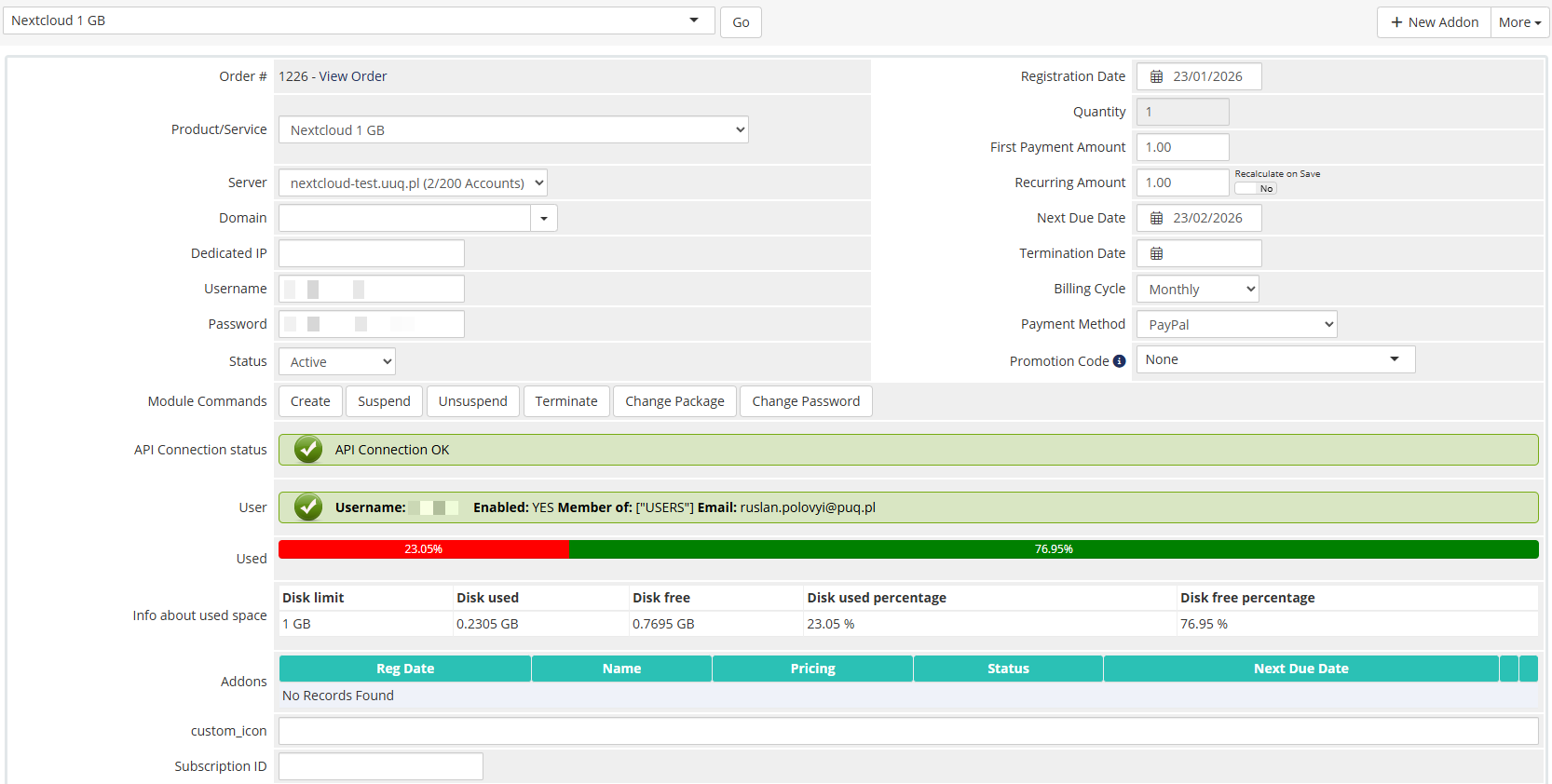
The administrator can view detailed service information in the WHMCS admin panel on the product/service page. The module adds a custom panel in the Module Data section with the following information:
License verification status
Displays the current license status with a colored indicator:
- Green — license is valid and active
- Red — license is invalid, expired, or missing
API connection status
Shows the result of a real-time connection test to the Nextcloud server, confirming that the API credentials are working correctly.
User information
| Field | Description |
|---|---|
| Username | The Nextcloud username assigned to this service |
| Enabled | Whether the user account is currently enabled or disabled |
| Group | The Nextcloud group(s) the user belongs to |
| The email address associated with the Nextcloud account |
Disk usage
- Visual progress bar — a colored bar showing the proportion of used vs. free disk space
-
Detailed table with:
- Disk limit (total allocated quota)
- Disk used (current usage)
- Disk free (remaining space)
- Disk used percentage
- Disk free percentage
Available management actions
The standard WHMCS module command buttons are available:
- Create — provision a new Nextcloud account
- Suspend — disable the Nextcloud user
- Unsuspend — re-enable the Nextcloud user
- Terminate — permanently delete the Nextcloud user
- Change Password — reset the user's password
- Change Package — update disk quota and group assignment (used during upgrades/downgrades)
Screenshot
 14-product-information.png