 Skip to main content
Setup guide: WHMCS setup
Nextcloud module WHMCS
Order now | Download | Community
Step 1: Add server in WHMCS
- Enter the correct Name and Hostname
- In the Server Details section, select the PUQ Nextcloud module
- Enter valid Nextcloud web interface credentials (username and password)
- Click Test connection to verify the connection
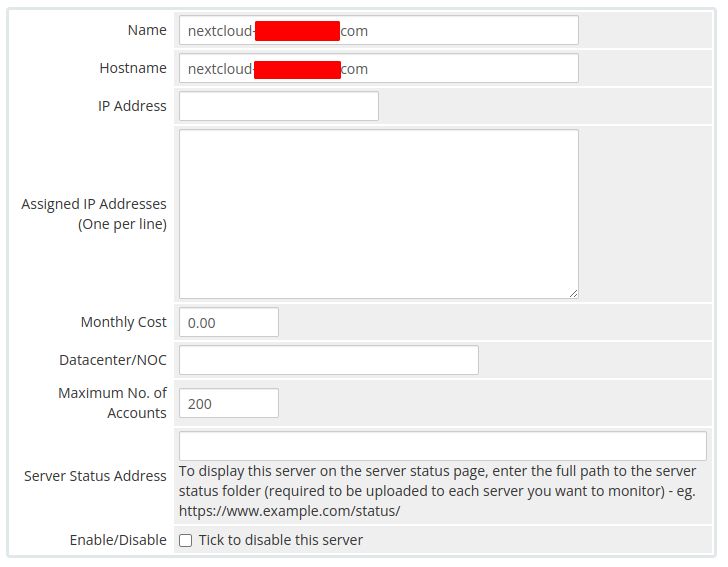 04-add-server-1.png
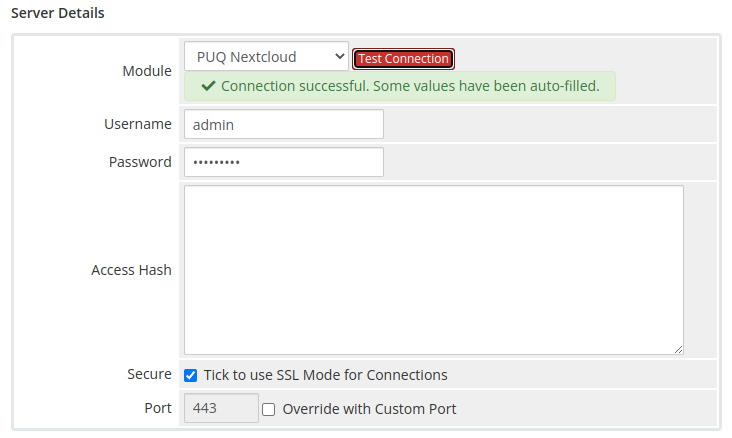 05-add-server-2.png
Step 2: Create product in WHMCS
Select the PUQ Nextcloud module in the Module settings section.
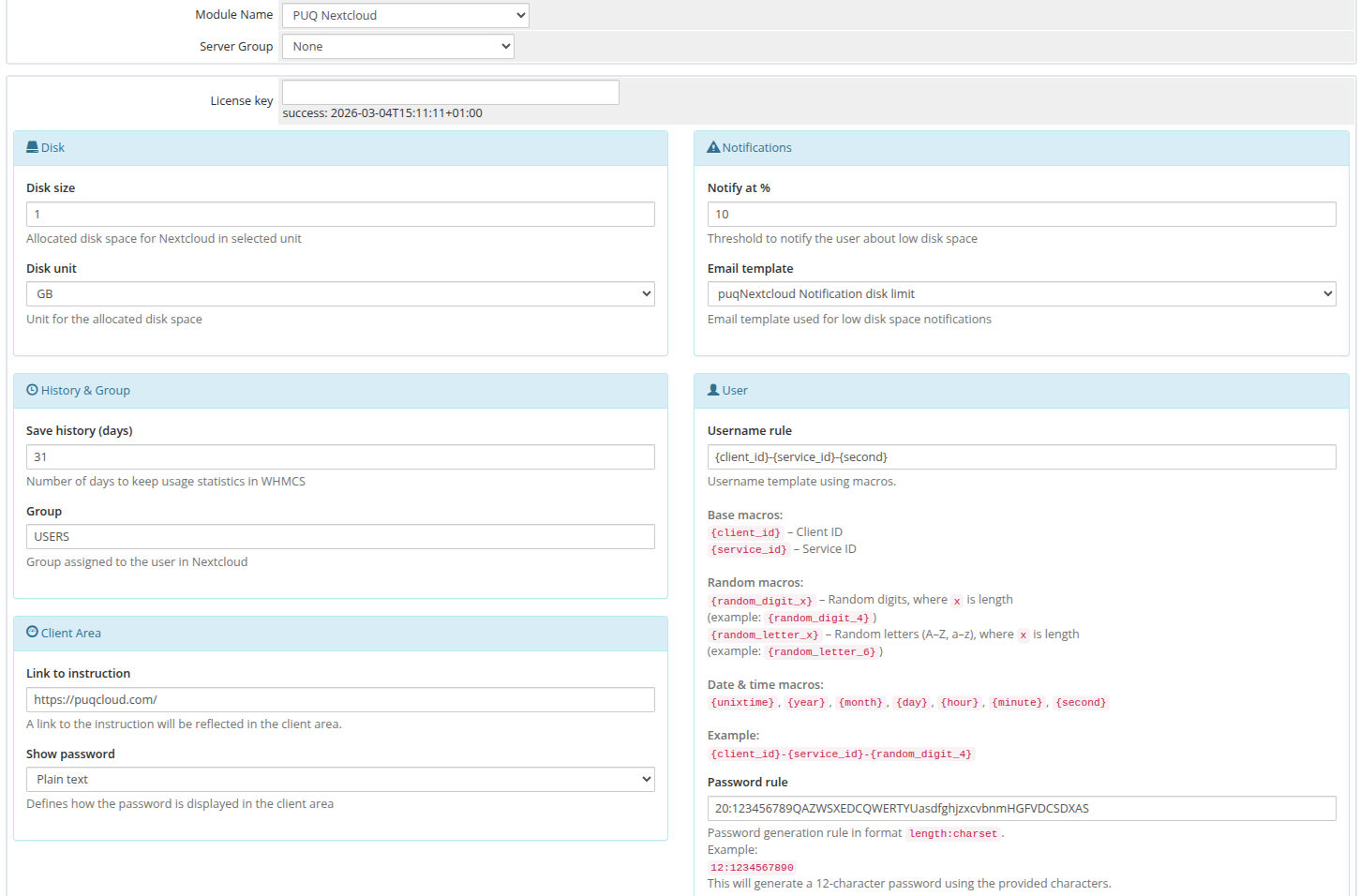 06-whmcs-setup.png