 Skip to main content
Product information (admin service tab)
PUQVPNCP module WHMCS
Order now | Download | Community | PUQVPNCP | Order PUQVPNCP
Open Clients → View/Search Clients → (client) → Products/Services → (service). The module adds a set of fields to the standard admin service tab — all populated live from the PUQVPNCP panel via AJAX.
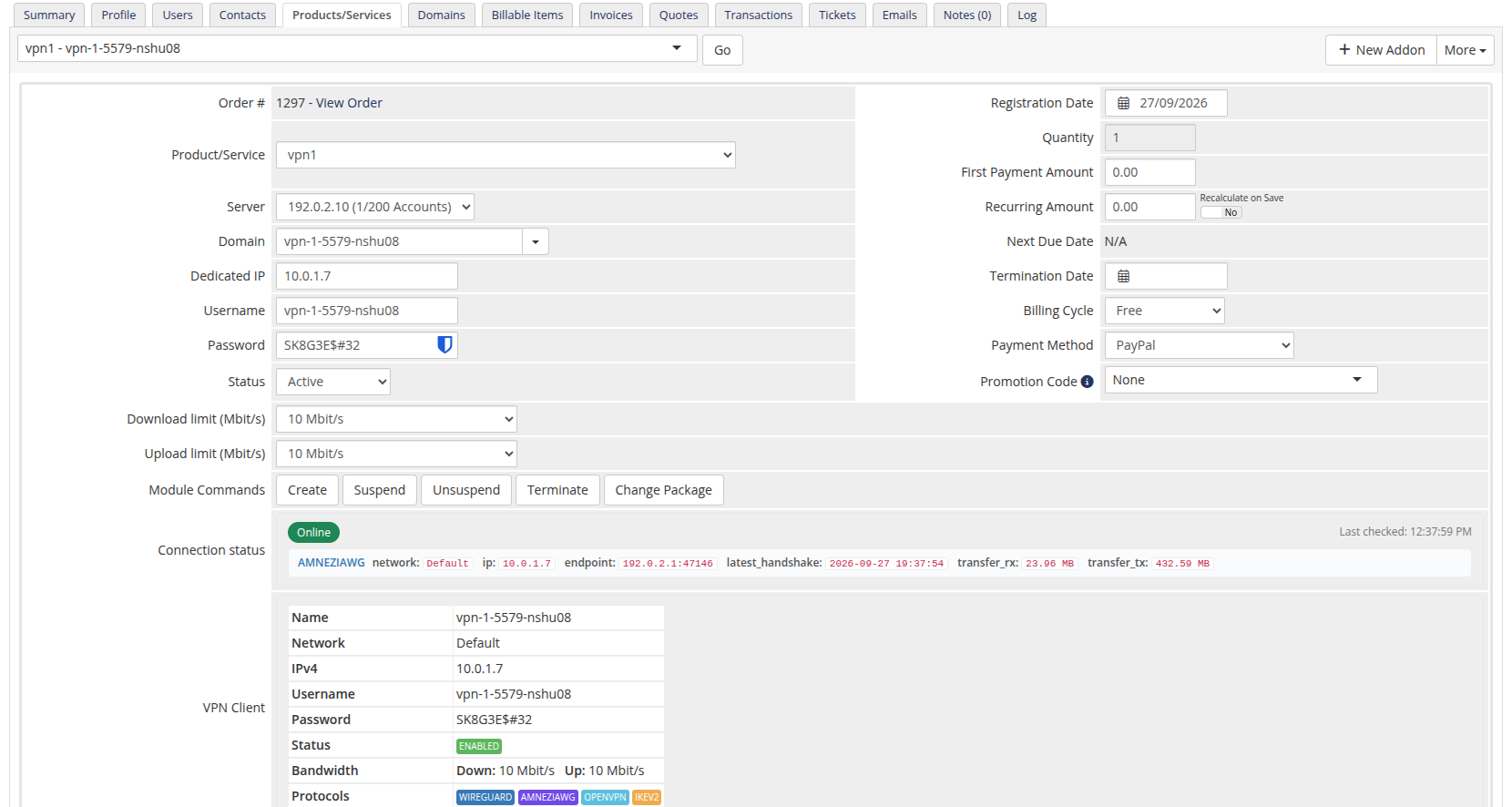 20-product-information.png
License Verification
Shown only when the product's licence check fails — a red errorbox with the verification error. Fix the licence on the product configuration page and re-open the service.
Connection status
 21-product-info-status-client.png
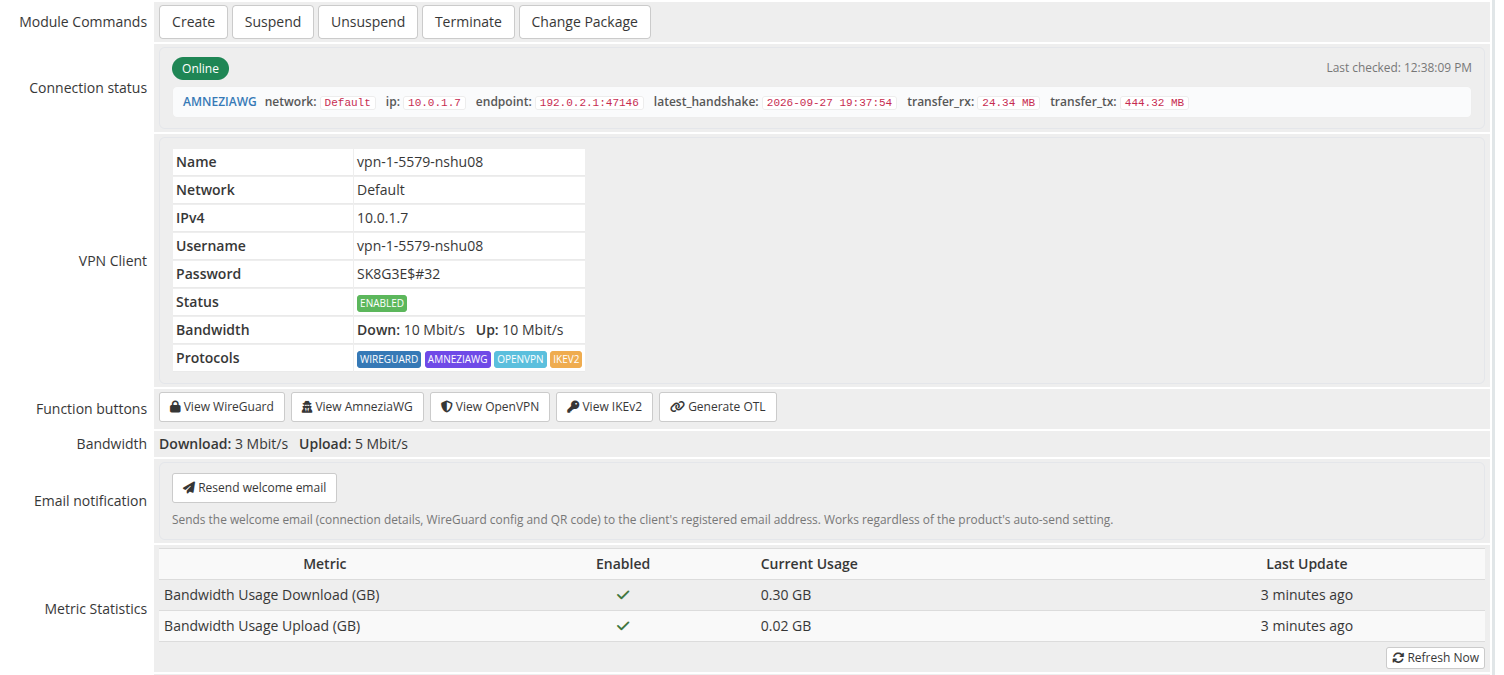
A live block at the top that polls GET /api/v1/client/online every 5 seconds and shows one row per protocol the client is currently connected on.
The header pill is Online (green) when at least one protocol reports a session, Offline (red) otherwise. Last checked timestamp updates after every poll.
Each protocol row exposes the raw fields the panel returns (network, IP, endpoint, last handshake, transferred bytes), formatted for readability — bytes are humanised, the latest handshake gets a relative-time chip.
VPN Client
A table populated from GET /api/v1/client/{name} with the panel's authoritative client record:
- Name — identifier on the panel
- Network — VPN network the client is on
- IPv4 — assigned VPN IP
- Username — auth username (used by IKEv2 / OpenVPN)
- Password — auth password
-
Status —
Enabled(green label) orDisabled(red) -
Bandwidth — current
Down: X Mbit/s · Up: Y Mbit/scaps (or Unlimited) - Protocols — coloured labels for WireGuard / AmneziaWG / OpenVPN / IKEv2; protocols disabled on the network are shown greyed-out and struck-through
Function buttons
Protocol action buttons that fetch and inline-display the configuration for the client. Buttons for protocols disabled on the network are greyed-out, marked cursor:not-allowed, and carry a tooltip explaining why they cannot be opened.
View WireGuard
 22-product-info-wireguard.png
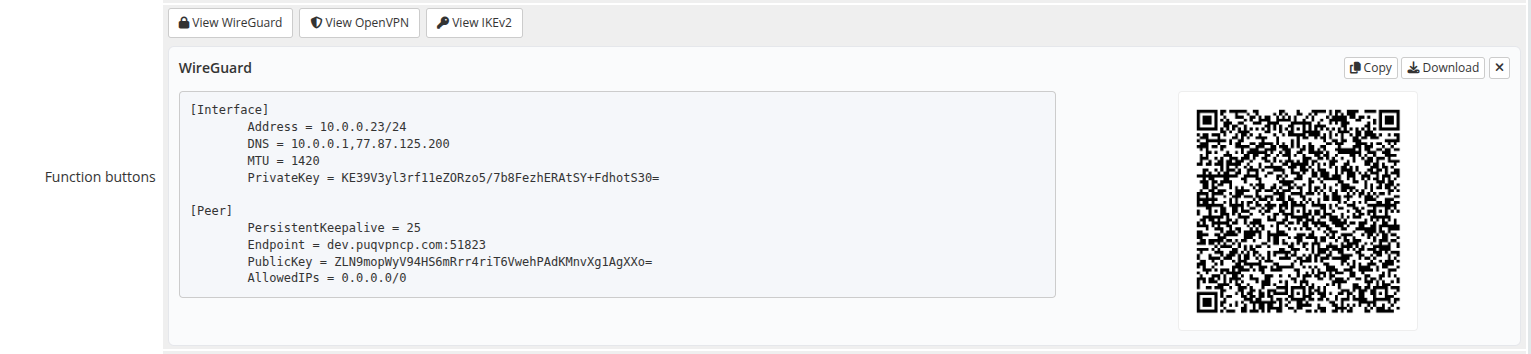
Calls GET /api/v1/client/{name}/config/text and /config/qr. Shows the .conf text alongside the QR code (the layout collapses to full-width text when no QR is returned). Copy and Download buttons act on the visible config; × closes the panel.
View AmneziaWG
Calls GET /api/v1/client/{name}/amneziawg/config and /client/{name}/amneziawg/qr. Shows the complete obfuscated .conf configuration text alongside the QR code. Supports Copy and Download; × closes the panel.
View OpenVPN
 23-product-info-openvpn.png
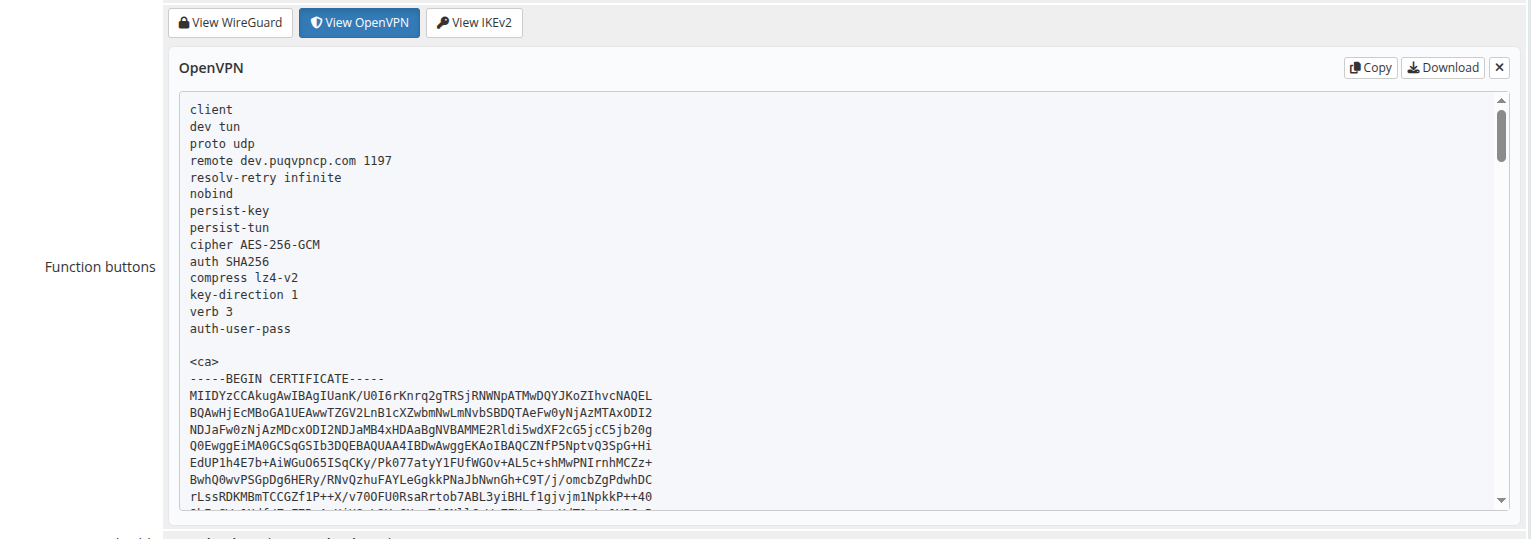
Calls GET /api/v1/client/{name}/openvpn/profile and shows the full .ovpn file. The block uses 100 % width because no QR is rendered.
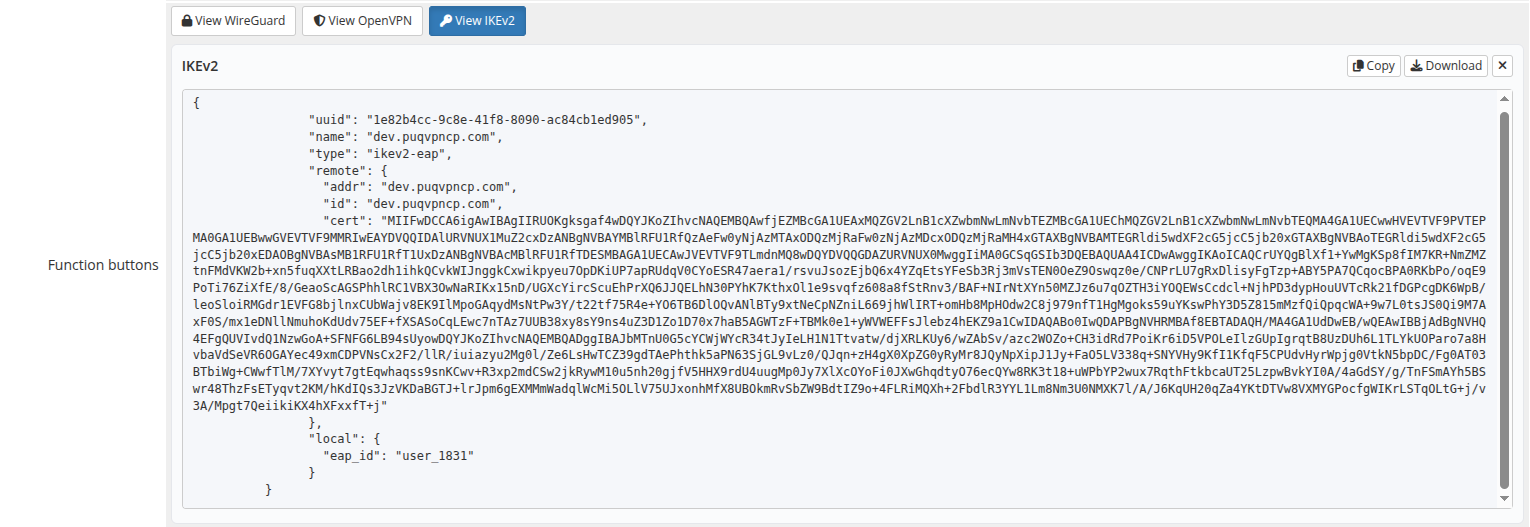
View IKEv2
 24-product-info-ikev2.png
Calls GET /api/v1/client/{name}/ikev2/profile and shows the IKEv2 profile (JSON). Long base64 certificate strings wrap inside the box and never expand it horizontally.
Bandwidth
 25-product-info-bandwidth.png
Read-only summary of the per-client caps configured on the product: Download and Upload in Mbit/s, or Unlimited when the value is 0. To change them, edit the product's Bandwidth fields on the Module Settings tab.
Email notification
 40-product-info-email-notification.png
A Resend welcome email button that re-sends the welcome message — connection details, WireGuard config and QR code — to the client's registered email address on demand. Handy when a customer loses the original email or you onboard them manually.
It sends regardless of the product's auto-send setting, so you can leave automatic sending off and dispatch the email only when you choose. A confirmation prompt protects against accidental clicks; the result is shown inline.
 41-product-info-resend-success.png
Metric Statistics
WHMCS-rendered block (not part of the module's tab fields, shown when the product has Usage Billing metrics enabled). Lists the metric, its enabled state, current usage and last update time. Values come from the module's metric provider, which fetches monthly traffic totals from the panel via GET /api/v1/client/{name}/traffic/{Y}/{m} and reports them in gigabytes.
Click Refresh Now to re-poll the panel immediately.