Skip to main content
Activation and permissions
PUQ Sanctions Checker module WHMCS
Order now | Download | Community
To activate the module and set up permissions, follow these steps:
- Log in to your WHMCS Admin Area.
- Navigate to System Settings > Addon Modules (or Setup > Addon Modules in older WHMCS versions).
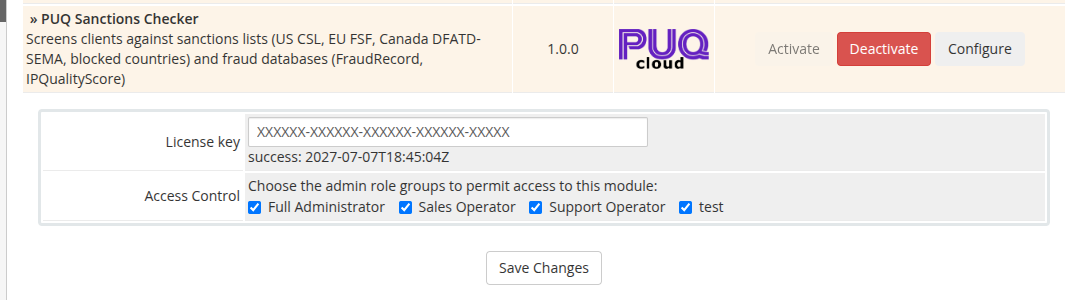
- Locate PUQ Sanctions Checker in the list and click Activate.
- Once activated, click Configure next to the module name.
- In the configuration panel:
- Enter your License key (provided upon purchase).
- Under Access Control, select the administrative role groups (e.g., Full Administrator, Support) that are permitted to access and manage this module.
- Click Save Changes.