 Skip to main content
Client profile panel & verification
PUQ Sanctions Checker module WHMCS
Order now | Download | Community
On every admin client page (Summary, Profile, Services, Invoices, …) the module injects a compact panel with the current screening state. Everything on it works via AJAX — no page reloads.
When the client matches
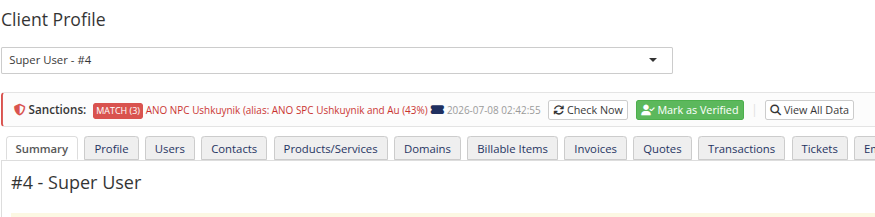
The panel shows the MATCH badge with the number of matches, the best-scoring matched name with its percent, a link to the opened ticket, and the check time.
- Check Now — re-screens the client immediately; when matches are found, the details modal opens automatically.
- Mark as Verified — the false-positive workflow (see below).
- View All Data — the full details modal.
View All Data
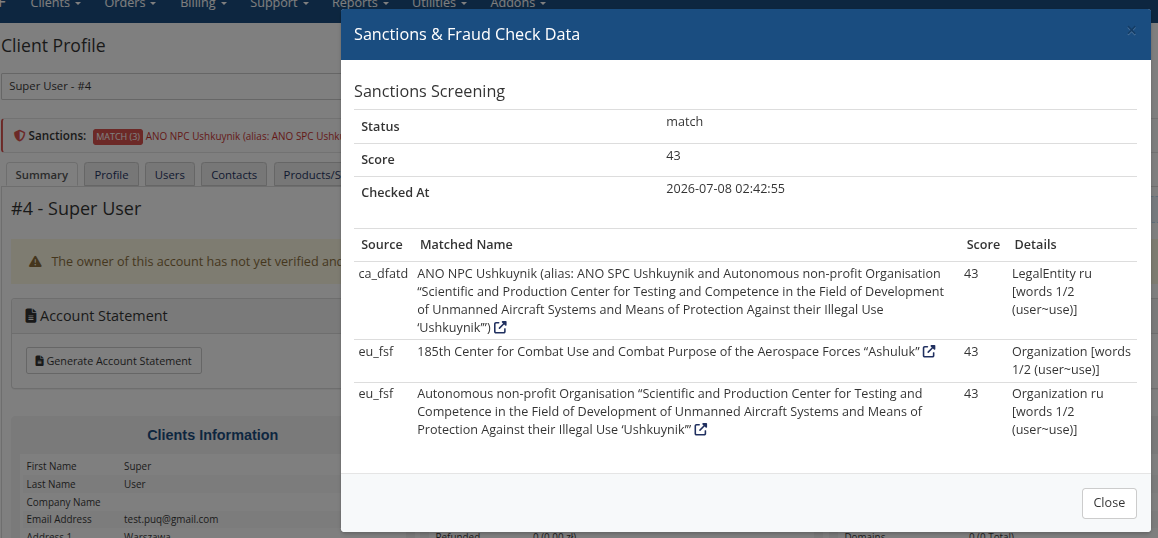
Each local-list match links to its OpenSanctions entity profile (aliases, birth dates, sanction programs) — open it to visually confirm whether your client is really the listed person. When Fraud Check is enabled, the same modal also shows the raw FraudRecord / IPQualityScore data.
Verification (false positives)
A clean client can share a surname with a listed person and would be flagged on every re-check. After reviewing the details, click Mark as Verified:
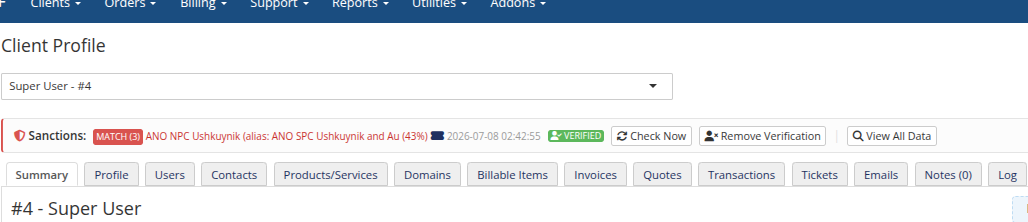
A verified client:
- is skipped by all automatic checks — cron, mass check, registration, and order triggers;
- gets no tickets, status changes, or group moves, even from a manual re-check;
- can still be re-checked manually at any time;
- loses the verification automatically when the client changes profile data — the check then runs again in full.
The module records who verified the client — first name, last name, login, and email of the admin are stored as a snapshot (not a reference), so the information survives even if the admin account is later deleted:
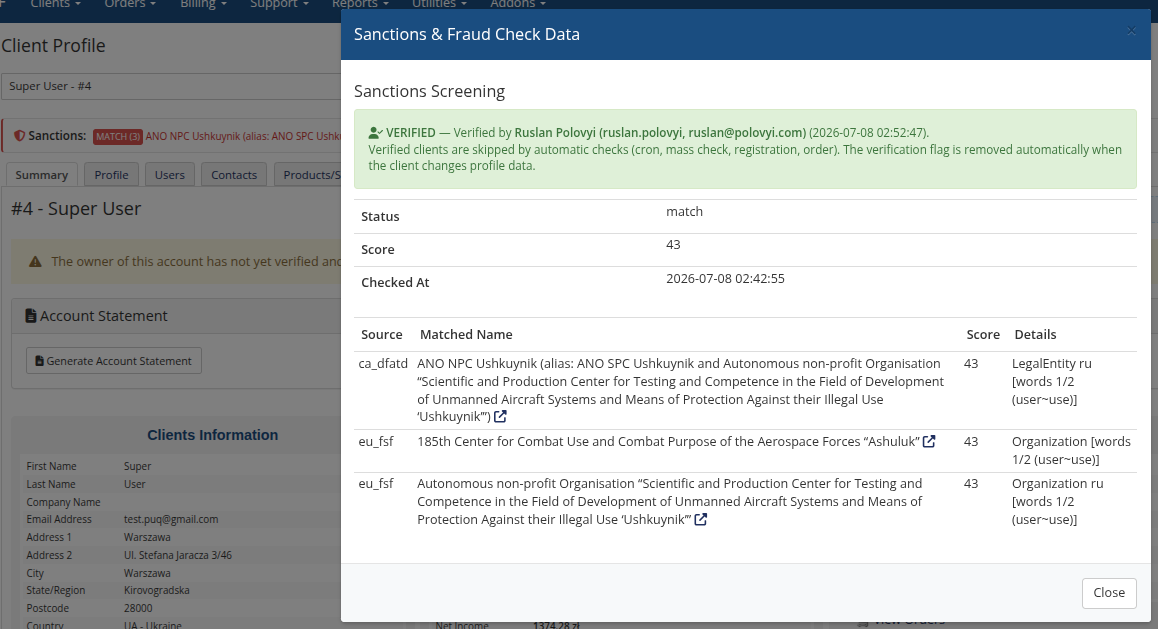
Remove Verification puts the client back under automatic screening. Every verify/unverify action is written to the module log and the WHMCS activity log.
Fraud Check on the panel
With Fraud Check enabled the same panel shows the FraudRecord score, IP fraud score, and email leak status with their own Fraud Check Now and Send Report buttons — see Configuration → Fraud Check.