 Skip to main content
Orders Overview
Product Analytics addon WHMCS
Order now | Download | Community
The Orders Overview page is available at: Addons > PUQ Product Analytics > Orders > Orders Overview
Summary of all orders with status breakdown, monthly chart, and recent activity.
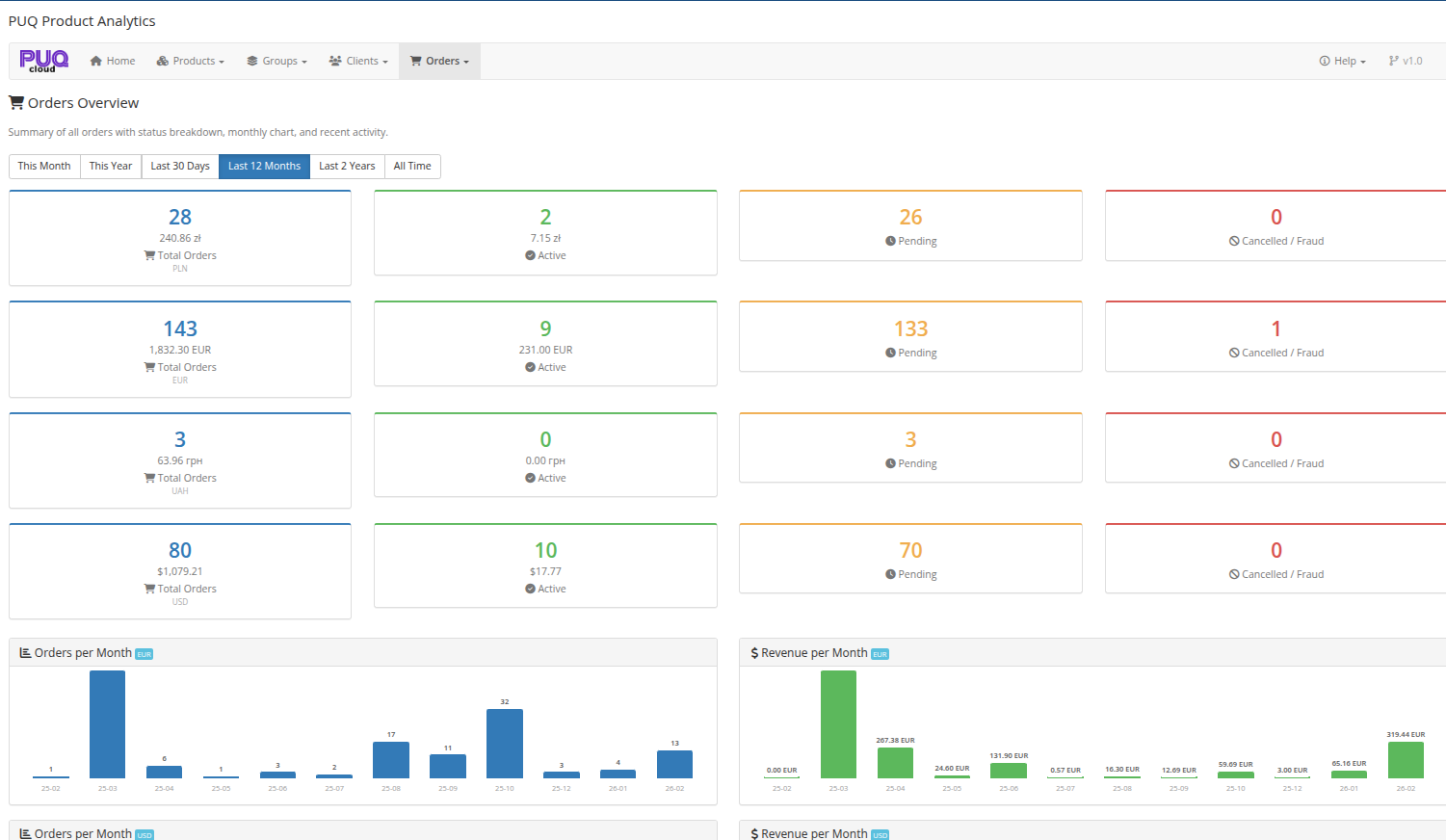 13-orders-overview.png
Date Range Filter
At the top of the page, a set of period buttons allows you to select the analysis timeframe:
- This Month — current calendar month
- This Year — current calendar year
- Last 30 Days — rolling 30-day window
- Last 12 Months — rolling 12-month window (default)
- Last 2 Years — rolling 24-month window
- All Time — entire history
Order Statistics
For each currency, four key metrics are displayed:
| Metric | Description |
|---|---|
| Total Orders | Total number of orders with the total amount |
| Active | Number of orders with Active status and their total amount |
| Pending | Number of orders with Pending status |
| Cancelled / Fraud | Number of cancelled or fraudulent orders |
Each currency (e.g., PLN, EUR, UAH, USD) is displayed as a separate row of cards.
Monthly Charts
Below the statistics, two charts are displayed per currency:
- Orders per Month — bar chart showing the number of orders placed each month
- Revenue per Month — bar chart showing order revenue per month
These charts help identify order trends and seasonal patterns in sales activity.