 Skip to main content
Admin Area Overview
PUQ Account Statement module WHMCS
Order now | Download | Community
This page provides an overview of the administrative interface and actions available to administrators.
Accessing the Admin Area
To access the admin area of the module:
- Log in to your WHMCS Admin Area.
- Navigate to Addons > PUQ Account Statement
Management Actions
The admin interface allows performing the following actions:
- Dashboard: View overall statistics, quick generate statement and upcoming schedules.
- Generate Statement: Create a statement for a specific client with a date range.
- Saved Statements: View and download previously generated statements.
- Bulk Generate: Generate statements for multiple clients at once.
- Schedules: Configure automated statement generation.
- PDF Style: Customize the visual appearance of the PDF statements.
Settings
Explain settings and tools:
- General Settings: Configure company details, email templates, and other global options.
- Access Control: Configure which administrator groups have access.
Screenshot
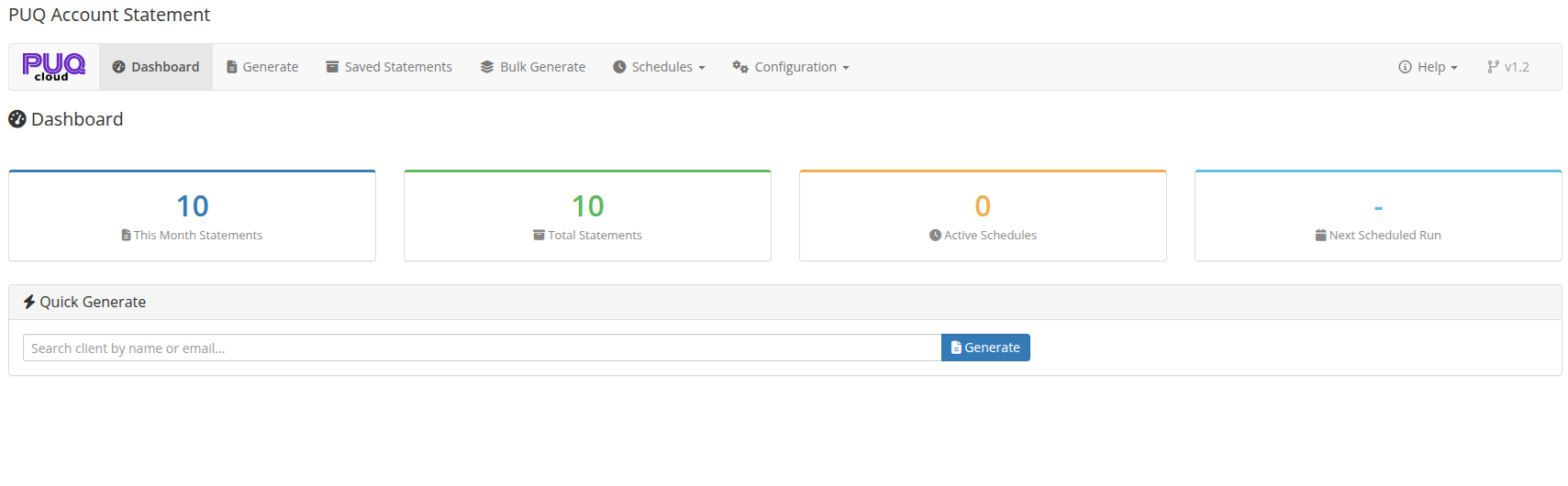 02-dashboard.png