 Skip to main content
Client Area
PUQ Account Statement module WHMCS
Order now | Download | Community
This page describes the client-facing Account Statement functionality available in the WHMCS client area.
Accessing the Client Area Page
Clients can access their Account Statement page in two ways:
Note: The client area page is only available when "Enable Client Area" is checked in the module Settings.
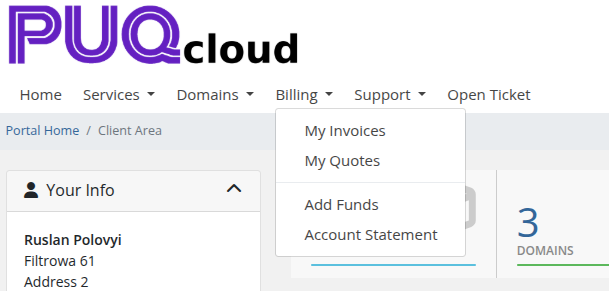
When "Add to Billing Menu" is enabled, clients reach the page from Billing > Account Statement in the client area navigation:
 22-client-billing-menu.png
 11-client-area.png
Generate Statement
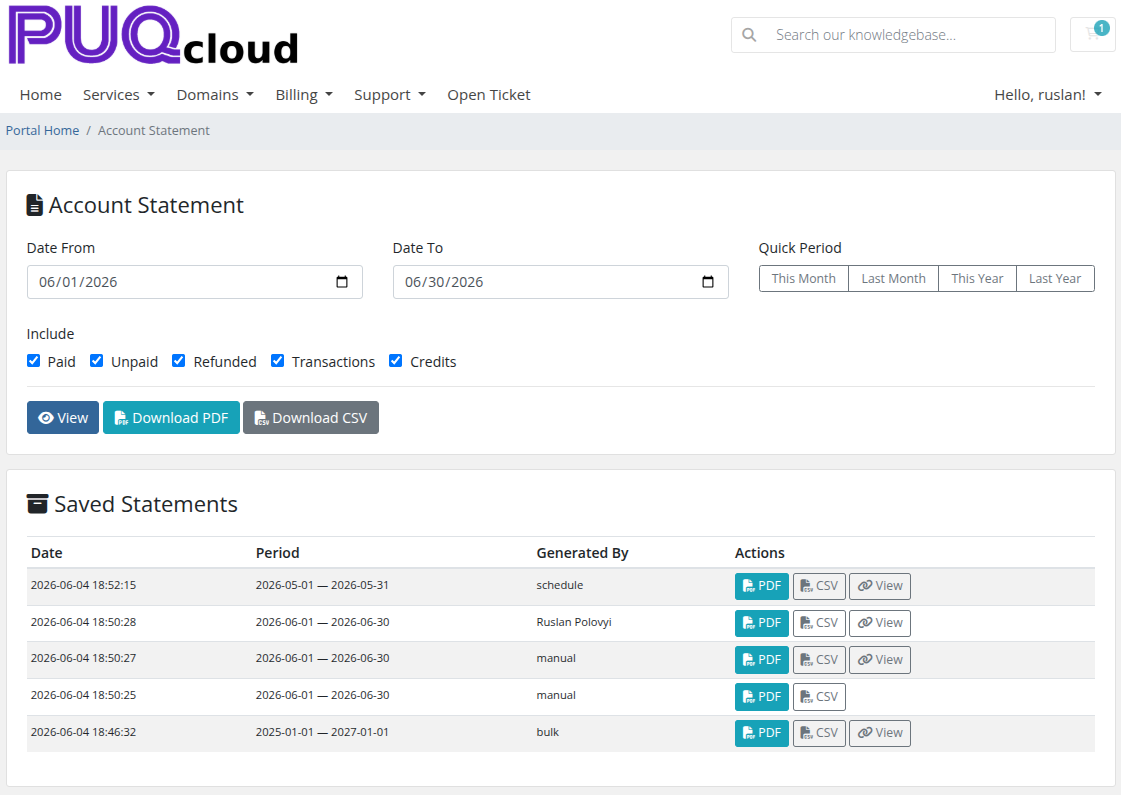
The top section allows clients to generate their own account statements:
Date Range
- Date From / Date To — manual date pickers
- Quick Period buttons — one-click presets: This Month, Last Month, This Year, Last Year
Include Options
Checkboxes to select what financial data to include:
- Paid, Unpaid, Refunded, Transactions, Credits
Action Buttons
| Button | Description | Visibility |
|---|---|---|
| View | Generate and display the statement preview inline | Always visible |
| Download PDF | Download the statement as a PDF file | Only if "Client Can Download PDF" is enabled in Settings |
| Download CSV | Download the statement data as a CSV file | Only if "Client Can Download CSV" is enabled in Settings |
Statement Preview
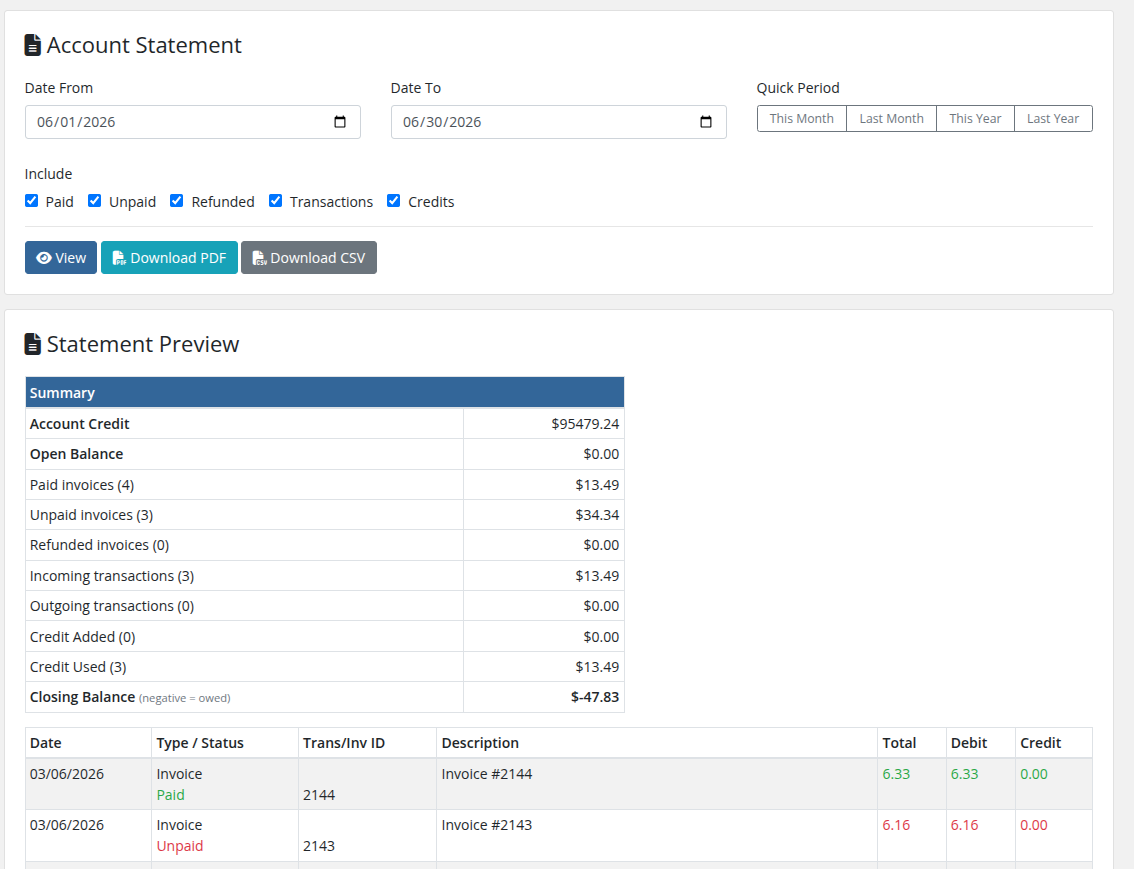
After clicking View, the generated statement is displayed inline below the form. The preview shows the same rendered HTML statement that administrators see.
 23-client-area-preview.png
Saved Statements
The bottom section shows the client's previously saved statements (generated by admin, schedule, or bulk operations):
| Column | Description |
|---|---|
| Date | When the statement was generated |
| Period | Statement date range (from — to) |
| Generated By | How the statement was created: manual, schedule, or bulk |
| Actions | Download buttons and view link |
Actions Per Saved Statement
| Button | Description | Visibility |
|---|---|---|
| Download the statement as PDF | Always visible | |
| CSV | Download the statement as CSV | Only if "Client Can Download CSV" is enabled |
| View | Open the statement via public link (if available) | Only if statement has an access hash |
Pagination
When there are multiple pages of saved statements, pagination controls appear below the table with page numbers and previous/next navigation.
Important Notes
- Clients can only see their own statements — all requests are filtered by the logged-in client's ID
- The client area uses Bootstrap 4 styling (WHMCS client area) rather than Bootstrap 3 (admin area)
- Download buttons (PDF/CSV) respect the permission settings configured in the admin Settings page
- The statement is generated with the client's configured currency