 Skip to main content
Saved Statements
PUQ Account Statement module WHMCS
Order now | Download | Community
The Saved Statements page is available at: Addons > PUQ Account Statement > Saved Statements
This page shows all previously saved account statements with filtering, pagination, and management tools.
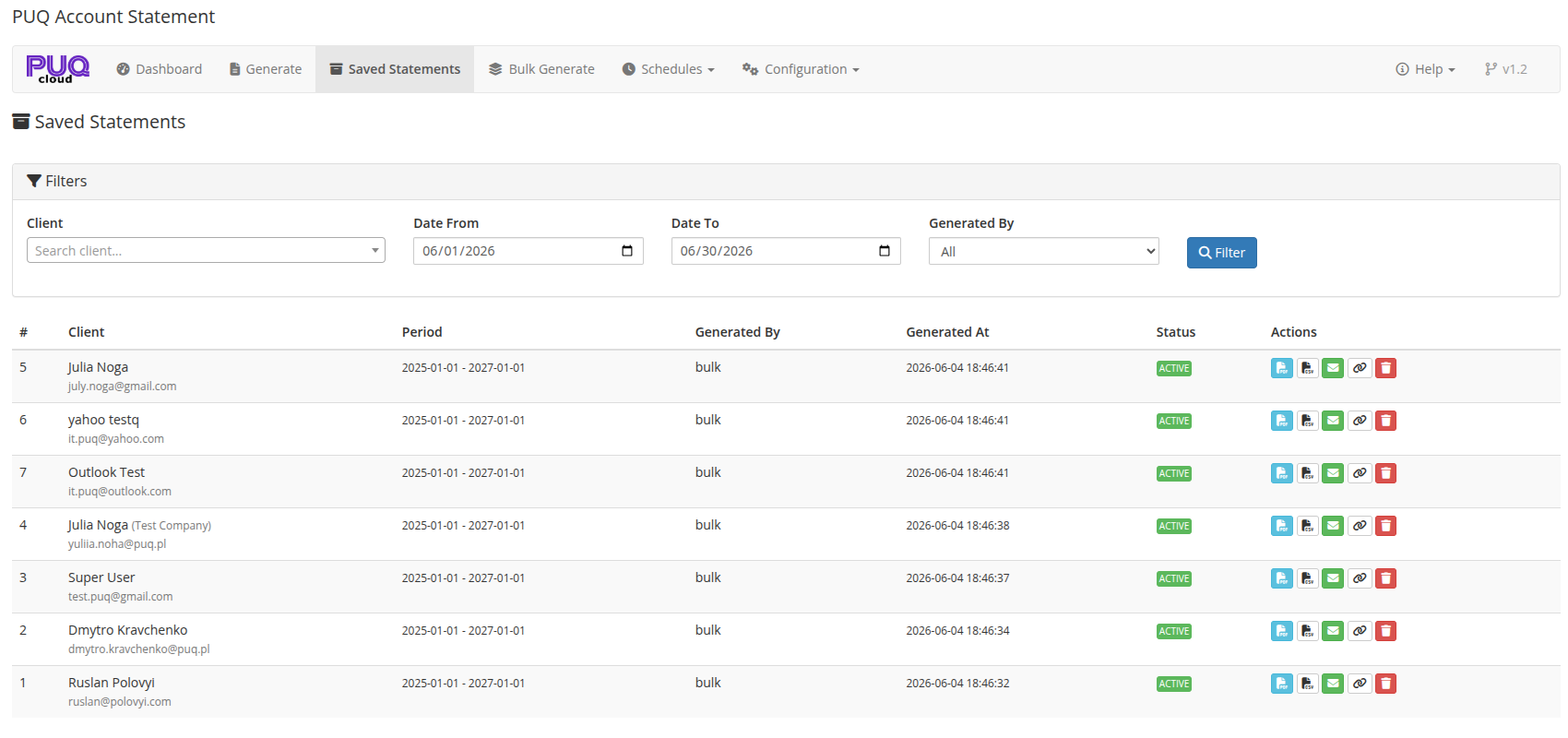 05-saved-statements.png
Filters
The top panel provides search and filter options:
| Filter | Description |
|---|---|
| Client | Search for a specific client by name or email (Select2 AJAX search) |
| Date From | Filter statements created from this date |
| Date To | Filter statements created up to this date |
| Generated By | Filter by generation method: All, Manual, Schedule, or Bulk |
Click Filter to apply the filters and reload the results.
Statements Table
The main table lists saved statements with the following columns:
| Column | Description |
|---|---|
| # | Statement ID |
| Client | Client name, company name, and email |
| Period | Statement date range (from — to) |
| Generated By | How the statement was created: manual, schedule, or bulk |
| Generated At | Timestamp when the statement was generated |
| Status | Badge: Active (green) or expired status |
| Actions | Action buttons (see below) |
Actions Per Statement
Each statement row has the following action buttons:
| Button | Icon | Description |
|---|---|---|
| file-pdf | Download/view the statement as PDF (opens in new tab) | |
| CSV | file-csv | Download the statement data as CSV |
| Send | envelope | Send the statement to the client via email with PDF attachment |
| Copy Link | link | Generate a public shareable link and copy it to clipboard |
| Delete | trash | Delete the saved statement (requires confirmation) |
Pagination
When there are more statements than the configured per-page limit (default: 25), pagination controls appear at the bottom of the table with page numbers and previous/next navigation.
Auto-Cleanup
Saved statements can be automatically deleted after a configurable number of days. This is set in Settings > Auto Cleanup Days. Set to 0 to disable auto-cleanup.