 Skip to main content
Bulk Generate
PUQ Account Statement module WHMCS
Order now | Download | Community
The Bulk Generate page is available at: Addons > PUQ Account Statement > Bulk Generate
This page allows you to generate statements for multiple clients at once with a single operation.
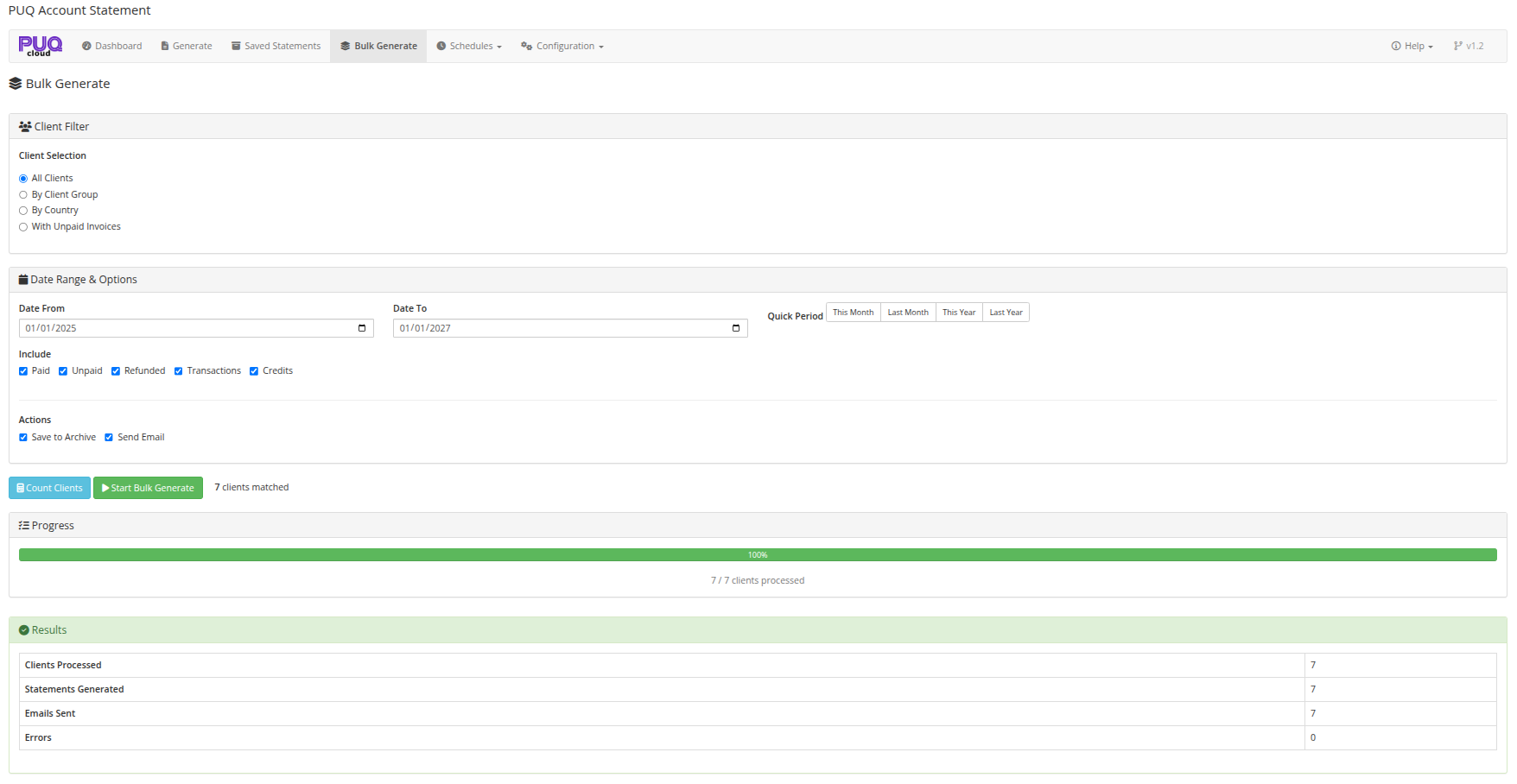 06-bulk-generate.png
Client Filter
Choose which clients to generate statements for:
| Option | Description |
|---|---|
| All Clients | Generate for every client in the system |
| By Client Group | Filter by WHMCS client group (dropdown appears for selection) |
| By Country | Filter by client country (dropdown appears for selection) |
| With Unpaid Invoices | Only clients that have outstanding unpaid invoices |
When selecting By Client Group or By Country, a dropdown field appears to select the specific group or country.
Date Range & Options
Date Range
Set the statement period using:
- Date From / Date To — manual date inputs
- Quick Period buttons — same presets as the Generate page (This Month, Last Month, This Year, Last Year, All Time)
The default period is set to Last Month.
Include Options
Same checkboxes as the Generate page:
- Paid, Unpaid, Refunded, Transactions, Credits
Actions
Choose what to do with each generated statement:
| Action | Description |
|---|---|
| Save to Archive | Save each statement to the saved statements archive (checked by default) |
| Send Email | Send each statement to the respective client via email with PDF attachment |
Workflow
Step 1: Count Clients
Click Count Clients to see how many clients match your filter criteria. The result appears next to the button (e.g., "42 clients matched").
Step 2: Start Bulk Generate
After counting, the Start Bulk Generate button becomes enabled. Click it and confirm the operation.
Step 3: Monitor Progress
A progress bar appears showing:
- Visual progress bar with percentage
- Text counter: "X / Y clients processed"
The bulk operation processes clients in batches of 10 for optimal performance and to avoid timeouts.
Step 4: Review Results
After completion, a results panel shows:
| Metric | Description |
|---|---|
| Clients Processed | Total number of clients processed |
| Statements Generated | Number of statements successfully created |
| Emails Sent | Number of emails sent (if email option was enabled) |
| Errors | Number of errors encountered during processing |