 Skip to main content
Settings
PUQ Account Statement module WHMCS
Order now | Download | Community
The Settings page is available at: Addons > PUQ Account Statement > Configuration > Settings
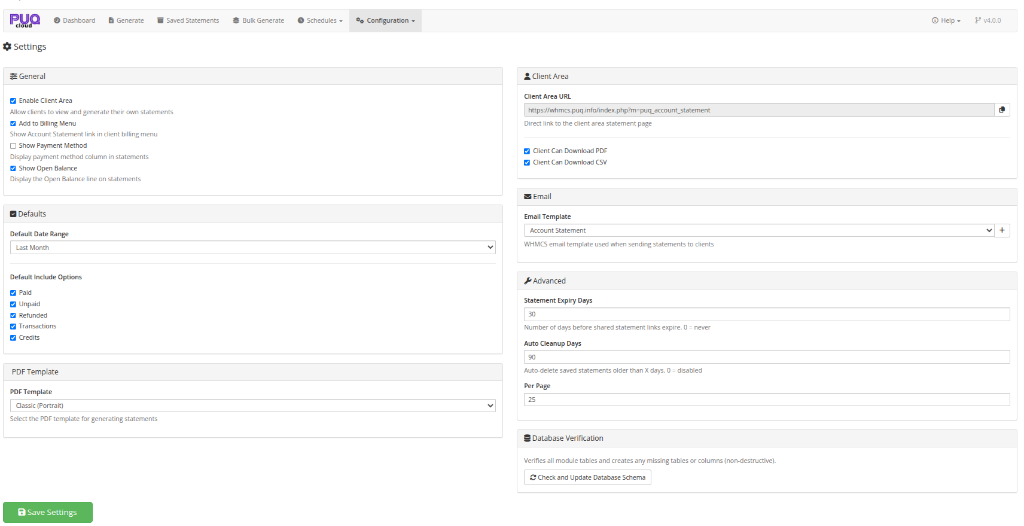
This page controls the module's global settings including client area access, defaults, PDF template selection, email configuration, and advanced options.
 10-settings.png
General
| Setting | Description |
|---|---|
| Enable Client Area | Allow clients to access the Account Statement page in the client area |
| Add to Billing Menu | Show an "Account Statement" link in the client area billing navigation menu |
| Show Payment Method | Show the payment method / gateway column in statements (admin preview, PDF, and CSV). Disable to hide it everywhere |
| Show Open Balance | Show the Open Balance line on statements. Disable to show only the Account Credit and Closing (amount owed) figures |
Defaults
Default Date Range
Set the default date range preset that is used when a client opens the statement page:
| Option | Period |
|---|---|
| This Month | First to last day of the current month |
| Last Month | First to last day of the previous month |
| This Quarter | First day of current quarter to today |
| Last Quarter | First to last day of the previous quarter |
| This Year | January 1 to December 31 of current year |
| Last Year | January 1 to December 31 of previous year |
Default Include Options
Set which financial data types are included by default when generating statements:
- Paid
- Unpaid
- Refunded
- Transactions
- Credits
PDF Template
| Setting | Description |
|---|---|
| PDF Template | Select the PDF layout template for generating statements. Available templates include Classic, Modern, Detailed — in Portrait or Landscape orientation |
The dropdown is dynamically populated from template files in the templates/pdf/ directory. Each option shows the template name and orientation.
Client Area
| Setting | Description |
|---|---|
| Client Area URL | The direct link to the client area statement page (read-only, with copy button) |
| Client Can Download PDF | Allow clients to download PDF versions of their statements |
| Client Can Download CSV | Allow clients to download CSV versions of their statements |
| Setting | Description |
|---|---|
| Email Template | Select which WHMCS email template to use when sending statements to clients |
| Create (+) | Click the + button to create the default "Account Statement" email template in WHMCS if it doesn't exist yet |
The dropdown is populated with all available WHMCS General email templates.
Email Example
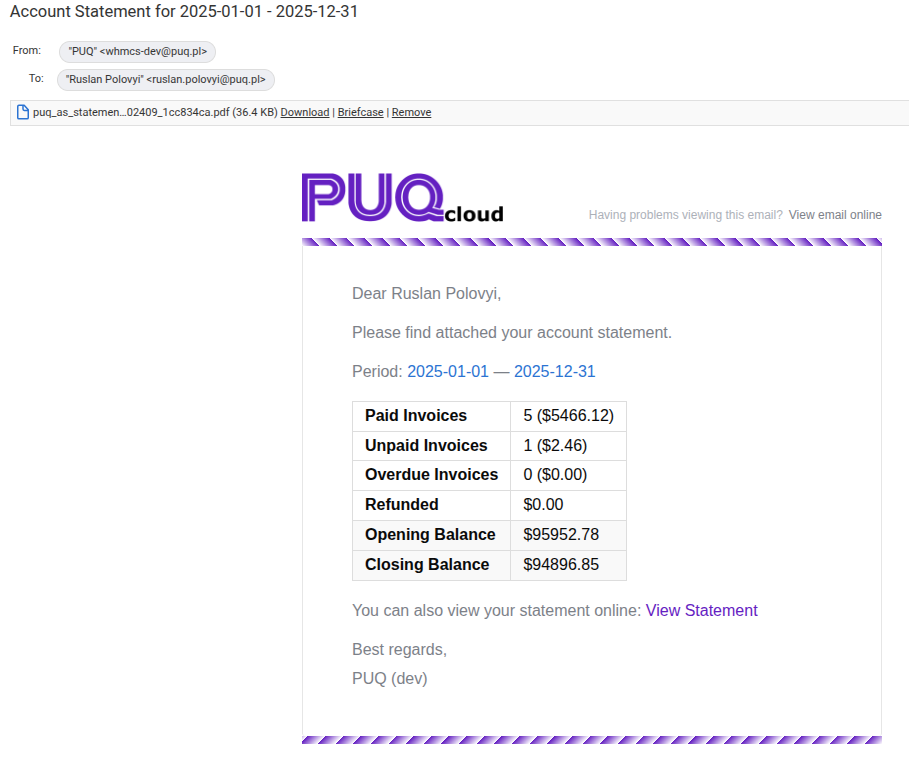
When a statement is sent to a client (manually, via bulk, or via schedule), they receive an email with a PDF attachment and a summary of the statement:
 20-email-statement.png
The email includes:
- PDF statement as attachment
- Statement period
- Summary table with paid/unpaid invoices, credits, account credit, and the closing balance (amount owed)
- Link to view the statement online
Advanced
| Setting | Description |
|---|---|
| Statement Expiry Days | Number of days before shared statement links expire. Set to 0 for links that never expire (default: 30) |
| Auto Cleanup Days | Automatically delete saved statements older than this many days. Set to 0 to disable auto-cleanup (default: 90) |
| Per Page | Number of records per page in statement lists (5–100, default: 25) |
Database Verification
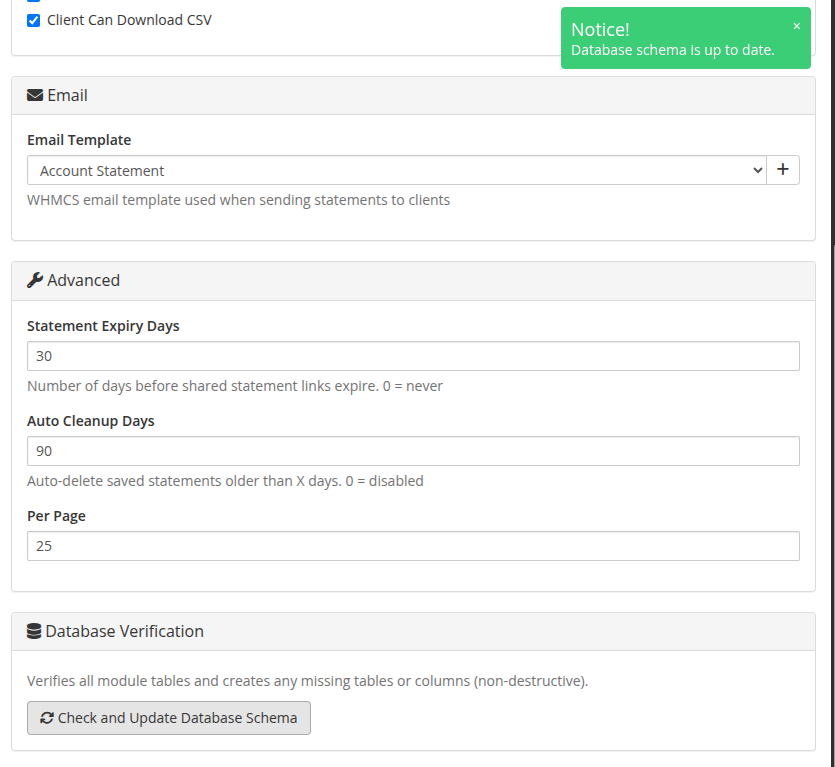
The module provides an automated database maintenance and verification tool.
 24-database-verification.png
| Action | Description |
|---|---|
| Check and Update Database Schema | Non-destructively inspects all module database tables (puq_acc_st_settings, puq_acc_st_statements, puq_acc_st_schedules, puq_acc_st_templates, puq_license) and automatically creates any missing tables or columns. Useful after upgrading module files to ensure new database columns are properly added without data loss. |
Saving
Click Save Settings to save all configuration changes.