 Skip to main content
Generate Statement
PUQ Account Statement module WHMCS
Order now | Download | Community
The Generate page is available at: Addons > PUQ Account Statement > Generate
This is the main page for creating individual account statements for a specific client.
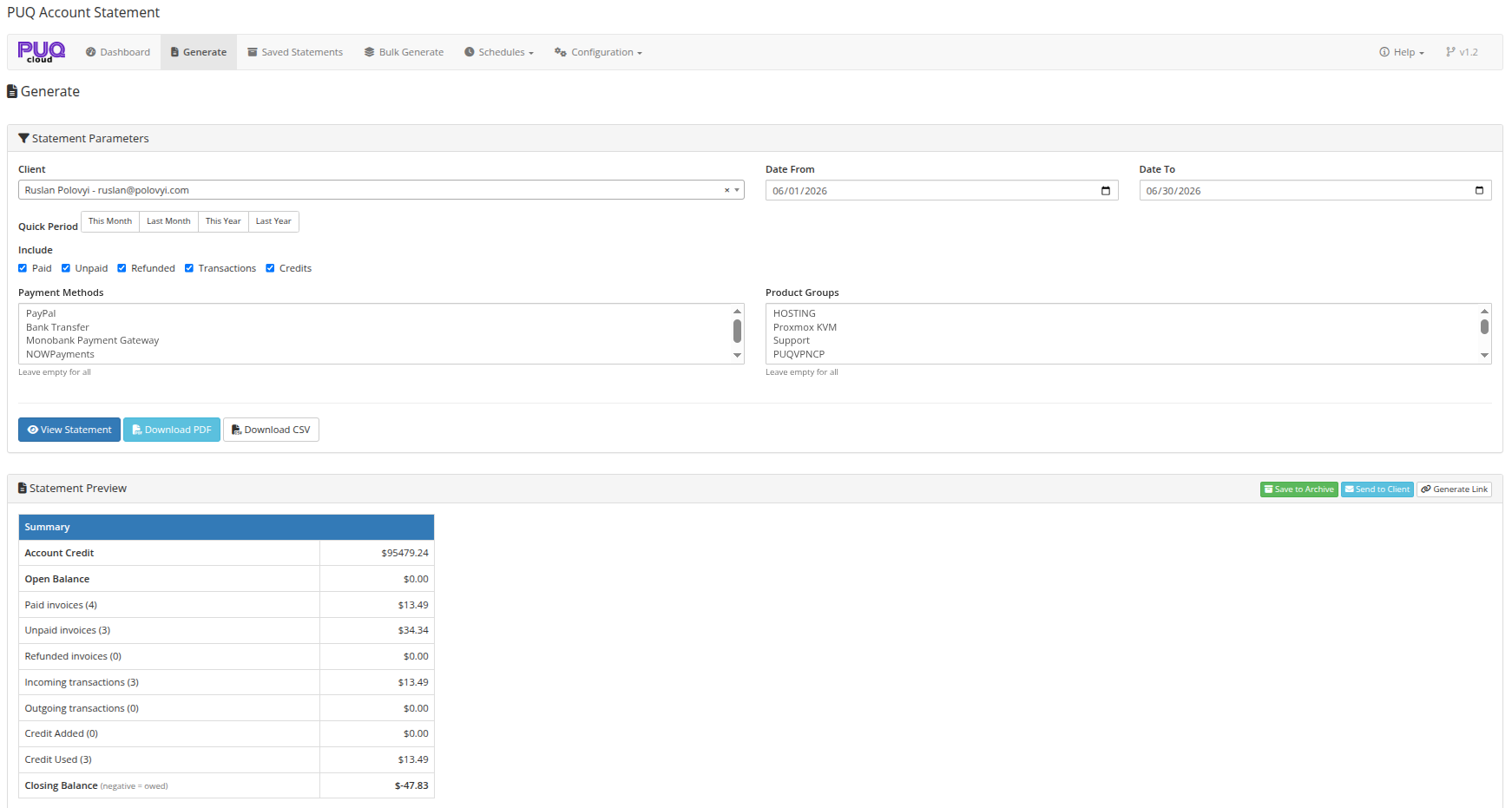 03-generate.png
Generate from a Client's Profile
You can also start a statement directly from a client's profile. Open Clients > select a client, and on the Summary tab use the Account Statement panel and click Generate Account Statement. This opens the Generate page with the client pre-selected.
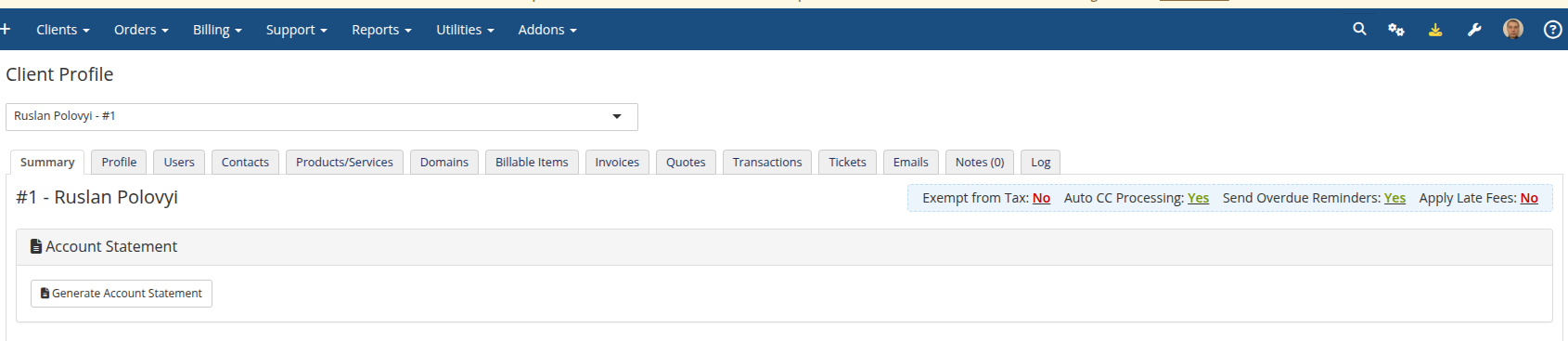 21-admin-client-profile.png
Statement Parameters
Client Selection
Use the search field to find a client by first name, last name (or both together), company, email, or client ID. The field uses Select2 with AJAX search — start typing to see results. Searching a full name such as "John Smith" matches first name + last name in any order.
Tip: You can navigate here from the Dashboard's Quick Generate feature, which pre-selects the client.
Date Range
Set the date range for the statement using:
- Date From / Date To — manual date inputs
-
Quick Period buttons — one-click presets:
- This Month — first to last day of current month
- Last Month — first to last day of previous month
- This Year — January 1 to December 31 of current year
- Last Year — January 1 to December 31 of previous year
-
All Time — entire history from account inception (from
1970-01-01to current date)
Include Options
Select which financial data to include in the statement:
| Option | Description |
|---|---|
| Paid | Include paid invoices |
| Unpaid | Include unpaid/outstanding invoices |
| Refunded | Include refunded invoices |
| Transactions | Include payment transactions |
| Credits | Include credit entries |
Advanced Filters
| Filter | Description |
|---|---|
| Payment Methods | Filter invoices by payment gateway (multi-select). Leave empty for all |
| Product Groups | Filter invoices by product group (multi-select). Leave empty for all |
Actions
View Statement
Click View Statement to generate and display the statement preview inline on the page. The preview shows the rendered HTML statement with all sections.
Reading the balance: The summary shows two distinct figures — Account Credit (the credit available on the client's WHMCS account) and the Closing Balance, which is the outstanding amount. A negative Closing Balance means the client owes that amount, and it always ties out with the Debit and Credit columns. The Open Balance line carries forward any unpaid invoices from before the statement period and can be hidden via Settings → Show Open Balance.
Language & dates: Statements (preview, PDF, and CSV) are generated in the client's own language when available — falling back to the system language, then English. Dates follow your WHMCS Global Date Format.
Download PDF
Click Download PDF to generate and download the statement as a PDF file. The PDF uses the template configured in the Settings page.
Download CSV
Click Download CSV to generate and download the statement data as a CSV file for import into spreadsheets or accounting software.
Statement Preview Actions
After viewing a statement, additional action buttons appear in the preview header:
| Action | Description |
|---|---|
| Save to Archive | Save the statement to the saved statements archive for future reference |
| Send to Client | Send the statement to the client via email with PDF attachment |
| Generate Link | Generate a public shareable link (copied to clipboard automatically) |
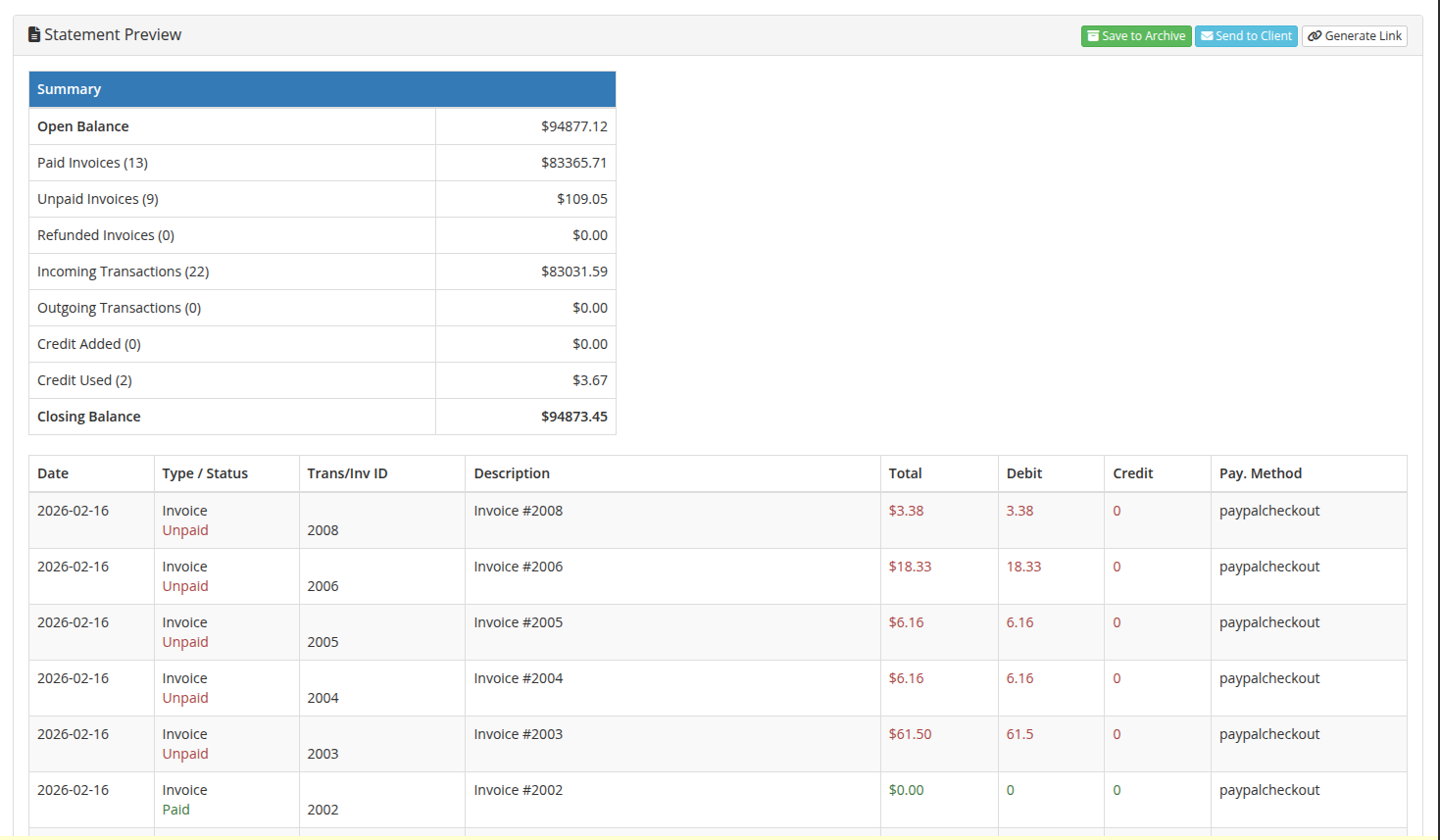 04-generate-preview.png