 Skip to main content
04. Dashboard
The Dashboard is the main landing page after login. It provides a complete overview of the server status, VPN protocols, and services.
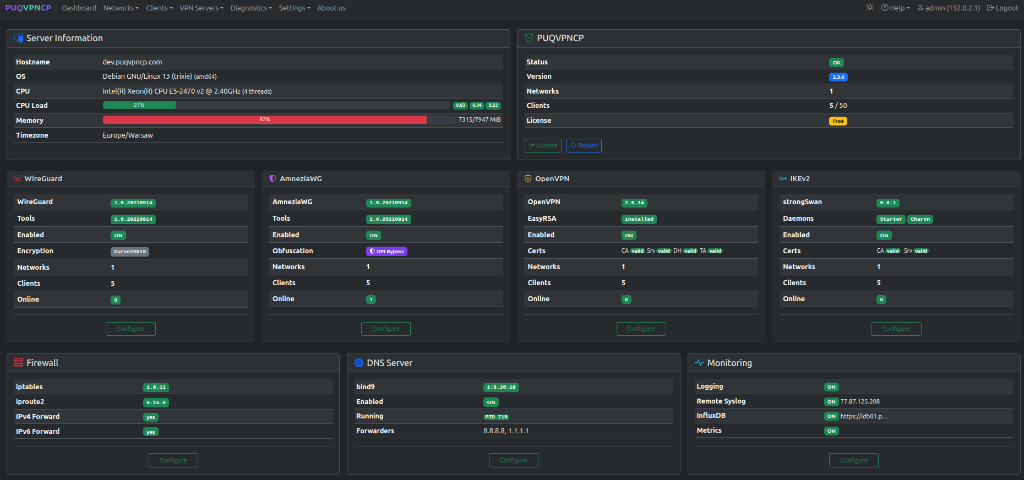 PUQVPNCP v2.3 Dashboard — Server info, system status, 4 VPN protocols (WireGuard, AmneziaWG, OpenVPN, IKEv2), and services
Server Information
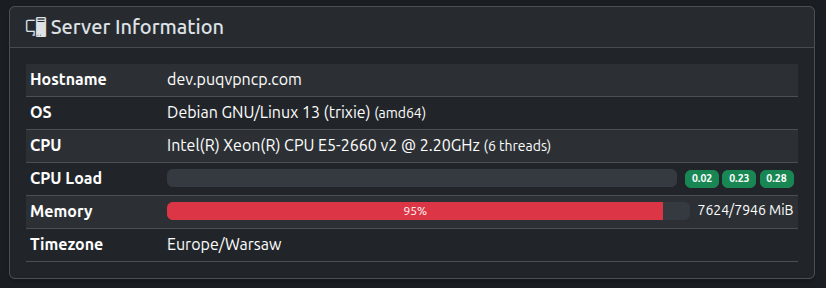 Server information card
| Field | Description |
|---|---|
| Hostname | Server FQDN |
| OS | Operating system and architecture |
| CPU | Processor model and thread count |
| CPU Load | 1 / 5 / 15 minute load averages |
| Memory | Used / total with percentage bar |
| Timezone | Server timezone |
PUQVPNCP Status
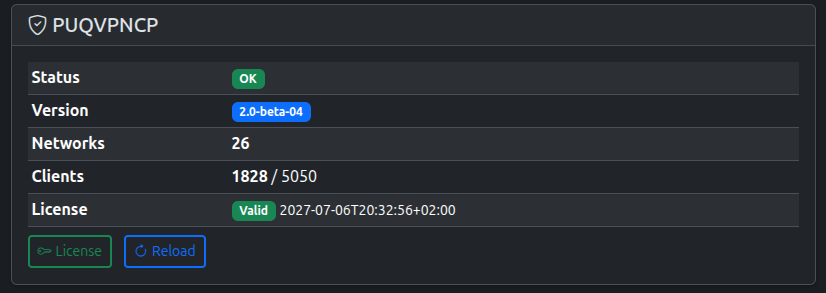 PUQVPNCP status card
| Field | Description |
|---|---|
| Status | OK = fully loaded, Loading = starting up |
| Version | Current software version |
| Networks | Total number of configured networks |
| Clients | Active clients / license limit |
| License | Validity status and expiration date |
- License — go to the license management page
- Reload — reload all VPN configurations (equivalent to system restart)
VPN Protocols
 Four VPN protocol status cards: WireGuard, AmneziaWG, OpenVPN, IKEv2
Each protocol card displays:
| Field | Description |
|---|---|
| Version / Package | Installed package version (wireguard, amneziawg, openvpn, strongswan) |
| Enabled | ON/OFF operational status |
| Encryption / Obfuscation | Cryptographic cipher or obfuscation mode (e.g., Curve25519, DPI Bypass) |
| Networks | Number of networks with this protocol enabled |
| Clients | Total clients configured across those networks |
| Online | Currently connected active peers/sessions |
Click Configure on any card to go directly to that protocol's global settings page.
Services
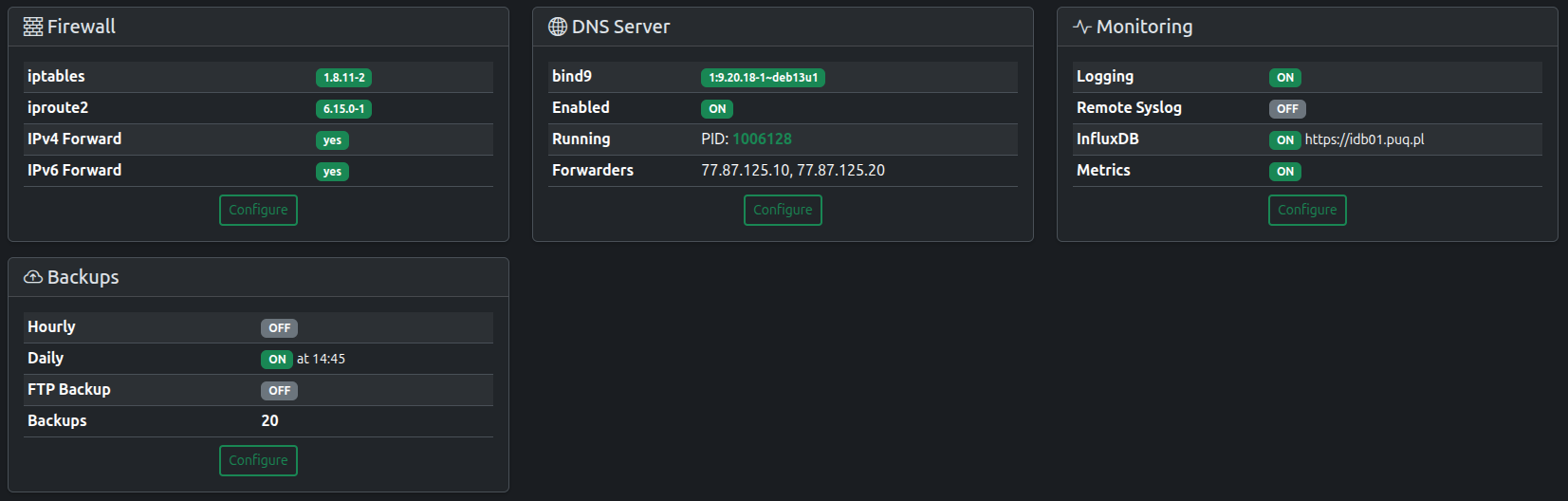 Service cards with detailed configuration info
Firewall
- iptables and iproute2 versions
- IPv4/IPv6 forwarding status
DNS Server
- bind9 version and running PID
- Configured forwarders
Monitoring
- Logging, remote syslog, InfluxDB, and metrics status
Backups
- Hourly/daily backup schedule
- FTP backup status
- Total backup count