 Skip to main content
05. Networks
Networks are the core organizational unit in PUQVPNCP. Each network defines a VPN subnet with its own protocol settings, firewall rules, bandwidth limits, and upstream routing.
Networks List
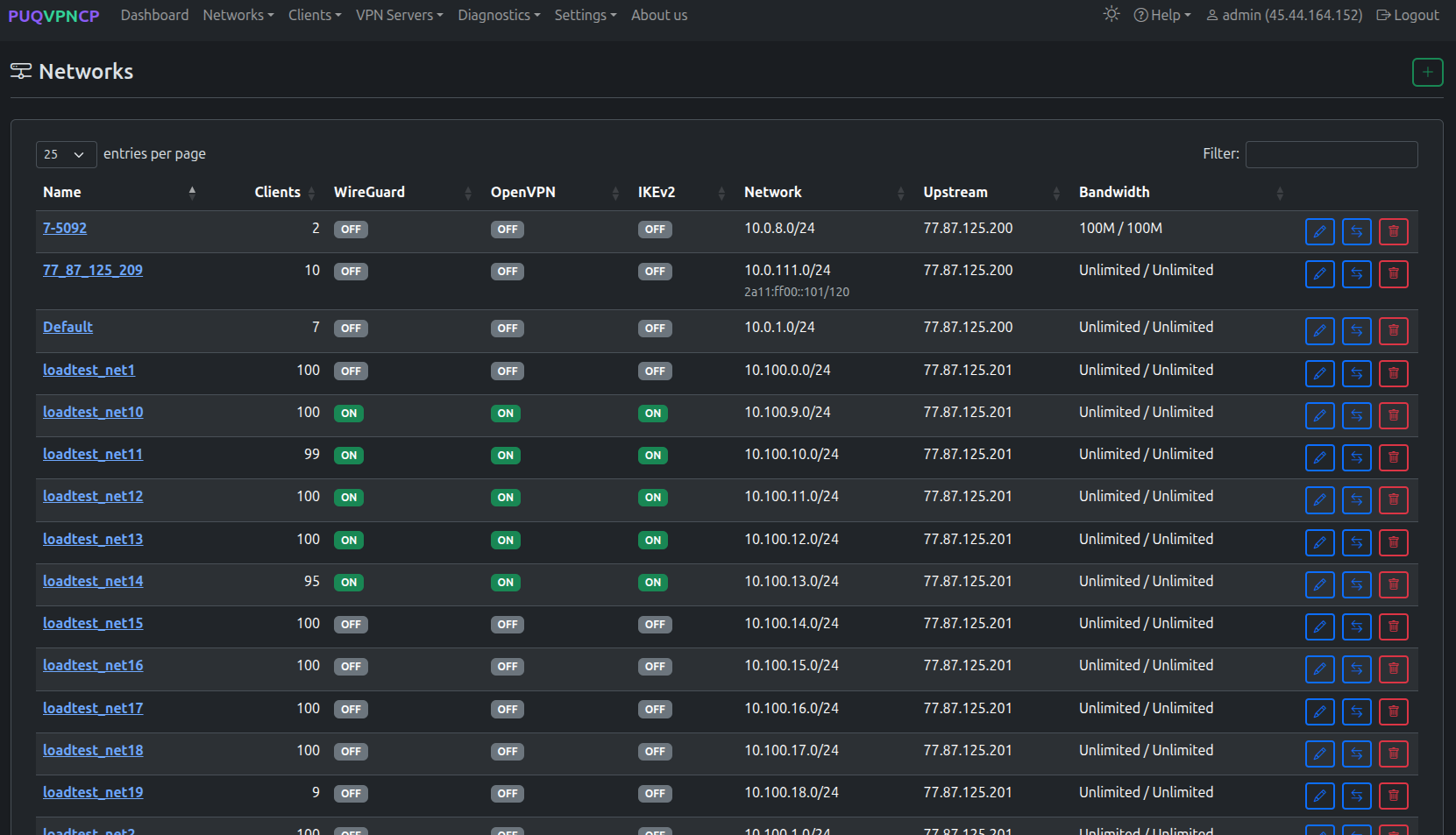 Networks list — shows protocols, IP, upstream, and bandwidth for each network
The table displays:
| Column | Description |
|---|---|
| Name | Network identifier |
| Clients | Number of client accounts |
| WireGuard / OpenVPN / IKEv2 | Protocol enabled status (ON/OFF) |
| Network | Subnet CIDR |
| IP | Server IP for the network |
| Upstream | Internet exit point (direct IP or WireGuard tunnel) |
| Bandwidth | Download/Upload limits in Mbit |
Creating a Network
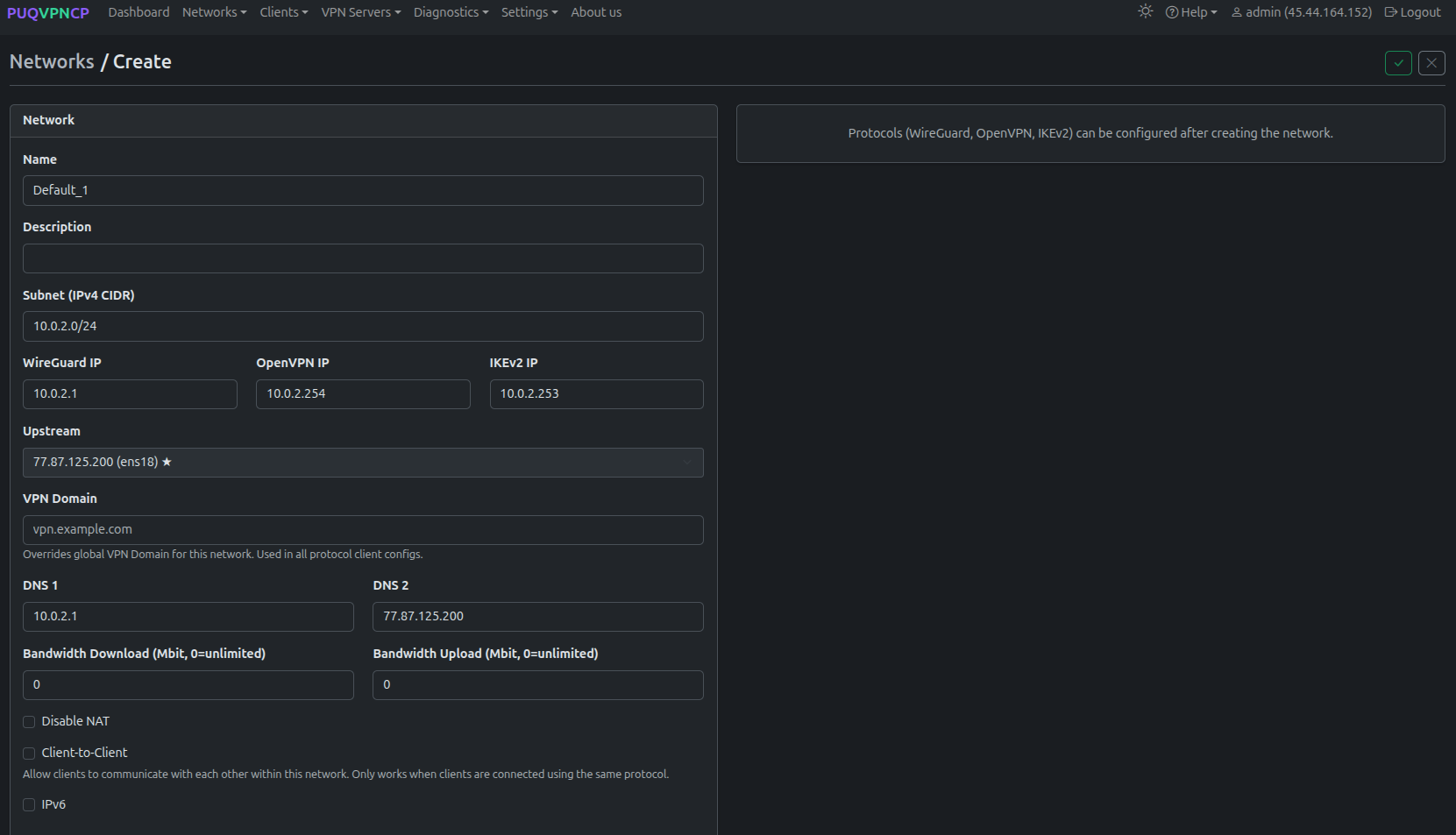 Create a new network
Required Fields
| Field | Description | Example |
|---|---|---|
| Name | Unique network name (alphanumeric + underscore) | office_vpn |
| Subnet (IPv4 CIDR) | Network subnet | 10.0.0.0/24 |
| WireGuard IP | Server IP for WireGuard interface | 10.0.0.1 |
| OpenVPN IP | Server IP for OpenVPN interface | 10.0.0.254 |
| IKEv2 IP | Server IP for IKEv2 | 10.0.0.253 |
Optional Fields
| Field | Description |
|---|---|
| Description | Free-text description |
| Upstream | Select internet exit: server IP (direct) or WireGuard upstream tunnel |
| VPN Domain | Override the global VPN domain for this network |
| DNS 1 / DNS 2 | DNS servers pushed to VPN clients |
| Bandwidth Download / Upload | Network-wide bandwidth limit (Mbit, 0 = unlimited) |
| Disable NAT | Disable SNAT for this network (for bridged setups) |
| Client-to-Client | Allow clients within the same network to communicate |
| IPv6 | Enable IPv6 dual-stack |
Note: VPN protocols (WireGuard, AmneziaWG, OpenVPN, IKEv2) can be enabled after creating the network.
Editing a Network
Click the edit button on any network to open the tabbed editor.
Main Tab
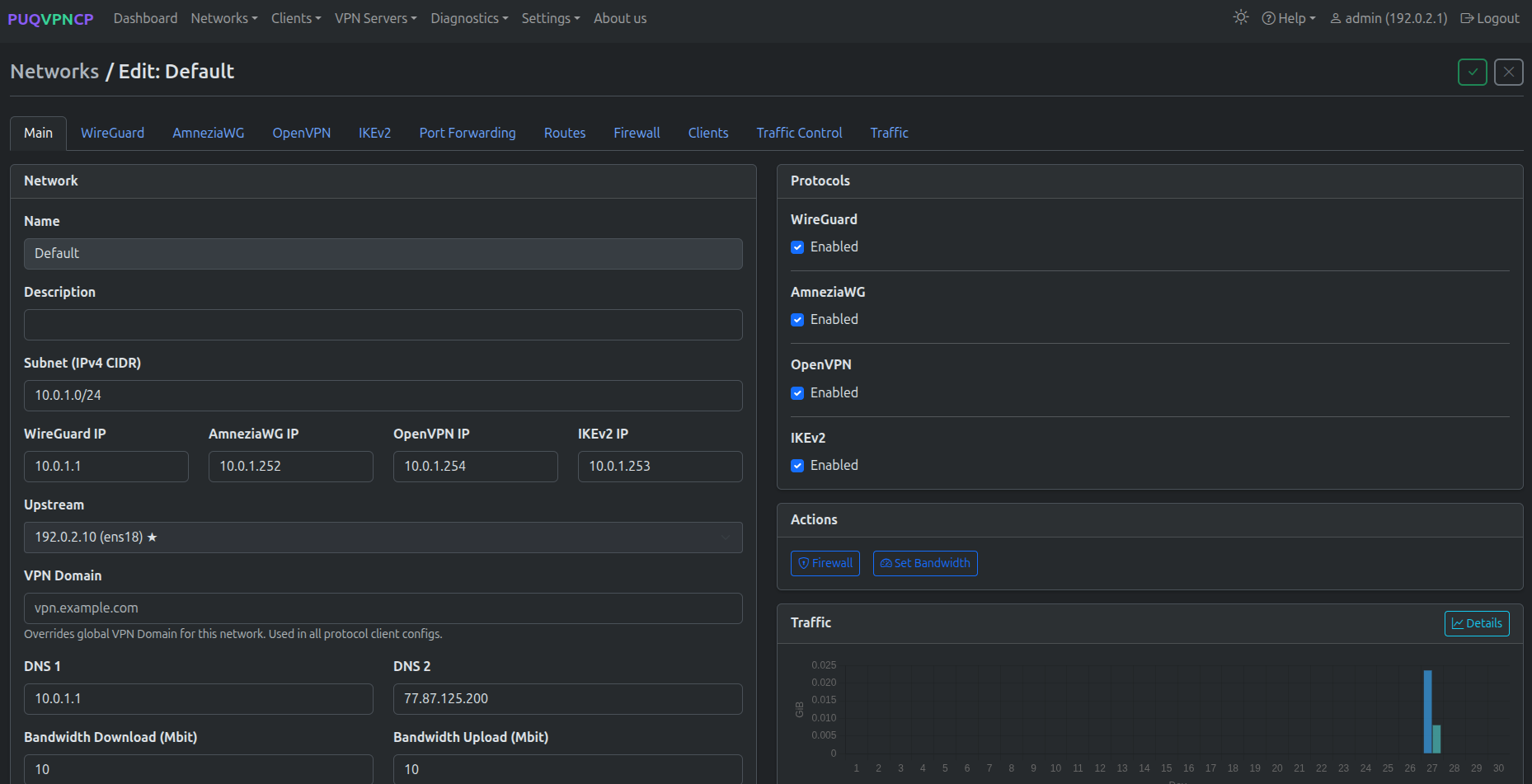 Network edit — Main tab with protocols, actions, and traffic overview
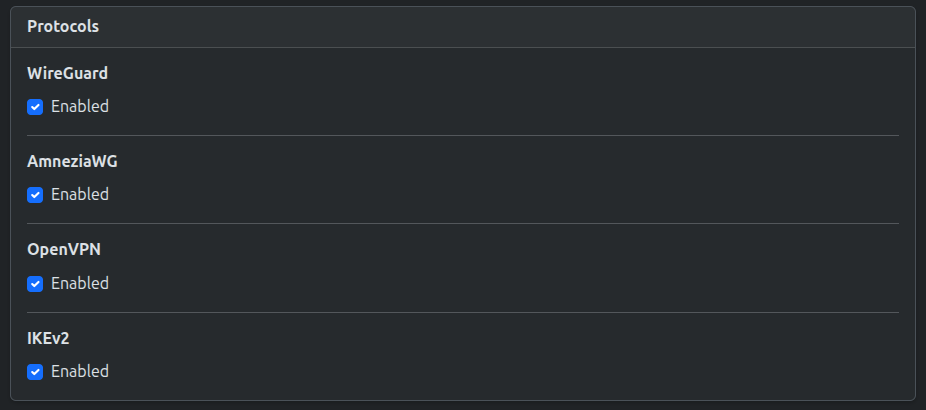 Protocols selector — WireGuard, AmneziaWG, OpenVPN, IKEv2
The Main tab shows:
- Network settings (left) — all fields from creation, plus the Upstream selector
- Protocols (right) — checkboxes to enable/disable WireGuard, AmneziaWG, OpenVPN, IKEv2
- Actions — Firewall and Set Bandwidth buttons
- Traffic — monthly traffic chart with download/upload totals
WireGuard Tab
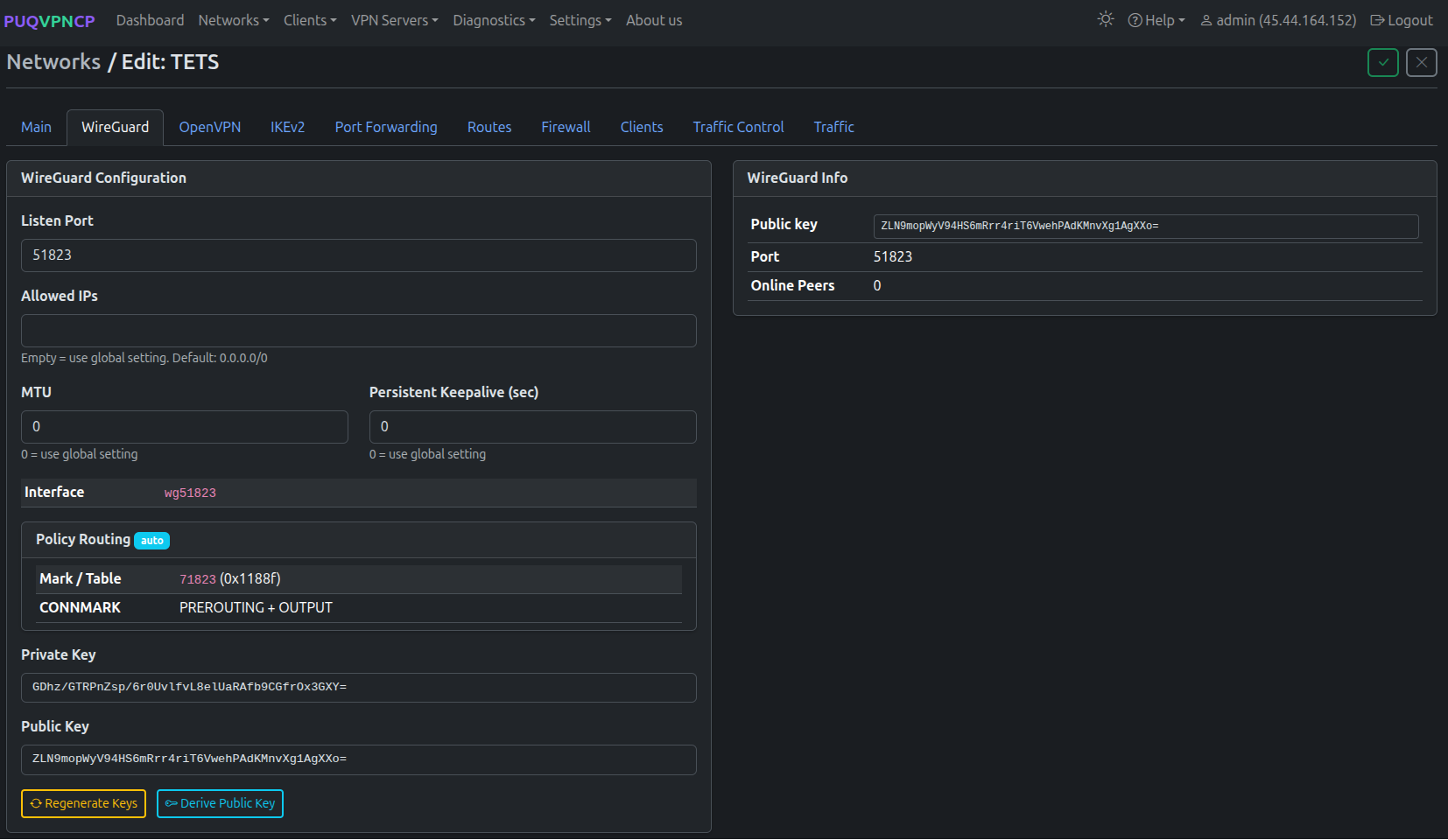 Network edit — WireGuard tab
| Field | Description |
|---|---|
| Listen Port | WireGuard UDP port for this network |
| Allowed IPs | Allowed IPs for peers (empty = use global 0.0.0.0/0) |
| MTU | Tunnel MTU (0 = use global setting) |
| Persistent Keepalive | Keepalive interval in seconds (0 = use global) |
| Interface | Auto-generated WireGuard interface name (e.g., wg51823) |
| Policy Routing | Mark/Table values and CONNMARK rules (auto-configured) |
| Private / Public Key | WireGuard key pair. Can be regenerated or derived. |
AmneziaWG Tab
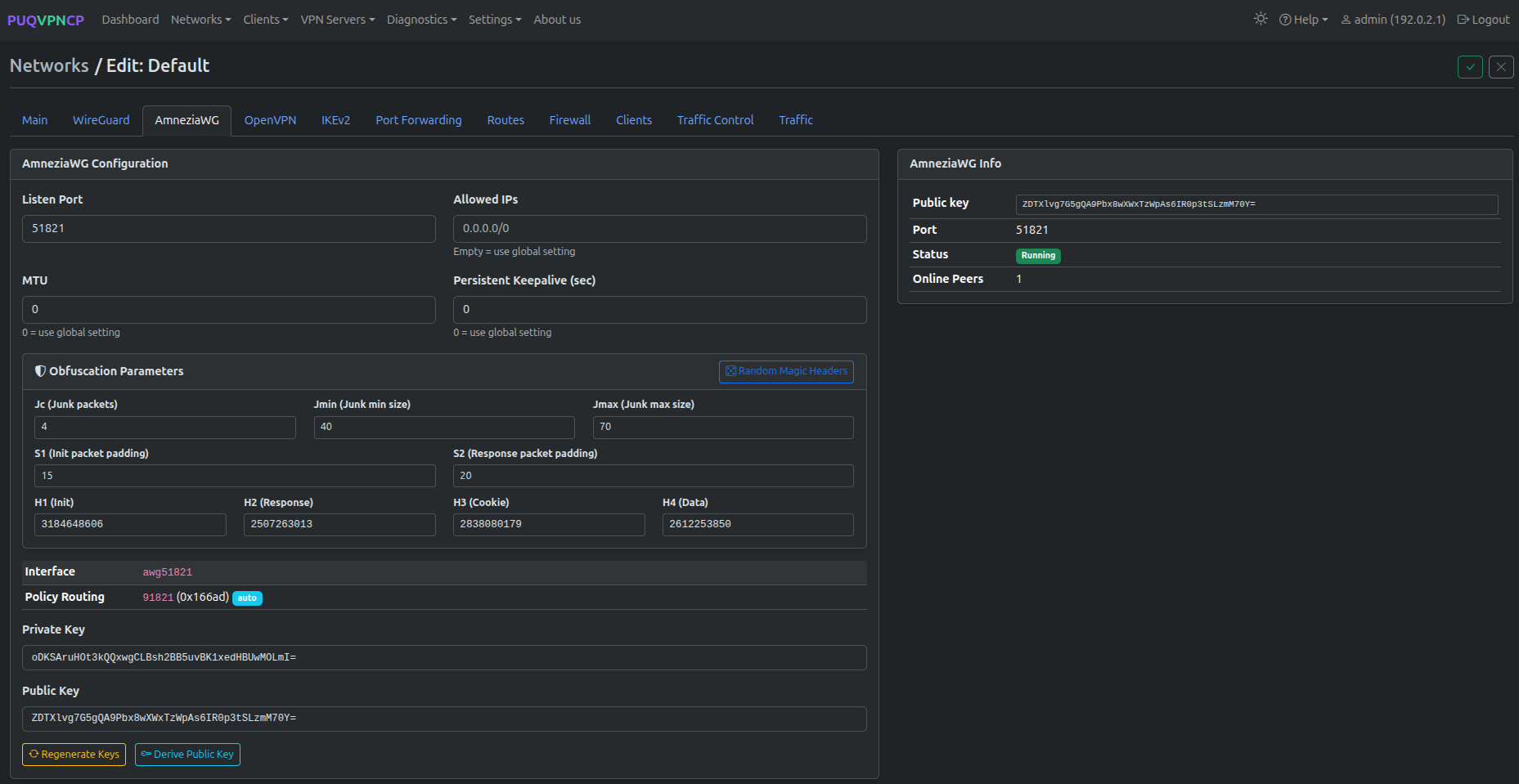 Network edit — AmneziaWG tab with obfuscation parameters and interface info
| Field | Description |
|---|---|
| Listen Port | AmneziaWG UDP port for this network |
| Allowed IPs | Allowed IPs for peers (empty = use global 0.0.0.0/0) |
| MTU | Tunnel MTU (0 = use global setting) |
| Persistent Keepalive | Keepalive interval in seconds (0 = use global) |
| Interface | Auto-generated AmneziaWG interface name (e.g., awg51821) |
| Magic Headers (H1–H4) | Custom or randomized packet headers to bypass DPI |
| Junk Packet Controls | Jc count, Jmin/Jmax size range, and S1/S2 junk sizes |
| Private / Public Key | Key pair for AmneziaWG encryption |
OpenVPN Tab
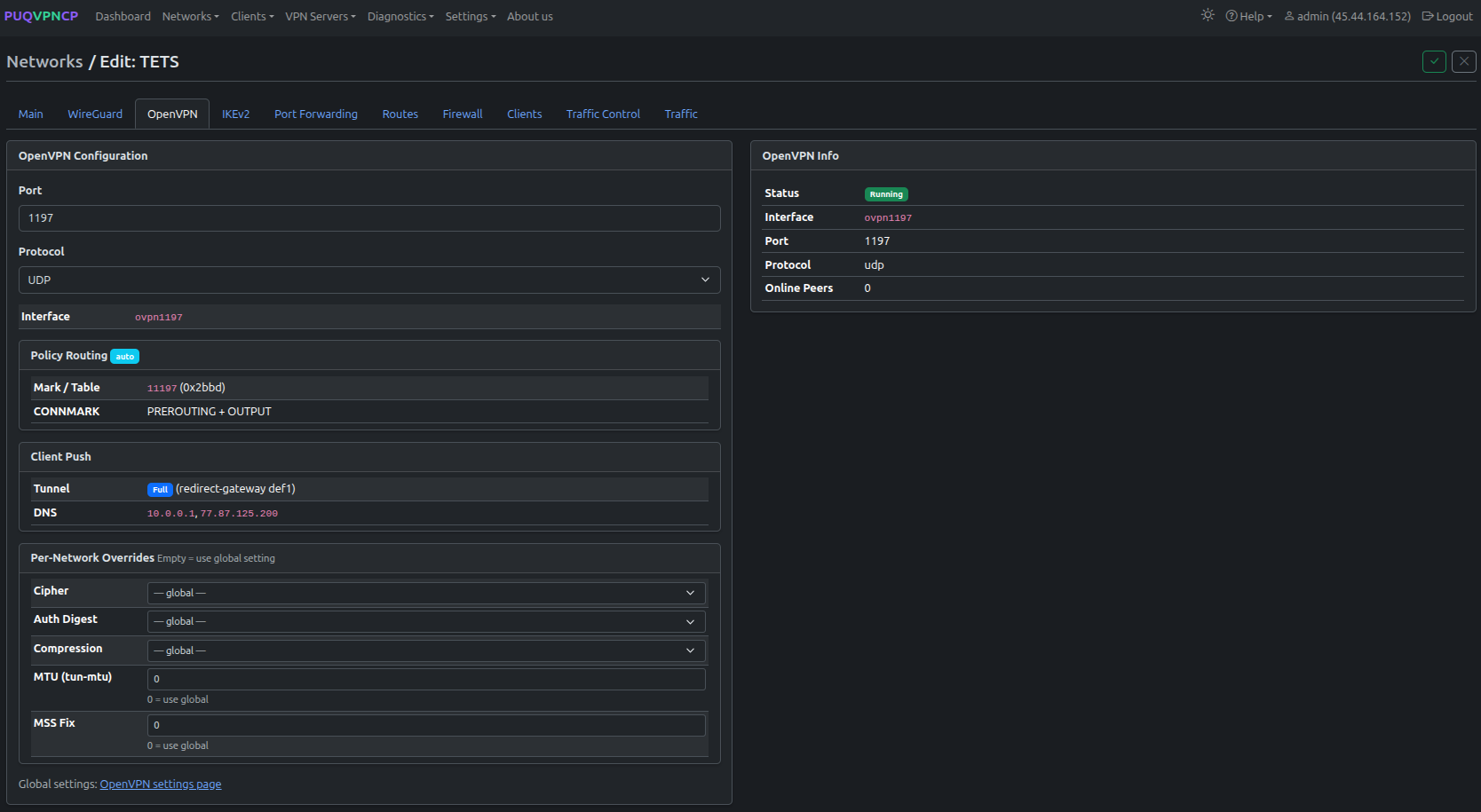 Network edit — OpenVPN tab
| Field | Description |
|---|---|
| Port | OpenVPN port for this network |
| Protocol | UDP or TCP |
| Interface | Auto-generated interface name (e.g., ovpn1197) |
| Policy Routing | Mark/Table and CONNMARK (auto-configured) |
| Client Push | Full or split tunnel, DNS settings |
| Per-Network Overrides | Cipher, Auth Digest, Compression, MTU, MSS Fix |
IKEv2 Tab
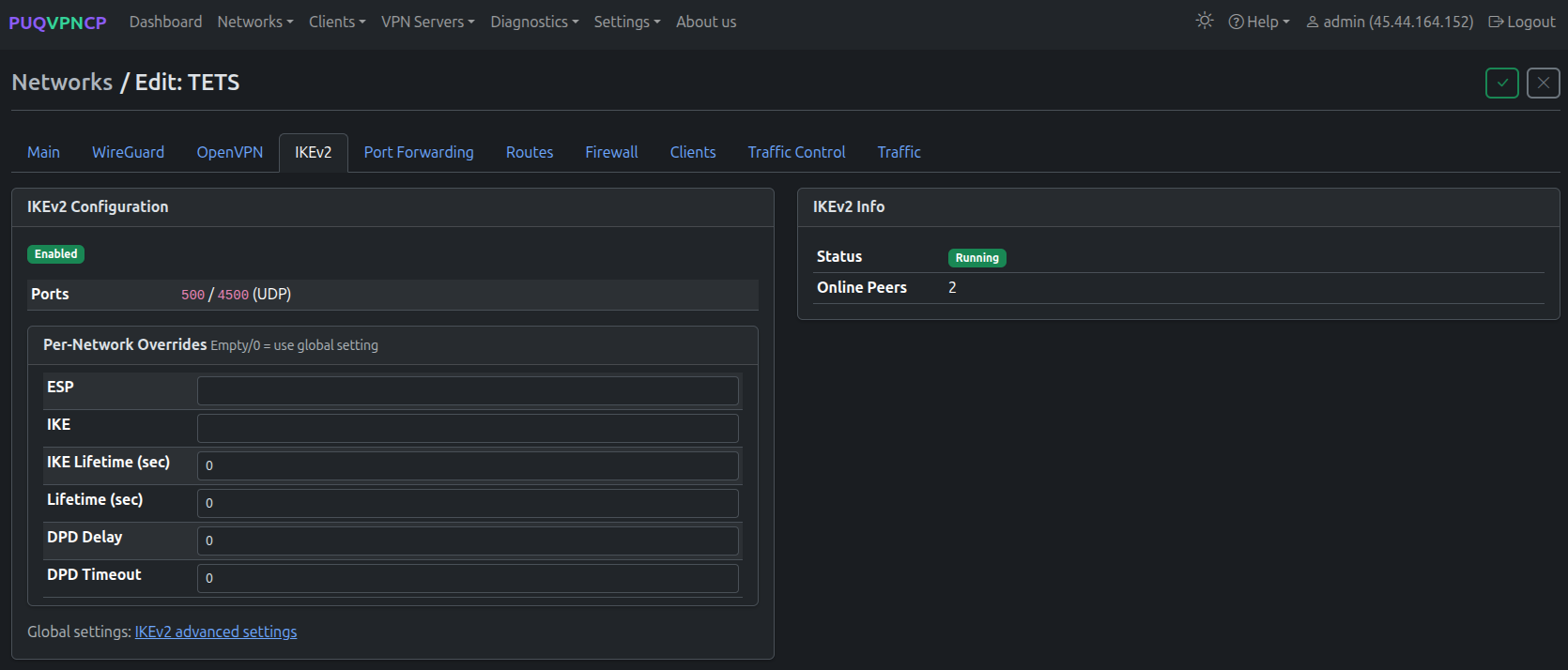 Network edit — IKEv2 tab
| Field | Description |
|---|---|
| Enabled | IKEv2 enabled for this network |
| Ports | 500 / 4500 UDP (standard IPsec) |
| Per-Network Overrides | ESP, IKE proposals, lifetimes, DPD settings |
Port Forwarding Tab
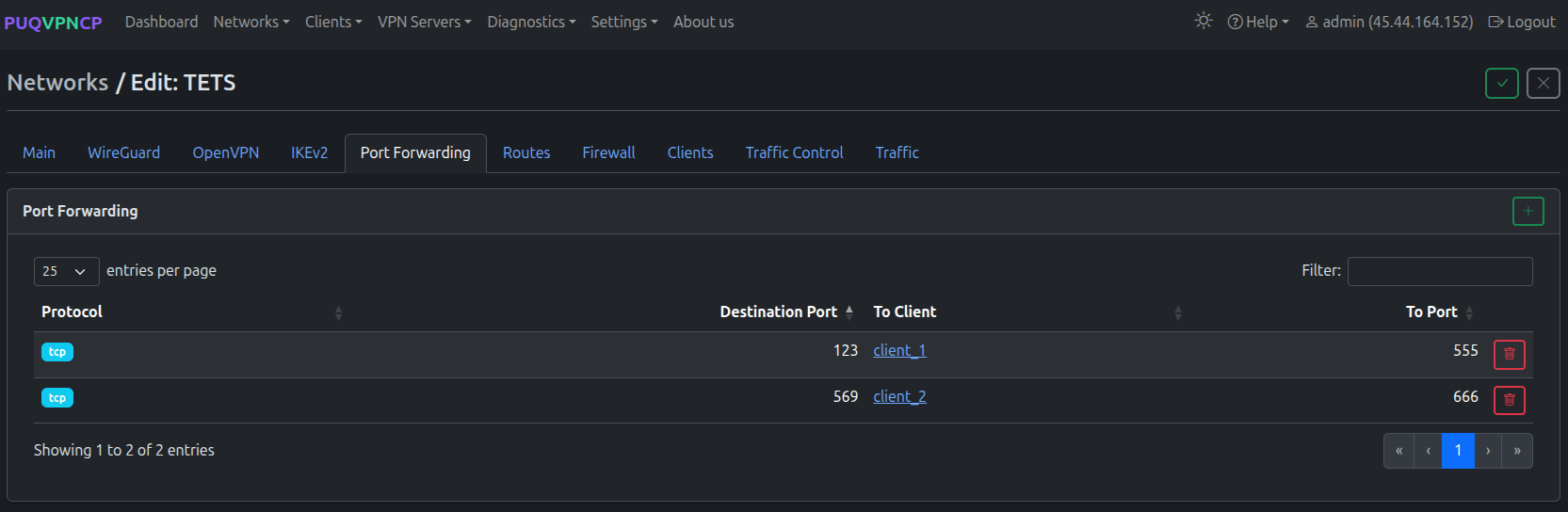 Network edit — Port Forwarding tab
Create DNAT rules to forward external ports to specific VPN clients. Each rule maps an external port to a client IP and destination port.
Routes Tab
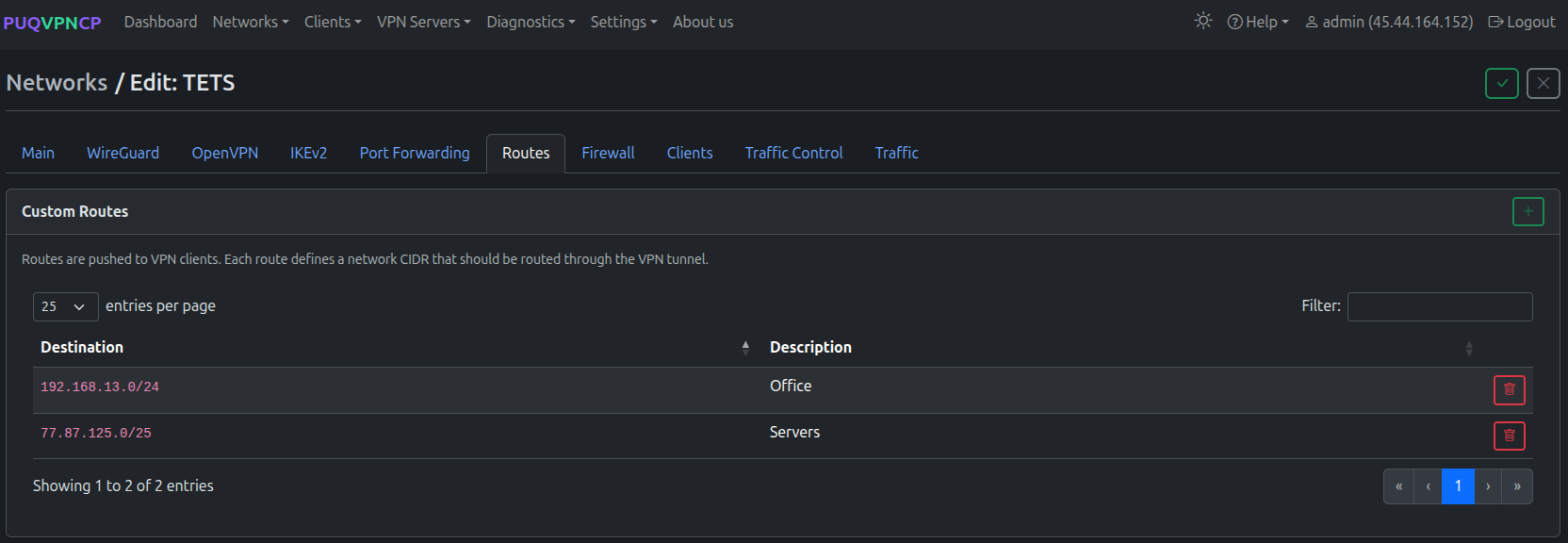 Network edit — Routes tab
Define custom routes that are pushed to VPN clients. Each route specifies a destination CIDR and description. Useful for split-tunnel configurations.
Firewall Tab
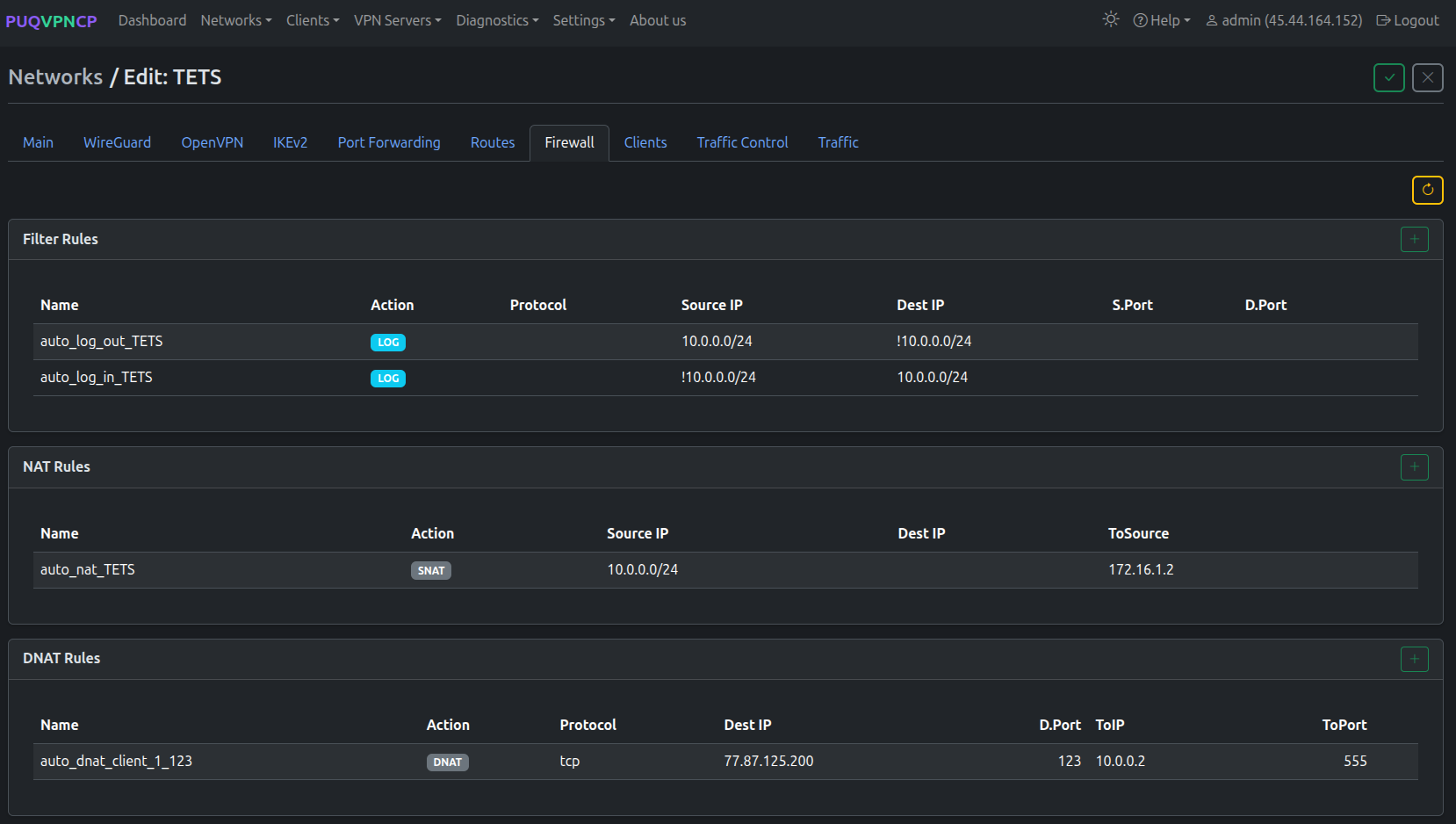 Network edit — Firewall tab
Per-network firewall rules organized by type:
- Filter Rules — traffic logging and filtering
- NAT Rules — SNAT rules (auto-generated for upstream)
- DNAT Rules — port forwarding rules (auto-generated from Port Forwarding tab)
- Mangle Rules — traffic marking for TC and policy routing (auto-generated)
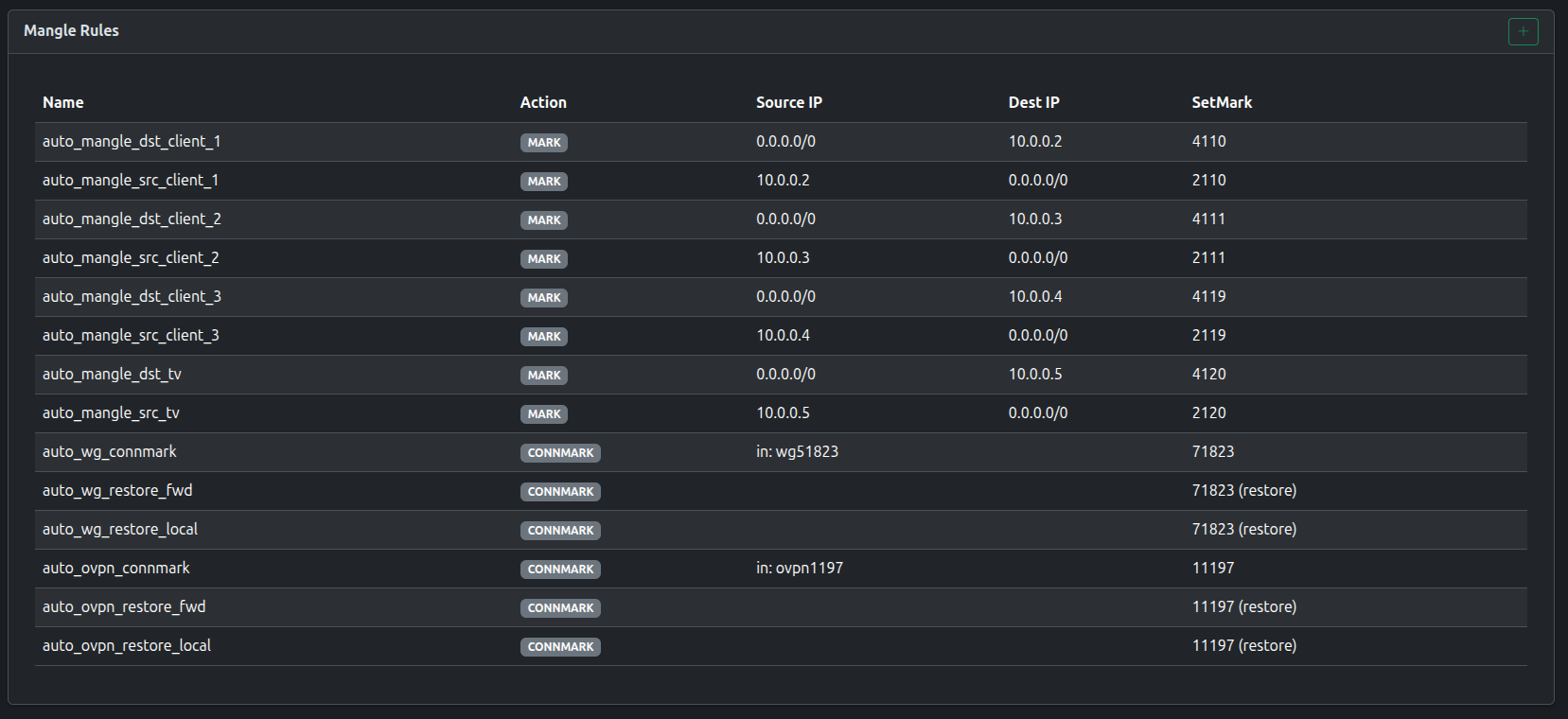 Network edit — Mangle rules for traffic control
Clients Tab
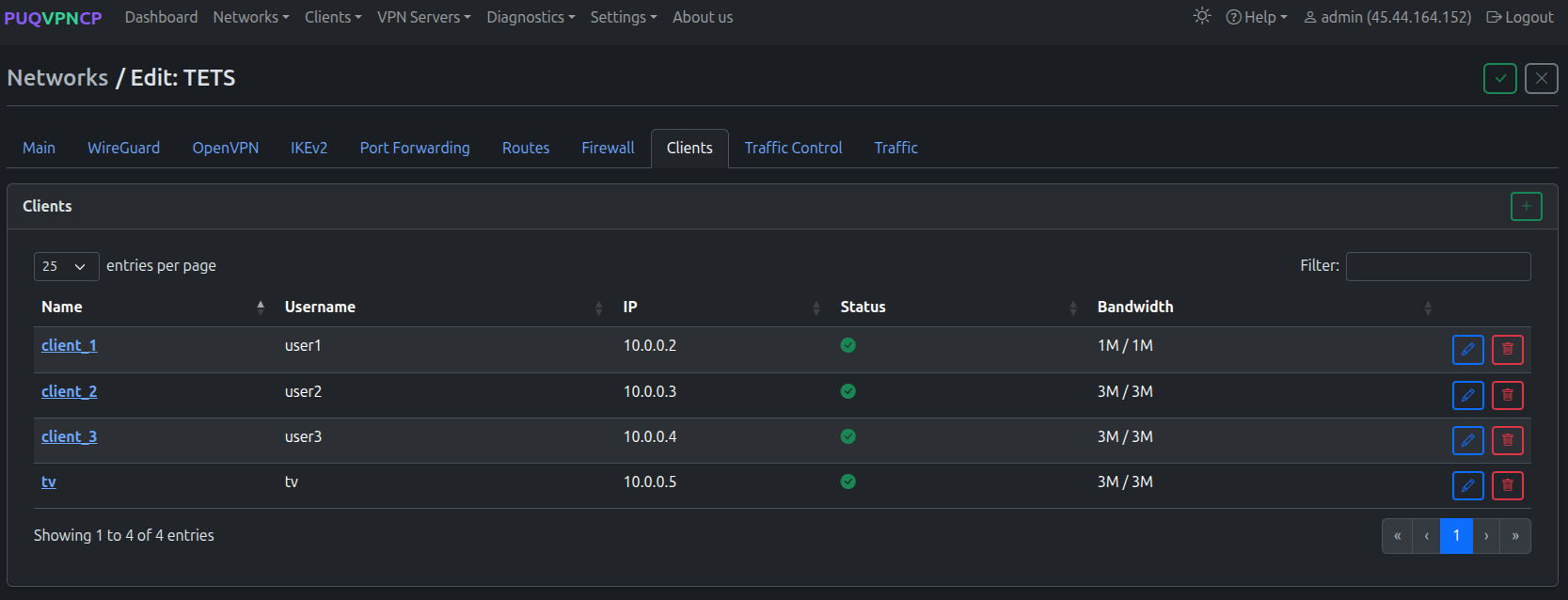 Network edit — Clients tab
Lists all clients in this network with their name, username, IP, status, and bandwidth.
Traffic Control Tab
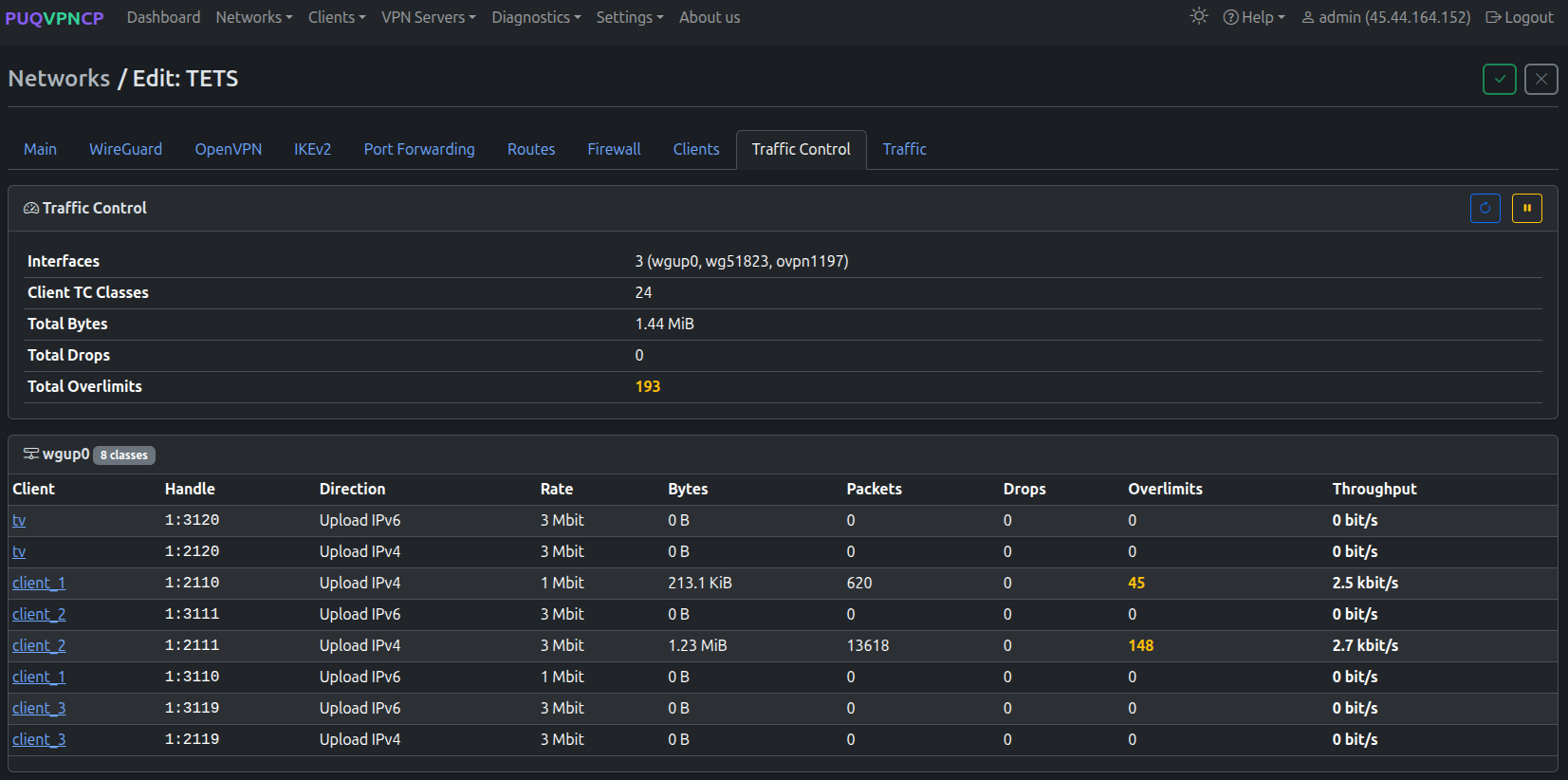 Network edit — Traffic Control tab (upload classes)
Real-time traffic control statistics showing TC classes for each client and direction:
- Interfaces — WireGuard, AmneziaWG, OpenVPN, and upstream interfaces
- Per-client rows — Handle, Direction, Rate, Bytes, Packets, Drops, Overlimits, Throughput
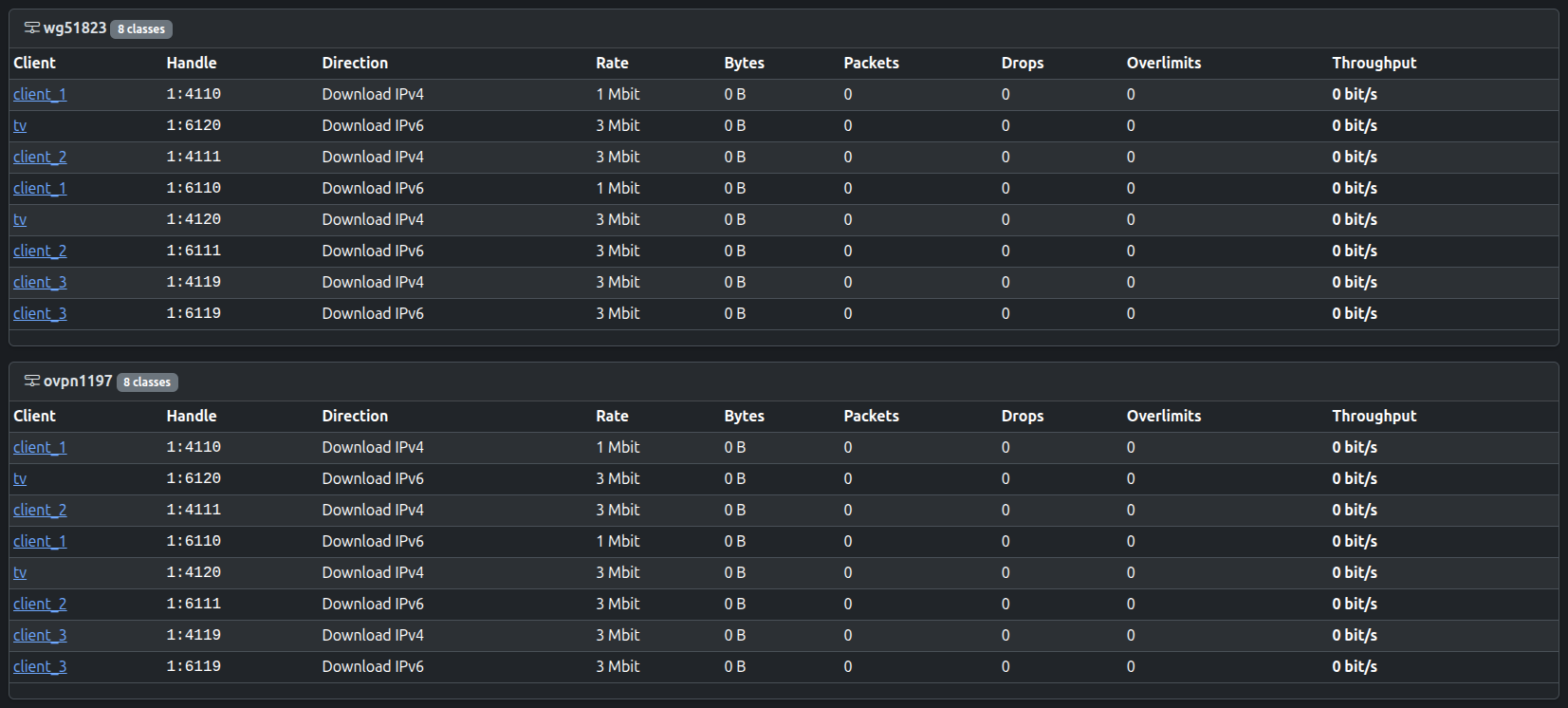 Traffic Control — download classes
Traffic Tab
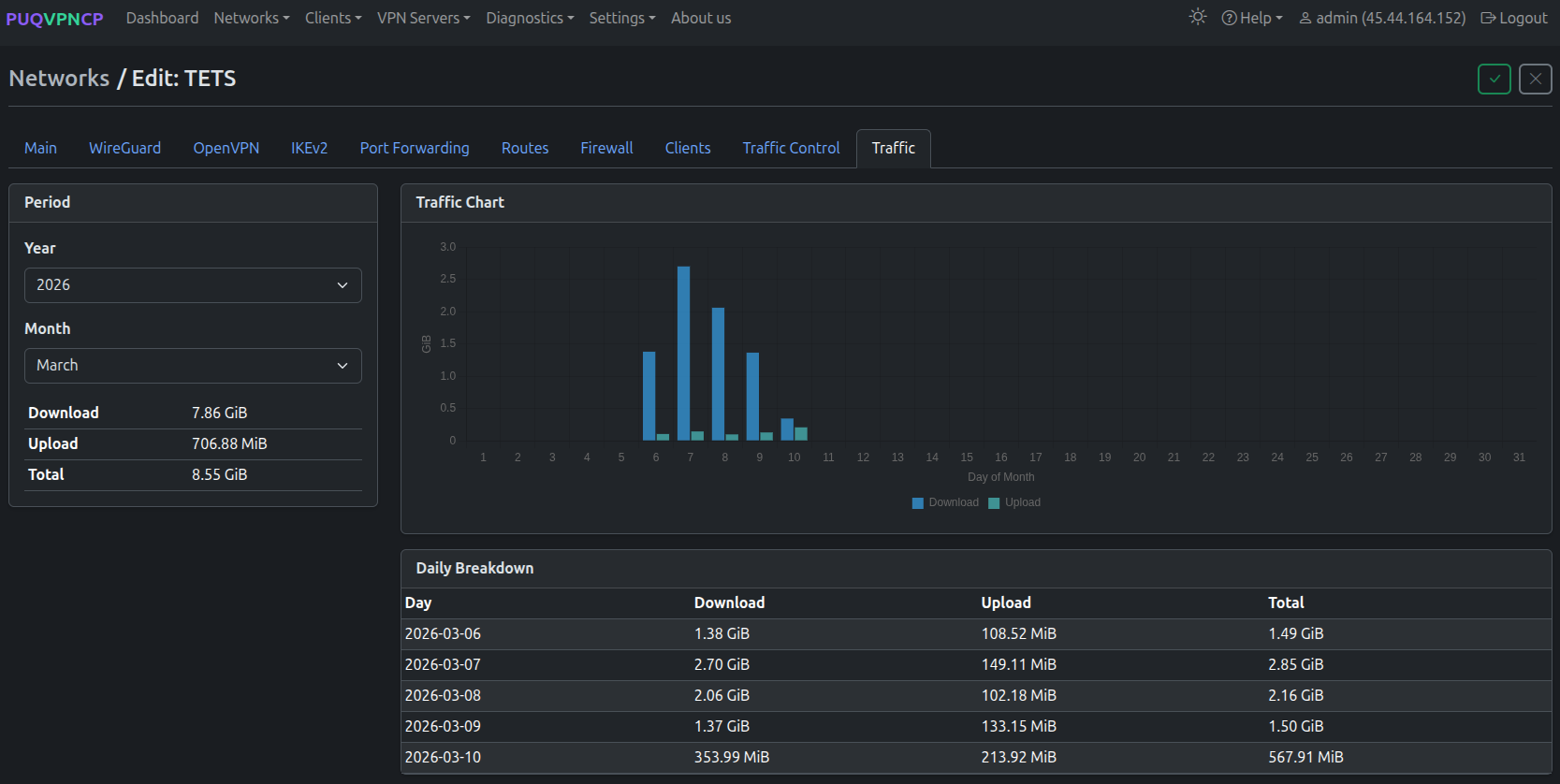 Network edit — Traffic tab with monthly chart and daily breakdown
Monthly traffic statistics with:
- Traffic Chart — daily download/upload bar chart
- Period selector — year and month
- Download / Upload / Total — aggregated numbers
- Daily Breakdown — per-day traffic table