 Skip to main content
07. WireGuard
Overview
WireGuard is a modern, high-performance VPN protocol built into the Linux kernel. It is the fastest protocol supported by PUQVPNCP, offering:
- Minimal overhead — only ~60 bytes per packet
- Quick connections — sub-second handshake
- Strong cryptography — Curve25519, ChaCha20, Poly1305
- Roaming support — seamlessly switch between Wi-Fi and cellular
WireGuard is ideal for mobile devices, low-latency applications, and high-throughput scenarios.
Need Anti-Censorship or DPI Bypass? If standard WireGuard packets are detected or throttled by deep packet inspection (DPI) firewalls, use AmneziaWG — a specialized WireGuard fork with header obfuscation and junk packet injection.
Requirement:
wireguardandwireguard-toolspackages must be installed. Check via Settings > Environment.
Overview Tab
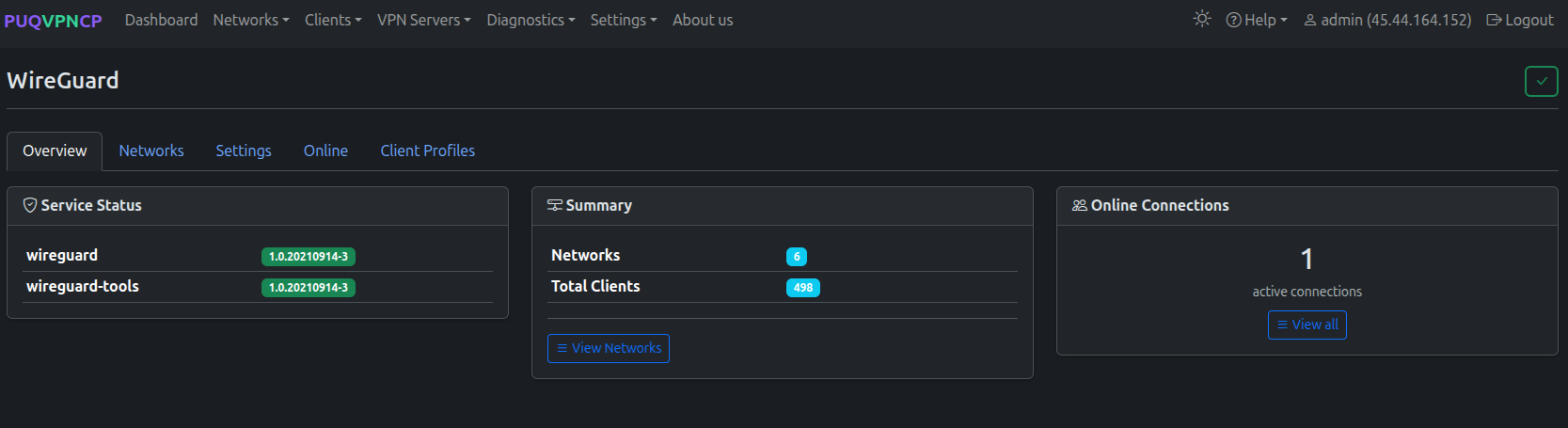 WireGuard overview — service status, summary, online connections
The Overview tab shows:
| Card | Description |
|---|---|
| Service Status | Installed wireguard and wireguard-tools package versions |
| Summary | Total number of WireGuard networks and clients |
| Online Connections | Number of currently active WireGuard connections with a link to view all |
Networks Tab
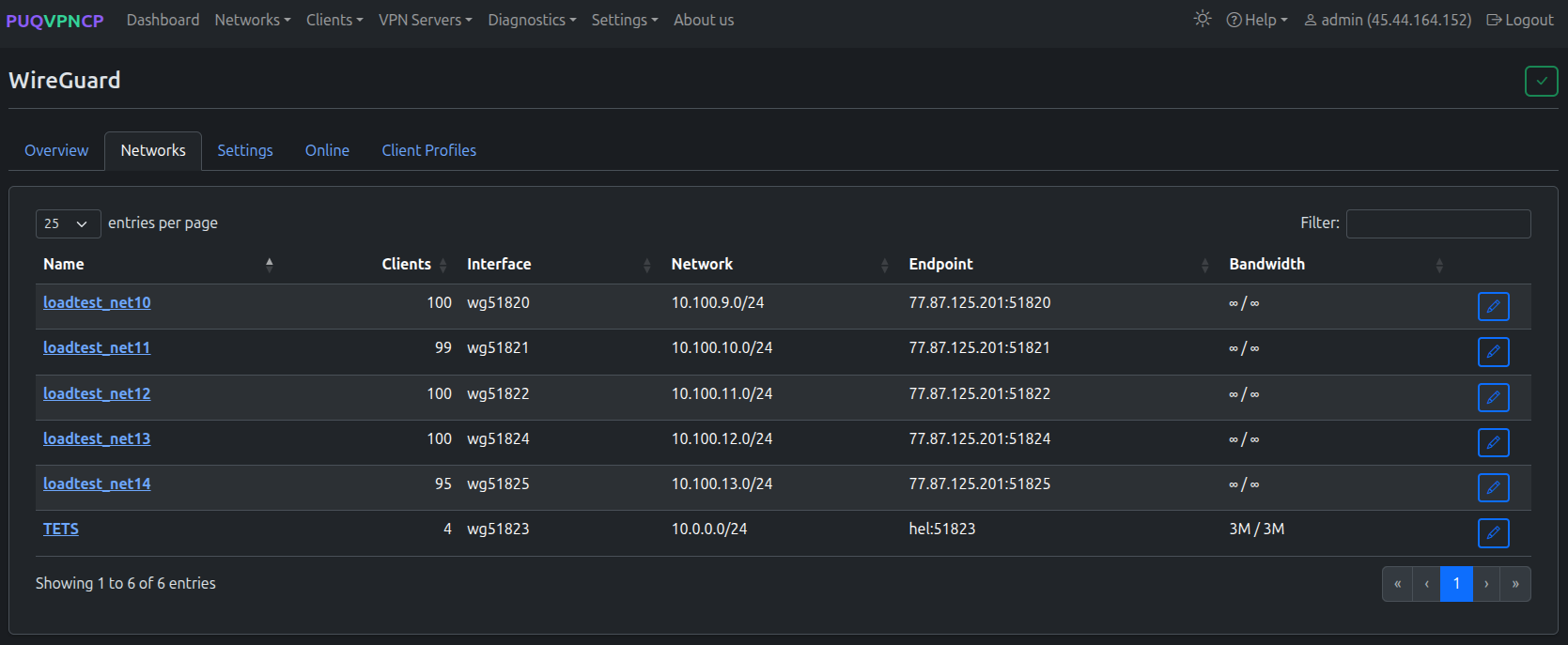 WireGuard networks — list of all WireGuard interfaces
Shows all networks that have WireGuard enabled:
| Column | Description |
|---|---|
| Name | Network name (link to network edit page) |
| Clients | Number of WireGuard clients in this network |
| Interface | WireGuard interface name (e.g., wg51820) |
| Network | Subnet assigned to this network |
| Endpoint | Server IP and UDP port for client connections |
| Bandwidth | Upload / download bandwidth limits |
Each network has its own WireGuard interface with independent settings. See the Networks page for per-network WireGuard configuration.
Settings Tab
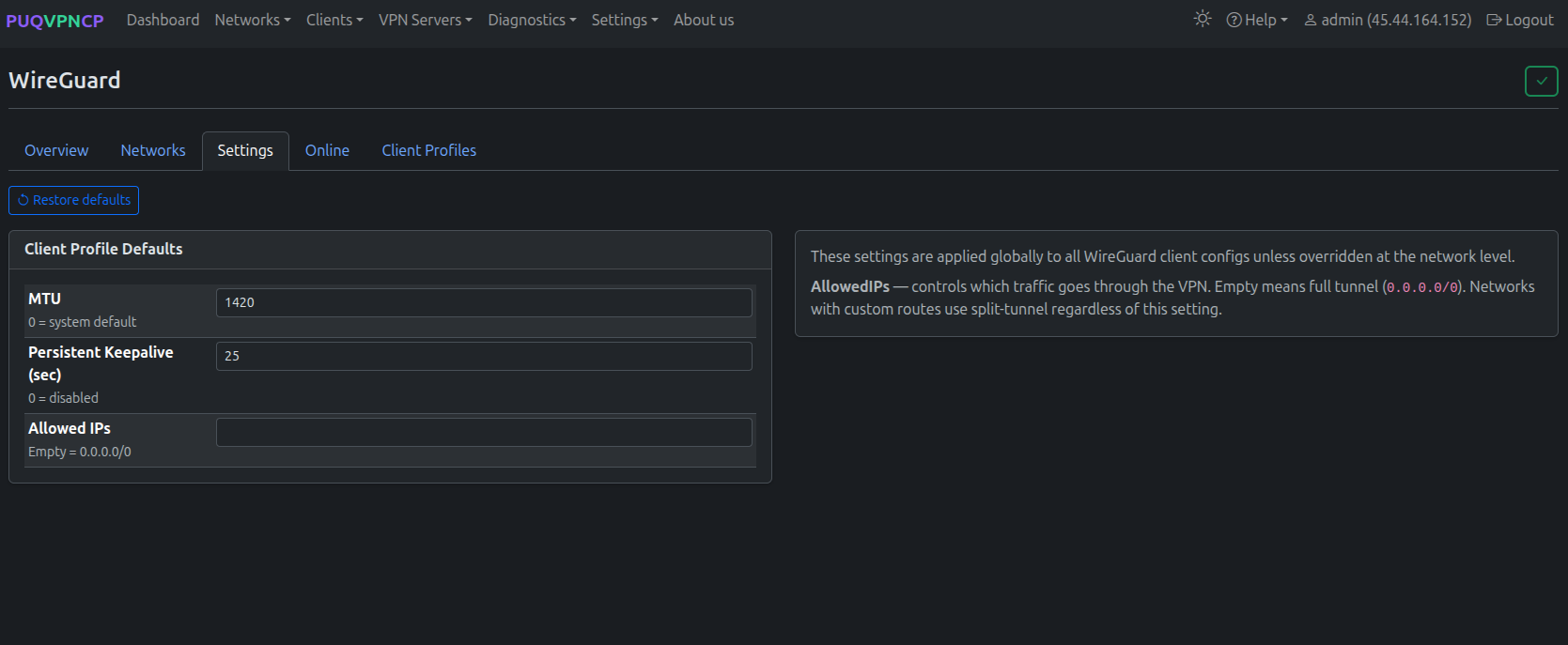 WireGuard settings — client profile defaults
Configure global defaults for WireGuard client profiles. These settings are applied to all WireGuard client configs unless overridden at the network level.
| Setting | Description | Default |
|---|---|---|
| MTU | Tunnel MTU (0 = system default) | 1420 |
| Persistent Keepalive (sec) | Keepalive interval (0 = disabled) | 25 |
| Allowed IPs | Controls which traffic goes through VPN. Empty = full tunnel (0.0.0.0/0). Networks with custom routes use split-tunnel regardless of this setting |
(empty) |
Use the Restore defaults button to reset all settings to their original values.
Online Tab
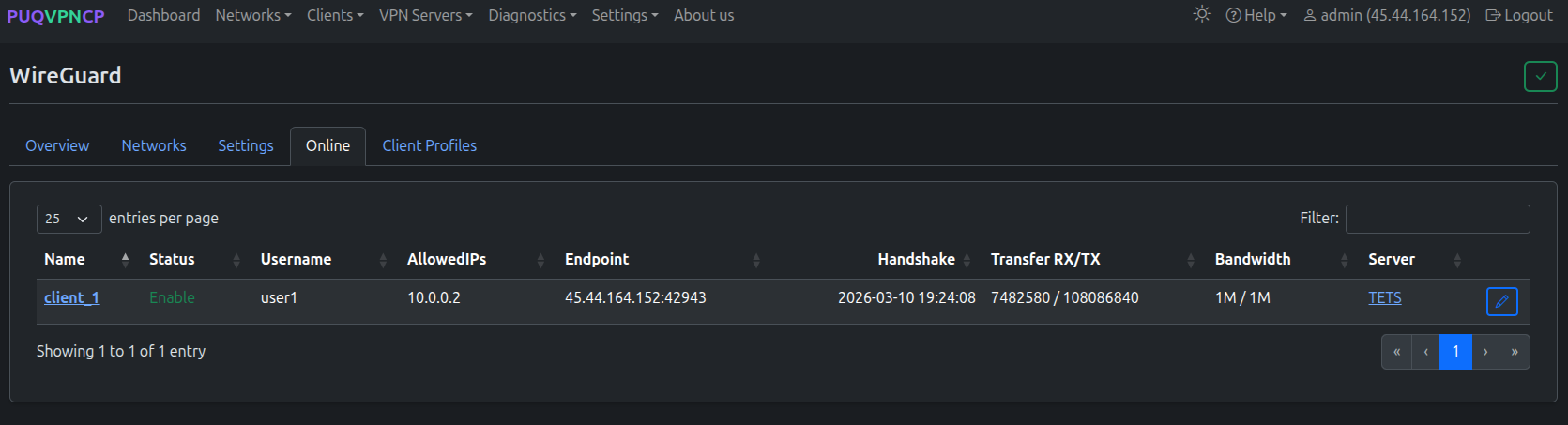 WireGuard online users — currently connected peers
Shows all WireGuard peers with a recent handshake:
| Column | Description |
|---|---|
| Name | Client name (link to client page) |
| Status | Enable/Disable |
| Username | System user who owns this client |
| AllowedIPs | Client's VPN IP address |
| Endpoint | Client's real IP address and port |
| Handshake | Last handshake timestamp |
| Transfer RX/TX | Bytes received / sent |
| Bandwidth | Configured bandwidth limit |
| Server | Network name |
Client Profiles Tab
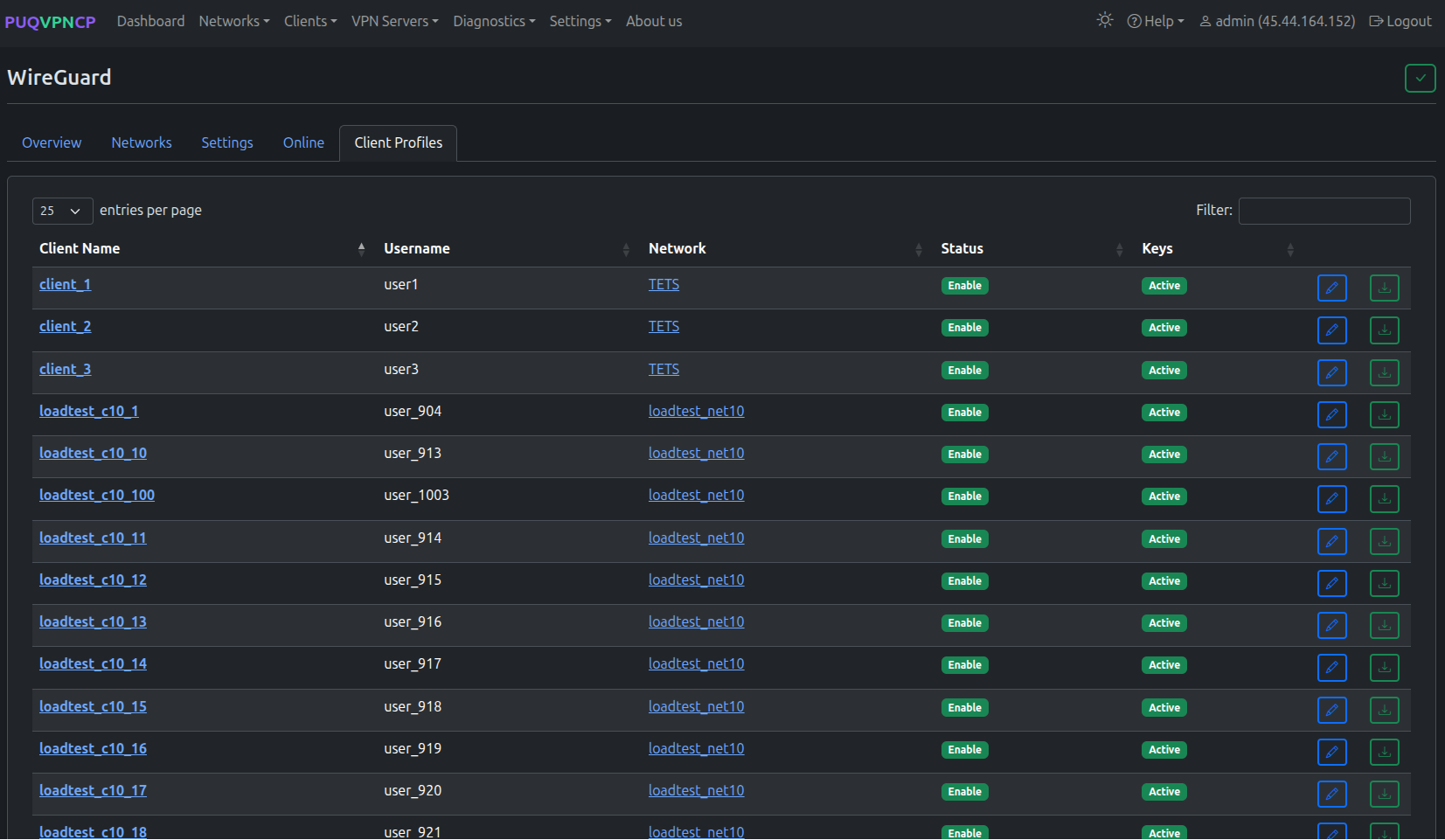 WireGuard client profiles — all clients across all networks
Lists all WireGuard clients across all networks:
| Column | Description |
|---|---|
| Client Name | Client name (link to client page) |
| Username | System user who owns this client |
| Network | Network this client belongs to |
| Status | Enable/Disable |
| Keys | Key status (Active = keys generated) |
Each client row has buttons to edit the client and download the WireGuard configuration file.
Client Configuration
Each client automatically gets:
- A unique WireGuard key pair (regeneratable)
- A configuration file ready to import into any WireGuard client
- A QR code for scanning on mobile devices
Supported client platforms:
- Windows — official WireGuard app
- macOS — official WireGuard app or App Store
-
Linux —
wg-quickor NetworkManager - Android — WireGuard app from Google Play
- iOS — WireGuard app from App Store
- Mikrotik — RouterOS 7+ native WireGuard
How It Works
Client App                    PUQVPNCP Server
----------                    ---------------
[WireGuard]  ---- UDP ----->  [wg51823 interface]
                                    |
                              iptables mangle (mark)
                                    |
                              policy routing (table)
                                    |
                              +-------------+
                              |  Upstream   |
                              | (direct or  |
                              |  wgupN)     |
                              +-------------+
                                    |
                              SNAT + forward
                                    |
                                Internet
- Client connects to the WireGuard UDP port
- Packets arrive on the network's WireGuard interface (e.g.,
wg51823) - iptables mangle rules mark the traffic for policy routing
- Traffic is routed through the configured upstream (direct internet or WireGuard tunnel)
- SNAT is applied for internet access