 Skip to main content
Client Dashboard
PUQ Web Hosting module WHMCS
Order now | Download | Community
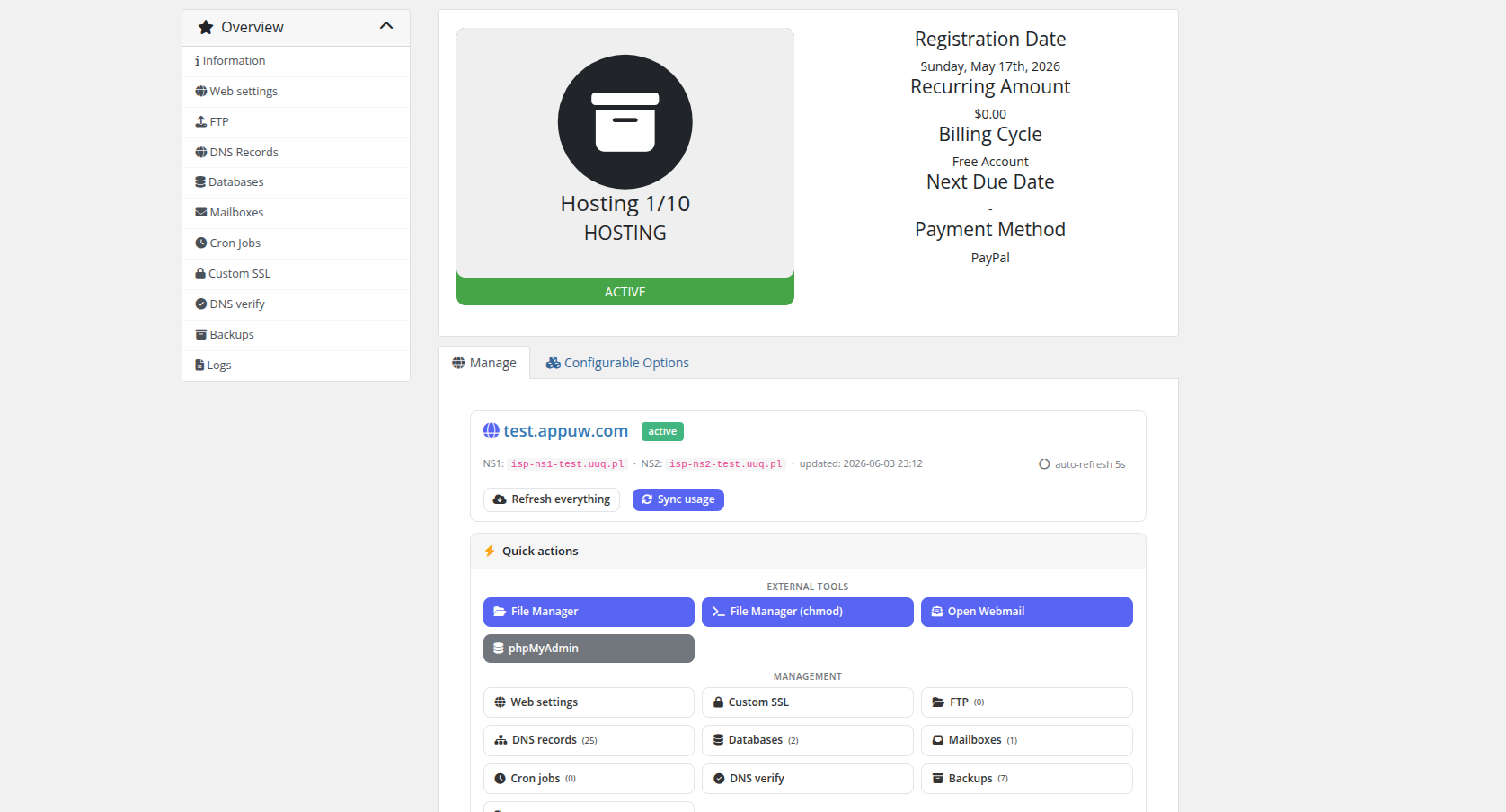
When a customer opens an active hosting service they land on a two‑column Web | Mail dashboard that summarises everything at a glance.
Layout
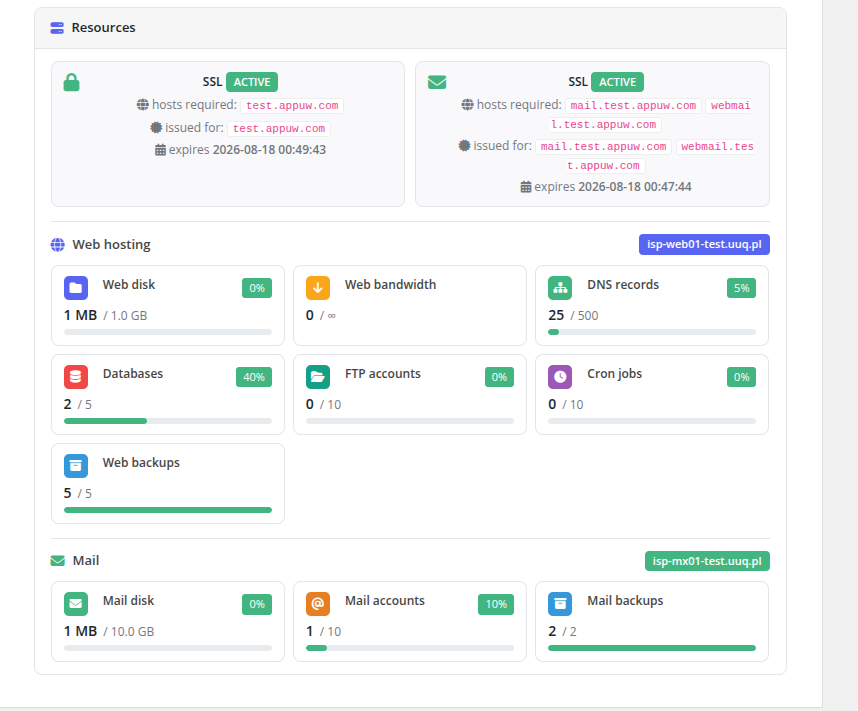
- Web card — website URL, web server, PHP version, SSL state, and live usage bars (disk, bandwidth, databases, FTP accounts…).
- Mail card — webmail link, mail server, SSL state, and mailbox/quota usage bars.
- Quick actions — one‑click shortcuts to the panel, webmail, and the most‑used resource pages.
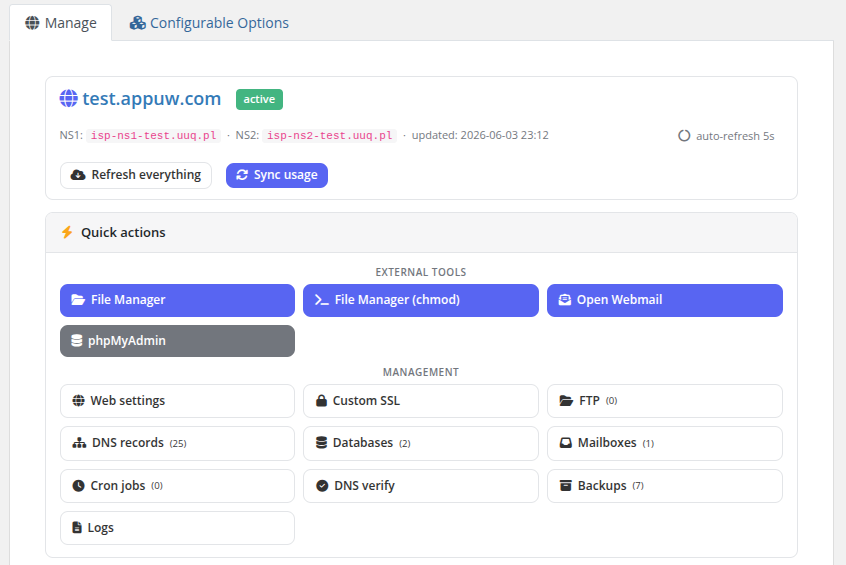
The usage bars are read from the local database (kept fresh by the usage‑sync cron); Sync now enqueues an on‑demand recompute if the customer wants the latest numbers immediately.
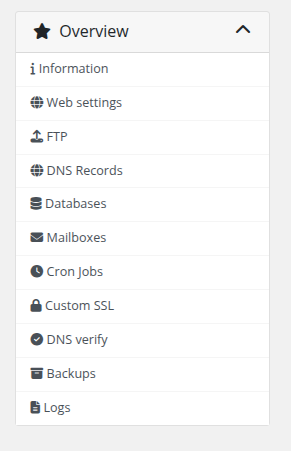
Navigation
During deployment the customer sees a live progress splash instead of the dashboard; on failure, an error screen with a Try again button (if the product allows redeploy). See Deployment & Segmentation → How deployment works.