 Skip to main content
Server Groups
PUQ Web Hosting module WHMCS
Order now | Download | Community
A server group bundles a set of nodes together. A WHMCS product points at one group, and the module places each service's roles on the group's capable nodes. Groups are managed under Infrastructure → Server Groups.
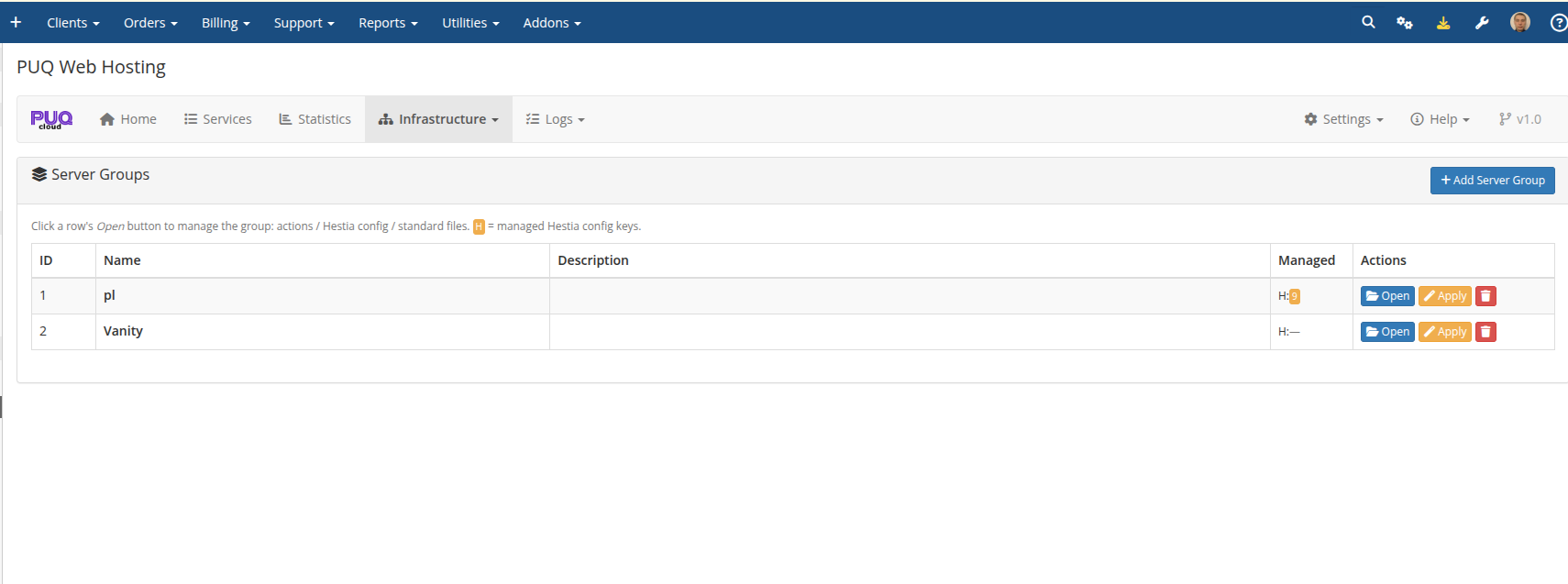
Click Open on a row to manage the group. The H: badge shows how many hestia.conf keys the group manages.
Group purpose: Standard vs Vanity
The first decision, on the group's General tab, is Group purpose:
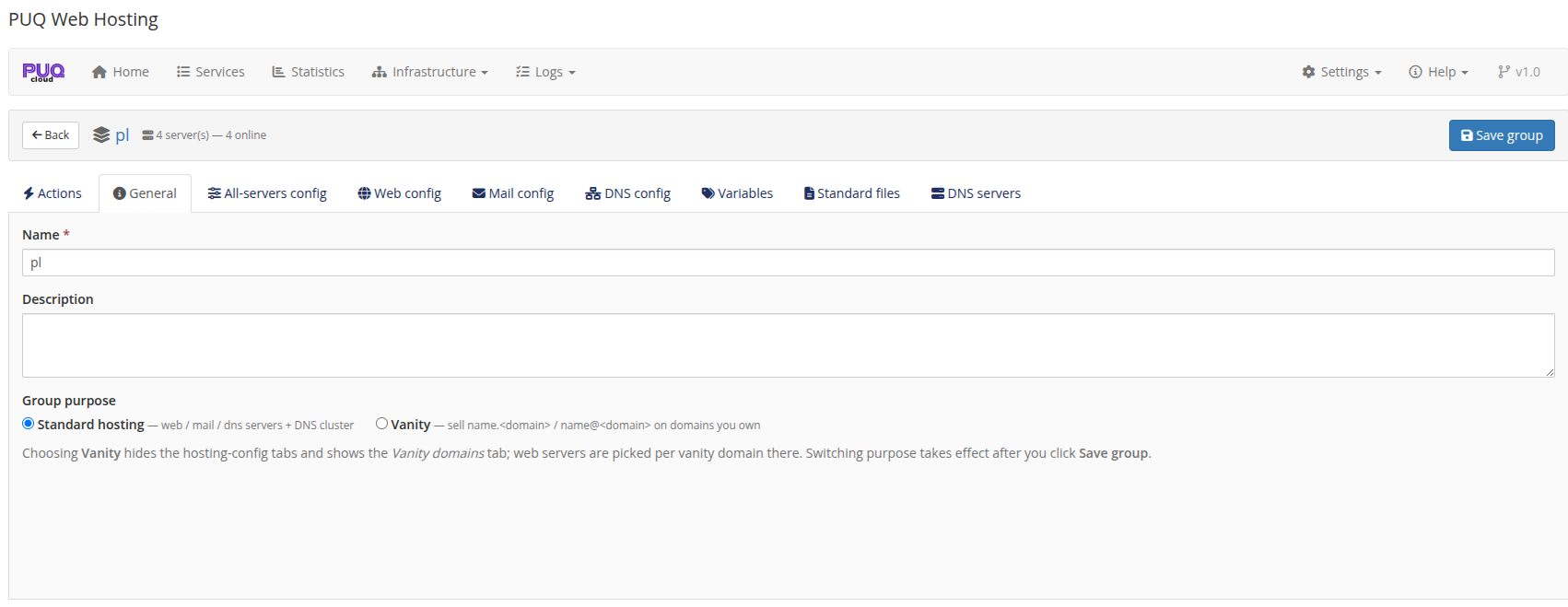
- Standard hosting — web / mail / DNS servers + a DNS cluster. Used by Split and Unified products.
-
Vanity — sell
name.<domain>/name@<domain>on domains you own. Choosing this hides the hosting‑config tabs and shows the Vanity domains tab. (See the dedicated Vanity Mode chapter.)
Attach DNS servers (the cluster)
On the group's DNS servers tab, tick the nameservers this group replicates zones to. DNS servers are independent and shared — one server can back many groups. Every zone for the group is pushed to every attached DNS node (active‑active).
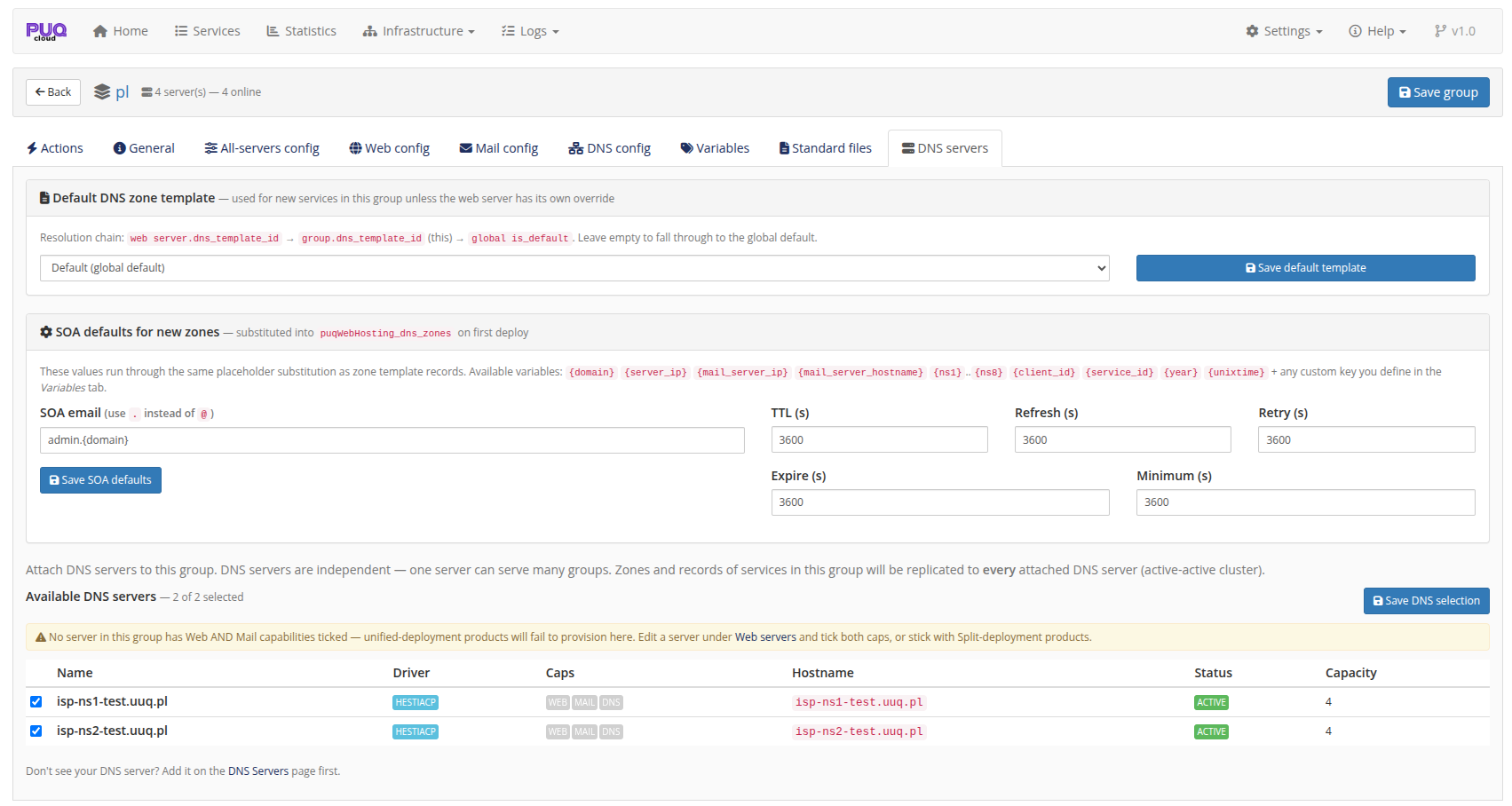
This tab is also where you set the group's default DNS zone template and SOA defaults for new zones.
Apply configuration
The group's Actions tab lets you push the managed Hestia configuration and standard files to the members, per role (all / web‑only / mail‑only / DNS‑only). The detail of role‑targeted config (hestia.conf management, drift, standard files) is covered in Addon Module → Server‑group editor and Deployment & Segmentation → Server segmentation.
A minimal setup is one group containing your nodes. As you grow, use multiple groups to separate locations/tiers or to offer different SLAs, and a separate Vanity group for your name‑selling offers.