 Skip to main content
Task Queue & Logs
PUQ Web Hosting module WHMCS
Order now | Download | Community
Everything the module does runs through a task queue processed by the cron runner. The Logs menu exposes both the live queue and a persistent operation history.
Task Queue
Logs → Task Queue is the live worker view: each task's ID, service, target, action (e.g. server.collectStatus, web.addFtp), status, attempts, priority, schedule and error.
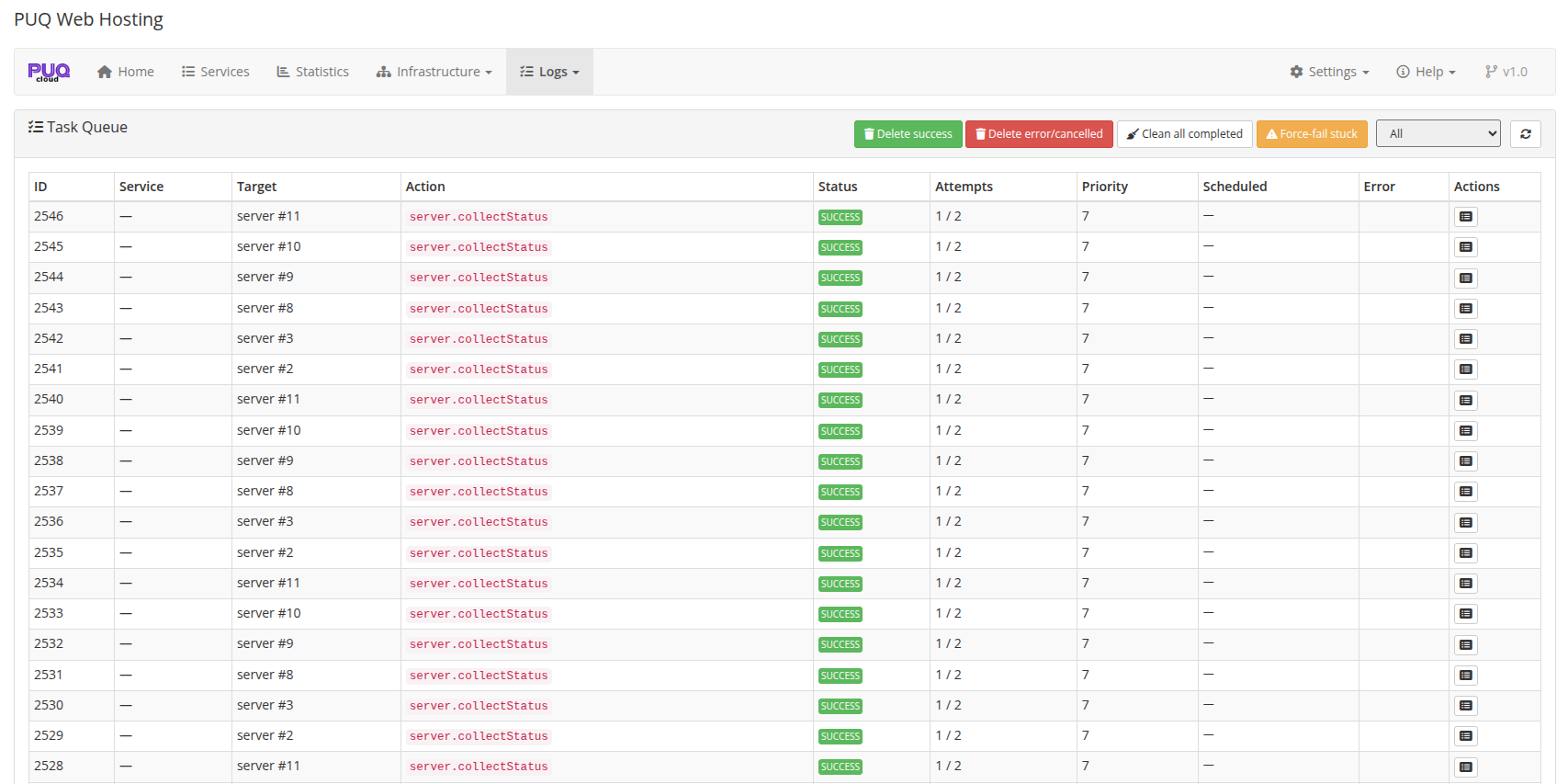
Bulk controls let you tidy up: Delete success / error / cancelled, Clean all completed, and Force‑fail stuck (for tasks wedged by an unreachable node).
Operation Log
Logs → Operation Log is a persistent, per‑operation timeline (status collection, deploys, etc.) — useful for auditing what happened and when.
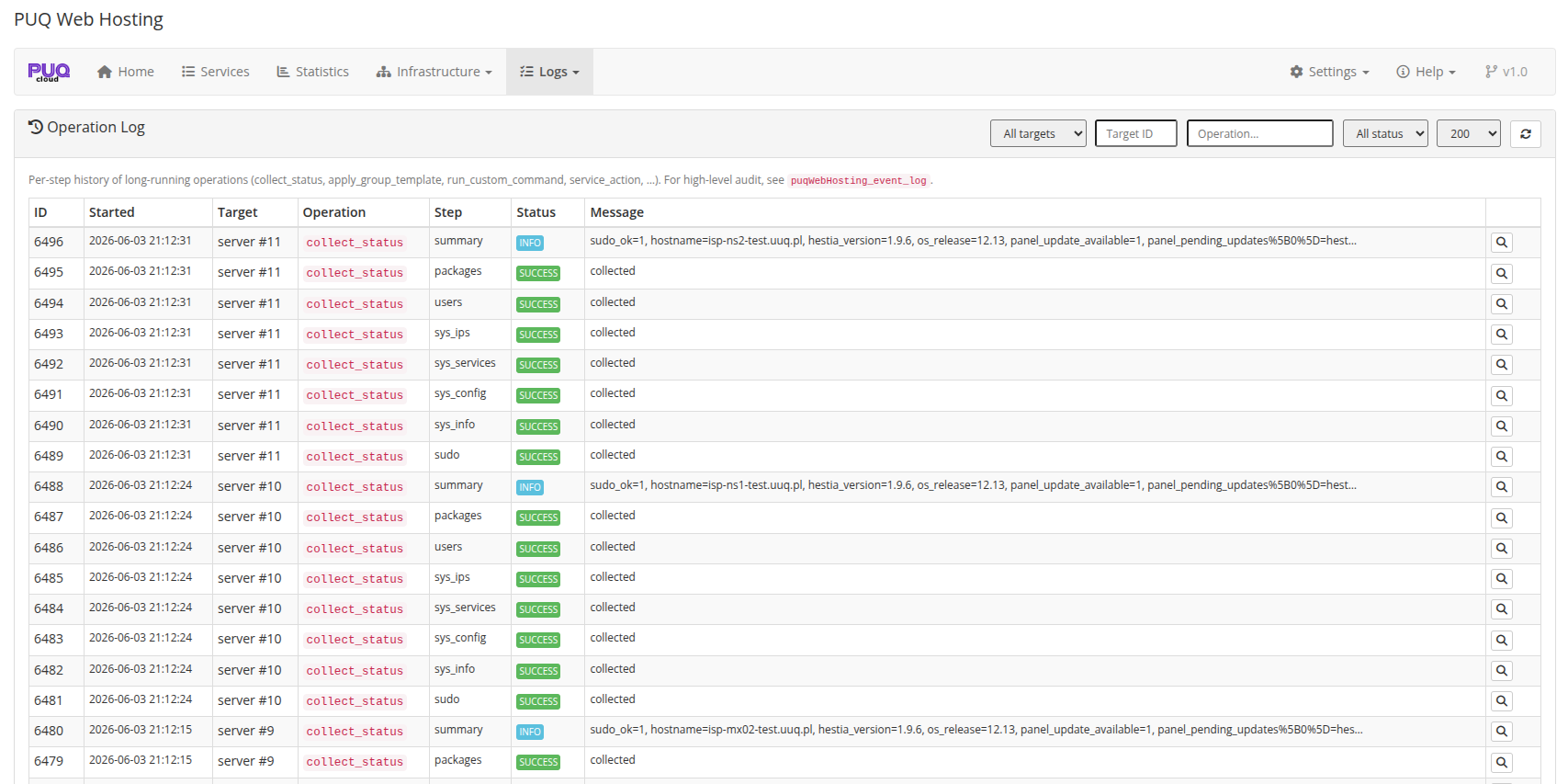
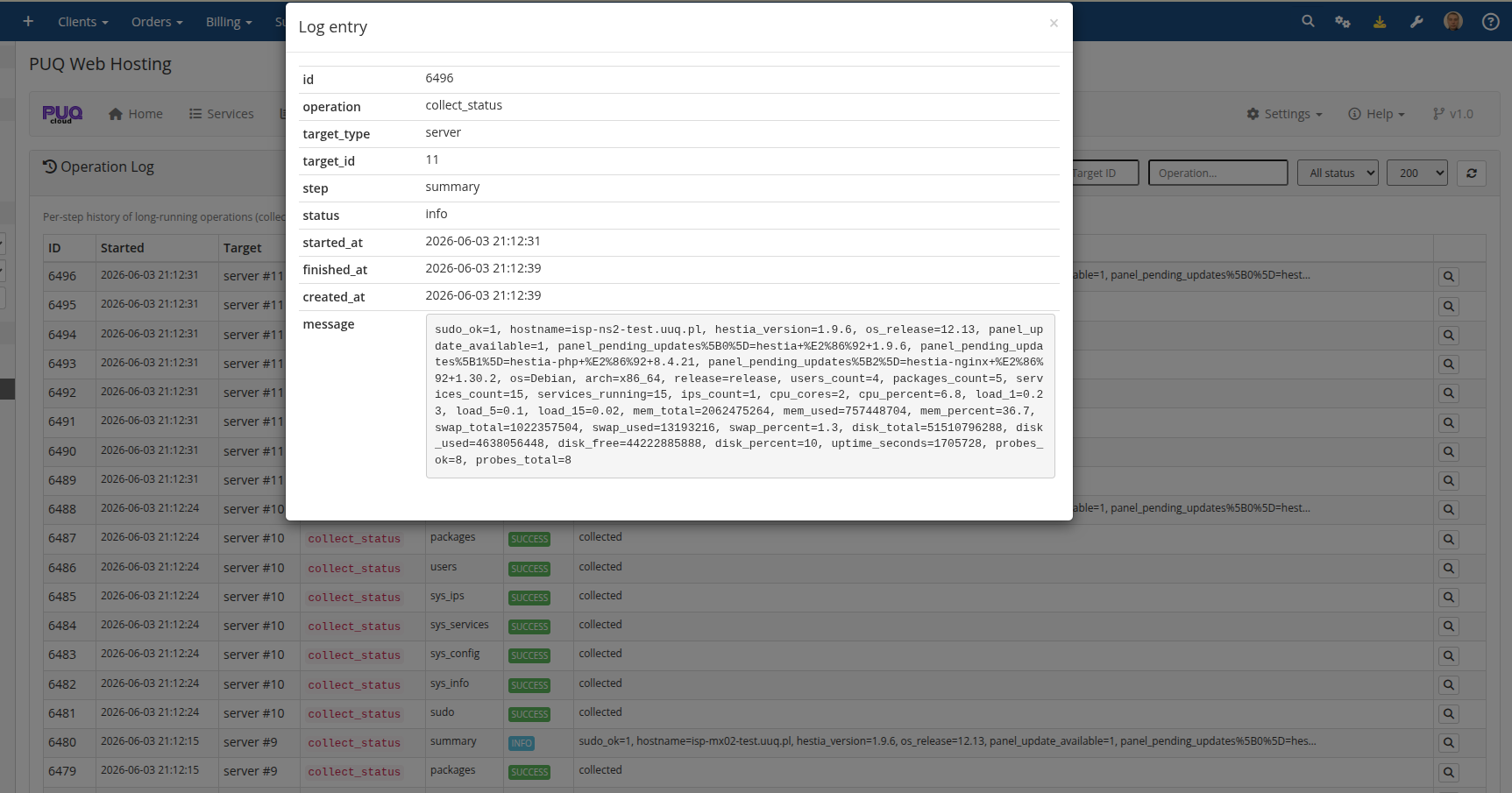
Click a row to open the full detail — the operation, target, step, status and the complete message body:
The retry policy (how many times and how fast failed tasks retry) and the optional support ticket on terminal failure are configured in Settings → General / Notifications, and explained in Cron & Automation → Task queue, retries & tickets.