 Skip to main content
Vanity: Order & Client Experience
PUQ Web Hosting module WHMCS
Order now | Download | Community
This page follows a vanity order from the WHMCS cart through to the live customer dashboard.
On the order form
The vanity product's order form asks the buyer to choose a name and a domain, with a single helper line: “lowercase letters, digits and hyphens — this is your website name and your email name.” Website/mailbox quota dropdowns and a live price summary sit alongside.
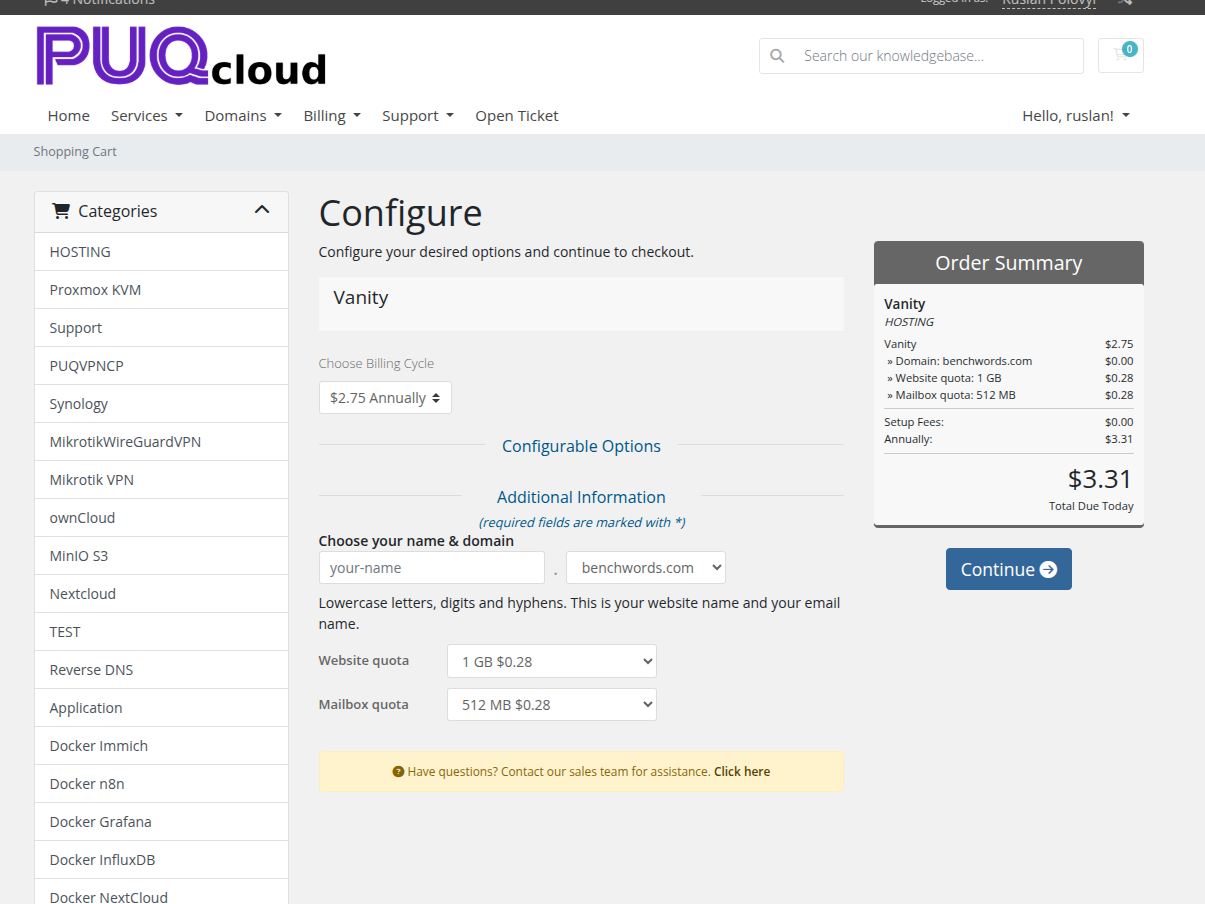
As the buyer types, the module checks availability live against your API. A taken or reserved name is rejected with the reason, and a live preview shows exactly what they'll get:
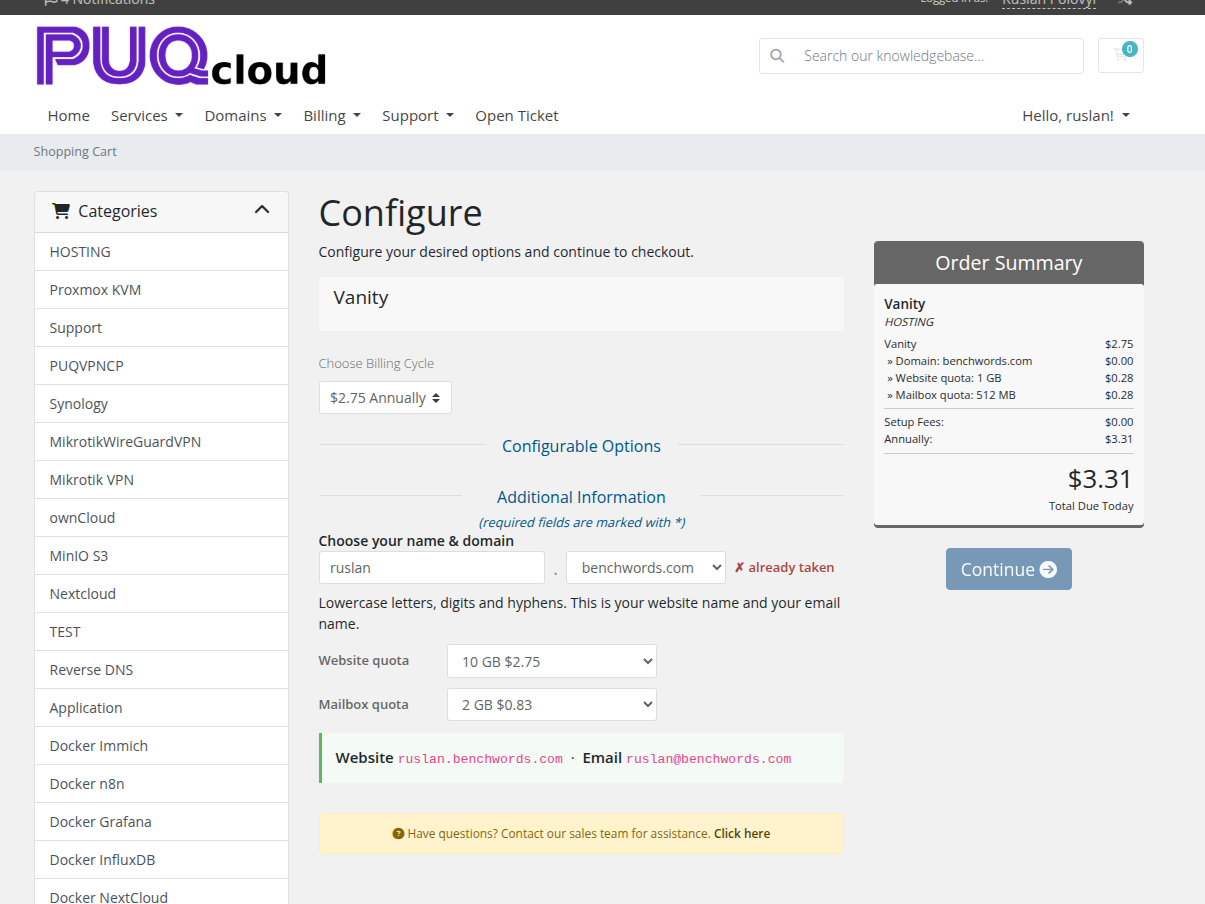
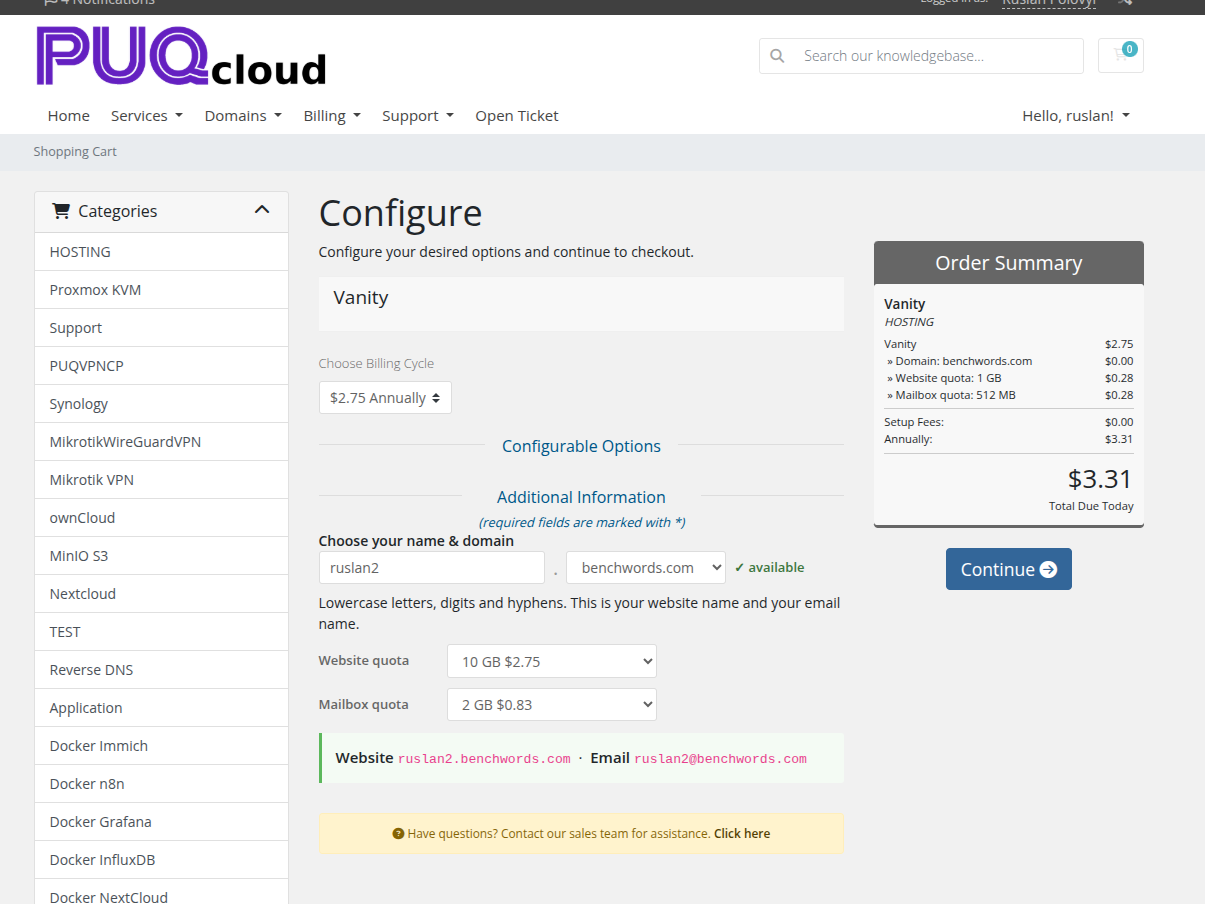
A free name turns green and unlocks Continue:
Customising the order-form panel
The whole "Choose your name & domain" card — its markup, CSS and the small bit of JavaScript that powers the live availability check and the name.domain / name@domain preview — lives in an editable template, not in the (ionCube‑encoded) PHP. You can restyle it to match your theme.
File: modules/servers/puqWebHosting/templates/order_form_vanity.tpl
- It is plain text — open it in any editor. The header comment explains every part.
-
All CSS classes are prefixed
puqv-(e.g..puqv-pill,.puqv-preview,.puqv-name-row). Edit the<style>block to recolour the availability pill, the preview frame, spacing, fonts, etc. - The HTML "skeleton" (the
puqv-*-slotcontainers) is where the real WHMCS fields are dropped in at runtime — rearrange it freely; just keep the*-slot,#puqv-stand#puqv-pvelements so the script can find them. - The wording (title, helper line, availability messages) is translatable via the module language files (
modules/servers/puqWebHosting/lang/<language>.php, keysorder_*) — it is injected at runtime, so you don't hard‑code text in the template.
Surviving updates. A module upgrade may replace the shipped
order_form_vanity.tpl. To keep your changes, copy it toorder_form_vanity.custom.tplin the same folder and edit that — the module loads the.custom.tplautomatically when it exists and never overwrites it.
After editing, reload the order page (no cache to clear for the template itself; if you changed module PHP, reset OPcache).
In the cart
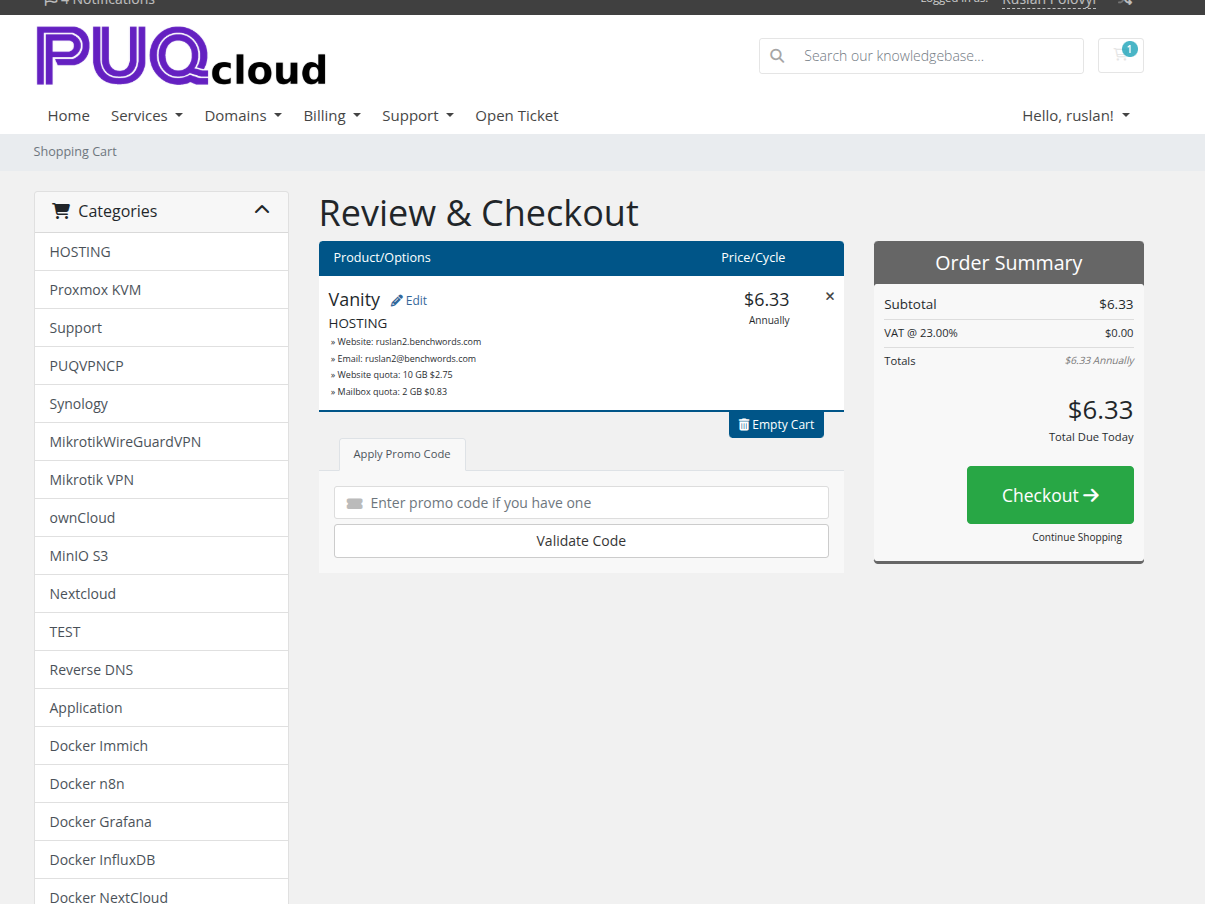
At checkout the cart line is human‑readable — it shows the resolved Website (name.domain) and Email (name@domain) plus the chosen quotas, so the buyer sees precisely what they're paying for:
Deployment
After payment the service deploys with the same live splash as any product (web account → mailbox → SSL), then flips to the dashboard. See Deployment & Segmentation → How deployment works for the progress screens.
The vanity client dashboard
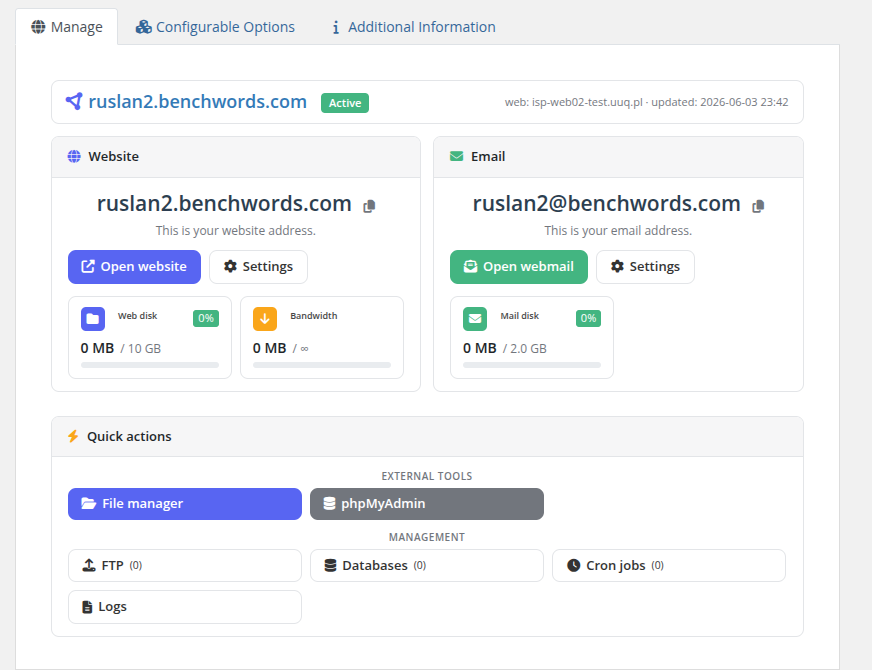
The customer lands on a deliberately simple, two‑card dashboard — Website and Email — each with an Open button and a Settings button, plus a small usage gauge:
The single mailbox page
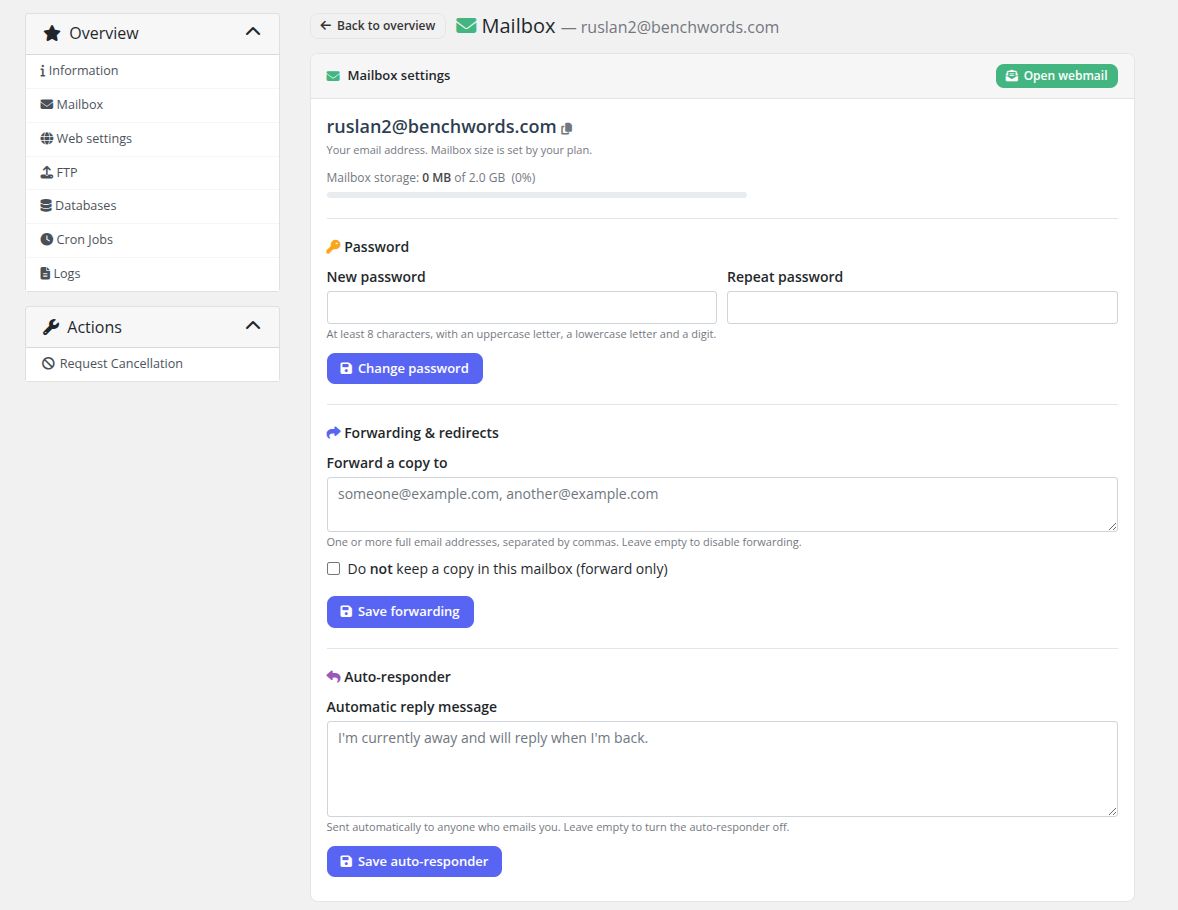
Because a slot has exactly one mailbox, there is no mailbox list — just a Mailbox settings page for name@domain: storage, change password, forwarding, and an auto‑responder. Open webmail is one click.
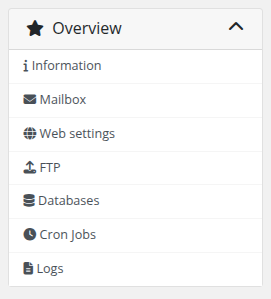
The customer can still manage their website like normal hosting — PHP version & HTTPS (Web settings), FTP accounts, databases, cron jobs and logs — all scoped to their name.domain site.
What your staff see
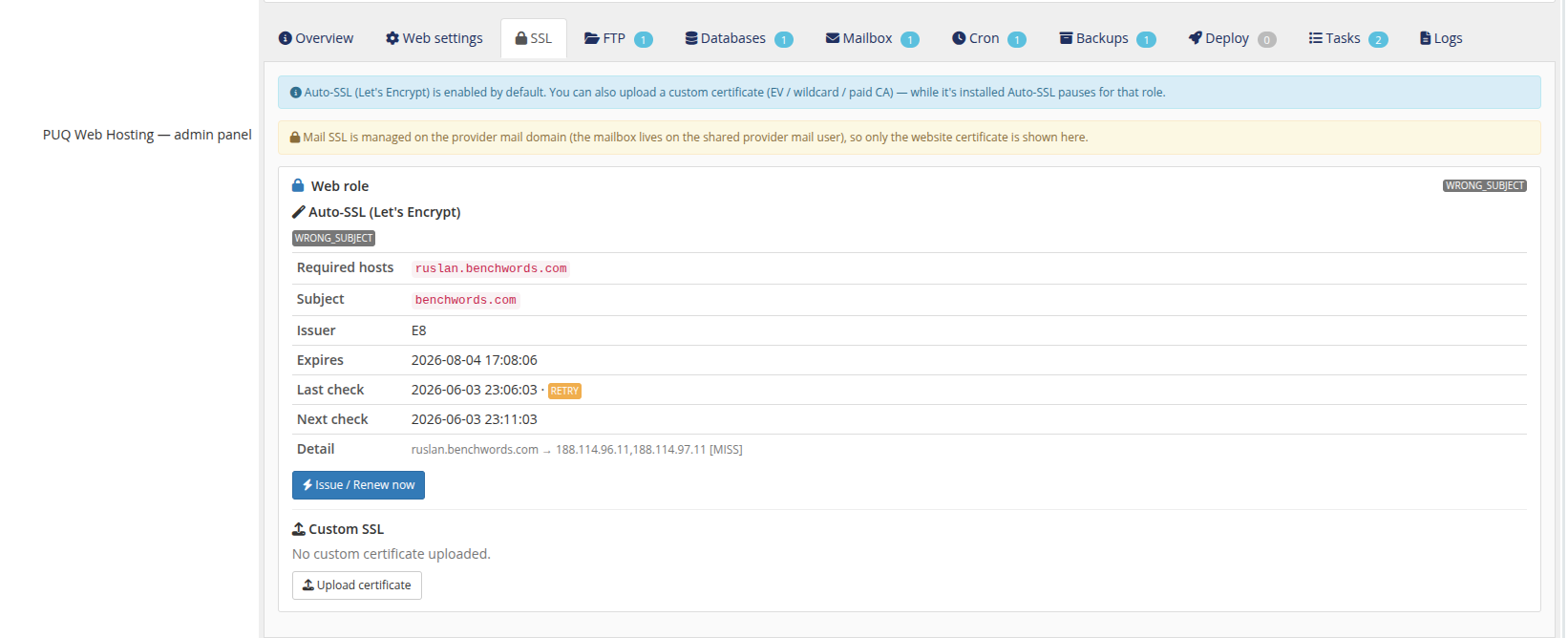
The admin service panel for a vanity service makes the shared model explicit: the Website card shows the per‑service web user and a "single record on the provider zone (cluster‑managed)" note; the Email card shows the one mailbox on the shared provider mail user, and notes that "Mail SSL is managed on the provider mail domain (not per‑service)."
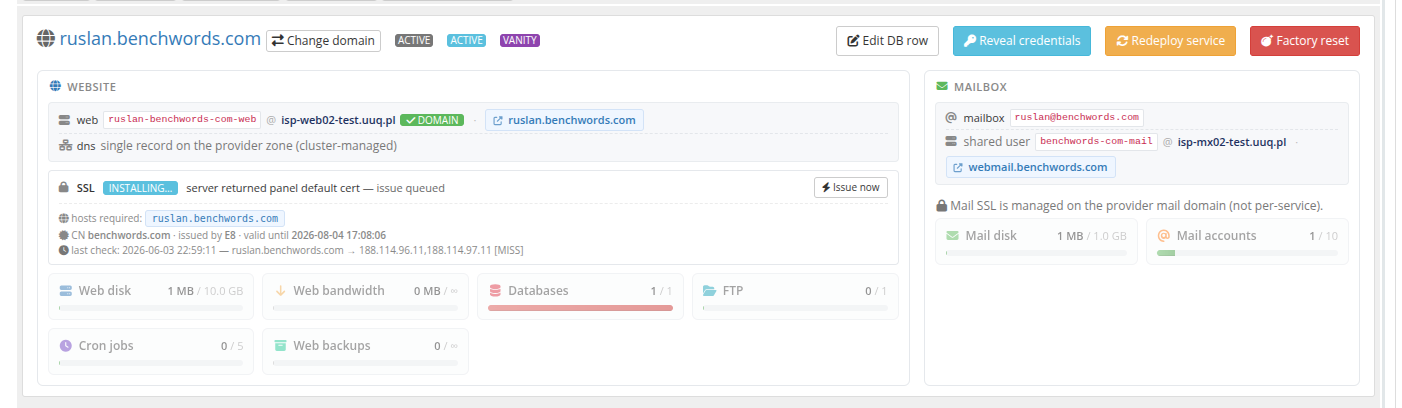
The SSL tab confirms it — only the website certificate is shown; mail SSL belongs to your provider mail domain, not to each slot:
Everything the customer does stays inside their own slot. The parent domain, the shared mail account and the DNS zone are never modified per order — exactly as promised on the setup screen.