 Skip to main content
Server‑Group Editor
PUQ Web Hosting module WHMCS
Order now | Download | Community
Open a group (Infrastructure → Server Groups → Open) to manage its members, its centrally‑managed hestia.conf, its DNS cluster and (for vanity groups) its sellable domains. A standard group has these tabs: Actions · General · All‑servers config · Web config · Mail config · DNS config · Variables · Standard files · DNS servers.
Actions — bulk apply per role
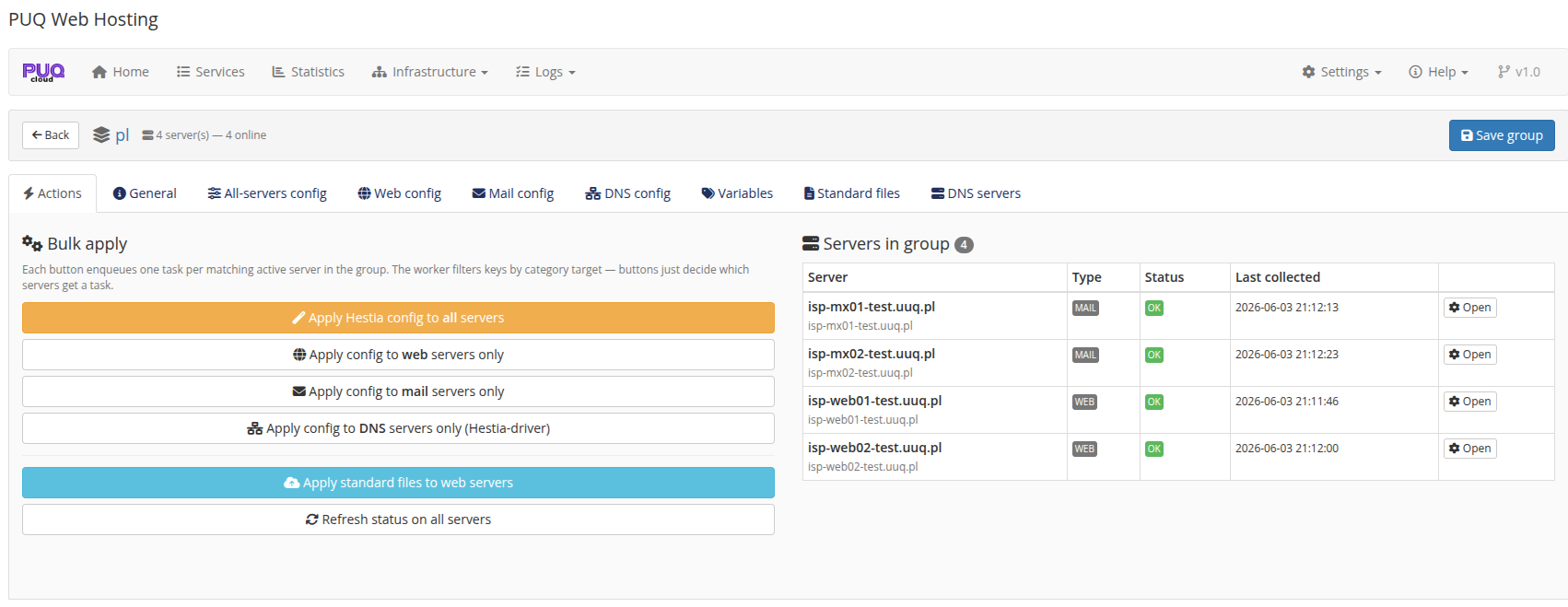
The Actions tab lists the members with their Type and Status, and pushes config/files per role: Apply Hestia config to all / web only / mail only / DNS only, Apply standard files to web, Refresh status. Applying enqueues one task per matching active node.
General — name & purpose
Name, description and the Group purpose (Standard vs Vanity). See Server Groups and the Vanity Mode chapter.
Managed hestia.conf (role‑targeted)
The module can centrally manage Hestia config keys and keep every node in sync (with drift detection on the node's Group config tab). The keys are split by role so they only ever land on the right tier:
-
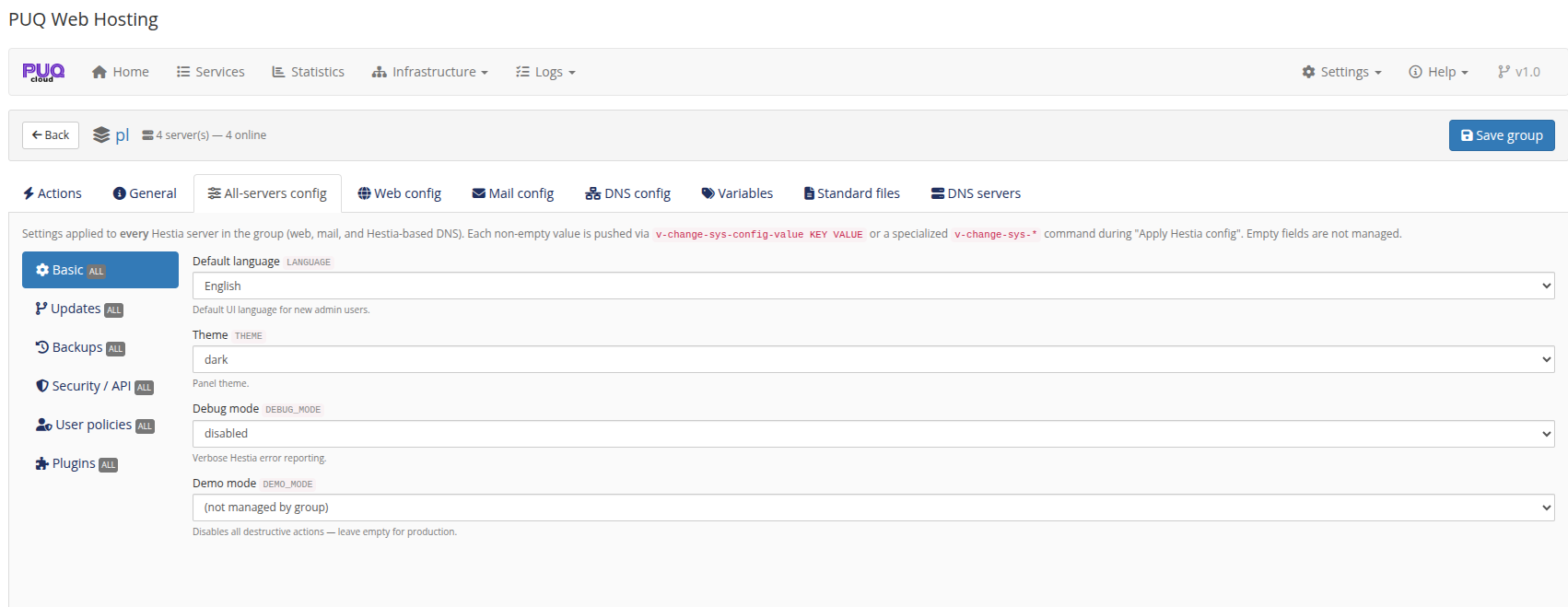
All‑servers config — applied to every node (language, theme, security/API, user policies, plugins…).
-
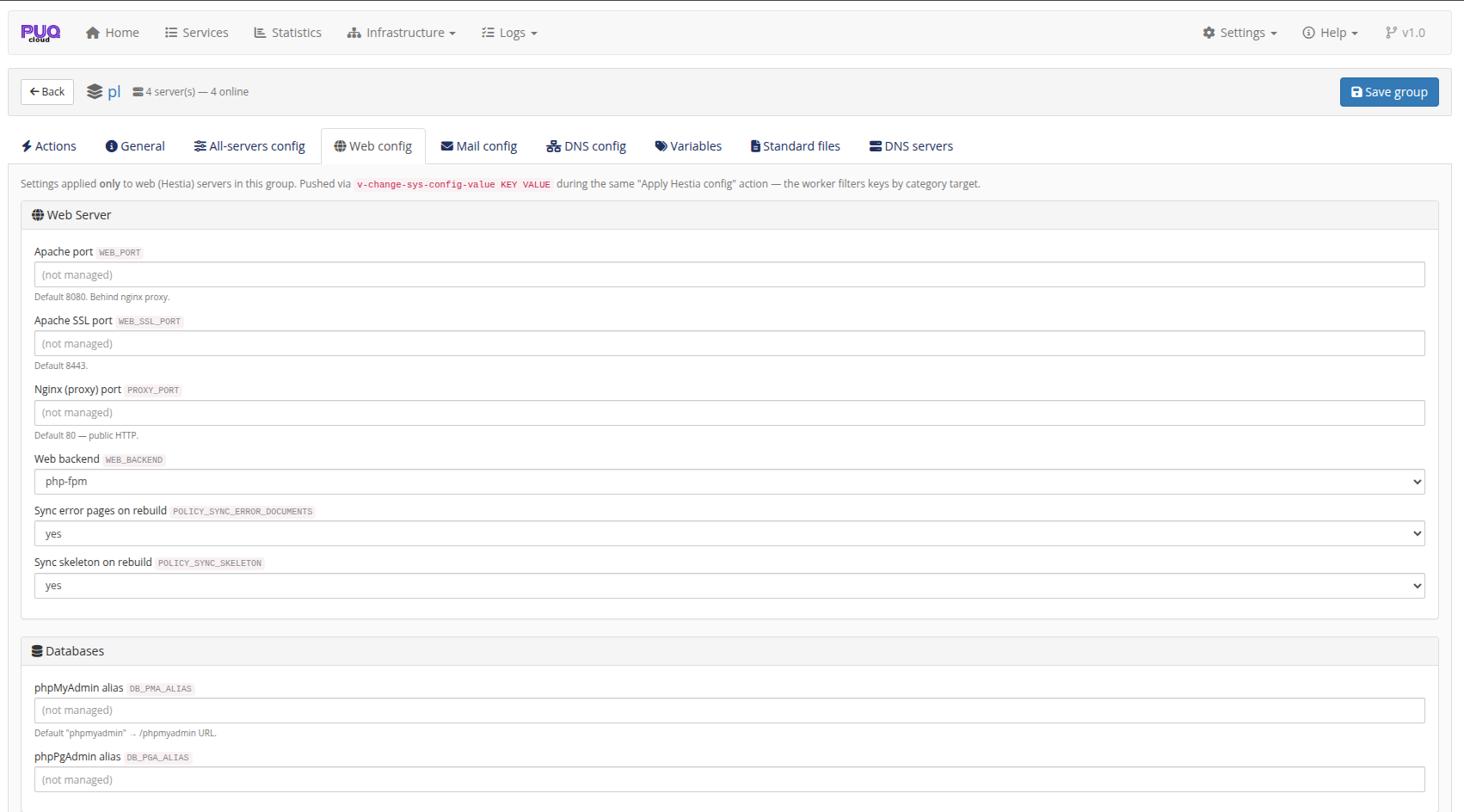
Web config — web‑only (Apache/SSL/Nginx ports, web backend, sync error pages/skeleton, phpMyAdmin/phpPgAdmin aliases).
-
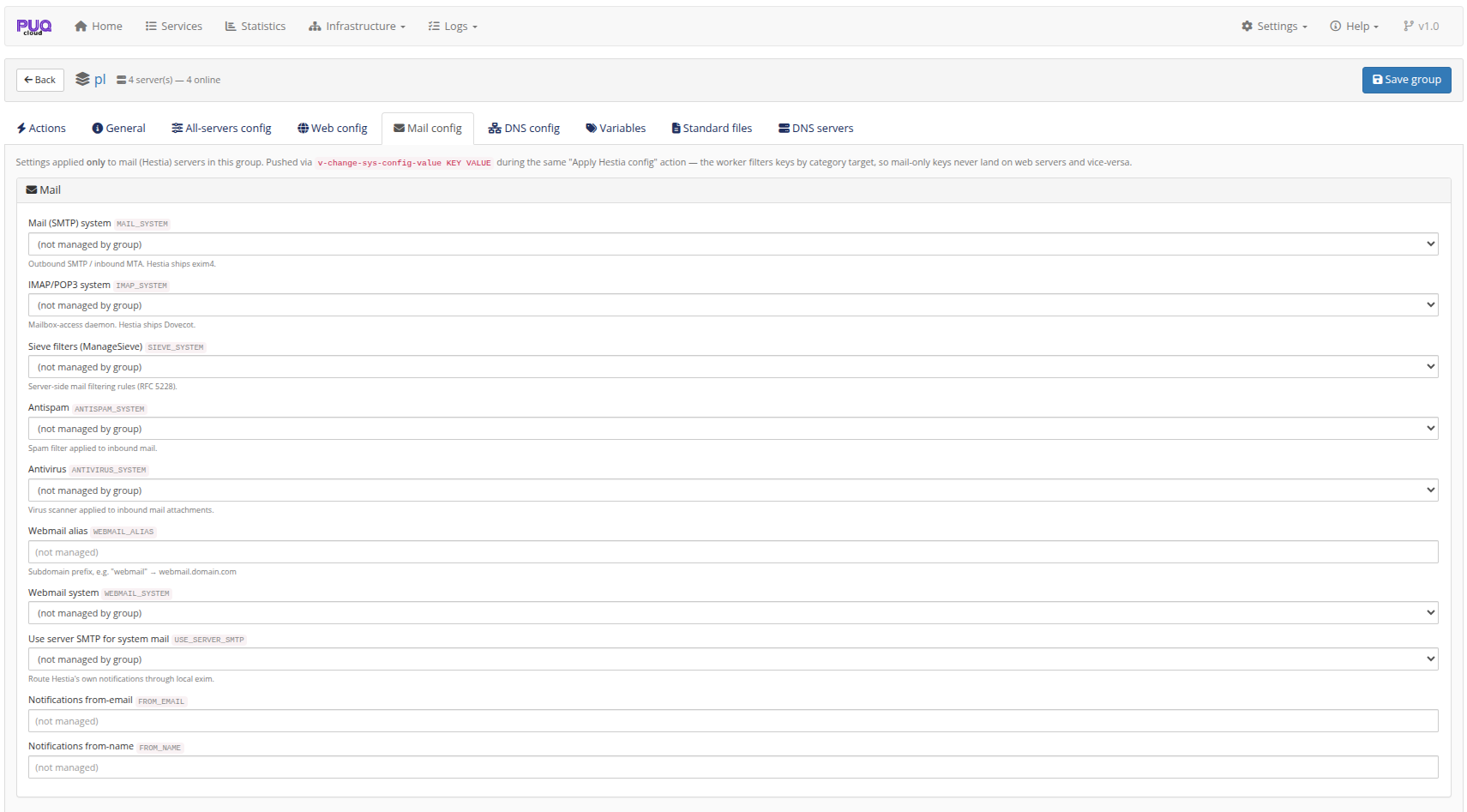
Mail config — mail‑only (SMTP/IMAP/Sieve systems, antispam/antivirus, webmail, use‑server‑SMTP, notification from‑address).
-
DNS config — Hestia‑DNS‑only (DNSSEC, DNS cluster / remote NS list). PowerDNS nodes have no
hestia.confand are skipped.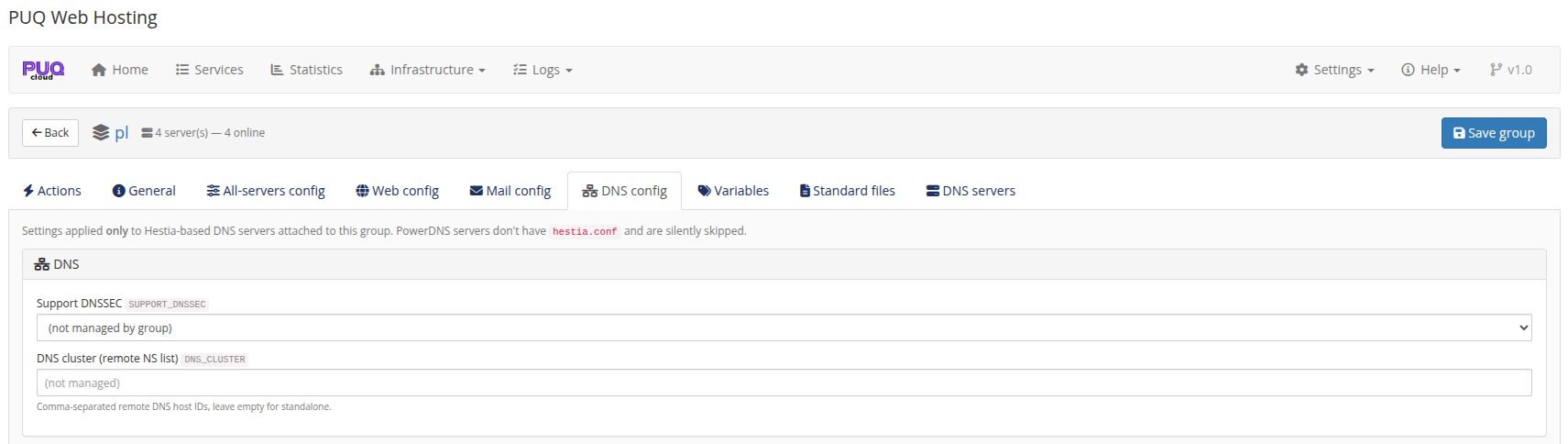
Empty fields are not managed — the module only pushes the keys you fill in.
Variables
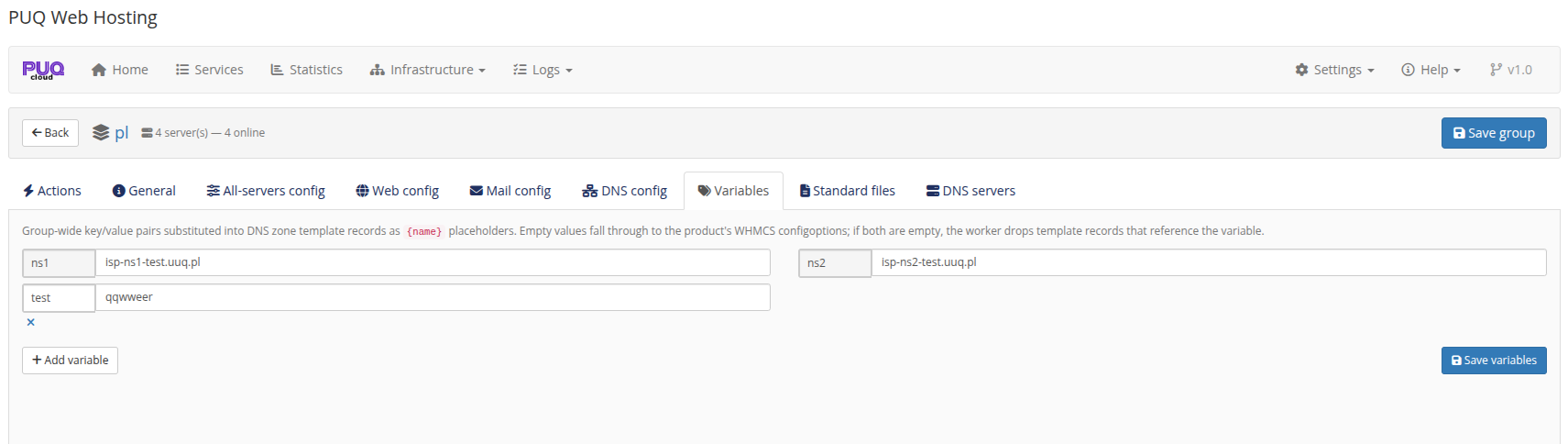
Group‑wide {name} key/value pairs substituted into DNS zone template records (e.g. ns1, ns2). Empty values fall through to the product's WHMCS configoptions; if both are empty the worker drops template records that reference the variable.
Standard files (rebranding)
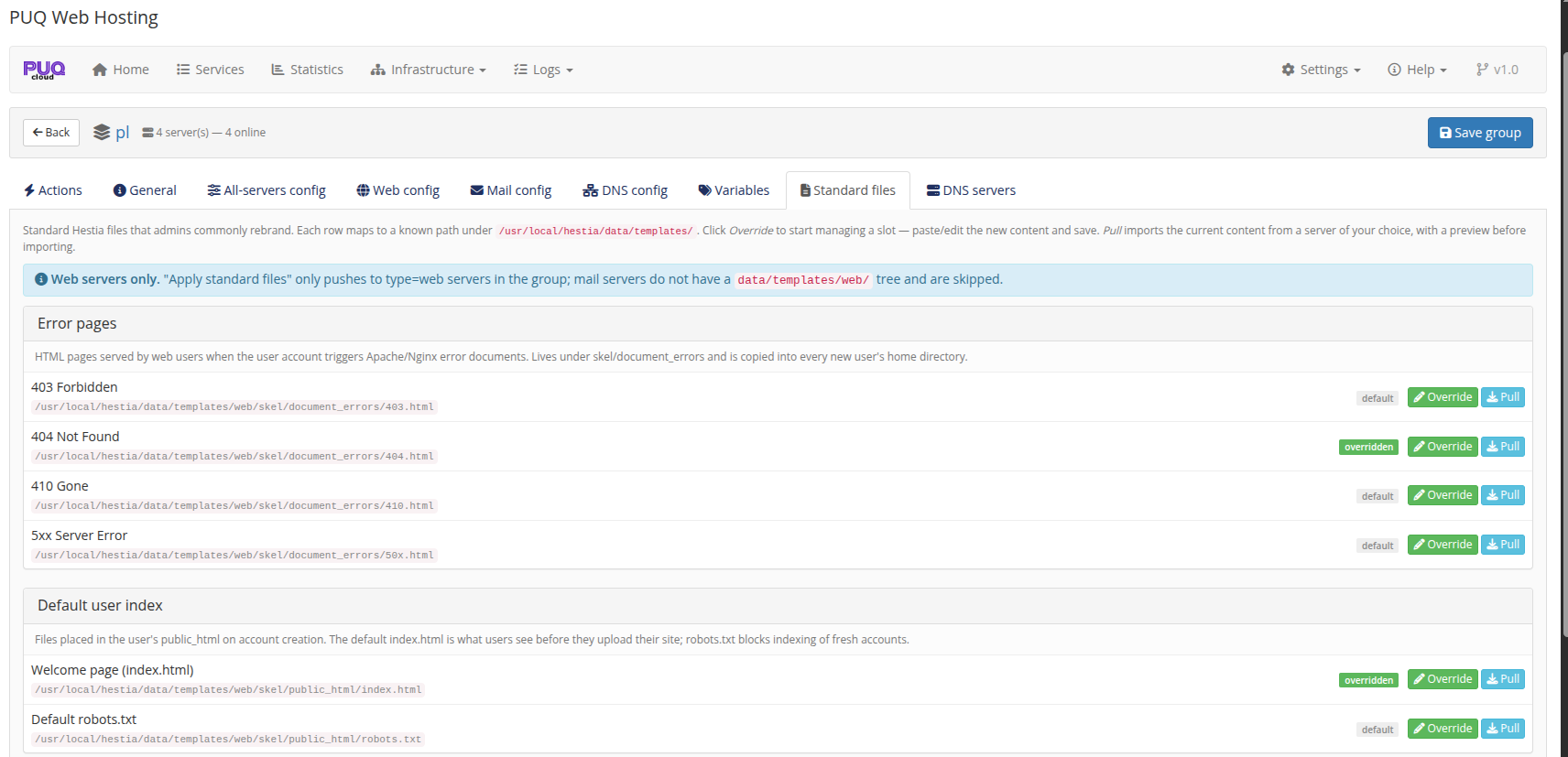
Rebrandable Hestia skeleton files for web nodes — error pages (403/404/410/5xx), the default user index.html / robots.txt, the suspended‑account page, and the unassigned‑IP vhost. Each can be Overridden (your content) or Pulled from a server, with default/overridden badges.
DNS servers (the cluster)
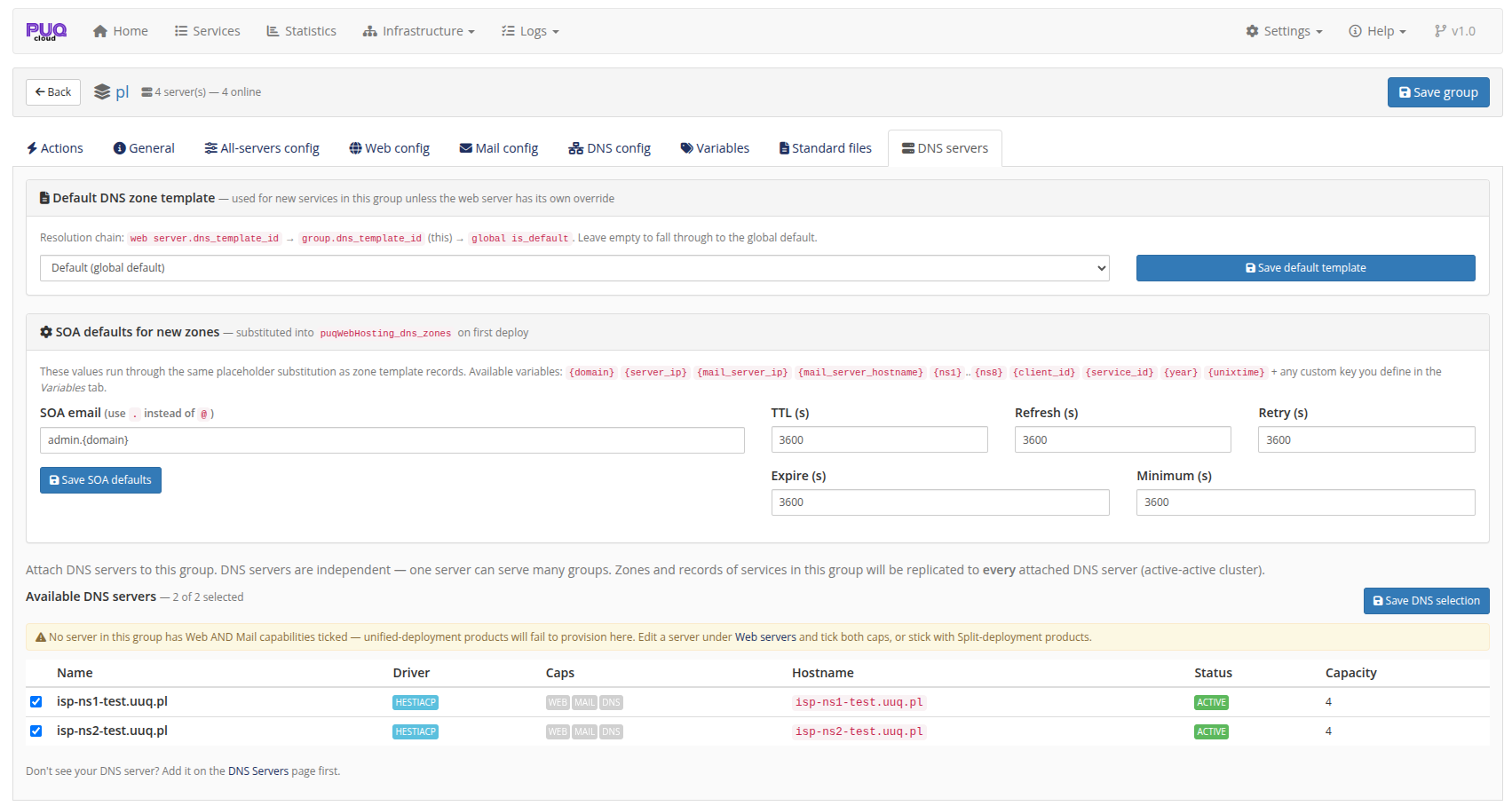
Attach independent DNS servers to the group (active‑active replication) and set the group's default zone template + SOA defaults.
A Vanity group shows only General / Variables / DNS servers / Vanity domains — the hosting‑config tabs are hidden. See Vanity Mode → Setting up the vanity group.